
TL;DR
| Feature | Seedance 2.0 | Google Veo 3 |
|---|---|---|
| Resolution | Native 2K (2048x1080) | Up to 4K (most generations 1080p) |
| Input | Image + Video + Audio + Text (12 files) | Text + Image (via Imagen 3) |
| Audio | Built-in SFX, music, 8-language lip sync | Native audio: dialogue, ambient, music |
| Price | Free credits, then $9.90/mo | AI Studio free tier, Vertex AI pay-per-use |
| Best for | Multi-modal creative work with full control | Google ecosystem users who need dialogue audio |
Pick Seedance if you need multi-modal input, character consistency, 2K resolution, or an affordable standalone platform. Pick Veo 3 if you are deeply embedded in the Google ecosystem, need native dialogue audio, or require Vertex AI enterprise integration. Use both if your workflow demands maximum audio-visual flexibility and you want to leverage each platform's strengths.
Read on for the complete head-to-head comparison across video quality, audio generation, input flexibility, pricing, ecosystem integration, and more.
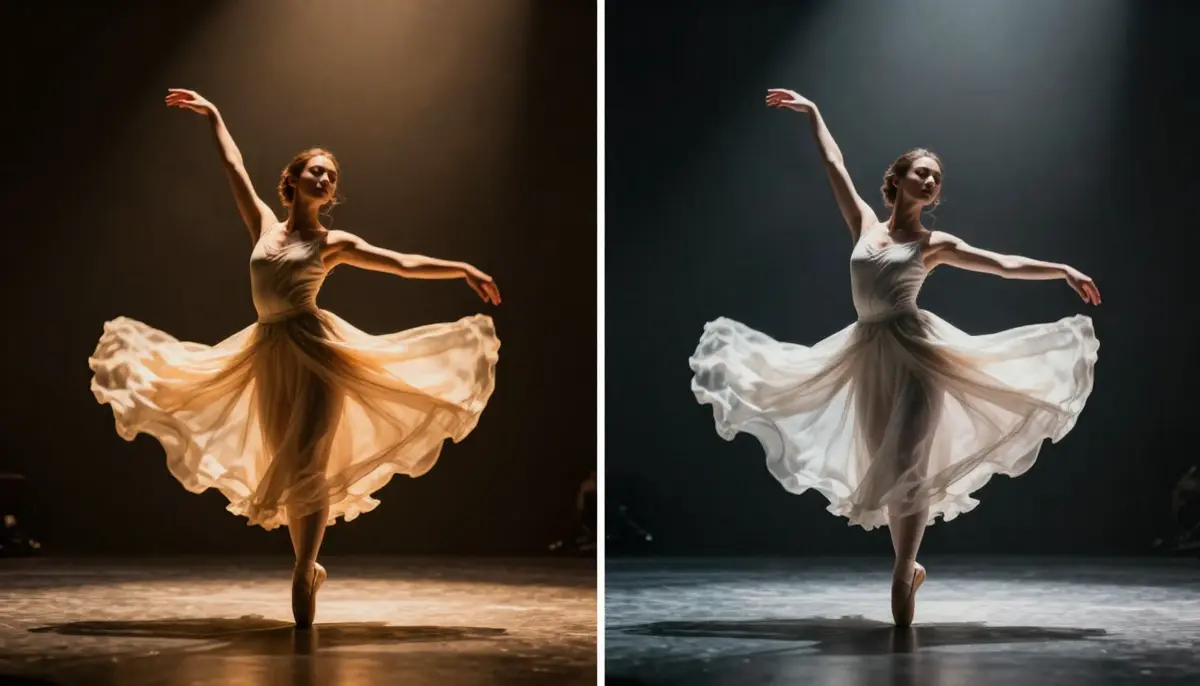
Seedance 2.0 vs Google Veo 3 -- two AI video generators with native audio capabilities competing head-to-head in 2026. Audio generation is the defining battleground.
Quick Comparison Table
Before we examine each dimension in detail, here is a comprehensive feature-by-feature comparison of Seedance 2.0 and Google Veo 3. This table covers every major dimension that matters when choosing between these two AI video generators in 2026.
| Feature | Seedance 2.0 | Google Veo 3 |
|---|---|---|
| Developer | ByteDance (Seed Team) | Google DeepMind |
| Max Resolution | 2K (2048x1080) | Up to 4K (limited; most outputs 1080p) |
| Max Duration | 15 seconds | 8 seconds (public); longer via Vertex AI |
| Input Modalities | Image, Video, Audio, Text (up to 12 files) | Text, Image (via Imagen 3 pipeline) |
| Audio Generation | SFX + Music + 8-language lip sync | Native dialogue + ambient sound + music |
| Audio-Visual Fusion | Separate audio layer, synced in generation | End-to-end joint audio-video generation |
| Character Consistency | Strong (multi-image reference, up to 9 images) | Moderate (text-guided, single image reference) |
| Camera Control | Reference video-based | Text description + physics simulation |
| Physics Simulation | Good, cinematic movement | Advanced, physically grounded motion |
| Aspect Ratios | 16:9, 9:16, 1:1, 4:3, 3:4, custom | 16:9, 9:16, 1:1 |
| Free Tier | Yes (free credits, no card required) | Yes (Google AI Studio free quota) |
| Starter Price | $9.90/month | Free tier + Vertex AI pay-per-use |
| Pro Price | $19.90/month | Vertex AI enterprise pricing (usage-based) |
| Generation Speed | ~60-120 seconds | ~60-180 seconds |
| Platform | Independent web platform + API | Google AI Studio, Vertex AI, Gemini (partial) |
| Global Availability | Worldwide | Worldwide (some Vertex AI regional limits) |
| Watermark | None on paid plans | None on most outputs |
| Ecosystem | Standalone, API access | Gemini, YouTube, Google Cloud, Vertex AI |
| Enterprise API | Available | Vertex AI with full SLA |
Now let us break each of these dimensions down in detail. This is not a simple "which is better" question. These are two fundamentally different products with different design philosophies, and understanding those differences will help you make the right choice.
About Seedance 2.0
Seedance 2.0 is a multi-modal AI video generation platform built by ByteDance's Seed research team. It is the third major release in the Seedance model family, following the 1.0 Lite and 1.0 Pro versions from 2025.
What makes Seedance distinctive among AI video generators is its quad-modal input system. You can feed the model images, videos, audio clips, and text prompts simultaneously. Upload up to 9 reference images, 3 reference videos, and an audio track alongside your text description. The AI synthesizes all of these inputs into a single coherent video output.
Seedance generates at native 2K resolution (2048x1080), includes built-in audio generation with sound effects, background music, and lip sync in 8 languages, and delivers strong character consistency through its multi-image reference system. The platform operates as an independent web application with API access, meaning you do not need to subscribe to any larger ecosystem to use it.
For a complete overview of the platform's features, architecture, and model history, read our comprehensive guide to Seedance.
About Google Veo 3
Google Veo 3 is the third-generation video generation model developed by Google DeepMind. It represents the culmination of Google's research into generative video, building on the foundation laid by Veo 1 (mid-2024) and Veo 2 (late 2024). Veo 3 launched in the second half of 2025 and quickly established itself as one of the most technically impressive AI video generators available.
Veo 3's signature capability is end-to-end audio-visual fusion. Unlike most AI video generators that treat audio as an optional add-on, Veo 3 generates video and audio jointly in a single forward pass. The model produces synchronized dialogue, ambient environmental sound, music, and sound effects as an integral part of the video generation process. This is not audio layered on top of video after the fact. The audio and visual tracks are born together, which produces remarkably natural synchronization.
Beyond audio, Veo 3 benefits from Google DeepMind's expertise in physics simulation. The model handles physical interactions -- gravity, fluid dynamics, object collisions, light propagation -- with a degree of realism that reflects deep training on physically grounded data. Characters move through environments in ways that respect physical laws more consistently than many competitors.
Veo 3 is accessible through multiple Google platforms. Google AI Studio provides a free-tier interface for experimentation and personal projects. Vertex AI offers enterprise-grade access with pay-per-use pricing, SLAs, and API integration for production workflows. Veo 3 capabilities are also partially available through Gemini, Google's multimodal AI assistant, though with more limited control over generation parameters.
The tight integration with Google's broader ecosystem -- Gemini for prompt refinement, Imagen 3 for image-to-video pipelines, YouTube for distribution, Google Cloud for storage and processing -- gives Veo 3 a unique position as a video generation tool within a comprehensive AI infrastructure.
Head-to-Head Comparison
This is the core of the seedance vs veo 3 debate. We compare both platforms across eight critical dimensions. We are transparent about where each platform genuinely excels. Both are sophisticated tools built by world-class engineering teams, and both have meaningful strengths.
Video Quality and Resolution
Resolution tells only part of the quality story, but it is a measurable starting point.
Seedance 2.0 generates video at a native resolution of 2K (2048x1080) in landscape mode. This is true native rendering, not upscaled 1080p. The model computes at this resolution from the start, which means finer detail in textures, sharper edges on objects and text, and more visible detail when you crop or zoom in post-production. ByteDance has confirmed that 4K support is in active development.
Google Veo 3 supports resolution up to 4K, but this requires specific configurations through Vertex AI. In practice, most generations through Google AI Studio and Gemini output at 1080p (1920x1080). The 4K capability exists but is not the default experience for most users. When Veo 3 does render at higher resolutions, the output is impressive, but access to 4K is limited by platform tier and generation credits.
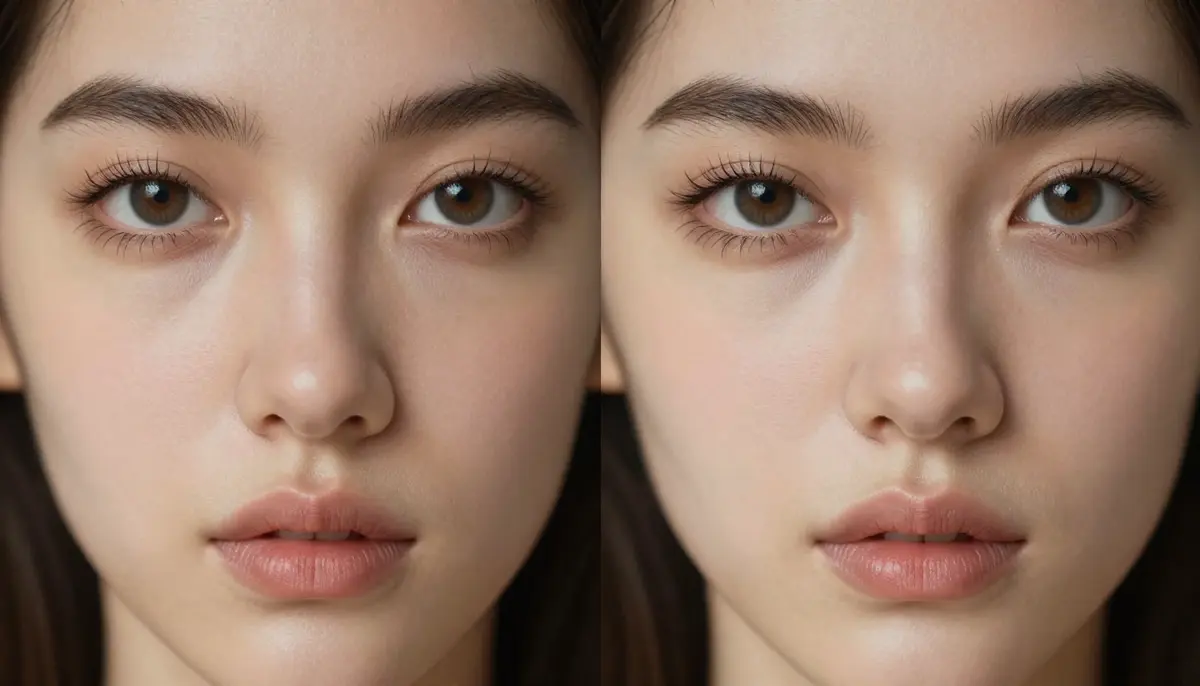
Resolution and detail comparison -- cropped sections from the same scene type generated by Seedance 2K (left) and Veo 3 at 1080p (right). Seedance delivers consistently sharper textures at its native 2K resolution.
Beyond pixel count, the two platforms produce noticeably different visual aesthetics.
Seedance tends toward a cinematic look. Colors are rich and contrasty, with dramatic shadows, volumetric fog, lens flare effects, and Rembrandt-style lighting that mimics professional cinematography. The model appears trained heavily on high-end film and commercial footage. If you want your AI video to look like it came from a professional camera with deliberate color grading, Seedance delivers that aesthetic naturally.
Veo 3 tends toward a physically accurate look. Colors are balanced and true-to-life. Lighting behaves according to physical principles -- light bounces, refracts, and diffuses as it would in the real world. Google DeepMind's emphasis on physics simulation extends to how light interacts with surfaces. The result is output that feels grounded and believable, though sometimes less stylistically dramatic than Seedance's cinematic approach.
For documentary-style content, product photography, and realism-focused work, Veo 3's physically accurate rendering is excellent. For brand content, music videos, trailers, and anything that benefits from dramatic visual treatment, Seedance's cinematic approach has an edge.
Winner: Seedance 2.0 on consistent resolution (native 2K for all users) and cinematic quality. Veo 3 has higher theoretical resolution (4K) but only in limited configurations. For the typical user experience, Seedance delivers more detail more reliably.
Audio Generation -- The Key Battleground
Audio is where the seedance vs veo 3 comparison becomes its most interesting and most consequential. Both platforms offer native audio generation, which already sets them apart from most competitors. But their approaches are fundamentally different, and understanding those differences is critical to choosing the right tool.
Seedance 2.0 includes a built-in audio generation system with three distinct components:
- Sound effects (SFX): The AI generates context-appropriate sound effects -- footsteps on different surfaces, rain, wind, mechanical sounds, ambient noise -- that match the visual content of the video. The SFX engine analyzes what is happening in the scene and produces corresponding audio.
- Background music: Generate a musical score that matches the mood, tempo, and style of your video. You can guide the music generation with genre and emotional tone preferences. The music is generated to fit the video's pacing and visual rhythm.
- Lip sync in 8 languages: If your video features a speaking character, Seedance generates synchronized lip movements in English, Chinese, Japanese, Korean, Spanish, French, German, and Portuguese. You provide the speech audio (or text for TTS), and the character's mouth movements match naturally.
Seedance treats audio as a configurable layer. You choose which audio components to enable, adjust their parameters, and the system generates them in coordination with the video. This gives you granular control over the audio experience -- you might want SFX and music but not lip sync, or lip sync without background music.
Google Veo 3 takes a fundamentally different approach with end-to-end audio-visual fusion:
- Native dialogue: Veo 3 generates spoken dialogue as part of the video generation process. Characters speak with natural intonation, pacing, and emotional inflection. The dialogue is not text-to-speech layered on afterward. It emerges from the same generation process as the visual content.
- Ambient environmental sound: The model generates spatially appropriate ambient audio. A street scene includes traffic, distant conversations, and urban atmosphere. A forest scene includes birdsong, rustling leaves, and wind. These sounds feel naturally placed in the acoustic environment.
- Music and score: Veo 3 can generate background music that complements the visual mood and pacing. The music generation is integrated into the joint audio-visual model.
- Sound effects: Object interactions produce appropriate sounds. A door closing sounds like a door closing. Footsteps match the surface and gait. Water splashing sounds like water splashing.
The critical difference is that Veo 3 generates audio and video jointly in a single forward pass. This produces a level of audio-visual synchronization that is difficult to achieve with layered approaches. When a character in a Veo 3 video speaks, the lip movements, facial expressions, vocal intonation, and ambient sound all emerge from the same generative process. The result is remarkably cohesive.
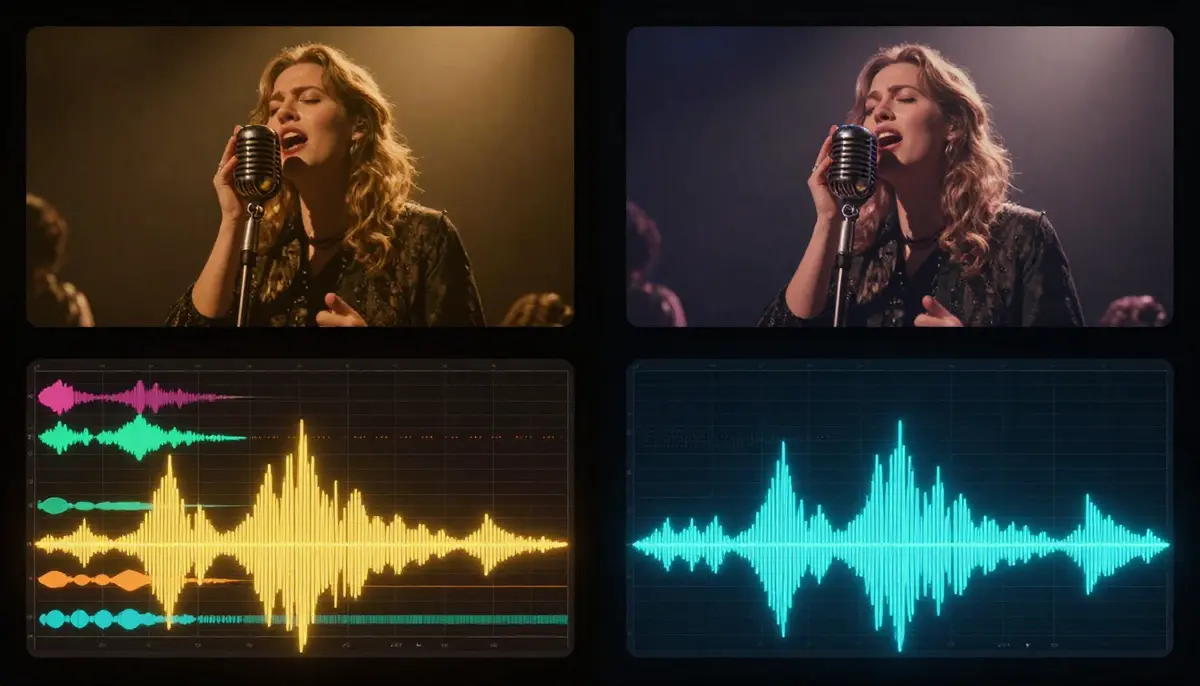
Audio generation approaches compared -- Seedance uses configurable audio layers (SFX, music, lip sync), while Veo 3 generates audio and video jointly in a single process. Both produce synchronized output, but through different architectures.
Where Seedance's audio approach wins:
- Control and configurability. You decide exactly which audio elements to include and can adjust each independently. Want SFX without music? Done. Want to provide your own audio track and have the video sync to it? Seedance handles this natively. Veo 3's joint generation gives you less granular control over individual audio elements.
- Multi-language lip sync. Seedance explicitly supports lip sync in 8 languages with dedicated language-specific mouth shape modeling. This is particularly valuable for international content production and localization workflows.
- Audio input as a generation modality. You can upload an existing audio file (a song, a voiceover, a sound effect) and Seedance will generate video synchronized to that audio. Veo 3 does not accept audio input for generation -- it only produces audio as output.
Where Veo 3's audio approach wins:
- Natural dialogue generation. Veo 3's joint audio-visual generation produces the most natural-sounding dialogue of any AI video generator. Characters speak with convincing prosody, emotional range, and natural timing. This is Veo 3's single most impressive technical achievement.
- Audio-visual coherence. Because audio and video are generated together, the synchronization between sound and image is exceptionally tight. There is no perceptible lag or misalignment between what you see and what you hear.
- Ambient richness. Veo 3's environmental audio is spatially nuanced. Sounds feel like they exist in the 3D space of the scene, not layered on top of a flat video.
The honest assessment: If dialogue audio is your primary need -- characters speaking to each other, narration that feels human, conversational scenes -- Veo 3 currently produces more natural results. If you need configurable audio control, multi-language lip sync, or the ability to sync video to your own audio input, Seedance offers more flexibility. For most use cases that involve sound effects and background music without dialogue, both platforms deliver excellent results through different technical paths.
Winner: Draw, with caveats. Veo 3 leads in dialogue naturalness and audio-visual coherence. Seedance leads in audio control, multi-language support, and audio-as-input flexibility. This is the core competitive dimension between these two platforms, and neither has a clear overall advantage. Your specific audio needs determine which approach serves you better.
Input Flexibility
Input modalities determine how much control you have over the generation process. This is where the two platforms diverge most sharply in design philosophy.
Seedance 2.0 accepts four input modalities simultaneously:
- Images (up to 9) -- Upload portraits, product photos, concept art, style references, or any visual material. The AI preserves identity, color palette, and visual style from your references.
- Videos (up to 3, total 15 seconds max) -- Provide reference clips for camera movement, choreography, motion style, or visual pacing. Seedance extracts movement patterns and applies them to new content.
- Audio (MP3, up to 15 seconds) -- Supply a soundtrack, voiceover, or sound effect. The generated video synchronizes to the audio's rhythm, beat, and mood.
- Text -- Natural language descriptions guiding scene composition, style, and action.
You can combine up to 12 reference files across these modalities in a single generation request.
Google Veo 3 accepts two primary input modalities:
- Text -- Natural language descriptions. Veo 3 benefits from Google's deep expertise in language understanding through the Gemini model family.
- Image (via Imagen 3 pipeline) -- A single reference image can guide generation, though this works through an integrated pipeline with Imagen 3 rather than as a native Veo 3 input modality.
Veo 3 does not accept video references, audio input, or multiple simultaneous image references.
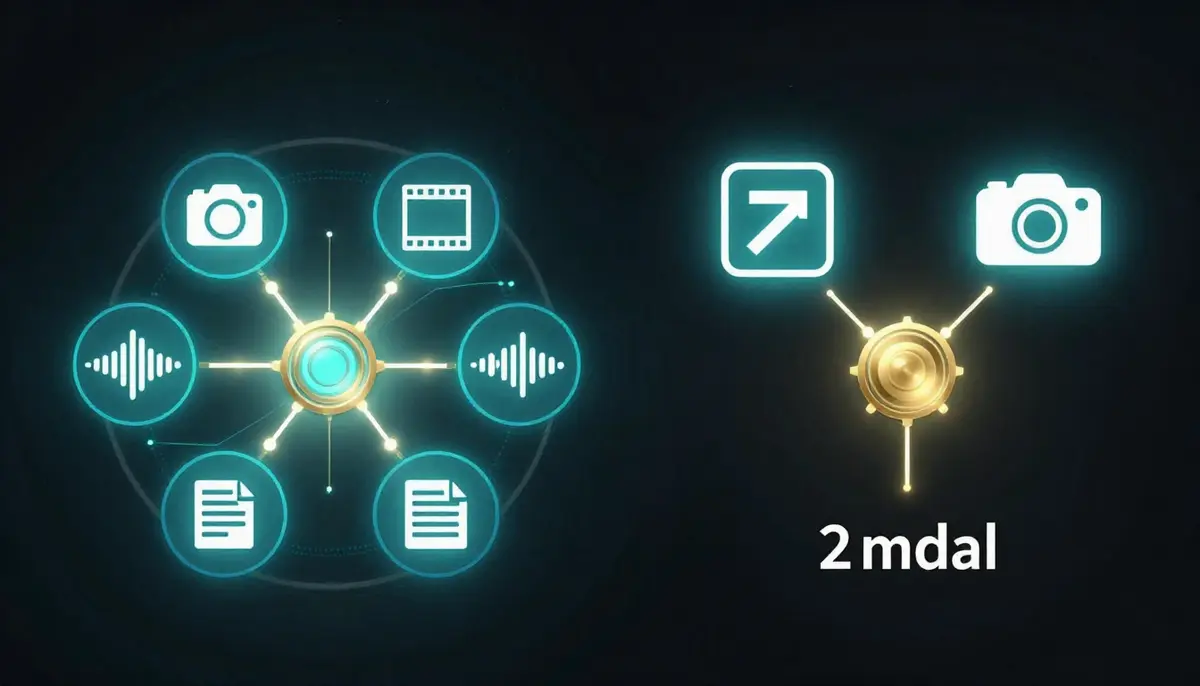
Input flexibility comparison -- Seedance accepts images, videos, audio, and text simultaneously (up to 12 files), while Veo 3 primarily works with text prompts and single image references.
When Seedance's multi-modal input matters most:
- E-commerce and product marketing. You have product photos from multiple angles and want to create a video ad. Upload all photos directly. With Veo 3, you describe the product in text or provide a single image.
- Brand consistency across campaigns. Upload brand assets, color references, and character images to maintain visual identity across dozens of videos. Veo 3 relies on text descriptions for brand consistency, which introduces more variability.
- Music-driven content. Upload your audio track and let the video sync to it. Veo 3 cannot accept audio input -- it generates audio but cannot use your existing audio as a creative input.
- Camera movement replication. Found a camera movement you want to replicate? Upload that clip as a motion reference. With Veo 3, you describe the movement in text and the physics engine interprets it.
When Veo 3's approach works well:
- Pure creative exploration. Starting from a blank slate with only a text concept. Veo 3's language understanding, powered by Gemini, translates complex descriptions into video with impressive accuracy.
- Physics-driven scenes. When the scene involves complex physical interactions, Veo 3's physics simulation can produce results that are difficult to achieve even with reference videos.
- Rapid prototyping. Typing a prompt is faster than gathering reference files. For quick concept validation, text-only input is efficient.
Winner: Seedance 2.0 by a significant margin for anyone who works with existing creative assets. The quad-modal input system is a fundamental capability advantage. Veo 3's text understanding is excellent, but text alone cannot match the precision of visual and audio references for controlled creative output.
Camera and Motion Control
Camera control and motion quality are closely related but worth examining separately.
Seedance 2.0 uses reference video-based camera control. Upload a clip that demonstrates the camera movement you want -- a slow dolly, a tracking shot, a crane sweep, a handheld shake -- and the AI replicates that movement pattern in the generated video. This approach gives you precise, reproducible control. If you find a camera movement you love, you can apply it to any scene. The trade-off is that you need to find or record a reference clip first.
Google Veo 3 uses text-based camera control enhanced by physics simulation. You describe the camera movement in your prompt: "slow tracking shot following the subject from behind" or "aerial crane shot descending toward the rooftop." Veo 3's physics engine then simulates the camera as a physical object moving through the 3D space of the scene. This means the camera respects physical constraints -- it cannot pass through walls, it accelerates and decelerates naturally, and it responds to the geometry of the environment.
Veo 3's physics simulation extends beyond camera to the motion of everything in the scene. Objects fall with realistic gravity. Fabric drapes and billows according to wind direction and material weight. Water flows and splashes with physical accuracy. Hair responds to movement and breeze. Characters walk with weight and balance. Google DeepMind's investment in physics-grounded generation is one of Veo 3's genuine technical achievements.
Seedance also handles motion well -- cinematic camera movement, lighting dynamics, fabric physics, and facial expressions are all convincing. But Seedance's motion strengths come from its training data and model architecture rather than explicit physics simulation. The result is motion that looks cinematic and professional, though it may occasionally produce physically implausible scenarios.
Winner: Seedance 2.0 for camera control precision (reference-based is more reproducible than text-based). Veo 3 for physics simulation quality and physically grounded motion. If you need to replicate a specific camera movement exactly, Seedance's reference approach is superior. If you need realistic physical interactions and do not have a specific reference, Veo 3's physics engine is impressive.
Duration and Aspect Ratios
Duration and format flexibility affect what kinds of content you can create in a single generation.
Seedance 2.0 generates videos up to 15 seconds in length with 6 aspect ratios: 16:9, 9:16, 1:1, 4:3, 3:4, and custom dimensions. This covers all standard social media formats (TikTok/Reels at 9:16, YouTube at 16:9, Instagram feed at 1:1) plus additional ratios for specialized use cases. Fifteen seconds is adequate for most short-form social content and many advertising formats.
Google Veo 3 generates videos up to 8 seconds in the public-facing Google AI Studio interface, with longer durations available through Vertex AI for enterprise users. Standard aspect ratios include 16:9, 9:16, and 1:1. The 8-second public limit is notably shorter than most competitors, though Veo 3 compensates for this with its exceptionally high quality per second.
The duration gap is significant. Seedance offers nearly twice the maximum duration of Veo 3's public tier. For social media content, product demos, and short narrative clips, 15 seconds provides substantially more creative room than 8 seconds. Eight seconds is enough for a quick visual moment, but it limits scene development, camera movements, and narrative progression.
For users who need longer Veo 3 outputs, Vertex AI provides extended duration options, but this requires Google Cloud infrastructure and enterprise-level pricing -- a significant step up from the free AI Studio experience.
Winner: Seedance 2.0 on both duration (15s vs 8s public) and aspect ratio variety (6 vs 3). The duration advantage is particularly meaningful for social media content where 10-15 seconds is the sweet spot.
Pricing and Accessibility
Pricing structures differ fundamentally between the two platforms. Seedance uses a traditional SaaS subscription model. Veo 3 is available through Google's multi-tier platform structure.
Seedance Pricing
| Plan | Monthly Price | Credits | Key Features |
|---|---|---|---|
| Free | $0 | Signup bonus (no card required) | Full quality, all models, all features |
| Starter | $9.90/month | Moderate allocation | Priority queue, all features |
| Pro | $19.90/month | Large allocation | Maximum credits, priority generation |
Every Seedance plan generates the same quality output. Free users get the same 2K resolution, same models, and same audio generation as Pro users. The only difference is credit volume. No watermarks on paid plans.
For a detailed breakdown of maximizing free credits, read our Seedance free guide.
Veo 3 Pricing
| Access Method | Price | Limits | Best For |
|---|---|---|---|
| AI Studio (Free) | $0 | Daily generation quota, 8s max, standard quality | Personal projects, experimentation |
| AI Studio (Paid) | Usage-based | Higher quotas, extended features | Moderate volume users |
| Vertex AI | Pay-per-use (enterprise) | Full resolution, longer duration, SLAs | Enterprise, production workflows |
| Gemini | Part of Gemini subscription | Limited Veo 3 access, basic parameters | Casual Gemini users |
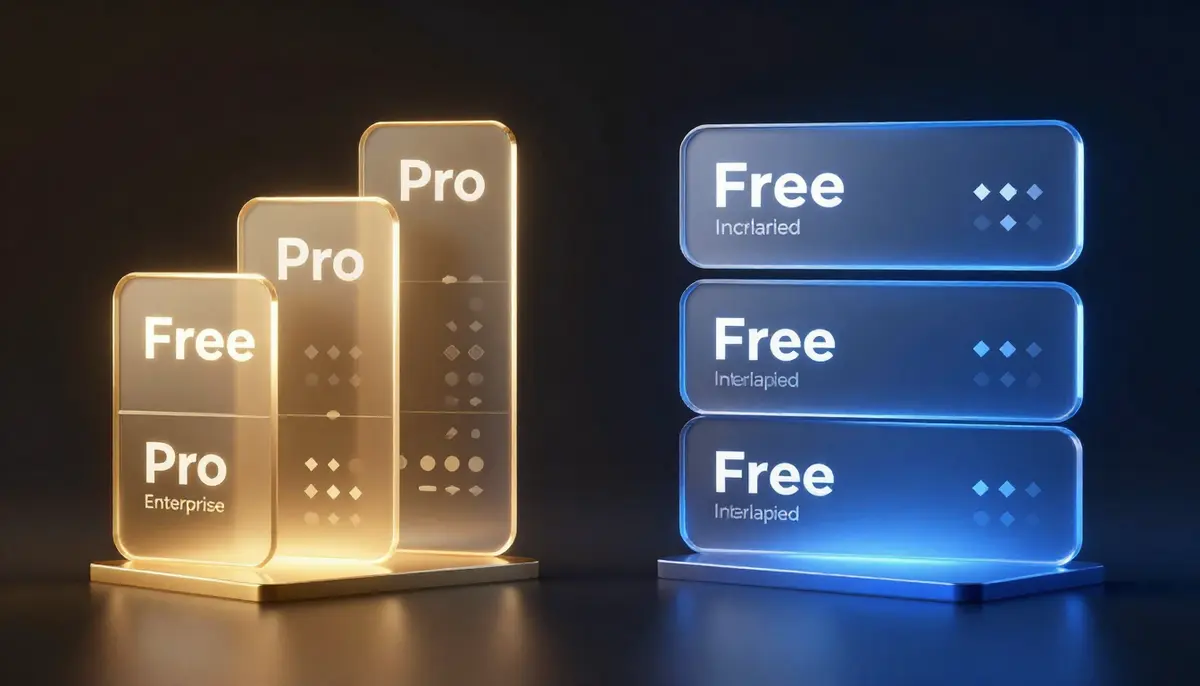
Pricing structures compared -- Seedance offers straightforward SaaS subscriptions starting at $9.90/month, while Veo 3 provides free AI Studio access with enterprise options through Vertex AI.
Cost Analysis
Veo 3's free tier through Google AI Studio is genuinely useful for experimentation and personal projects. You can generate videos without spending anything, which is a strong entry point. However, the free tier has daily limits, maximum 8-second duration, and standard resolution. For production use, you need Vertex AI, where costs scale with usage.
Seedance's free tier also provides meaningful generation capability without requiring a credit card. When you move to paid plans, the pricing is predictable -- $9.90 or $19.90 per month for fixed credit allocations at full quality.
For casual users: Both platforms offer free tiers. Veo 3's AI Studio free tier may provide slightly more daily generations for simple text-to-video requests. Seedance's free tier provides access to all features including multi-modal input and audio.
For regular creators: Seedance's $9.90 Starter plan is more predictable and cost-effective than Vertex AI's usage-based pricing for most moderate-volume workflows. You know exactly what you are paying each month.
For enterprise users: Veo 3's Vertex AI integration provides SLAs, dedicated infrastructure, and Google Cloud compliance certifications that Seedance's API does not currently match. If you need enterprise-grade infrastructure with guaranteed uptime and compliance, Vertex AI has an advantage.
For full pricing details, visit our pricing page.
Winner: Depends on scale. Veo 3 wins on free-tier accessibility through AI Studio. Seedance wins on predictable pricing for regular creators ($9.90/month all-inclusive). Veo 3 wins for enterprise deployments requiring Google Cloud integration. For the majority of individual creators and small teams, Seedance offers better value per dollar.
Ecosystem and Integration
This is where the two platforms differ most in strategic positioning.
Seedance 2.0 operates as an independent platform. You access it through its own web interface or API. It does not require any other subscription or platform membership. This independence means you can use Seedance alongside any other tools in your workflow without vendor lock-in. The API enables integration with custom applications, automated pipelines, and third-party services.
Google Veo 3 is embedded in the Google ecosystem. This creates both advantages and constraints:
- Gemini integration: Use Gemini to refine your prompts, brainstorm concepts, and then send them directly to Veo 3 for generation. The workflow from idea to video stays within Google's AI assistant.
- YouTube integration: Veo 3 is beginning to integrate with YouTube's creative tools, enabling creators to generate supplementary content, thumbnails, and short clips within the YouTube Studio environment.
- Vertex AI: For enterprise users, Veo 3 on Vertex AI means the video generation capability sits alongside Google Cloud's compute, storage, data analytics, and machine learning services. You can build end-to-end AI pipelines that include video generation as one component.
- Imagen 3: Google's image generation model works in tandem with Veo 3. Generate a still image with Imagen 3 and use it as a starting frame for Veo 3 video generation.
- Google Cloud Storage: Generated videos can be stored directly in Google Cloud Storage for processing, distribution, or archival.
For users already invested in Google's ecosystem, this integration reduces friction significantly. You do not need to export, download, upload, or switch between platforms. For users who are not in the Google ecosystem, the dependency can feel like lock-in rather than convenience.
Winner: Veo 3 for users already within the Google ecosystem. Seedance for users who want platform independence or work across multiple ecosystems. This is not a quality judgment -- it is a workflow preference.
Speed and Reliability
Generation speed affects your creative iteration cycle. Faster generation means more experiments per hour.
Seedance 2.0 typically generates a video in 60-120 seconds. Simpler text-only prompts finish faster. Complex multi-modal requests with several reference files take longer. Paid users receive priority queue access, reducing wait times during peak periods. The consistency of generation times is a strength -- you can reliably estimate how long a generation will take.
Google Veo 3 generation times vary between 60-180 seconds depending on the platform. AI Studio generations tend to be faster (the free tier prioritizes speed at the cost of some quality parameters). Vertex AI generations can take longer but produce higher-fidelity output. During periods of high demand, AI Studio queue times can extend significantly.
Both platforms maintain strong uptime. Seedance operates on ByteDance's global infrastructure, which benefits from the same backbone that serves TikTok to billions of users. Veo 3 runs on Google Cloud, one of the world's most reliable cloud platforms. Neither platform experiences frequent outages.
Winner: Seedance 2.0 on speed consistency. Veo 3 is comparable in raw generation time but more variable depending on platform tier and demand.
When to Choose Seedance
Seedance 2.0 is the stronger choice when your workflow includes any of the following:
1. You work with existing visual and audio assets. If you are an e-commerce brand with product photos, a content creator with a library of images and clips, or a marketing team with established brand materials, Seedance's quad-modal input turns those assets into video directly. No other platform matches this level of input flexibility. Upload your photos, reference videos, audio tracks, and text prompts together.
2. You need predictable, affordable pricing. At $9.90/month for the Starter plan, Seedance offers clear, fixed pricing with full feature access. You know what you are paying, you know what you are getting, and there are no surprises. For creators who produce content regularly, this predictability matters.
3. You need native 2K resolution consistently. Every Seedance generation outputs at native 2K. You do not need special configurations, enterprise tiers, or specific platform access. For professional content, desktop viewing, large-screen presentations, or any use case where resolution matters, 2K is a tangible advantage.
4. You need character consistency across multiple videos. If you are building a series, a brand campaign, or any multi-video project with recurring characters, Seedance's multi-image reference system maintains identity far more reliably than text-based descriptions. Upload 5-9 reference images of your character and the AI preserves their appearance across all generations.
5. You want platform independence. Seedance does not lock you into any ecosystem. Use it alongside Premiere Pro, DaVinci Resolve, Final Cut, Canva, or any other tool in your workflow. The API integrates with custom applications without requiring Google Cloud, Azure, or any specific infrastructure.
6. You create social media content at volume. Multiple aspect ratios, built-in audio, 15-second duration, multi-modal input for brand consistency, and competitive pricing -- Seedance is built for the social media content production workflow. See our comparison of all AI video generators for how Seedance stacks up across the full landscape.
Start creating with Seedance for free -->
When to Choose Veo 3
We believe in honest comparisons. Google Veo 3 is a technically impressive platform with genuine advantages in specific scenarios:
1. You are already deep in the Google ecosystem. If your team uses Google Cloud, Vertex AI, Gemini, and YouTube Studio, Veo 3 integrates seamlessly. The workflow from concept (Gemini) to image (Imagen 3) to video (Veo 3) to distribution (YouTube) stays entirely within Google's infrastructure. This reduces friction, simplifies permissions, and consolidates billing.
2. You need high-quality dialogue audio. Veo 3's end-to-end audio-visual generation produces the most natural dialogue of any AI video generator. If your primary use case involves characters speaking -- conversational scenes, narration, interviews, educational content with presenters -- Veo 3's dialogue quality is currently best-in-class.
3. You need physically accurate motion and interactions. Veo 3's physics simulation is advanced. If your content involves complex physical interactions -- fluid dynamics, particle effects, realistic collisions, accurate gravity -- Veo 3 handles these scenarios with a level of physical grounding that is difficult to match.
4. You are an enterprise user who needs Vertex AI integration. For organizations that require Google Cloud compliance certifications, SLAs, dedicated infrastructure, and enterprise API access, Veo 3 on Vertex AI provides a production-grade solution that smaller platforms cannot match.
5. You want the best free experimentation experience. Google AI Studio's free tier provides a generous playground for exploring Veo 3's capabilities without any commitment. If you are still evaluating AI video generators and want to experiment extensively before paying, AI Studio is an excellent starting point.
6. You prioritize ambient audio richness. Veo 3's spatially aware environmental audio -- the way sound exists in the 3D space of the generated scene -- is a unique strength. If your content benefits from rich, immersive ambient soundscapes, Veo 3 delivers this more naturally than any competitor.
Can You Use Both?
Yes. And for certain workflows, combining both platforms produces results that neither achieves alone.
Workflow 1: Veo 3 for Audio Exploration, Seedance for Final Production
Use Veo 3's free tier in Google AI Studio to experiment with audio-visual concepts. Generate quick 8-second clips to explore how dialogue, ambient sound, and music work together in your concept. Once you have found the audio-visual direction you want, take reference frames from the Veo 3 output and feed them into Seedance alongside your additional reference images, videos, and audio. Seedance produces the final 15-second, 2K resolution, multi-modal-controlled output.
Workflow 2: Seedance for Branded Content, Veo 3 for Ambient B-Roll
Use Seedance for all character-driven, brand-consistent primary content where identity preservation, multi-modal input, and configurable audio matter. Use Veo 3 for generating atmospheric background clips, ambient establishing shots, and physics-heavy scenes that benefit from Veo 3's simulation engine. Combine the outputs in your editing timeline.
Workflow 3: Seedance for Social Media, Veo 3 for Enterprise
Use Seedance's affordable subscription plans for high-volume social media production -- product videos, Reels, TikToks, YouTube Shorts. Use Veo 3 through Vertex AI for enterprise projects that require Google Cloud compliance, higher resolution outputs, and integration with existing Google Cloud infrastructure.
The tools are not mutually exclusive. Many professional creators and studios maintain access to multiple AI video generators and select the right tool for each specific project. If your needs span both platforms' strengths, having both in your toolkit provides maximum creative flexibility.
For more comparisons to help you build the right toolkit, read our Seedance vs Sora comparison and our Seedance vs Pika comparison.
Frequently Asked Questions
Is Seedance better than Google Veo 3?
It depends on your specific needs. Seedance 2.0 excels in multi-modal input (quad-modal with up to 12 files), consistent 2K resolution, character consistency, configurable audio with 8-language lip sync, and affordable subscription pricing. Veo 3 excels in native dialogue generation, physics simulation, ambient audio richness, and deep Google ecosystem integration. For most independent creators and small teams producing social media content, Seedance provides more versatile value. For enterprise users embedded in Google Cloud or those who need high-quality dialogue audio, Veo 3 may be the better fit.
Is Google Veo 3 free to use?
Partially. Google AI Studio provides a free tier for Veo 3 with daily generation limits, 8-second maximum duration, and standard resolution. This free tier is genuinely useful for experimentation and personal projects. For production-quality output, longer durations, higher resolution, and enterprise features, you need Vertex AI with pay-per-use pricing. Seedance also offers a free tier with signup credits, no credit card required, and access to all features including 2K resolution and audio generation.
Which has better audio generation, Seedance or Veo 3?
Both are among the best in AI video audio, but they excel in different areas. Veo 3 produces more natural dialogue through its end-to-end audio-visual fusion -- characters speak with remarkable naturalness and the audio-visual synchronization is exceptionally tight. Seedance offers more control over audio components (independent SFX, music, and lip sync toggles), supports lip sync in 8 languages, and uniquely accepts audio as an input modality (sync video to your existing audio). If dialogue is your priority, Veo 3 leads. If audio control and multilingual support are priorities, Seedance leads.
Can I use Veo 3 without Google Cloud?
Yes, through Google AI Studio, which is free and does not require Google Cloud setup. AI Studio provides a web-based interface for Veo 3 generation with reasonable free-tier limits. You can also access limited Veo 3 capabilities through Gemini. However, for the full Veo 3 experience with extended duration, higher resolution, API access, and enterprise features, you need Vertex AI on Google Cloud.
Which is better for YouTube content?
Both have YouTube-relevant strengths. Veo 3 benefits from growing YouTube Studio integration, meaning you may eventually be able to generate supplementary video content directly within YouTube's creator tools. Seedance offers longer duration (15s vs 8s), multiple aspect ratios including 9:16 for YouTube Shorts, built-in audio for publish-ready videos, and multi-modal input for brand consistency. For YouTube Shorts and clip-based content, Seedance's combination of duration, audio, and format flexibility gives it a practical edge. For creators deep in the YouTube ecosystem who want tighter platform integration, Veo 3's trajectory is promising.
Does Veo 3 support image-to-video?
Veo 3 supports limited image-to-video generation through its integration with Imagen 3. You can generate an image with Imagen 3 and use it as a starting point for Veo 3 video generation. However, this is not the same as Seedance's native image-to-video capability where you upload multiple reference images directly. Veo 3 does not accept multiple simultaneous image references, video references, or audio input for generation.
Which is cheaper, Seedance or Veo 3?
For casual experimentation, both offer free tiers. Veo 3's AI Studio free tier may be slightly more generous for simple text-to-video requests. For regular content production, Seedance's $9.90/month Starter plan offers predictable, all-inclusive pricing with full feature access. Veo 3's production-grade access through Vertex AI uses usage-based pricing that can become expensive at scale. For most individual creators and small teams, Seedance is more cost-effective. For enterprises already paying for Google Cloud, Veo 3's marginal cost may be lower since infrastructure costs are already absorbed.
Is Veo 3 available worldwide?
Veo 3 through Google AI Studio is available in most countries where Google services operate. Vertex AI availability depends on Google Cloud region availability, which covers most major markets but has some regional limitations. Seedance is available globally with no geographic restrictions. If you are in a region with limited Google Cloud presence, Seedance may be more accessible.
Verdict
The seedance vs veo 3 comparison ultimately reflects two different visions of how AI video generation should work.
Google Veo 3 is a physics-grounded, audio-visual fusion engine embedded in the world's largest AI ecosystem. Its end-to-end generation produces remarkably natural dialogue and physically accurate motion. It benefits from the deep research of Google DeepMind and the infrastructure of Google Cloud. For users already in the Google ecosystem, Veo 3 feels like a natural extension of tools they already use. Its dialogue audio quality and physics simulation represent genuine technical achievements that no competitor currently matches.
Seedance 2.0 is a multi-modal creative studio designed for maximum input flexibility and creative control. It takes your images, your videos, your audio, and your text and synthesizes them into high-resolution, audio-equipped video. It operates independently, prices predictably, and gives creators more control over every dimension of the output. For users who work with existing creative assets, need character consistency, or produce content at volume, Seedance delivers more capability per dollar.
The key takeaway is that audio generation is the defining battleground between these two platforms. Both have native audio -- a feature most competitors still lack. They approach it differently: Veo 3 with joint audio-visual generation that excels at dialogue, Seedance with configurable audio layers that excel at control and multilingual support. Neither approach is universally superior. Your audio needs should be the primary factor in your decision.
Beyond audio, the choice comes down to ecosystem preference (Google integration vs. platform independence), input flexibility (text-centric vs. multi-modal), and pricing model (usage-based vs. subscription). Most creators will find that one of these factors clearly tips the balance for their specific workflow.
Our recommendation:
- If you are new to AI video generation: Start with Seedance. The free tier lets you explore all features, including multi-modal input and audio, without any commitment. Create your first video now -->
- If you are a Google ecosystem user evaluating options: Try both. Use AI Studio's free tier for Veo 3 and Seedance's free credits side by side. Compare the results on your specific use cases.
- If you are comparing across the full landscape: Read our Seedance vs Sora comparison, our Seedance vs Kling comparison, and our complete 2026 AI video generator ranking.
- If audio-video synchronization is your focus: Check our AI music video generator guide for an in-depth look at audio-visual workflows.
Seedance 2.0 generates native 2K video with configurable audio -- SFX, music, and lip sync in 8 languages -- ready to publish directly from the platform.
Ready to see the difference for yourself? Seedance gives every new user free credits. No credit card required. No geographic restrictions. No ecosystem lock-in. Generate your first 2K video with audio in under 2 minutes.
