
TL;DR
| Feature | Seedance 2.0 | Sora 2 |
|---|---|---|
| Resolution | Native 2K (2048x1080) | 1080p max |
| Input | Image + Video + Audio + Text | Text only (+ storyboard) |
| Audio | Built-in SFX, music, lip sync | None |
| Price | Free credits, then $9.90/mo | $20/mo (ChatGPT Plus) |
| Best for | Multi-modal creative work | Pure text-driven imagination |
Pick Seedance if you have reference images, need built-in audio, or want the highest resolution at a lower price. Pick Sora if you prefer longer videos (up to 20 seconds), rely purely on text prompts, or already pay for ChatGPT Plus. Use both if your workflow demands maximum creative flexibility.
Read on for the full head-to-head comparison, pricing breakdown, and honest assessment of each platform's strengths and weaknesses.
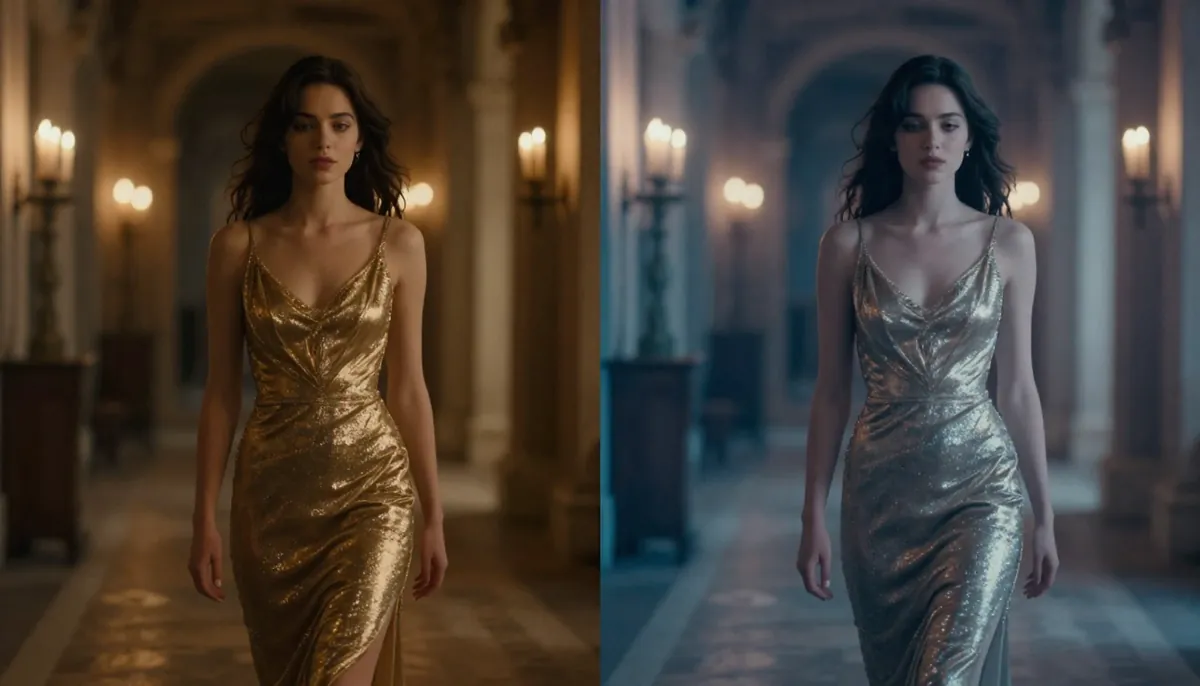
Seedance 2.0 vs Sora 2 — two leading AI video generators competing for the top spot in 2026.
Quick Comparison Table
Before we dive into the details, here is a comprehensive feature-by-feature comparison of Seedance 2.0 and Sora 2. This table covers every major dimension that matters when choosing an AI video generator in 2026.
| Feature | Seedance 2.0 | Sora 2 |
|---|---|---|
| Developer | ByteDance (Seed Team) | OpenAI |
| Max Resolution | 2K (2048x1080) | 1080p (1920x1080) |
| Max Duration | 15 seconds | 20 seconds |
| Input Modalities | Image, Video, Audio, Text (up to 12 files) | Text only |
| Storyboard / Multi-Shot | Via reference video sequencing | Built-in storyboard editor |
| Audio Generation | SFX + Music + 8-language lip sync | No native audio |
| Character Consistency | Strong (multi-image reference) | Moderate (text-guided) |
| Camera Control | Reference video-based | Text description-based |
| Aspect Ratios | 16:9, 9:16, 1:1, 4:3, 3:4, custom | 16:9, 9:16, 1:1 |
| Free Tier | Yes (free credits, no card required) | No (requires ChatGPT Plus at minimum) |
| Starter Price | $9.90/month | $20/month (ChatGPT Plus, limited) |
| Pro Price | $19.90/month | $200/month (ChatGPT Pro, unlimited) |
| Generation Speed | ~60-120 seconds | ~60-300 seconds |
| Global Availability | Worldwide | Geo-restricted in some regions |
| Watermark | None on paid plans | None |
Now let us break each of these dimensions down in detail.
About Seedance 2.0
Seedance 2.0 is a multi-modal AI video generation platform built by ByteDance's Seed research team. It represents the third major iteration of the Seedance model family, following the 1.0 Lite and 1.0 Pro releases in 2025.
What sets Seedance apart from most competitors is its quad-modal input system. You can feed the model images, videos, audio clips, and text prompts simultaneously. Upload up to 9 reference images, 3 reference videos, and an audio track alongside your text description. The AI synthesizes all these inputs into a single coherent video output.
Seedance 2.0 generates video at native 2K resolution (2048x1080), supports built-in audio generation with sound effects, background music, and lip sync in 8 languages, and offers strong character consistency across scenes.
For a deeper dive into the platform's architecture, history, and full feature set, read our complete guide to Seedance.
About OpenAI Sora 2
Sora 2 is OpenAI's second-generation AI video model, accessible through the ChatGPT interface. It launched as a successor to the original Sora model that made waves when it was first announced in early 2024.
Sora's core strength is text-to-video generation. You describe what you want in natural language, and the model generates a video up to 20 seconds long at 1080p resolution. OpenAI's deep expertise in language understanding means Sora excels at interpreting complex textual descriptions and translating them into visually coherent scenes.
Sora 2 also introduced a storyboard feature that lets you plan multi-shot sequences by defining individual frames. This gives creators more control over narrative flow without needing to upload reference materials.
Access to Sora requires a ChatGPT subscription. ChatGPT Plus ($20/month) provides limited generation credits. ChatGPT Pro ($200/month) unlocks higher limits and priority queue access. There is no standalone free tier for Sora.
Head-to-Head Comparison
This is the core of the seedance vs sora debate. We compare both platforms across seven critical dimensions: video quality, input flexibility, duration, audio, character consistency, physics, and pricing.
Video Quality and Resolution
Resolution is one of the most straightforward differences in the seedance 2.0 vs sora 2 matchup.
Seedance 2.0 generates video at a native resolution of 2K (2048x1080) in landscape mode. This is not upscaled 1080p. The model renders at this resolution natively, which means finer detail in textures, sharper edges on text and objects, and more visible detail when you crop or zoom into the frame. ByteDance has also confirmed that 4K support is in development, which will widen this gap further.
Sora 2 generates video at 1080p (1920x1080) maximum. The output is clean and visually appealing, but it cannot match the pixel-level detail that Seedance delivers at 2K. On small screens like phones, the difference is subtle. On desktop monitors, tablets, or when cropping footage for close-ups, the extra resolution becomes clearly visible.
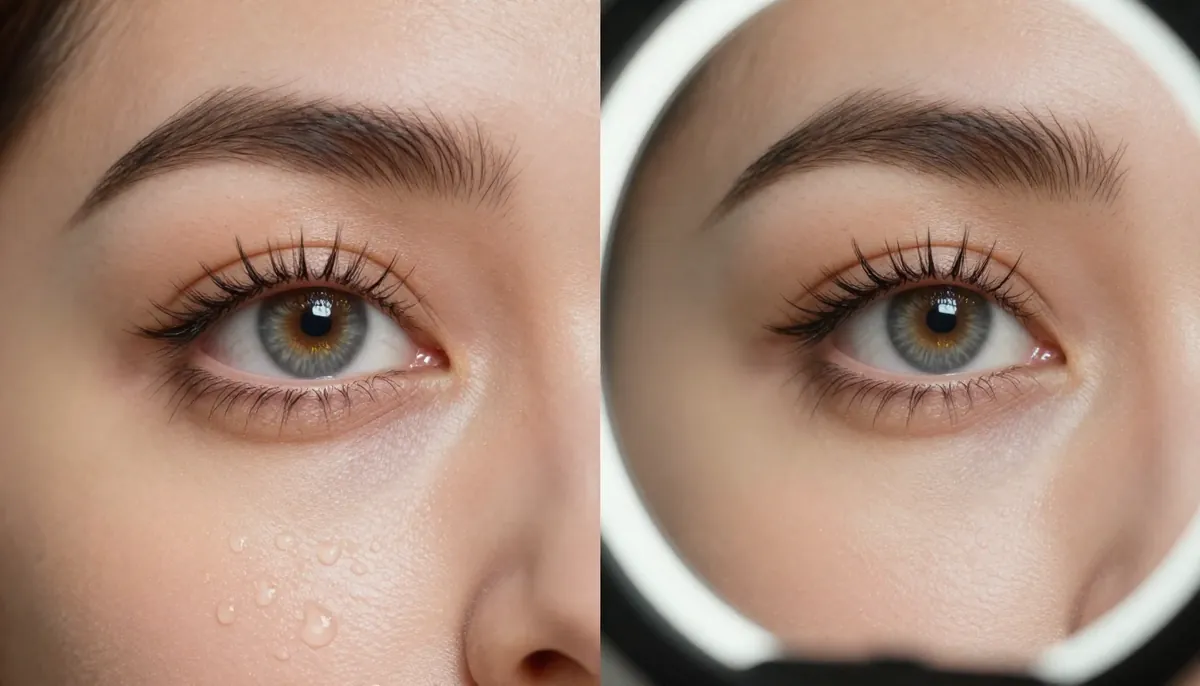
Resolution detail comparison — cropped sections from the same scene type generated by Seedance (2K, left) and Sora (1080p, right). Notice the sharper textures and finer edge detail in the Seedance output.
Beyond raw pixel count, both platforms handle color and lighting differently. Seedance tends to produce more cinematic color grading with richer shadows and highlights. The model seems trained on a dataset heavy in professional cinematography, which shows in its Rembrandt-style lighting, lens flare rendering, and atmospheric effects like volumetric fog.
Sora produces clean, well-balanced color but leans toward a more neutral, photographic look. Some creators prefer this. It depends on whether you want a "movie look" or a "clean digital look" from your output.
Winner: Seedance 2.0 on resolution and cinematic quality. Sora is competitive on overall visual coherence, but the 2K advantage is measurable and meaningful for professional use cases.
Input Flexibility: Multi-Modal vs Text-Only
This is arguably the biggest functional difference between the two platforms, and it is the reason many creators call Seedance a genuine sora alternative.
Seedance 2.0 accepts four input modalities simultaneously:
- Images (up to 9) — Upload portraits, product photos, concept art, or reference stills. The AI preserves the identity, color palette, and visual style of your reference images in the generated video.
- Videos (up to 3, total 15 seconds max) — Provide reference clips for camera movement, choreography, or motion style. Seedance extracts the movement pattern and applies it to new content.
- Audio (MP3, up to 15 seconds) — Supply a soundtrack or sound effect. The generated video will sync to the audio's rhythm, beat, and mood.
- Text — Natural language descriptions that guide the overall scene composition, style, and action.
You can combine up to 12 reference files across these modalities in a single generation request. This means you could upload 5 product photos, 2 reference videos showing camera angles you like, an audio track, and a text prompt — all at once.
Sora 2 accepts text input only. You write a description, and the model generates video based purely on that text. Sora's storyboard feature lets you define key frames with separate text descriptions, giving you shot-by-shot control, but you still cannot upload reference images, videos, or audio.
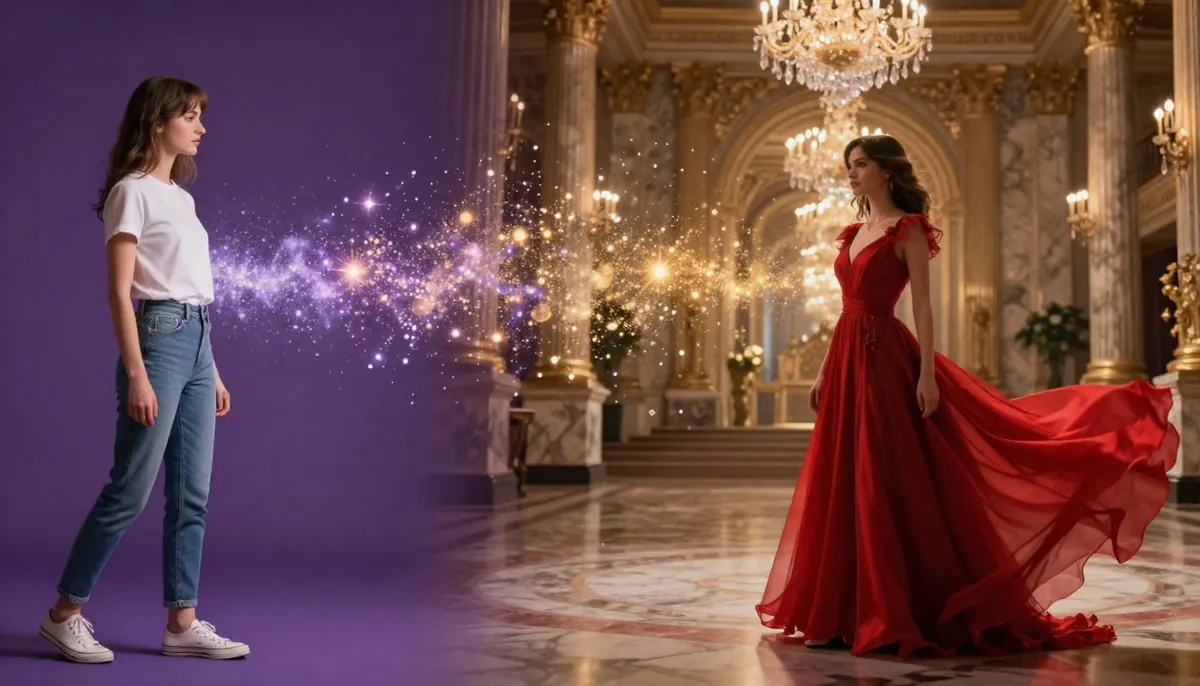
Seedance 2.0's multi-modal input system — combine reference images, videos, audio, and text prompts in a single generation request. This level of input flexibility is unavailable in Sora.
When multi-modal input matters most:
- E-commerce: You have product photos and want to turn them into video ads. With Seedance, upload the photos. With Sora, you must describe every product detail in text.
- Brand content: You have brand guidelines, logos, and existing footage. Seedance can reference these directly. Sora cannot.
- Music videos: You have a track and want visuals that sync to it. Seedance processes the audio natively. Sora requires external editing.
- Character consistency: You have a character design and need the same person across multiple scenes. Seedance uses reference images to maintain identity. Sora relies on text descriptions, which makes consistency harder to maintain.
When text-only input works fine:
- Pure creative exploration: If you are brainstorming concepts and do not have any reference material yet, text-only is perfectly sufficient.
- Abstract or stylized content: For surreal, dreamlike, or highly abstract visuals, text prompts may give you more creative freedom than reference images would.
- Quick prototyping: If speed matters more than precision, typing a prompt is faster than gathering reference files.
Winner: Seedance 2.0 by a significant margin for anyone who works with existing visual assets. Sora is adequate for pure text-based creation. For a deeper guide on writing effective prompts for either platform, see our Seedance prompt guide.
Video Duration and Control
Duration is one area where Sora holds a clear advantage.
Seedance 2.0 generates videos up to 15 seconds in length. For social media content (TikTok, Instagram Reels, YouTube Shorts), 15 seconds is often more than enough. Most high-performing short-form content falls in the 5-15 second range. But if you need longer narrative sequences, you will need to generate multiple clips and stitch them together.
Sora 2 generates videos up to 20 seconds in length. Those extra 5 seconds matter more than you might think. A 20-second clip allows for more complex scene progression, longer camera movements, and fuller narrative arcs without editing. For mini-stories or product walkthroughs, the extra duration is genuinely useful.
Camera control works differently on each platform:
- Seedance uses reference video-based camera control. Upload a clip with the camera movement you want (a slow pan, a tracking shot, a zoom) and the AI replicates that movement pattern in the generated video. This gives you precise, reproducible control — but requires finding or recording a reference clip first.
- Sora uses text-based camera control. You describe the camera movement in your prompt: "slow dolly zoom toward the subject" or "aerial tracking shot moving left to right." This is more convenient but less precise. The model interprets your text, and the result may not match your exact vision.
Both approaches have trade-offs. Reference-based control is more accurate. Text-based control is more accessible. Your preferred workflow will determine which matters more to you.
Winner: Sora 2 on duration (20s vs 15s). Seedance 2.0 on camera control precision (reference video vs text description). Overall, this category is close to a draw depending on your priorities.
Audio Generation
Audio is where the seedance vs sora comparison becomes lopsided.
Seedance 2.0 includes a built-in audio generation system with three components:
- Sound effects (SFX): The AI generates context-appropriate sound effects — footsteps, rain, explosions, ambient noise — that match the visual content of the video. You do not need to source or sync sound effects manually.
- Background music: Generate a musical score that matches the mood, tempo, and style of your video. Select from various genres and emotional tones.
- Lip sync in 8 languages: If your video features a speaking character, Seedance can generate synchronized lip movements in English, Chinese, Japanese, Korean, Spanish, French, German, and Portuguese. The character's mouth movements match the audio track naturally.
This means you can produce a complete, ready-to-publish video with synchronized audio in a single generation step. No external audio tools. No manual syncing. No additional editing software.
Sora 2 has no native audio generation. Every video Sora produces is silent. To add sound, you must:
- Export the video from Sora.
- Open it in a separate audio/video editing tool (Premiere Pro, DaVinci Resolve, CapCut, etc.).
- Source or create appropriate sound effects and music.
- Manually sync the audio to the visual content.
- Export the final combined video.
This workflow adds significant time and complexity to every project. For professional editors who already have audio workflows in place, this may not be a deal-breaker. For individual creators, marketers, and small teams, the extra steps can double or triple the time from generation to publication.
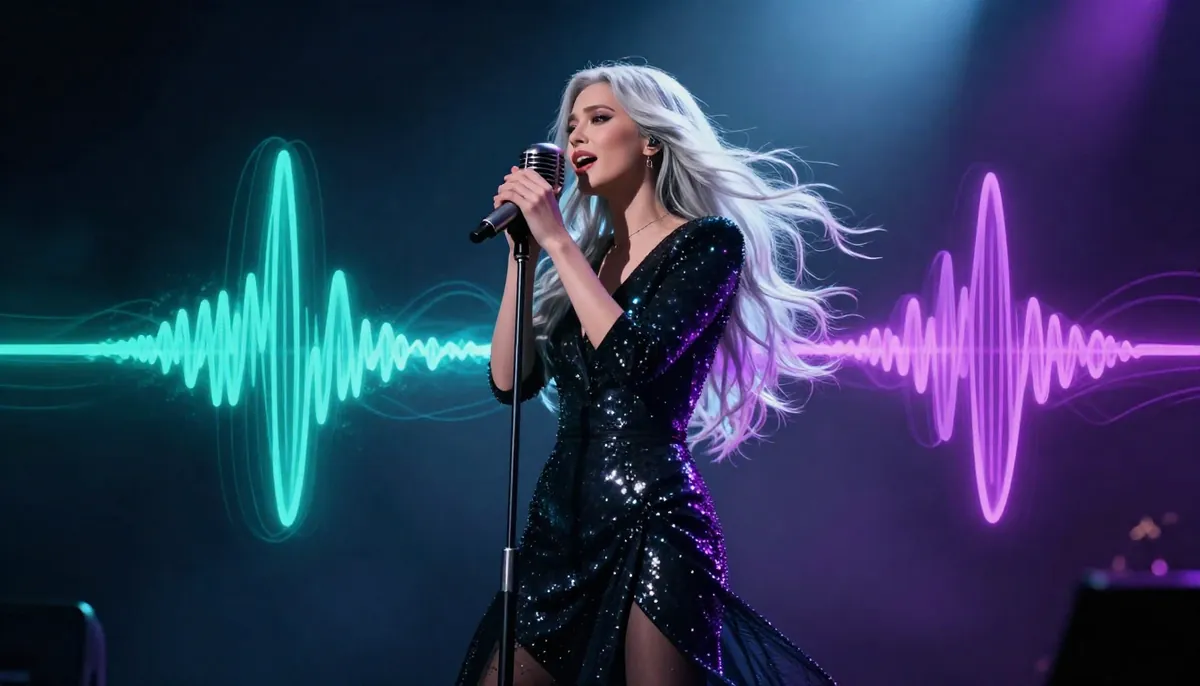
Seedance 2.0 generates synchronized sound effects, background music, and lip sync directly — producing complete, publish-ready videos without external audio tools.
Impact on real-world workflows:
Consider creating a 15-second product ad for Instagram Reels. With Seedance, you upload the product photo, write a prompt, enable audio generation, and receive a complete video with sound in about 2 minutes. With Sora, you write a prompt, receive a silent video, then spend 10-30 minutes in a separate tool adding music and sound effects.
Multiply this by the volume of content a marketing team produces weekly, and the time savings become substantial.
Winner: Seedance 2.0 decisively. This is not a close comparison. Sora simply does not have audio capabilities. For many creators, this single feature is the reason they choose Seedance as their primary sora alternative.
Character Consistency
Maintaining the same character identity across multiple shots and scenes is one of the hardest challenges in AI video generation. Both platforms approach this problem differently.
Seedance 2.0 achieves character consistency through its multi-image reference system. Upload multiple photos of the same person (different angles, expressions, lighting) and the model builds a robust internal representation of that character. In subsequent generations, the same face, body type, hair style, and clothing appear consistently. This works especially well for:
- Brand ambassadors or mascots who need to appear in multiple videos
- Storytelling sequences where a character moves through different scenes
- Social media series that feature a recurring character
The more reference images you provide, the stronger the consistency. With 5-9 reference images covering different angles and expressions, Seedance maintains identity remarkably well across very different scene compositions.
Sora 2 handles character consistency through text descriptions. You describe the character's appearance in detail: "A woman in her 30s with shoulder-length auburn hair, green eyes, wearing a navy blazer and white blouse." The model attempts to maintain this description across generations. Within a single video, consistency is quite good. Across multiple separate generations, some visual drift is common. Eye color might shift slightly. Facial proportions may change. Hair texture can vary.
Sora's storyboard feature helps here by keeping a single generation context across multiple shots. But for long-running character consistency across many separate video projects, text-only approaches are inherently less reliable than image-reference approaches.
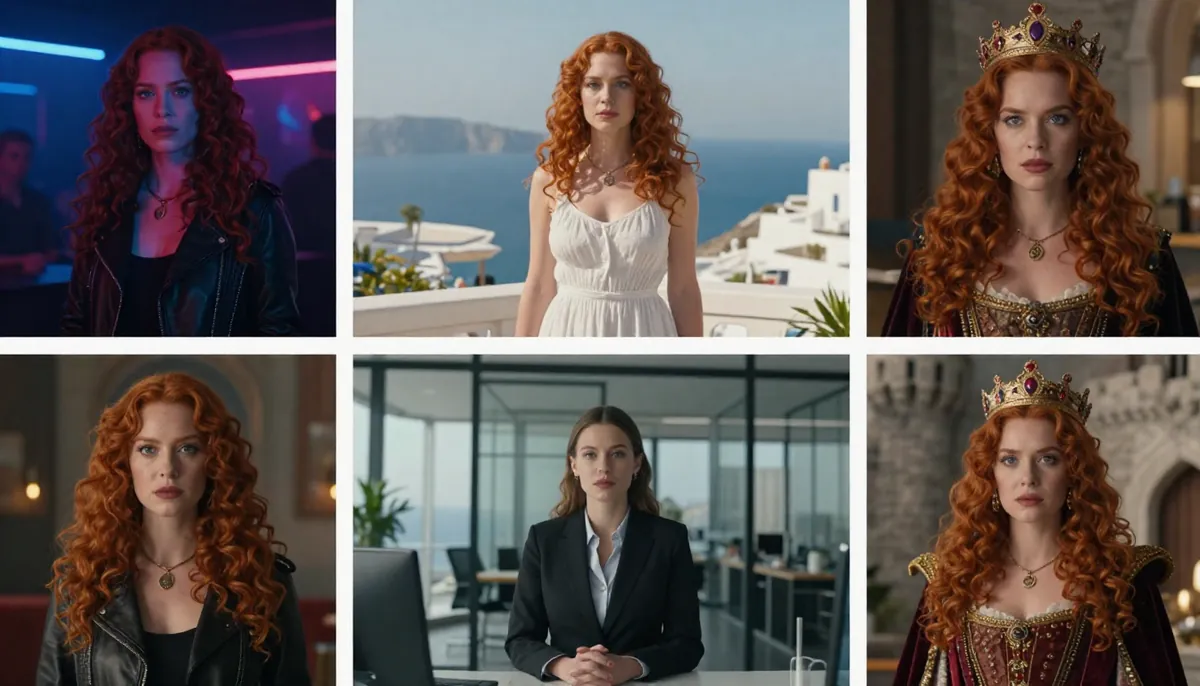
Character consistency across multiple scenes — Seedance (top) uses reference images to maintain identity, while Sora (bottom) relies on text descriptions. Notice the stronger facial consistency in the Seedance output.
Winner: Seedance 2.0 for projects that require strong character identity over time. Sora 2 is adequate within single sessions, but text-based consistency cannot match image-reference consistency for sustained, multi-project work.
Physics and Motion Realism
Motion quality is nuanced. Both platforms have strengths and weaknesses in different types of movement and physical interaction.
Seedance 2.0 excels at:
- Cinematic camera movement — Smooth dolly shots, tracking movements, and crane-like aerial sweeps feel professional and intentional. The reference video approach to camera control contributes to this.
- Lighting dynamics — As subjects move through different lighting environments, Seedance handles the transition naturally. Moving from shadow to light, neon reflections on wet surfaces, and time-of-day shifts all render convincingly.
- Fabric and hair physics — Clothing drape, wind-blown fabric, and hair movement are handled well. The model captures the way silk catches light differently from cotton, and hair moves realistically in breeze.
- Facial expressions — Micro-expressions, eye movement, and subtle emotional shifts are convincing. This ties into the lip sync capability for speaking characters.
Sora 2 excels at:
- Longer motion sequences — With 20 seconds of generation time, Sora can produce more extended, continuous movements. A person walking down a long hallway or a car driving through a city benefits from the extra duration.
- Complex physical interactions — Sora handles certain physics scenarios well, particularly interactions between multiple objects (pouring liquid, bouncing balls, objects colliding). OpenAI's training approach seems to prioritize these physical interactions.
- Diverse scene types — Sora generates a wide range of environments convincingly, from underwater scenes to outer space to microscopic close-ups. The model's breadth of training data shows in its ability to handle unusual or abstract scene requests.
- Smooth scene transitions — Within a single generation, Sora can transition between different settings or time periods more smoothly than most competitors.
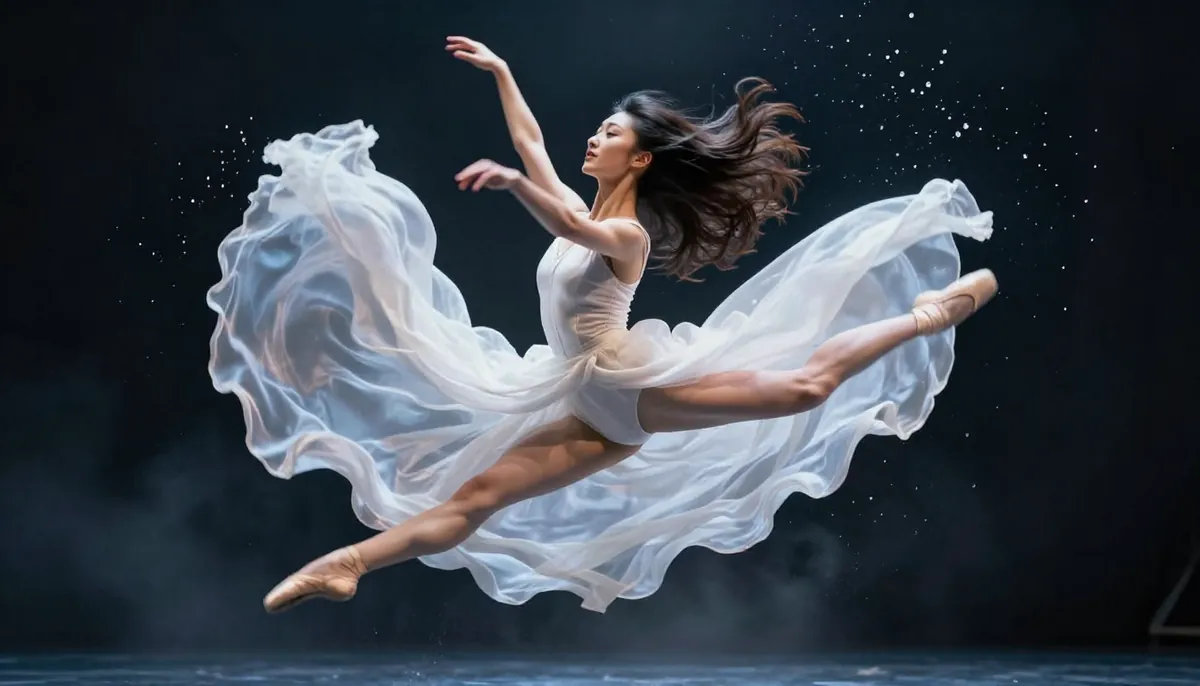
Motion realism comparison — both platforms handle movement convincingly, but each has different strengths. Seedance leads in cinematic camera work and lighting. Sora leads in longer sequence coherence and complex physical interactions.
Where both platforms still struggle:
Neither platform has fully solved certain physics challenges. Hands and fingers remain inconsistent across all AI video generators, though both have improved significantly. Fast, complex movements (martial arts, sports) can produce artifacts. And both occasionally generate physically impossible scenarios — a reflection that does not match its source, gravity-defying movements, or objects that pass through each other.
Winner: Draw. This is the most subjective category in the ai video generator comparison. Seedance wins on cinematic movement and lighting. Sora wins on sequence length and physical interaction diversity. Your specific use case determines which matters more.
Pricing and Value
Pricing is where many creators make their final decision, and it is where the seedance vs sora comparison reveals a significant cost difference.
Seedance Pricing
| Plan | Monthly Price | Credits | Key Features |
|---|---|---|---|
| Free | $0 | Signup bonus (no card required) | Full quality, all models |
| Starter | $9.90/month | Moderate allocation | Priority queue, all features |
| Pro | $19.90/month | Large allocation | Maximum credits, priority generation |
Every Seedance plan generates the same quality output. Free users get the same 2K resolution, same models, and same audio generation as Pro users. The only difference is the number of credits available. No watermarks on any tier.
For a detailed breakdown of what you can create with free credits and how to maximize them, read our Seedance free guide.
Sora Pricing
| Plan | Monthly Price | Video Access | Limitations |
|---|---|---|---|
| Free | Not available | None | Sora requires a paid ChatGPT subscription |
| ChatGPT Plus | $20/month | Limited generations | Lower priority, generation caps per day |
| ChatGPT Pro | $200/month | High volume | Priority access, higher caps |
Sora does not have a free tier. The minimum entry price is $20/month through ChatGPT Plus. At this tier, your video generation volume is capped. Many users report running out of Sora credits before the month ends, especially if they generate frequently or at higher resolutions.
For unlimited Sora usage, you need ChatGPT Pro at $200/month. This is a significant investment that only makes sense if you also heavily use ChatGPT's other capabilities (GPT-4o, advanced reasoning, coding, data analysis).
Cost-Per-Video Analysis
Let us estimate the real cost per video at each tier:
| Scenario | Seedance Starter ($9.90/mo) | Sora Plus ($20/mo) | Sora Pro ($200/mo) |
|---|---|---|---|
| Monthly cost | $9.90 | $20.00 | $200.00 |
| Estimated videos/month | ~30-50 | ~15-30 (capped) | ~100-200 |
| Cost per video | ~$0.20-0.33 | ~$0.67-1.33 | ~$1.00-2.00 |
| Includes audio | Yes | No | No |
| Max resolution | 2K | 1080p | 1080p |
At the Starter tier, Seedance delivers roughly 3-4x more videos per dollar than Sora Plus. And each Seedance video includes audio, which would cost additional time and money to add to Sora's silent output.
Even at the Pro tier, Seedance at $19.90/month undercuts Sora Pro ($200/month) by a factor of 10x. You would need to be a very heavy user of ChatGPT's full ecosystem to justify that price difference purely for video generation.
For full pricing details and plan comparisons, visit our pricing page.
Winner: Seedance 2.0 on pricing and value by a wide margin. Seedance offers a free tier, lower entry pricing, more videos per dollar, and includes audio generation in the cost. The only scenario where Sora's pricing makes sense is if you already pay for ChatGPT Plus/Pro for other reasons and treat video generation as a bonus feature.
Speed and Availability
Generation Speed
Both platforms require some patience. AI video generation is computationally intensive, and neither produces instant results.
Seedance 2.0 typically generates a video in 60-120 seconds. Simpler prompts (text-only, short duration) finish faster. Complex multi-modal requests with several reference files take longer. During peak usage hours, queue times can add 30-60 seconds. Paid users get priority queue access, which reduces wait times during high-demand periods.
Sora 2 generation times vary more widely, typically 60-300 seconds. The model sometimes takes significantly longer for complex scenes, higher resolutions, or during peak hours. ChatGPT Pro users get priority processing. ChatGPT Plus users may experience longer queues, especially after Sora's public release created a surge of new users.
Regional Availability
Seedance is available globally with no geographic restrictions. Users from any country can sign up, generate videos, and access all features.
Sora has geographic restrictions in certain regions. Some countries are excluded from Sora access entirely, and users in restricted regions cannot generate videos even with a ChatGPT Plus subscription. This includes several countries in Europe, Asia, and the Middle East where regulatory or licensing constraints apply.
If you are outside the United States or Western Europe, verify Sora's availability in your region before subscribing to ChatGPT Plus specifically for video generation.
Uptime and Reliability
Both platforms maintain high uptime. Seedance operates on ByteDance's global infrastructure, which benefits from the same backbone that serves TikTok to billions of users. Sora runs on OpenAI's Azure-backed infrastructure. Neither platform experiences frequent outages, though both occasionally implement rate limiting during periods of extraordinary demand.
Winner: Seedance 2.0 on speed (more consistent generation times) and availability (no geo-restrictions). Sora is slightly less predictable in queue times and limited by geography.
When to Choose Seedance
Seedance 2.0 is the stronger choice when your workflow includes any of the following:
1. You have existing visual assets. If you are an e-commerce brand with product photos, a content creator with a library of images, or a marketing team with brand materials, Seedance's multi-modal input turns those assets into video directly. Uploading reference images produces far more accurate results than describing them in text.
2. You need video with audio. If you publish content on social media, create ads, or produce marketing videos, you need audio. Seedance generates complete, sound-equipped videos in one step. With Sora, you will need a separate audio workflow for every single video.
3. Your budget is limited. Seedance offers free credits with no credit card requirement, a Starter plan at $9.90/month, and a Pro plan at $19.90/month. Sora's minimum entry is $20/month with limited generations. For cost-conscious creators, Seedance delivers substantially more value per dollar.
4. You need 2K resolution. For professional content, desktop viewing, or any use case where resolution matters, Seedance's native 2K output is a tangible advantage over Sora's 1080p maximum.
5. You create content for social media or e-commerce. Seedance is built for this workflow. Multi-modal input for brand consistency, built-in audio for publish-ready content, multiple aspect ratios for different platforms, and competitive pricing for high-volume production. If this is your primary use case, Seedance is the best ai video generator 2026 has to offer for your needs.
Start creating with Seedance for free →
When to Choose Sora
We believe in honest comparisons. Sora 2 is a strong platform with genuine advantages in certain scenarios:
1. You work purely from text prompts. If your creative process starts with a written concept and you do not have (or do not want to use) reference images, Sora's text-to-video pipeline is excellent. OpenAI's language understanding is world-class, and Sora translates complex textual descriptions into video with impressive accuracy.
2. You need videos longer than 15 seconds. Sora's 20-second maximum gives you more room for narrative development, longer camera movements, and more complete scene progressions. Five extra seconds may not sound like much, but for storytelling and continuous sequences, it makes a real difference.
3. You already pay for ChatGPT Plus or Pro. If you are already spending $20 or $200 per month on ChatGPT for coding, writing, data analysis, or other AI tasks, Sora access is effectively bundled at no extra cost. In this case, Sora's video generation is a bonus feature you are already paying for.
4. You want multi-shot storyboard control. Sora's storyboard feature lets you define key frames with separate prompts for each shot. This is a unique approach to multi-shot narrative planning that Seedance does not directly replicate. If you think in storyboard terms (frame-by-frame shot planning), Sora's storyboard editor may fit your mental model better.
Can You Use Both?
Yes. And for some creators, using both platforms together produces the best results.
Here are three complementary workflows that combine Seedance and Sora:
Workflow 1: Concept in Sora, Polish in Seedance
Use Sora's text-to-video for rapid concept exploration. Generate 5-10 rough concepts from text prompts to find the direction you like. Once you have a concept that works, take screenshots or reference frames from the Sora output and feed them into Seedance as reference images. Seedance will generate a higher-resolution, audio-equipped final version with more precise visual control.
Workflow 2: Seedance for Short Clips, Sora for Long Sequences
Use Seedance for high-quality short clips (5-15 seconds) — product shots, quick social media content, and visually precise scenes. Use Sora for longer sequences (15-20 seconds) where extended duration matters more than multi-modal input.
Workflow 3: Seedance for Audio-Ready, Sora for Silent B-Roll
Use Seedance to produce primary content that needs sound — speaking characters, musical sequences, sound-effect-driven scenes. Use Sora to generate silent background footage, abstract visuals, or B-roll that you will layer your own audio over in post-production.
The tools are not mutually exclusive. Many professional creators maintain subscriptions to multiple AI video generators and choose the right tool for each specific task. If your creative needs vary widely, having both in your toolkit provides maximum flexibility.
Frequently Asked Questions
Is Seedance better than Sora?
It depends on your use case. Seedance 2.0 offers higher resolution (2K vs 1080p), multi-modal input, built-in audio generation, and lower pricing. Sora offers longer video duration (20s vs 15s), a storyboard editor, and seamless integration with the ChatGPT ecosystem. For most creators, especially those working with existing visual assets or producing social media content, Seedance provides more value. For text-purist creatives or existing ChatGPT subscribers, Sora can be the better fit.
Is Seedance cheaper than Sora?
Yes. Seedance offers free credits with no credit card requirement. The Starter plan is $9.90/month and the Pro plan is $19.90/month. Sora requires a minimum of $20/month (ChatGPT Plus) with limited video generations, or $200/month (ChatGPT Pro) for high-volume access. On a cost-per-video basis, Seedance is approximately 3-4x more cost-effective than Sora Plus and over 10x more cost-effective than Sora Pro.
Can Seedance do everything Sora can?
Nearly, but not quite. Sora generates longer videos (up to 20 seconds vs Seedance's 15 seconds) and has a dedicated storyboard editor for multi-shot narrative planning. However, Seedance can do many things Sora cannot: multi-modal input (image, video, audio references), built-in audio generation, higher resolution output, and lip sync in 8 languages.
Does Sora support image-to-video?
No. As of early 2026, Sora 2 is a text-to-video generator only. You cannot upload reference images, videos, or audio files. The storyboard feature allows you to define key frames through text descriptions, but you cannot provide visual references. Seedance supports image-to-video, video-to-video, audio-to-video, and text-to-video — all simultaneously if needed.
Which has better video quality, Seedance or Sora?
Seedance generates at native 2K resolution (2048x1080) compared to Sora's 1080p (1920x1080). In terms of raw resolution and detail, Seedance produces sharper output. Both platforms generate visually impressive content. Seedance tends toward a more cinematic aesthetic with dramatic lighting. Sora tends toward a cleaner, more neutral photographic look. "Better" depends on whether you value resolution, stylistic preference, or specific scene types.
Is Sora available worldwide?
No. Sora has geographic restrictions and is not available in all countries. Certain regions in Europe, Asia, and the Middle East are excluded due to regulatory or licensing constraints. Seedance is available globally with no geographic restrictions. If you are unsure about Sora's availability in your region, check OpenAI's current country list before subscribing to ChatGPT Plus for video generation purposes.
Can I try both for free?
You can try Seedance for free. Every new user receives free credits upon signup with no credit card required. You can generate multiple videos at full quality before deciding whether to upgrade. Sora does not have a free tier. You must purchase a ChatGPT Plus subscription ($20/month) at minimum to access Sora video generation.
Which is better for social media content?
Seedance is better suited for social media content production. It supports all common social media aspect ratios (9:16 for TikTok/Reels/Shorts, 1:1 for Instagram feed, 16:9 for YouTube), includes built-in audio for publish-ready videos, allows multi-modal input for brand-consistent content, and costs less per video. Sora produces excellent visual quality but requires additional audio work, lacks reference image support for brand consistency, and costs more per video produced.
Verdict
The seedance vs sora comparison ultimately comes down to two different philosophies about AI video creation.
Sora 2 is a text-driven imagination engine. It takes your words and transforms them into moving pictures. It is excellent at what it does. OpenAI's language understanding is deep, the visual quality is strong, and the storyboard feature adds meaningful narrative control. If you live in the world of text and ideas, Sora feels natural.
Seedance 2.0 is a multi-modal creative studio. It takes your images, your videos, your audio, and your text — and synthesizes them into something new. It produces higher resolution output, includes complete audio, costs less, and is available everywhere. If you work with visual assets, need production-ready output, or operate on a budget, Seedance delivers more for less.
For most creators in 2026, Seedance 2.0 is the more versatile and cost-effective choice. It handles more input types, produces higher resolution output, includes audio, and costs a fraction of Sora's price. The only areas where Sora maintains an edge — longer duration and storyboard editing — are not enough to overcome Seedance's advantages in resolution, multi-modal input, audio, pricing, and global availability.
Our recommendation:
- If you are new to AI video generation: Start with Seedance. The free tier lets you experiment without risk. Create your first video now →
- If you are comparing specific competitors: Read our Seedance vs Kling comparison and our complete 2026 AI video generator ranking.
- If you want to master AI video prompts: Check our Seedance prompt guide with examples.
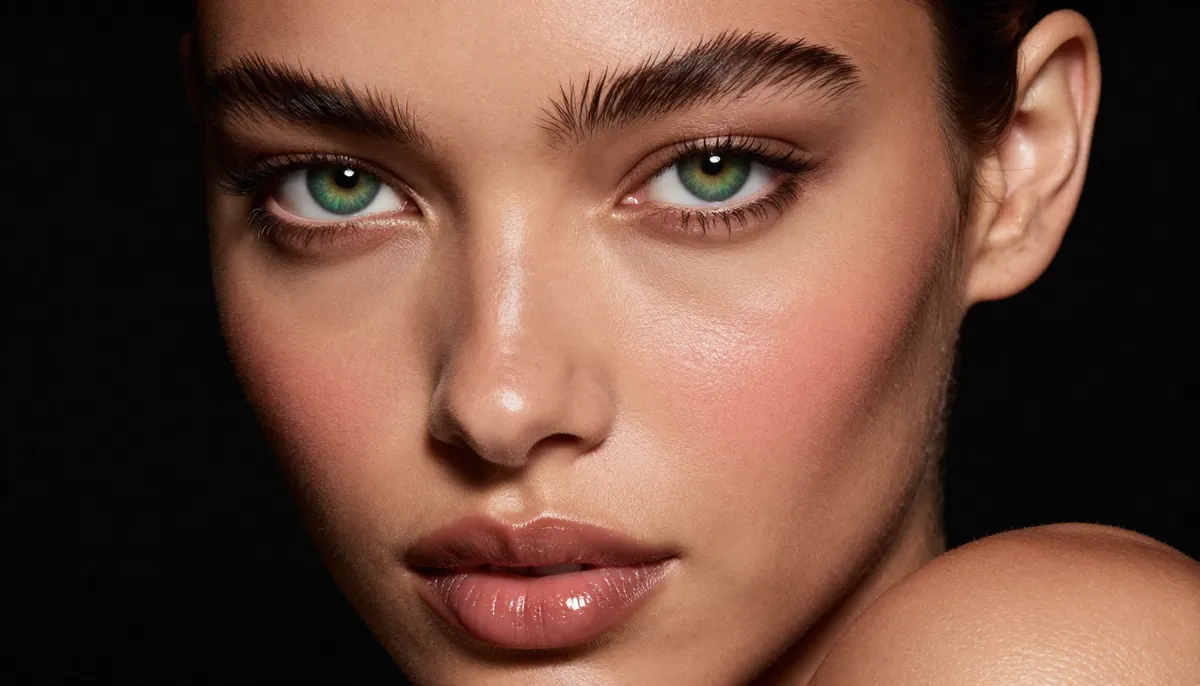
Seedance 2.0 generates native 2K video with cinematic lighting and detail — ready to publish with built-in audio.
Ready to see the difference for yourself? Seedance gives every new user free credits. No credit card required. No geographic restrictions. Generate your first 2K video with audio in under 2 minutes.
