
TL;DR
| Feature | Seedance 2.0 | Pika 2.0 |
|---|---|---|
| Resolution | Native 2K (2048x1080) | 1080p max |
| Input | Image + Video + Audio + Text | Text + Image |
| Audio | Built-in SFX, music, 8-lang lip sync | Basic SFX + basic lip sync |
| Special Effects | Character consistency, multi-modal synthesis | Pikaffects (Crush It, Melt It, Inflate, etc.) |
| Price | Free credits, then $9.90/mo | Free tier, then $8/mo |
| Best for | Professional multi-modal creative work | Beginners and fun social media effects |
Pick Seedance if you need high-resolution output, multi-modal input with reference images and videos, robust audio generation, or professional-grade character consistency. Pick Pika if you want the simplest possible interface, love playful special effects for social media, or need the lowest possible entry price. Use both if your workflow spans from polished professional content to quick viral social clips.
Read on for the full head-to-head comparison, pricing breakdown, and honest assessment of each platform's strengths and weaknesses.

Seedance 2.0 vs Pika 2.0 — two popular AI video generators with very different philosophies competing in 2026.
Quick Comparison Table
Before we dive into the details, here is a comprehensive feature-by-feature comparison of Seedance 2.0 and Pika 2.0. This table covers every major dimension that matters when choosing between these two AI video generators in 2026.
| Feature | Seedance 2.0 | Pika 2.0 |
|---|---|---|
| Developer | ByteDance (Seed Team) | Pika Labs (Stanford AI researchers) |
| Max Resolution | 2K (2048x1080) | 1080p (1920x1080) |
| Max Duration | 15 seconds | ~10 seconds (standard) |
| Input Modalities | Image, Video, Audio, Text (up to 12 files) | Text, Image |
| Audio Generation | SFX + Music + 8-language lip sync | Basic auto-generated SFX + basic lip sync |
| Character Consistency | Strong (multi-image reference) | Limited (single image reference) |
| Special Effects | Multi-modal synthesis, cinematic control | Pikaffects (Crush It, Melt It, Inflate, Cake-ify, etc.) |
| Selective Editing | Via reference-based control | Modify Region (inpainting/outpainting) |
| Multi-Shot | Via reference video sequencing | Scenes feature |
| Camera Control | Reference video-based | Text description-based |
| Aspect Ratios | 16:9, 9:16, 1:1, 4:3, 3:4, custom | 16:9, 9:16, 1:1 |
| Free Tier | Yes (free credits, no card required) | Yes (limited daily generations) |
| Starter Price | $9.90/month | $8/month (Standard) |
| Pro Price | $19.90/month | $28/month (Pro) |
| Unlimited Price | N/A | $58/month |
| Generation Speed | ~60-120 seconds | ~60-120 seconds |
| Ease of Use | Moderate (feature-rich interface) | Very easy (minimal, clean interface) |
| Global Availability | Worldwide, no restrictions | Worldwide |
Now let us break each of these dimensions down in detail.
About Seedance 2.0
Seedance 2.0 is a multi-modal AI video generation platform built by ByteDance's Seed research team. It represents the third major iteration of the Seedance model family, following the 1.0 Lite and 1.0 Pro releases in 2025.
What sets Seedance apart from most competitors is its quad-modal input system. You can feed the model images, videos, audio clips, and text prompts simultaneously. Upload up to 9 reference images, 3 reference videos, and an audio track alongside your text description. The AI synthesizes all these inputs into a single coherent video output.
Seedance 2.0 generates video at native 2K resolution (2048x1080), supports built-in audio generation with sound effects, background music, and lip sync in 8 languages, and offers strong character consistency across scenes.
For a deeper dive into the platform's architecture, history, and full feature set, read our complete guide to Seedance.
About Pika 2.0
Pika 2.0 is an AI video generation platform built by Pika Labs, a company founded in 2023 by Stanford AI researchers. Pika quickly became one of the most popular consumer-facing AI video tools, largely because of its focus on accessibility and creative fun.
Pika's core philosophy is simplicity and playfulness. Where other platforms compete on resolution and professional features, Pika competes on ease of use and creative novelty. The interface is clean, minimal, and designed so that someone with zero technical background can generate their first video within seconds of signing up.
Pika 2.0's standout features are its Pikaffects -- a collection of creative special effects that transform videos in visually striking ways. Effects like Crush It (smash an object), Melt It (liquify subjects), Inflate (balloon-style expansion), Cake-ify (turn anything into cake), Accessorize (add items to subjects), Dress Up (change outfits), Party-ify (add celebration effects), Hug, and Kiss give creators tools for making viral, shareable social media content.
Beyond Pikaffects, Pika offers Lip Sync for basic speaking animations, Sound Effects for auto-generated audio, Modify Region for selective inpainting and outpainting edits within a video, and a Scenes feature for multi-shot sequences.
Pika generates video at 1080p resolution with a standard duration of around 10 seconds. It supports text-to-video and image-to-video generation. The platform has a free tier with limited daily generations and paid plans starting at $8 per month.
Head-to-Head Comparison
This is the core of the seedance vs pika debate. We compare both platforms across eight critical dimensions: video quality, input flexibility, creative features, audio, duration, ease of use, pricing, and speed.
Video Quality and Resolution
Resolution is one of the clearest differences in the seedance 2.0 vs pika 2.0 comparison, and it matters more than many beginners realize.
Seedance 2.0 generates video at a native resolution of 2K (2048x1080) in landscape mode. This is not upscaled 1080p. The model renders at this resolution natively, which means finer detail in textures, sharper edges on objects and text, and more visible detail when you crop or zoom into the frame. The output exhibits cinematic color grading with rich shadows, natural highlights, and professional-quality lighting that resembles footage from a high-end cinema camera.
Pika 2.0 generates video at 1080p (1920x1080) maximum. The output is clean and visually appealing for social media consumption. Pika's aesthetic leans toward a bright, polished digital look that works well on phone screens and social media feeds. On mobile devices, the difference between Pika's 1080p and Seedance's 2K is subtle. On desktop monitors, tablets, or when cropping footage for close-ups, the resolution gap becomes clearly visible.
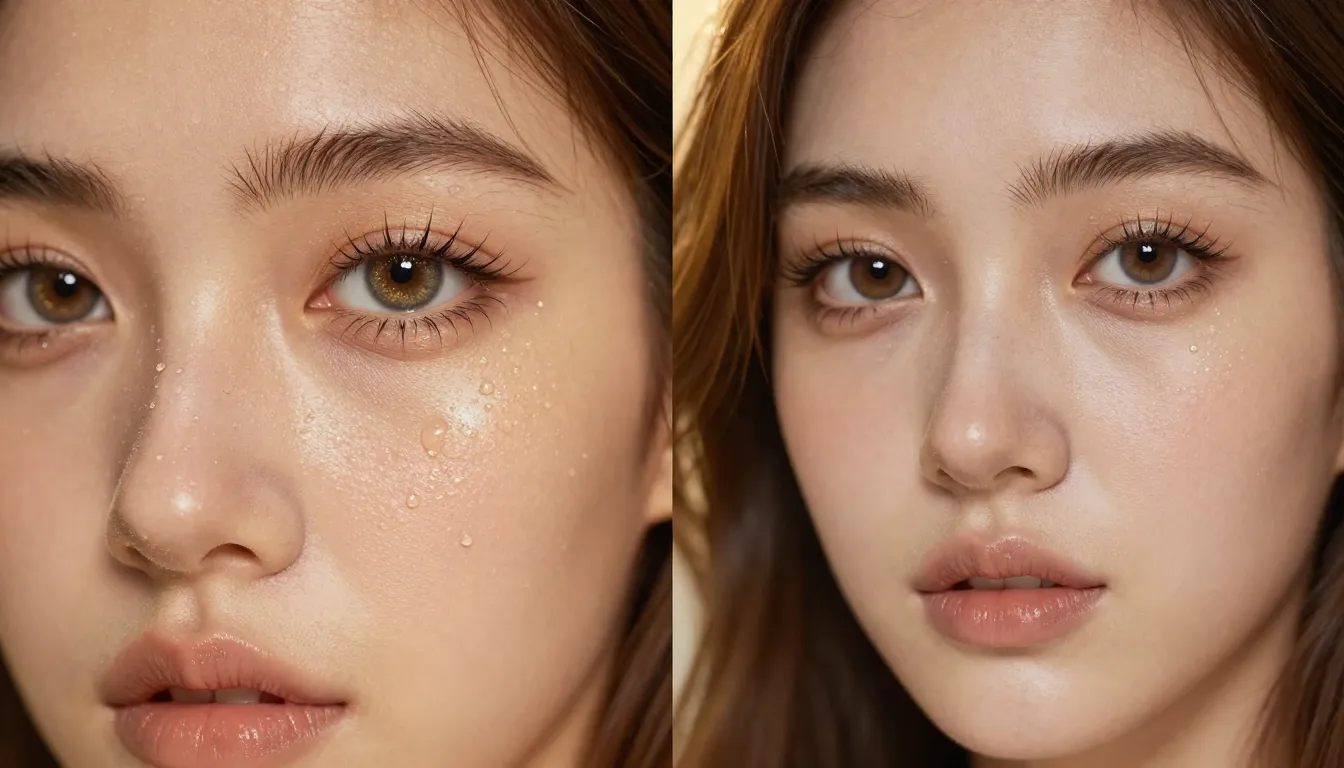
Resolution detail comparison -- cropped sections from similar scenes generated by Seedance (2K, left) and Pika (1080p, right). Notice the sharper textures and finer edge detail in the Seedance output.
Beyond raw pixel count, the two platforms produce noticeably different visual styles. Seedance tends toward cinematic realism -- Rembrandt-style lighting, volumetric fog, natural lens flares, and film-grain texture that makes output look like it was shot on professional equipment. Pika tends toward a cleaner, more stylized look that is optimized for quick consumption on social platforms. Neither is objectively "wrong." They serve different purposes.
For professional use cases -- brand campaigns, product showcases, portfolio work, desktop-viewed content -- Seedance's resolution and cinematic quality provide a clear advantage. For casual social media posts viewed primarily on phones, Pika's 1080p is often sufficient.
Winner: Seedance 2.0 on resolution and cinematic quality. The native 2K output and professional-grade visual rendering make it the stronger choice for anyone who values production quality. Pika's 1080p is adequate for mobile-first social content.
Input Flexibility: Multi-Modal vs Image and Text
This is arguably the biggest functional difference between the two platforms, and it is the primary reason many creators consider Seedance a strong pika alternative for professional work.
Seedance 2.0 accepts four input modalities simultaneously:
- Images (up to 9) -- Upload portraits, product photos, concept art, or reference stills. The AI preserves the identity, color palette, and visual style of your reference images in the generated video.
- Videos (up to 3, total 15 seconds max) -- Provide reference clips for camera movement, choreography, or motion style. Seedance extracts the movement pattern and applies it to new content.
- Audio (MP3, up to 15 seconds) -- Supply a soundtrack or sound effect. The generated video will sync to the audio's rhythm, beat, and mood.
- Text -- Natural language descriptions that guide the overall scene composition, style, and action.
You can combine up to 12 reference files across these modalities in a single generation request. This means you could upload 5 product photos, 2 reference videos showing camera angles you like, an audio track, and a text prompt -- all at once.
Pika 2.0 accepts two input modalities:
- Text -- Write a description of what you want. Pika generates video based on your text prompt.
- Image -- Upload a single image to use as a starting frame. Pika animates it into video. This is Pika's image-to-video capability.
Pika also offers Modify Region, which lets you select a specific area of a video frame and change it through inpainting or outpainting. This is not a true input modality in the same sense as Seedance's multi-file upload, but it does give you spatial control over edits.
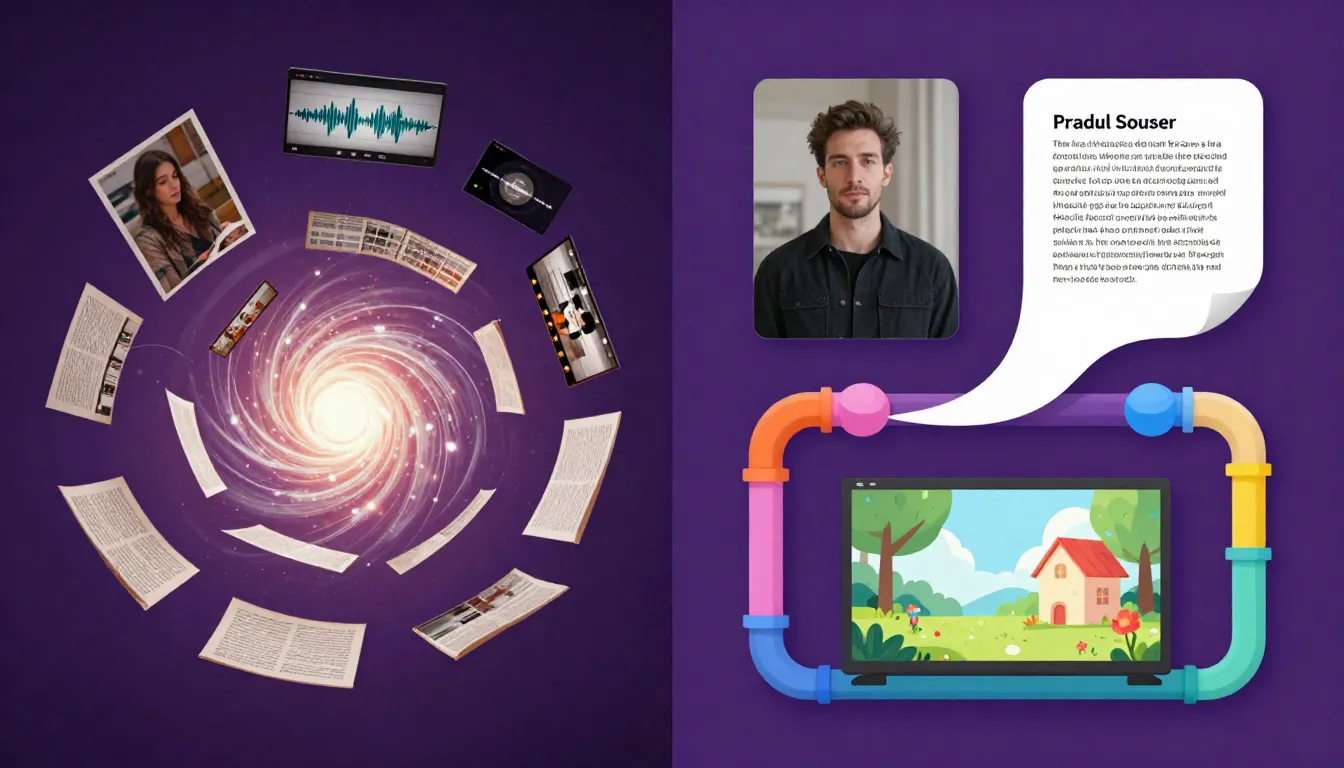
Input modality comparison -- Seedance accepts images, videos, audio, and text simultaneously (up to 12 files), while Pika works with text and a single image input.
When multi-modal input matters most:
- E-commerce: You have product photos from multiple angles and want to turn them into a video ad. With Seedance, upload all the photos. With Pika, you can only use one image as a starting point.
- Brand content: You have brand guidelines, existing footage, and a music track. Seedance can reference all of these directly. Pika cannot process video or audio references.
- Music videos: You have a track and want visuals that sync to it. Seedance processes the audio natively. Pika requires external editing for audio sync.
- Character consistency across projects: You have a character design and need the same person in multiple videos. Seedance uses multiple reference images to maintain identity. Pika's single-image input provides less reliable consistency across separate generations.
When Pika's simpler input works fine:
- Quick social content: If you just want to type a fun idea and see it come to life, Pika's text-to-video is fast and easy.
- Single image animation: If you have one great photo and want to animate it, Pika handles this well.
- Casual experimentation: For trying ideas without gathering reference materials, text-only is perfectly sufficient.
Winner: Seedance 2.0 by a significant margin for anyone who works with existing visual or audio assets. Pika is adequate for text-based and single-image creation, but the input gap is substantial.
Creative Features and Special Effects
This is the most nuanced category in the seedance vs pika comparison because both platforms have genuinely unique creative capabilities that do not directly overlap.
Seedance 2.0's creative strengths:
- Character consistency -- Upload multiple reference images of the same person (different angles, expressions, lighting) and generate videos where that character maintains their identity across scenes. This is critical for serialized content, brand ambassadors, and storytelling.
- Multi-modal synthesis -- Combine a reference video's camera movement with reference images' visual style and an audio track's rhythm. The AI blends all inputs into something creatively cohesive that would take hours in traditional editing.
- Cinematic camera control -- Use reference video clips to define exact camera movements (dolly, crane, tracking, zoom). The precision exceeds what text descriptions can achieve.
- Reference-based style transfer -- Upload images in a specific visual style (watercolor, anime, oil painting, neon noir) and the model applies that style to the generated video.
Pika 2.0's creative strengths:
- Pikaffects -- This is Pika's signature feature and nothing else on the market quite replicates it. The collection includes:
- Crush It -- Smash or flatten an object dramatically
- Melt It -- Liquify subjects into a melting puddle
- Inflate -- Expand objects like a balloon
- Cake-ify -- Transform anything into a cake version of itself
- Accessorize -- Add hats, glasses, jewelry, or other items to subjects
- Dress Up -- Change a character's outfit
- Party-ify -- Add confetti, balloons, and celebration effects
- Hug and Kiss -- Create interaction effects between subjects
- Modify Region -- Select a specific area of the video and change just that portion. Want to replace the sky? Change a character's shirt color? Add an object to the scene? Modify Region handles localized edits without regenerating the entire video.
- Scenes -- Plan multi-shot sequences with different prompts for each scene. This gives creators basic storyboard-like control over narrative flow.
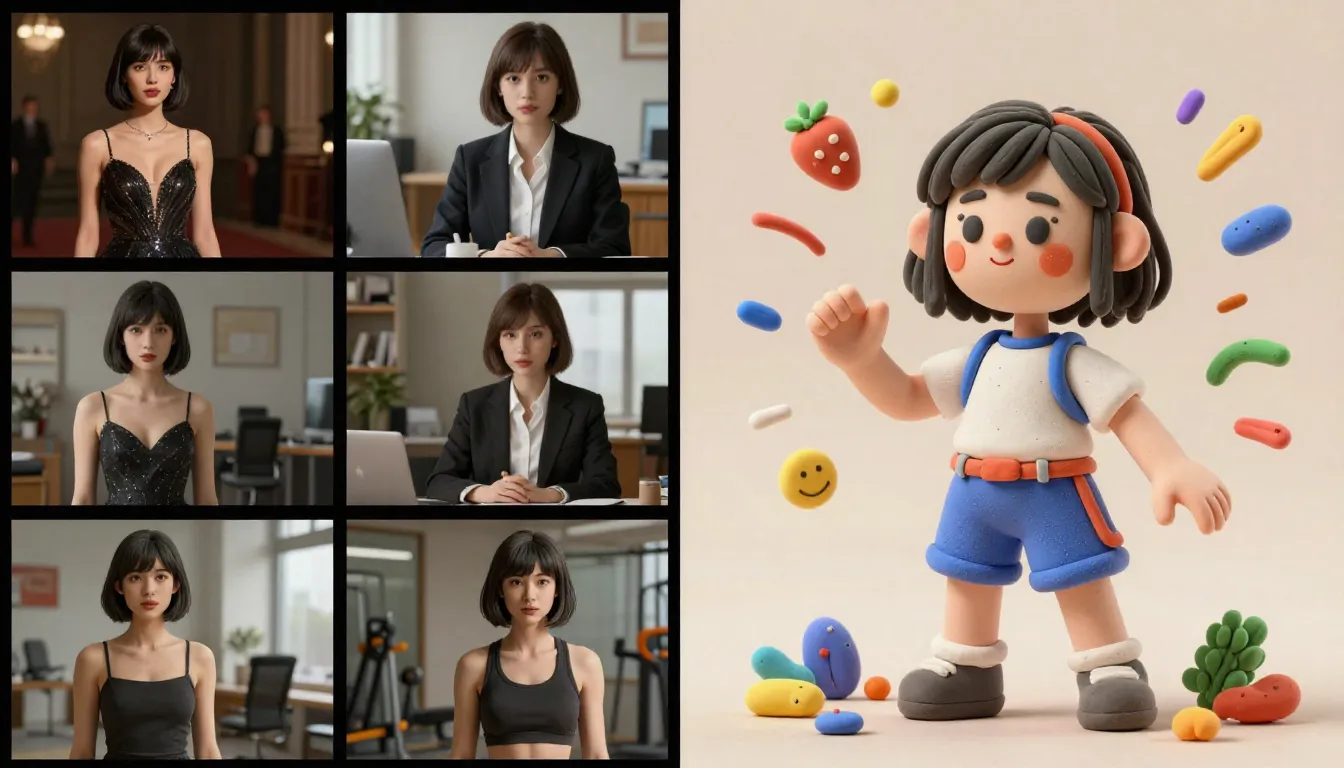
Different creative strengths -- Seedance excels at character consistency and cinematic multi-modal synthesis (left), while Pika offers unique Pikaffects for playful, viral-ready content (right).
The creative difference comes down to depth vs. fun. Seedance gives you deep creative control -- precise camera work, identity preservation, multi-asset blending, professional-grade output. Pika gives you instant creative entertainment -- quirky effects that are immediately shareable and designed to delight audiences on social media.
If you are producing content for a brand campaign, Seedance's character consistency and multi-modal synthesis are far more valuable. If you are creating viral TikTok content where a dog melts into a puddle or a building turns into cake, Pika's effects are uniquely suited for that purpose.
Winner: Neither universally. Seedance wins for professional creative control and character-driven content. Pika wins for playful, effect-driven social media content. They genuinely excel in different creative dimensions.
Audio Generation
Audio is where the seedance vs pika comparison shifts from "both have strengths" to "one platform is significantly more capable."
Seedance 2.0 includes a comprehensive built-in audio generation system with three components:
- Sound effects (SFX): The AI generates context-appropriate sound effects -- footsteps on gravel, rain pattering on a window, engines revving, ambient city noise -- that match the visual content of the video. The sounds are synchronized to on-screen actions.
- Background music: Generate a musical score that matches the mood, tempo, and style of your video. Select from various genres and emotional tones to fit your content.
- Lip sync in 8 languages: If your video features a speaking character, Seedance can generate synchronized lip movements in English, Chinese, Japanese, Korean, Spanish, French, German, and Portuguese. The character's mouth movements match the audio track naturally.
This means you can produce a complete, ready-to-publish video with synchronized audio in a single generation step. No external audio tools. No manual syncing. No additional editing software required.
Pika 2.0 has basic audio capabilities:
- Sound Effects: Pika auto-generates basic sound effects for videos. The feature works, but the sound library and synchronization precision are more limited compared to Seedance. Effects tend to be simpler and less contextually nuanced.
- Lip Sync: Pika offers a lip sync feature that animates mouth movements to match speech. It handles basic speaking animations adequately, though the precision and language support are more limited than Seedance's 8-language system.
Pika's audio is a genuine improvement over platforms that offer no audio at all (like Sora). You get something to work with. But the depth, precision, and versatility of Seedance's audio system is in a different league. Seedance generates richer, more contextually accurate sound effects, offers full background music composition, and supports lip sync in four times as many languages.
Impact on real-world workflows:
Consider creating a 15-second product ad for Instagram Reels. With Seedance, you upload the product photo, write a prompt, enable audio generation, and receive a complete video with professional sound in about 2 minutes. With Pika, you get basic auto-generated sound effects that may or may not fit the tone you want. For polished content, you will likely still need to replace or supplement Pika's audio in a separate editing tool.
For casual social content where basic sound is sufficient, Pika's audio is adequate. For professional or brand content where audio quality matters, Seedance delivers a significantly more complete solution.
Winner: Seedance 2.0 on audio generation. Pika deserves credit for having basic audio capabilities (many competitors have none), but Seedance's system is substantially more powerful, precise, and versatile. For creators who need publish-ready video with professional audio, Seedance is the clear choice.
Video Duration and Control
Duration determines how much story you can tell in a single generation, and control determines how precisely you can shape the output.
Seedance 2.0 generates videos up to 15 seconds in length. For social media content -- TikTok, Instagram Reels, YouTube Shorts -- 15 seconds is more than enough. Most high-performing short-form content falls in the 5-15 second range. The extra seconds above 10 give you room for scene establishment, action, and resolution within a single clip.
Pika 2.0 generates videos of approximately 10 seconds in standard mode. Extensions are possible but the base output is shorter than Seedance. Ten seconds is adequate for quick social clips and effect demonstrations, but it limits narrative complexity. If you want a scene to breathe -- establish a setting, show an action, and capture a reaction -- 10 seconds can feel tight.
The 5-second difference between 15 and 10 seconds matters more than it sounds. In short-form video, every second is significant. Five extra seconds means 50% more content per generation. Over hundreds of generations, this compounds into significantly more usable footage.
Control mechanisms differ substantially:
- Seedance uses reference video-based control. Upload a clip with the camera movement you want and the AI replicates that movement pattern. Upload reference images for visual style. Upload audio for rhythm synchronization. This gives you layered, precise, reproducible control -- but requires having reference materials.
- Pika uses text-based control plus Modify Region for spatial editing. You describe what you want in your prompt and use Modify Region to make targeted changes to specific areas. This is simpler and more accessible but less precise than reference-based approaches.
Pika's Modify Region feature is worth highlighting. It lets you draw a selection around part of the video frame and change only that area. This is useful for iterative refinement -- fixing a small detail without regenerating the entire video. Seedance does not have an equivalent inpainting tool in its current version.
Winner: Seedance 2.0 on duration (15s vs ~10s) and overall control depth. Pika has a unique advantage with Modify Region for targeted edits. If video length matters to your workflow, the 50% duration advantage is meaningful.
Ease of Use
This is where we give credit where it is due. Pika genuinely excels in this category, and pretending otherwise would be dishonest.
Pika 2.0 was designed from the ground up with beginners in mind. The interface is minimal, clean, and self-explanatory. You open the app, type a prompt or upload an image, click generate, and get a video. The Pikaffects are presented as simple one-click buttons. Modify Region uses an intuitive paint-brush selection tool. There are no complex settings panels, no multi-file upload workflows to learn, no advanced parameter tuning required.
A first-time user with zero AI experience can create their first video on Pika within 30 seconds of signing up. That is not an exaggeration. The learning curve is essentially flat.
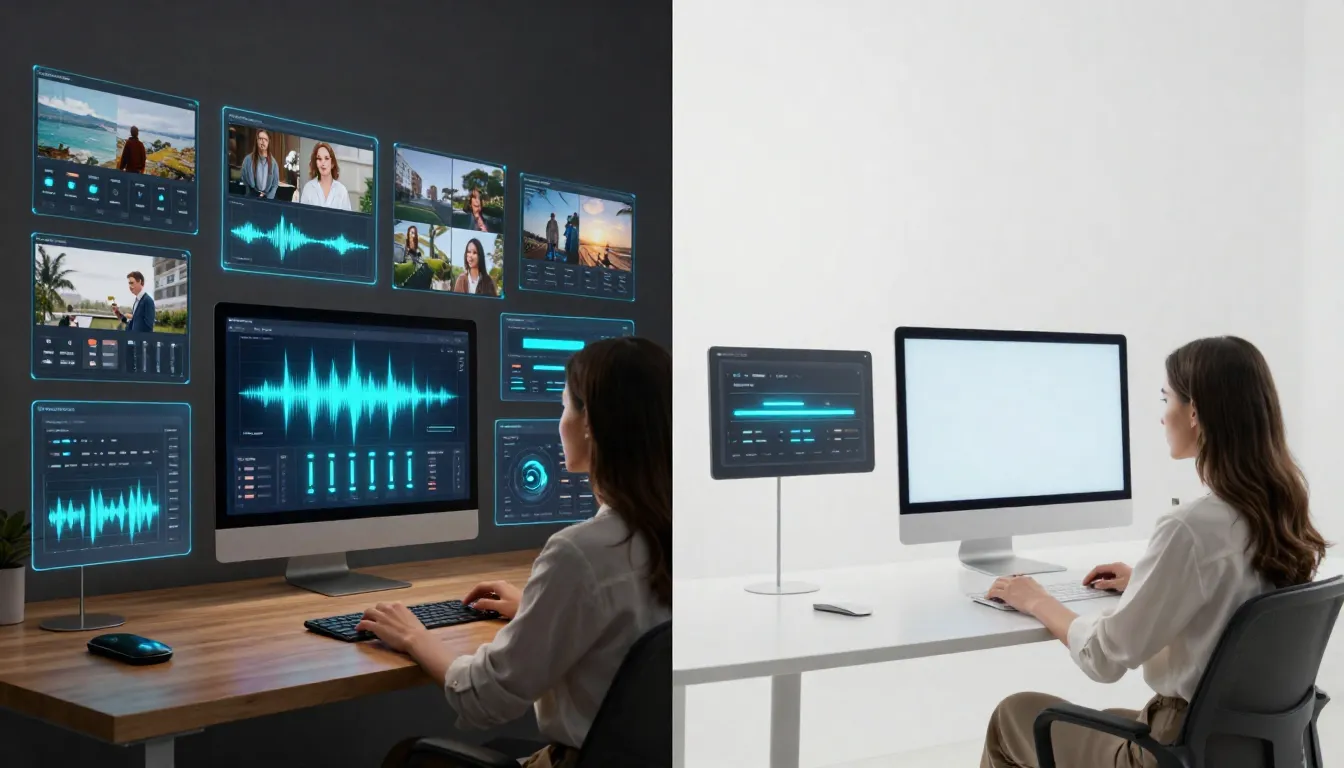
Interface comparison -- Seedance offers a feature-rich workspace with multi-modal upload and detailed controls (left), while Pika presents a minimal, clean interface optimized for simplicity (right).
Seedance 2.0 has a more feature-rich interface that reflects its greater capabilities. The multi-modal upload area, reference file management, audio generation controls, character consistency settings, and aspect ratio options give you extensive creative control. But with more features comes more interface complexity. First-time users need a few minutes to understand the layout, learn what each upload zone does, and figure out how to combine inputs effectively.
Seedance is not difficult to use. The interface is well-designed and logically organized. But it is not as instantly intuitive as Pika's stripped-down approach. The learning curve is gradual rather than flat -- perhaps 5-10 minutes to feel comfortable, and an hour or two to explore all the advanced capabilities.
The trade-off is real:
- Pika's simplicity means you generate faster but with less control.
- Seedance's depth means you spend more time setting up but get more precise, higher-quality results.
For experienced creators who value control, Seedance's richer interface is an advantage. For absolute beginners, casual users, or anyone who just wants quick results without a learning investment, Pika's simplicity is genuinely better.
Winner: Pika 2.0 on ease of use. This is not a consolation prize. Pika's beginner-friendliness is a real competitive advantage. For many users, the best ai video generator for beginners is one they can actually use without frustration, and Pika nails this.
Pricing and Value
Pricing often drives the final decision, and it is where the pika vs seedance comparison gets interesting because both platforms offer genuinely affordable options -- but structured very differently.
Seedance Pricing
| Plan | Monthly Price | Credits | Key Features |
|---|---|---|---|
| Free | $0 | Signup bonus (no card required) | Full quality, all models, 2K output |
| Starter | $9.90/month | Moderate allocation | Priority queue, all features |
| Pro | $19.90/month | Large allocation | Maximum credits, priority generation |
Every Seedance plan generates the same quality output. Free users get the same 2K resolution, same models, and same audio generation as Pro users. The only difference is the number of credits available. No watermarks on any tier.
For a detailed breakdown of what you can create with free credits and how to maximize them, read our Seedance free guide.
Pika Pricing
| Plan | Monthly Price | Key Features |
|---|---|---|
| Free | $0 | Limited daily generations, basic features |
| Standard | $8/month | More generations, faster queue |
| Pro | $28/month | Higher volume, priority processing, all features |
| Unlimited | $58/month | Unlimited generations, maximum speed |
Pika's free tier is functional and lets you generate several videos per day. The Standard plan at $8/month is the lowest paid entry point in the mainstream AI video generator market. However, Pika's Pro and Unlimited tiers escalate quickly -- $28 and $58 per month respectively.
Cost-Per-Video Analysis
Let us compare the practical cost at similar usage levels:
| Scenario | Seedance Starter ($9.90/mo) | Pika Standard ($8/mo) | Pika Pro ($28/mo) | Seedance Pro ($19.90/mo) |
|---|---|---|---|---|
| Monthly cost | $9.90 | $8.00 | $28.00 | $19.90 |
| Max resolution | 2K | 1080p | 1080p | 2K |
| Max duration | 15 seconds | ~10 seconds | ~10 seconds | 15 seconds |
| Includes full audio | Yes | Basic only | Basic only | Yes |
| Multi-modal input | Yes | No | No | Yes |
| Character consistency | Strong | Limited | Limited | Strong |
At the entry level, Pika is cheaper. The $8/month Standard plan undercuts Seedance's $9.90 Starter by $1.90 per month. For budget-conscious users who only need basic text-to-video and image-to-video at 1080p, this is a genuine savings.
But the comparison shifts at the Pro tier. Pika Pro at $28/month costs $8.10 more than Seedance Pro at $19.90/month, and Seedance Pro delivers higher resolution, longer videos, full audio generation, and quad-modal input. If you need Pika's Unlimited tier at $58/month, the cost gap widens further -- you would pay nearly three times Seedance Pro's price for 1080p output without multi-modal input.
The value calculation depends on what you need:
- If you need basic video generation at the lowest price: Pika Standard ($8/mo) wins.
- If you need professional features at the best value: Seedance Pro ($19.90/mo) wins.
- If you want unlimited generations regardless of cost: Pika Unlimited ($58/mo) is the only option, but at a premium price.
For full pricing details and plan comparisons, visit our pricing page.
Winner: Depends on usage. Pika wins on lowest entry price ($8 vs $9.90). Seedance wins on value-per-dollar at the Pro tier ($19.90 vs $28 for more features). For creators who need professional output, Seedance delivers substantially more capability per dollar spent.
Speed and Reliability
Both platforms deliver comparable generation speeds, making this the least differentiated category in the comparison.
Seedance 2.0 typically generates a video in 60-120 seconds. Simpler prompts finish faster. Complex multi-modal requests with several reference files take longer. Paid users get priority queue access during peak hours.
Pika 2.0 generates videos in a similar 60-120 second range for most requests. The simpler input pipeline (text or single image) means fewer variables that could slow generation down. During peak usage periods, free-tier users may experience longer queue times.
Both platforms maintain high uptime. Seedance runs on ByteDance's global infrastructure. Pika runs on its own cloud infrastructure optimized for consumer-scale workloads. Neither platform experiences frequent outages.
Both platforms are available globally with no geographic restrictions. This is a shared advantage over some competitors like Sora that have regional limitations.
Winner: Draw. Performance is comparable. Neither platform has a meaningful speed or reliability advantage over the other.
When to Choose Seedance
Seedance 2.0 is the stronger choice when your workflow includes any of the following:
1. You need professional-grade video quality. If your content will be viewed on desktop screens, projected in presentations, used in client deliverables, or published where visual quality reflects on your brand, Seedance's native 2K resolution and cinematic rendering provide a clear advantage over Pika's 1080p output.
2. You have existing visual and audio assets. If you are an e-commerce brand with product photos, a content creator with reference footage, or a marketing team with brand materials and music, Seedance's quad-modal input turns those assets into video directly. Uploading 9 reference images produces far more accurate results than describing your vision in text alone.
3. You need video with professional audio. If you publish content on social media, create ads, or produce marketing videos where audio quality matters, Seedance generates complete, sound-equipped videos with SFX, music, and lip sync in 8 languages. Pika's basic audio features may not meet professional standards.
4. You need strong character consistency. If you are creating a video series with a recurring character, building brand content with a mascot, or telling a story across multiple scenes, Seedance's multi-image reference system maintains character identity far more reliably than Pika's single-image approach.
5. You need longer clips. If 10 seconds feels too short for your content -- product walkthroughs, mini-narratives, scene-setting establishing shots -- Seedance's 15-second maximum gives you 50% more duration per generation.
6. You want the best Pro-tier value. At $19.90/month, Seedance Pro offers 2K resolution, 15-second videos, full audio generation, and quad-modal input. Pika Pro at $28/month offers 1080p, ~10-second videos, and basic audio for $8.10 more per month.
Start creating with Seedance for free -->
When to Choose Pika
We believe in honest comparisons. Pika 2.0 is a strong platform with genuine advantages in several scenarios:
1. You are brand new to AI video generation. If you have never used an AI video tool before and want to start creating immediately without a learning curve, Pika is the friendliest entry point available. The interface is self-explanatory, and you can produce your first video within seconds.
2. You want fun, viral special effects. If your goal is to create attention-grabbing social media content -- objects turning into cake, subjects melting, things inflating like balloons -- Pika's Pikaffects are uniquely designed for this. No other platform offers the same collection of playful transformation effects.
3. You want the cheapest possible entry price. At $8/month, Pika Standard is the most affordable paid AI video plan in the mainstream market. If your budget is extremely tight and you need more than free-tier limits, Pika's Standard plan is the lowest barrier.
4. You value simplicity over depth. If you find feature-rich interfaces overwhelming and prefer a clean, minimal workspace where you type a prompt and click generate, Pika's stripped-down approach will feel more comfortable than Seedance's multi-panel interface.
5. You create content where playfulness matters more than polish. For personal social media, humor-driven content, meme-style videos, and casual creative experiments, Pika's aesthetic and effects are perfectly suited. Not every video needs to look like a Hollywood production.
6. You need selective editing with Modify Region. If your workflow involves generating a base video and then making targeted changes to specific areas, Pika's Modify Region inpainting tool is a unique capability that Seedance does not currently offer in the same way.
Can You Use Both Together?
Yes. And for some creators, using both platforms together produces the best results by leveraging each tool's unique strengths.
Workflow 1: Seedance for Hero Content, Pika for Supporting Clips
Use Seedance to produce your primary, high-quality content -- the hero videos for campaigns, product showcases, and brand stories that need professional-grade output with full audio. Use Pika to produce quick, fun supporting content -- behind-the-scenes style clips, playful social teasers, and effect-driven shorts that drive engagement and shares.
Workflow 2: Pika for Concepting, Seedance for Finishing
Use Pika's simple interface for rapid concept exploration. Generate 10-15 quick variations from text prompts to find the direction you like. Pika's speed and simplicity make it ideal for brainstorming. Once you have a concept that works, bring reference frames and a clear creative direction into Seedance for a polished, 2K final version with professional audio.
Workflow 3: Pika Effects on Seedance Output
Generate a high-quality base video in Seedance with the exact visual style, character, and audio you need. Then take frames or clips from that output and run them through Pika's Pikaffects for creative social media variations. Your brand character, professionally rendered by Seedance, getting the Cake-ify or Inflate treatment from Pika makes for engaging social content that combines quality with fun.
The tools are not mutually exclusive. Pika's $8/month Standard plan and Seedance's $9.90/month Starter plan together cost under $18 per month -- less than a single Pika Pro subscription -- and give you access to both platforms' unique capabilities.
Frequently Asked Questions
Is Seedance better than Pika?
It depends on your needs. Seedance 2.0 offers higher resolution (2K vs 1080p), multi-modal input (4 types vs 2), more powerful audio generation, stronger character consistency, and longer video duration (15s vs ~10s). Pika 2.0 offers a simpler interface, unique Pikaffects for creative special effects, Modify Region for selective editing, and a lower entry price. For professional content creation, Seedance provides more value. For casual, beginner-friendly, effect-driven social content, Pika is the better fit.
Is Pika cheaper than Seedance?
At the entry level, yes. Pika Standard costs $8/month compared to Seedance Starter at $9.90/month. However, at the Pro tier, Seedance is cheaper: Seedance Pro is $19.90/month while Pika Pro is $28/month. And Seedance Pro includes 2K resolution, 15-second videos, and full audio generation that Pika Pro does not match. Both platforms offer free tiers, making it easy to try before you commit.
Which is better for TikTok content?
Both work well for TikTok, but for different types of content. If you want polished, professional TikTok videos with cinematic quality and built-in audio, Seedance is stronger. If you want quick, playful, effect-driven TikTok content designed to go viral -- things melting, inflating, or turning into cake -- Pika's Pikaffects are uniquely designed for this. Many successful TikTok creators use simple, attention-grabbing effects like Pika's, while brand accounts tend to prefer the polished output Seedance delivers.
Does Pika support image-to-video?
Yes. Pika 2.0 supports image-to-video generation. You can upload a single image and Pika will animate it into a video. However, Pika only accepts one image at a time and does not support video or audio reference files. Seedance supports image-to-video with up to 9 reference images simultaneously, plus video references, audio references, and text -- all combined in a single generation. For a deeper look at image-to-video workflows, read our image-to-video AI guide.
Which has better video quality?
Seedance generates at native 2K resolution (2048x1080) compared to Pika's 1080p (1920x1080). In terms of raw resolution and visual detail, Seedance produces noticeably sharper output. Seedance also tends toward a more cinematic aesthetic with dramatic lighting and film-quality rendering. Pika produces clean, bright output that looks good on social media but does not match Seedance's level of visual sophistication. For professional use, Seedance has a clear quality advantage.
Can I use Pika for free?
Yes. Pika offers a free tier with limited daily generations. You can sign up and start generating videos without paying. The free tier has usage caps that reset daily. Seedance also offers a free tier with signup credits and no credit card required. Both platforms let you try before you buy, which makes it easy to test each one with your specific use case before committing to a paid plan.
Which is easier to use, Seedance or Pika?
Pika is easier to use. Its interface is minimal, clean, and designed for absolute beginners. You can generate your first video within seconds of signing up. Seedance has a richer interface with more controls for multi-modal input, audio generation, and character consistency settings. Seedance is not difficult to use, but it takes a few minutes to learn the layout and understand all the options. If ease of use is your top priority, Pika is the better choice. If you are willing to invest a few minutes learning the interface in exchange for significantly more creative control, Seedance rewards that investment.
Is Pika good for professional video production?
Pika can contribute to professional workflows, but it is not primarily designed for professional production. Its 1080p resolution, ~10-second duration, basic audio, and limited input modalities mean it is better suited for social media content, quick concepting, and creative experimentation than for final-delivery professional work. For professional video production that requires high resolution, precise creative control, character consistency, and complete audio -- Seedance, Runway, or other production-focused tools are stronger options. Pika's strength is accessibility and creative fun, not production-grade output.
Verdict
The seedance vs pika comparison ultimately comes down to two very different philosophies about AI video creation.
Pika 2.0 is a creative playground. It takes complex AI video generation and makes it feel as simple as posting a photo on social media. The Pikaffects are genuinely fun. The interface is genuinely easy. The entry price is genuinely low. Pika does not try to be a professional production tool. It tries to be the most accessible, most enjoyable way to create AI video -- and it succeeds at that goal.
Seedance 2.0 is a multi-modal creative studio. It takes your images, your videos, your audio, and your text -- and synthesizes them into high-resolution, audio-equipped, character-consistent output that looks and sounds professional. It costs less than Pika at the Pro tier while delivering more capability. If you work with visual assets, need production-ready output, or want the highest quality the current AI video landscape offers, Seedance delivers.
For most creators who need more than casual experimentation, Seedance 2.0 is the more capable and cost-effective choice. It handles more input types, produces higher resolution output, generates longer videos, includes professional audio, and costs less per feature at the Pro tier. These advantages matter for anyone producing content that represents a brand, a business, or a professional portfolio.
For beginners, casual creators, and anyone whose primary goal is making fun, shareable social media content, Pika 2.0 is a genuinely great tool. Its simplicity is not a weakness -- it is a deliberate design choice that serves its audience well. Not everyone needs 2K resolution and quad-modal input. Sometimes you just want to turn a cat into cake.

Seedance 2.0 generates native 2K video with cinematic lighting and detail -- ready to publish with built-in audio.
Our recommendation:
- If you are new to AI video generation and want to start simple: Try Pika first, then explore Seedance when you want more control. Or try both for free -- it costs nothing.
- If you need professional-quality output now: Start with Seedance. The free tier lets you experience 2K quality and full audio without risk. Create your first video now -->
- If you are comparing specific competitors: Read our Seedance vs Sora comparison, Seedance vs Kling comparison, and our complete 2026 AI video generator ranking.
- If you want to master AI video prompts: Check our Seedance prompt guide with examples.

Seedance 2.0's multi-modal input produces results that combine the best of your reference materials -- images for identity, video for motion, audio for rhythm, and text for direction.
Ready to see the difference for yourself? Seedance gives every new user free credits. No credit card required. No geographic restrictions. Generate your first 2K video with audio in under 2 minutes.
Related reading: What Is Seedance | Seedance vs Sora | Seedance vs Kling | Best AI Video Generators 2026 | Seedance Free Guide | Image to Video AI Guide
