
TL;DR
AI video generation has crossed its most significant threshold since the jump from static images to motion: audio-visual sync. In 2026, the best AI video generators no longer produce silent clips that you have to score manually. They generate sound effects matched to on-screen action, background music synchronized to visual mood, and lip-synced speech in multiple languages -- all within a single generation pipeline. This guide covers the three core types of AI audio-video generation (SFX, soundtrack, and lip sync), a complete six-step workflow for creating AI music videos from scratch, eight real-world use cases ranging from indie artist MVs to podcast visualizers, five copy-paste prompt templates for different musical styles, a tool-by-tool comparison of every generator with audio capabilities, and advanced techniques for BPM matching and mood synchronization. If you make any kind of video content where audio matters -- which is virtually all video content -- this is the most important shift in AI video since text-to-video itself. Start creating AI music videos now -->
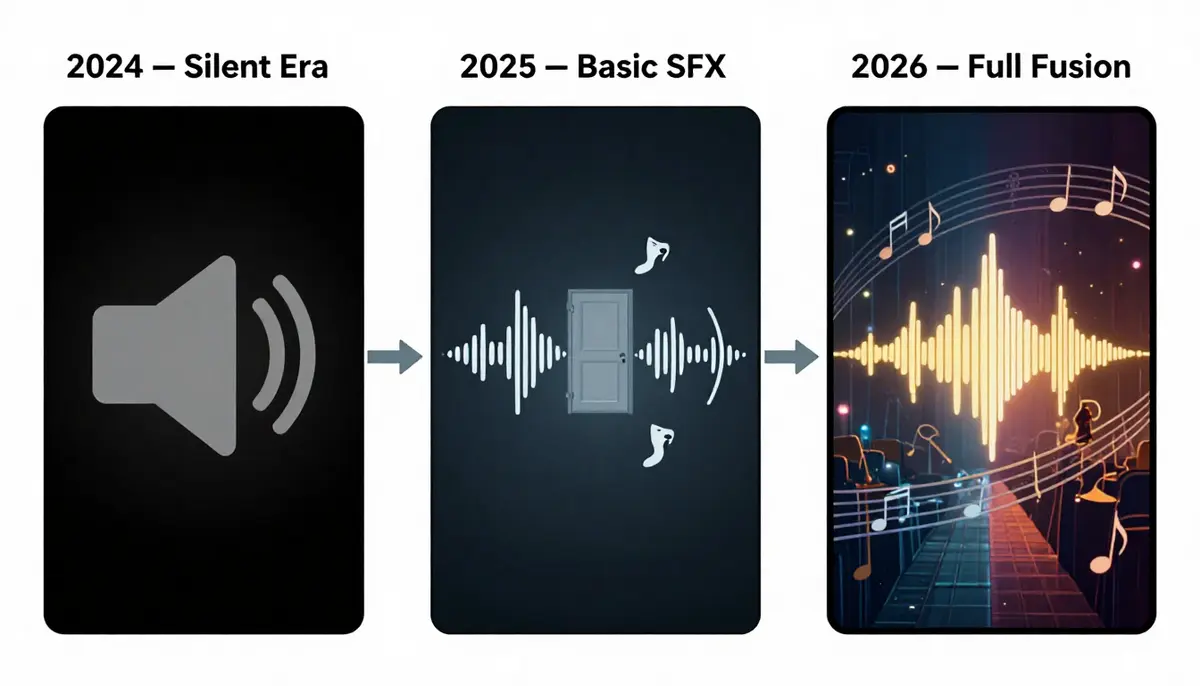
The evolution from silent AI video to full audio-visual synchronization represents the single largest quality leap in AI-generated content. What took Hollywood post-production teams weeks now happens inside a single generation pipeline.
The Audio Revolution in AI Video
For most of its existence, AI-generated video has been a fundamentally incomplete medium. The visuals improved at a staggering pace -- from blurry, seconds-long clips in early 2024 to photorealistic, minute-long sequences by late 2025. But every one of those videos shared the same limitation: they were silent.
The Silent Era: 2024 and Early 2025
The first generation of AI video tools -- Runway Gen-2, Pika 1.0, early Kling -- produced video only. No audio track. No sound effects. No music. The output was a visual-only MP4 file that you had to manually score, mix, and sync in a separate editing workflow. This was not a minor inconvenience. It was a fundamental gap between what AI could produce and what audiences expected.
Human perception of video is deeply multimodal. Neuroscience research consistently shows that audio contributes 50% or more of the emotional impact of any video experience. A cinematic landscape shot without wind, birdsong, or a swelling score feels flat and artificial, no matter how photorealistic the visuals. A character speaking without voice -- lips moving in silence -- falls directly into the uncanny valley. The "silent era" of AI video meant that every generated clip required significant post-production work to feel complete.
For professional creators, this meant maintaining separate workflows for visual generation and audio production, doubling the time and skill requirements. For casual creators, it meant AI-generated video felt perpetually unfinished -- impressive as a technology demonstration but unusable as final content.
2025-2026: The Audio-Visual Fusion
The breakthrough came in stages. Google's Veo 3, announced with native audio generation capabilities, demonstrated that a single model could produce synchronized video and sound simultaneously. This was not audio overlaid on top of video in post-processing -- it was audio generated as an integral part of the video output, with environmental sounds matching on-screen actions.
Around the same time, Seedance 2.0 launched with a comprehensive audio suite covering three distinct capabilities: AI-generated sound effects (SFX) that match video content, AI soundtrack generation that creates background music aligned to visual mood, and AI lip sync that maps speech audio to character mouth movements across eight languages. Pika introduced its Sound Effects feature for basic environmental audio. The audio dam had broken.
This shift matters because it transforms AI video from a visual asset requiring manual post-production into a complete, ready-to-publish media format. The gap between "AI-generated clip" and "finished video content" has narrowed from hours of editing to minutes of generation.
Why Audio Is the Final Puzzle Piece
Consider the content creation pipeline for a YouTube creator, a social media marketer, or an independent musician:
- Concept -- what is the video about?
- Visuals -- what does it look like?
- Audio -- what does it sound like?
- Sync -- do the visuals and audio match?
- Polish -- is it ready to publish?
AI video tools effectively solved steps 1 and 2 by 2025. Steps 3 and 4 remained entirely manual. With audio-capable generators, steps 1 through 4 now happen inside a single tool. Step 5 -- final polish -- is the only remaining manual step, and even that is shrinking as output quality improves.
For music video creation specifically, the implications are transformative. An independent musician who could never afford a traditional music video can now generate one. A content creator building a lo-fi beats channel can produce visual accompaniments for every track. A marketing team can produce product ads with perfectly matched soundtracks without hiring a composer or licensing music.
The Current Audio-Capable Landscape
As of February 2026, three platforms lead in AI video with integrated audio:
- Seedance 2.0: The most complete audio-visual solution. Supports SFX generation, AI soundtrack/music creation, and multi-language lip sync (8 languages). Works with both text-to-video and image-to-video workflows. This is the platform we will reference most throughout this guide.
- Google Veo 3: Strong native audio generation with environmental sounds and ambient audio. Produces impressive results but offers less granular control over audio type and style compared to Seedance. For a detailed comparison, see our Seedance vs Veo 3 analysis.
- Pika 2.0: Basic sound effects generation. Limited to environmental SFX -- no music generation or lip sync. A step in the right direction but not a complete audio solution.
Other tools in the ecosystem -- Kling, Runway, HaiLuo -- remain primarily visual-only as of this writing, though this is expected to change rapidly. For a broader comparison of all generators, see our full tool comparison guide.
3 Types of AI Audio-Video Generation
Not all AI audio is created equal. The technology encompasses three fundamentally different capabilities, each serving different creative purposes and working through different technical mechanisms. Understanding the distinctions is essential for choosing the right approach for your project.
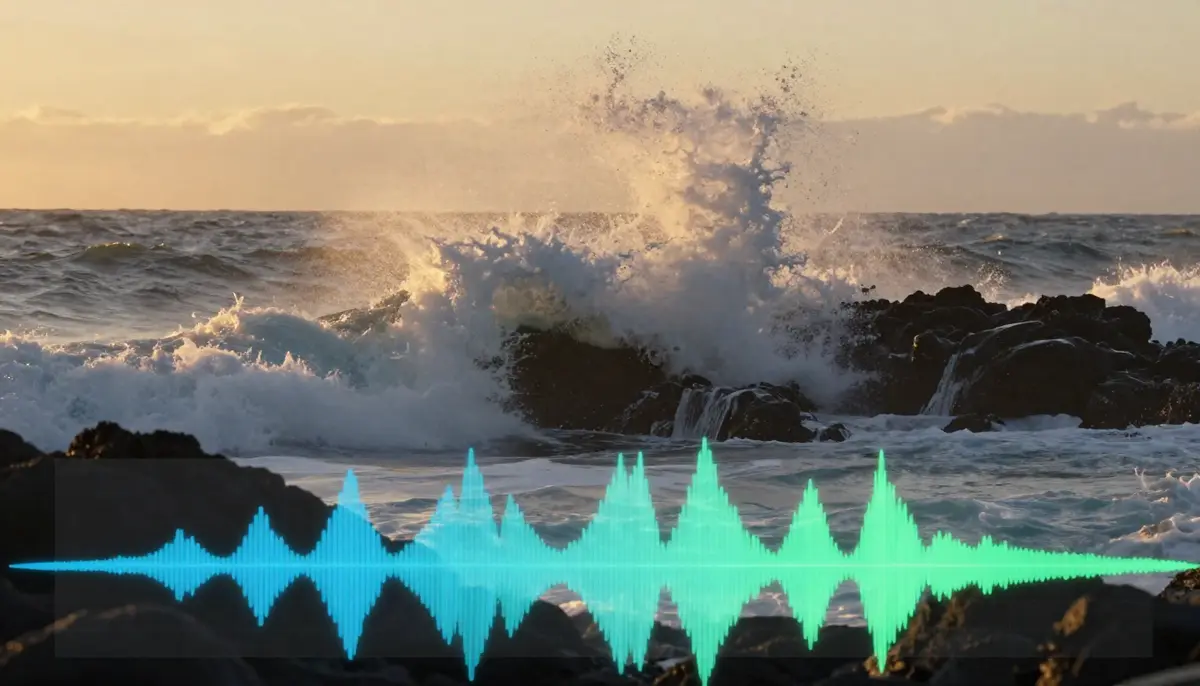
AI SFX generation analyzes video content frame by frame, identifying sound-producing actions and environments, then synthesizes matching audio waveforms. The result is environmental audio that feels organically connected to the visual content.
Type 1: AI Sound Effects (SFX)
AI sound effects generation automatically produces environmental and action-based audio that matches what is happening on screen. When a character walks across gravel, you hear footsteps on gravel. When waves crash against rocks in a coastal scene, you hear the ocean. When a car engine revs in a street scene, you hear the engine.
How Seedance SFX generation works: The AI model analyzes the visual content of your generated video -- identifying objects, actions, environments, and physical interactions -- and produces an audio track with corresponding sound effects. This is not a simple lookup table matching "ocean" to a stock wave sound. The model generates unique audio that responds to the specific visual characteristics: the intensity of the wave, the distance from the camera, the presence of wind, the acoustic properties of the environment.
What SFX generation handles well:
- Environmental ambience (wind, rain, thunder, forest sounds, urban traffic)
- Physical interactions (footsteps on various surfaces, doors opening/closing, objects being placed down)
- Nature sounds (water flowing, birds, insects, leaves rustling)
- Mechanical sounds (engines, machinery, clicks, electronic hums)
- Impact sounds (collisions, splashes, breaking, crumbling)
Prompt tips for implying sounds: Even when using text-to-video generation, you can influence the SFX output by describing sound-producing elements in your visual prompt. "Rain hammering against a tin roof" will produce more intense rain audio than "gentle drizzle on a garden." "Heavy boots stomping on a metal grate" produces different footstep audio than "bare feet on warm sand." The visual description drives the audio generation, so describing acoustically rich scenes produces richer soundscapes.
Current limitations: SFX generation excels at environmental and natural sounds but can struggle with complex, layered soundscapes (a busy restaurant with overlapping conversations, clinking glasses, kitchen noise, and background music simultaneously). It also performs better with organic sounds than with highly specific, recognizable audio signatures (a specific car model's engine note, a specific bird species' call).
Type 2: AI Music and Soundtrack
AI music generation creates background music, scores, and soundtracks that match the visual content, mood, and pacing of your video. This is not simply attaching a generic royalty-free track -- the AI generates original music tailored to what is happening on screen.
Style control: You can direct the musical style through your prompt and generation settings. The range of styles supported is broad:
- Cinematic orchestral: Sweeping strings, brass, and percussion for epic landscape shots or dramatic scenes
- Upbeat electronic: Energetic synths and beats for fast-paced content, product showcases, or social media
- Ambient/atmospheric: Gentle textures, pads, and drones for meditation content, real estate tours, or slow-motion nature
- Lo-fi hip hop: The signature warm, slightly detuned beats with vinyl crackle for study/focus content
- Dramatic tension: Dissonant strings, low percussion, and building intensity for trailers and teasers
- Acoustic/folk: Guitar, piano, and organic instruments for personal, intimate content
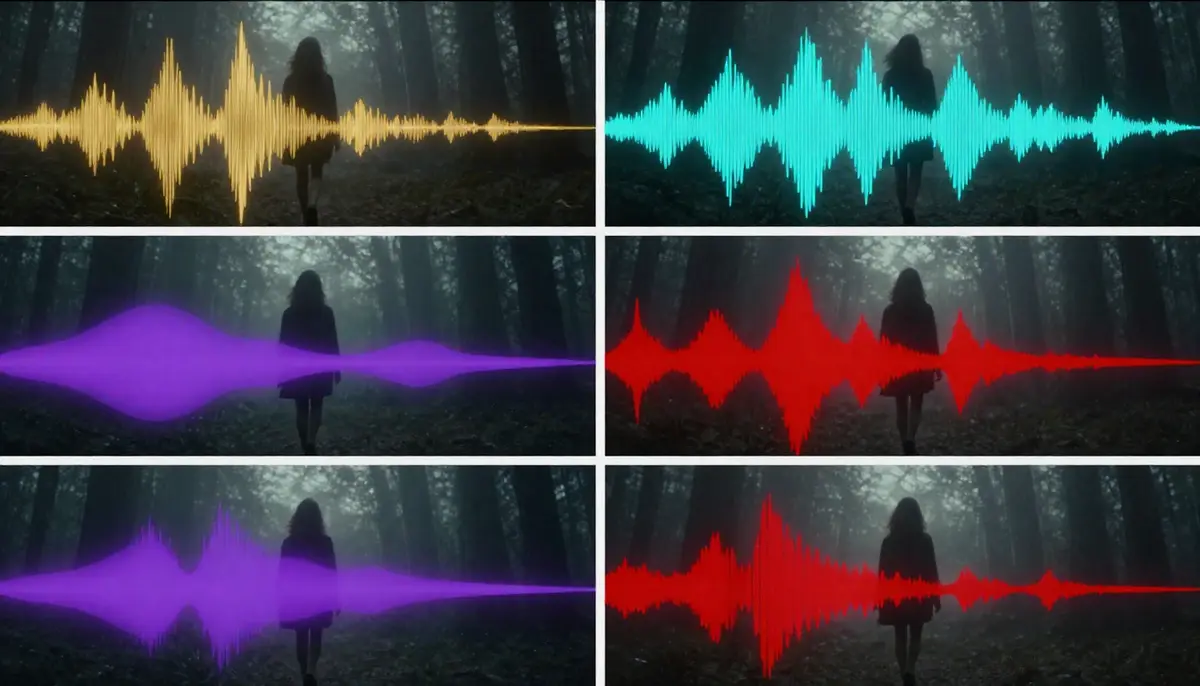
Different music styles produce dramatically different waveform profiles. AI soundtrack generation matches not just the genre but the energy curve, aligning musical intensity with visual action beats throughout the video.
Duration matching: The AI generates music that matches the duration of your video output. A 5-second clip gets a coherent 5-second musical phrase. A 30-second video gets a structured piece with introduction, development, and resolution. This eliminates the common problem of manually fading in/out a stock track that was never designed for your specific video length.
How it differs from standalone AI music tools: You may be familiar with dedicated AI music generators like Suno or Udio, which create standalone music tracks from text prompts. Those tools produce excellent music but have no visual awareness -- they do not know what your video looks like, when key visual moments occur, or what mood shifts happen on screen. AI soundtrack generation within a video tool like Seedance is fundamentally different because the music is generated in response to the visual content. The score rises when the visuals become more dramatic. The tempo aligns with on-screen movement. The mood matches the atmosphere of each scene.
That said, standalone AI music tools and AI video generators are complementary. A powerful workflow is to generate a track in Suno or Udio, then use that audio file as a reference input when generating video in Seedance. The AI video generator will create visuals that respond to the musical structure. We will cover this workflow in detail in the step-by-step section below.
Type 3: AI Lip Sync and Voice
AI lip sync generation is the most technically demanding of the three audio types. It maps speech audio -- either uploaded or generated -- to character lip movements, producing the illusion that an on-screen character is speaking the words.
Multi-language support: Seedance 2.0 supports lip sync across eight languages, including English, Chinese, Japanese, Korean, Spanish, French, German, and Portuguese. This is not just audio dubbing -- the model adjusts the character's mouth shapes, jaw movements, and facial micro-expressions to match the phonetic characteristics of each language. The "O" vowel shape in Japanese is different from the "O" in English. Proper lip sync accounts for these linguistic differences.
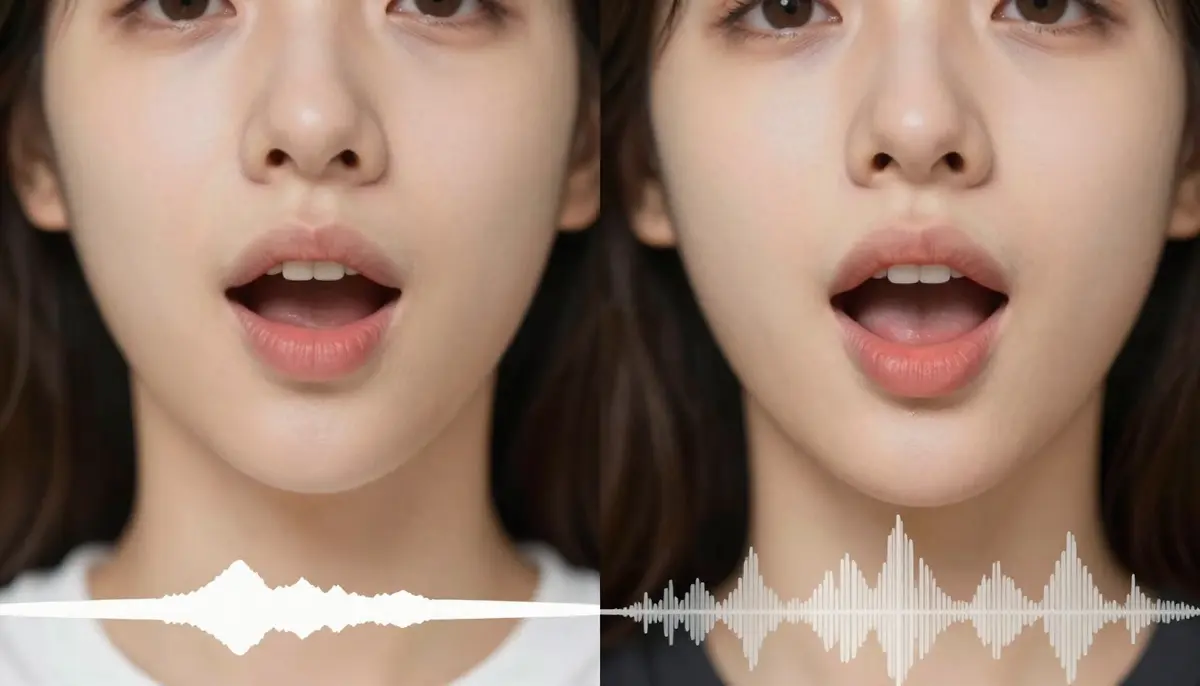
AI lip sync transforms a visually convincing but silent character into a speaking presence. The technology adjusts not just mouth shape but jaw position, cheek tension, and subtle facial micro-expressions to match speech phonetics.
How it works: The process starts with an audio reference -- either a voice recording you upload or AI-generated speech. The model analyzes the audio's phonetic content (which sounds are being produced at which timestamps) and generates corresponding mouth shapes and facial movements frame by frame. For the best results, the audio should be clean, well-paced speech with minimal background noise.
Applications:
- Digital humans and avatars: Create speaking AI presenters for YouTube channels, corporate training, or customer service
- Animated characters: Give voice to AI-generated animated characters without frame-by-frame mouth animation
- Multilingual dubbing: Take an existing video with speech and generate lip-synced versions in other languages, matching the new audio to the character's mouth movements
- Music video performance: Sync a singer's visual performance to a vocal track, creating the appearance of a real music video performance
- Podcast and audiobook visualization: Transform voice-only content into visual media with speaking characters
Current limitations -- an honest assessment: Lip sync is the youngest and least mature of the three audio-video types. While it has improved dramatically, certain challenges remain. Rapid speech can sometimes outpace the model's ability to generate matching mouth shapes, producing slight desynchronization. Extreme facial angles (profile views, extreme up-angle) reduce lip sync accuracy because fewer mouth landmarks are visible. Heavily accented speech or unusual vocal characteristics may produce less precise results than standard speech patterns. The technology is advancing quickly, but setting realistic expectations matters -- lip sync in 2026 is impressive for straightforward speech scenarios and still developing for edge cases.
Step-by-Step: Create an AI Music Video
Follow this six-step workflow to go from concept to a complete, audio-visual AI music video. This process works whether you are an independent musician creating your first MV, a content creator building a music-driven YouTube channel, or a marketer producing brand video with a custom soundtrack.
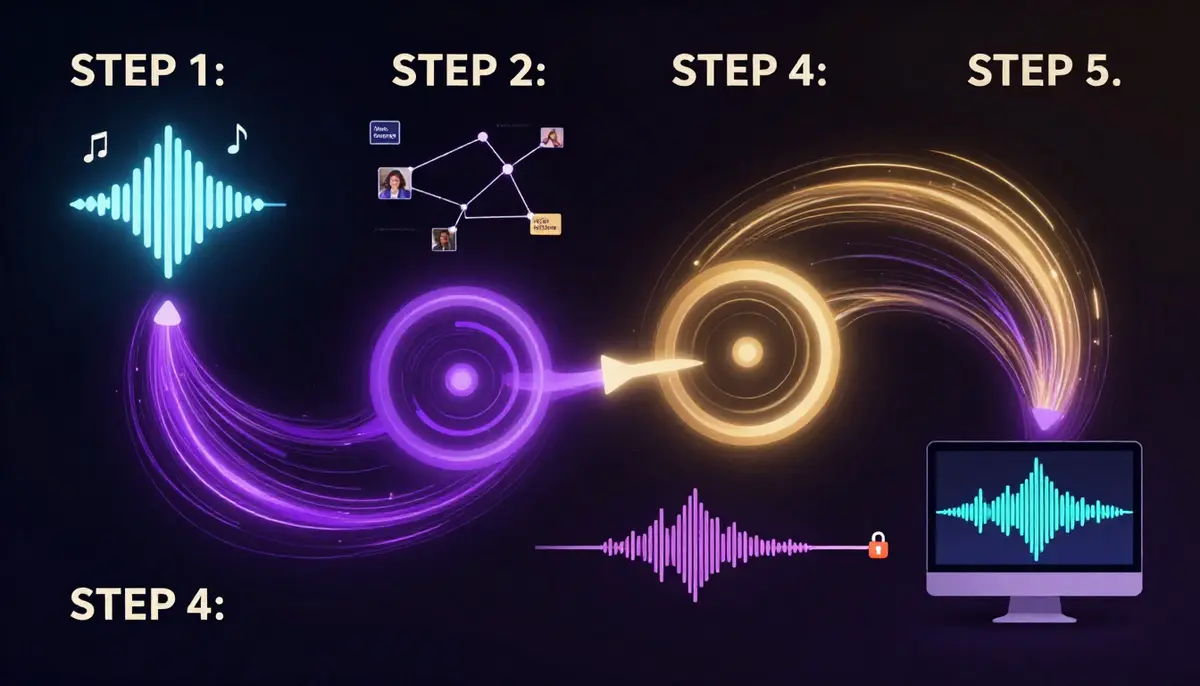
The complete AI music video workflow from audio source to finished output. Each step builds on the previous one, with the audio-visual sync happening automatically during generation.
Step 1: Prepare Your Music or Audio Source
Every music video starts with music. You have three paths:
Option A -- Use your own music: If you are a musician or have a licensed track, prepare your audio file. Supported formats typically include MP3, WAV, and AAC. For best results, use a high-quality master or mix (not a compressed streaming rip). Clean, well-separated audio produces better visual-audio sync than heavily compressed files.
Option B -- Generate AI music first: Use a standalone AI music generator (Suno, Udio, or similar) to create an original track. Describe the style, mood, tempo, and instrumentation you want. Generate several variations and select the one that best matches your visual concept. Save the file locally.
Option C -- Let the AI handle everything: If you do not have a specific audio source and want the AI to generate both visuals and audio simultaneously, skip the audio preparation and rely on Seedance's built-in soundtrack generation. In this case, your visual prompt will influence the musical output. This is the fastest path but gives you less control over the specific musical result.
Pro tip for musicians: If you want the visuals to respond to specific moments in your track -- a beat drop, a key change, a vocal entry -- note the timestamps. You will use these to guide your prompt and potentially segment your generation into sections that align with the song's structure.
Step 2: Write a Visual Prompt That Matches Your Music
Your visual prompt should describe imagery that feels natural alongside your audio. This is not about literally illustrating every lyric -- it is about creating a visual atmosphere that amplifies the emotional content of the music.
Matching visual style to music style:
| Music Style | Visual Approach | Prompt Keywords |
|---|---|---|
| Cinematic orchestral | Sweeping landscapes, dramatic skies, epic scale | "vast," "majestic," "slow dolly," "IMAX quality" |
| Lo-fi / chill | Soft colors, cozy interiors, gentle rain, warm light | "pastel," "soft focus," "warm," "gentle motion" |
| High-energy electronic | Fast cuts, neon, urban, dynamic camera | "vibrant," "dynamic," "neon," "fast-paced" |
| Emotional ballad | Intimate close-ups, candlelight, slow motion | "intimate," "shallow depth of field," "warm tones" |
| Dark / dramatic | Shadows, contrast, tension, minimal color | "dramatic lighting," "silhouette," "high contrast" |
For comprehensive prompt techniques, see our Seedance prompt guide. The core principle for music video prompts: describe movement that would feel natural at your song's tempo. Fast songs need dynamic visuals. Slow songs need deliberate, graceful motion.
Step 3: Choose Your Audio Mode
When generating in Seedance, select the appropriate audio mode based on your project:
SFX Mode: Best when your video has clear environmental or action elements that should produce natural sounds. A car driving through rain should sound like a car in rain. An ocean scene should have wave audio. SFX mode generates these sounds automatically based on what appears in the video.
Music/Soundtrack Mode: Best when you want the AI to generate background music that matches your visual content. Use this when you do not have a pre-made track and want the tool to create an original score. You can influence the style through your visual prompt -- a neon cyberpunk cityscape will generate different music than a serene mountain sunrise.
Voice/Lip Sync Mode: Best when your video includes a speaking or singing character and you have audio that needs to be synced to their lip movements. Upload your vocal track or speech recording and the AI generates matching mouth movements on the character.
Combined approach: For the most complete music video experience, consider a multi-pass workflow. Generate the base video with soundtrack mode to get visuals and music. If you need environmental SFX on top of the music, use the SFX mode in a second pass or layer it in post. If a character needs to sing, use the lip sync mode with your vocal track.
Step 4: Upload Reference Materials (Optional but Powerful)
Reference inputs dramatically improve the quality and specificity of your output. For music video creation, several types of references are particularly useful:
Audio reference file: Upload your music track. The AI uses this as the audio backbone of the video, generating visuals that respond to the musical content. This is the single most impactful reference for music video creation.
Reference image: Upload a still image that establishes the visual style you want. This could be album art, a mood board screenshot, a frame from an existing music video you admire, or an AI-generated image that captures your desired aesthetic. Seedance's image-to-video capability uses this reference to maintain visual consistency.
Reference video: If you have an existing music video whose camera movements, editing rhythm, or visual style you want to emulate, upload it as a reference. The AI will study the motion patterns, cut timing, and visual composition from your reference while generating original content.
Step 5: Generate and Adjust Audio-Visual Sync
Click generate and let the AI produce your initial output. Review the result with particular attention to audio-visual synchronization:
What to check:
- Does the music's energy match the visual energy? A dramatic orchestral swell should coincide with a visually dramatic moment, not a static scene.
- Are SFX timing-accurate? Footsteps should align with when feet hit the ground. Impacts should match visual collisions.
- Is lip sync convincing? Watch the character's mouth at normal speed. Minor frame-level discrepancies are invisible at full speed but visible in slow motion -- and your audience watches at normal speed.
- Does the overall mood feel cohesive? The visual color palette, the musical key and instrumentation, and the pacing should all tell the same emotional story.
If the sync is off: Regenerate with a modified prompt. If the music is too energetic for the visuals, add more dynamic elements to your visual prompt. If the visuals are too fast for a slow track, add words like "slow," "gentle," "deliberate" to your prompt. The AI responds to these tempo cues.
Step 6: Export the Complete Audio-Visual File
Once you are satisfied with the result, export your finished music video. The output is a single file with video and audio tracks already synchronized -- no need to manually align audio in an editor.
Export considerations:
- Format: MP4 (H.264 video + AAC audio) is the universal standard accepted by all platforms
- Resolution: Export at the highest available resolution. For music videos, 1080p is the minimum; 2K or 4K if available
- Aspect ratio: 16:9 for YouTube and standard music video distribution; 9:16 for Instagram Reels, TikTok, and YouTube Shorts; 1:1 for Instagram feed
- Audio quality: Ensure your export settings preserve audio quality. If you uploaded a high-quality master, the export should maintain that fidelity
Post-export optional steps: While the AI-generated music video is ready to publish as-is, you may want to add finishing touches in a video editor: title cards, lyrics overlays, artist branding, transition effects between sections, or color grading adjustments. Tools like CapCut, DaVinci Resolve, or Adobe Premiere work well for this final polish layer.
Create your first AI music video now -->
8 AI Music Video Use Cases
AI music video generation is not a single-use technology. The combination of visual generation with audio sync opens up creative possibilities across a wide range of content types and industries. Here are eight concrete use cases, each with specific guidance on how to approach it.
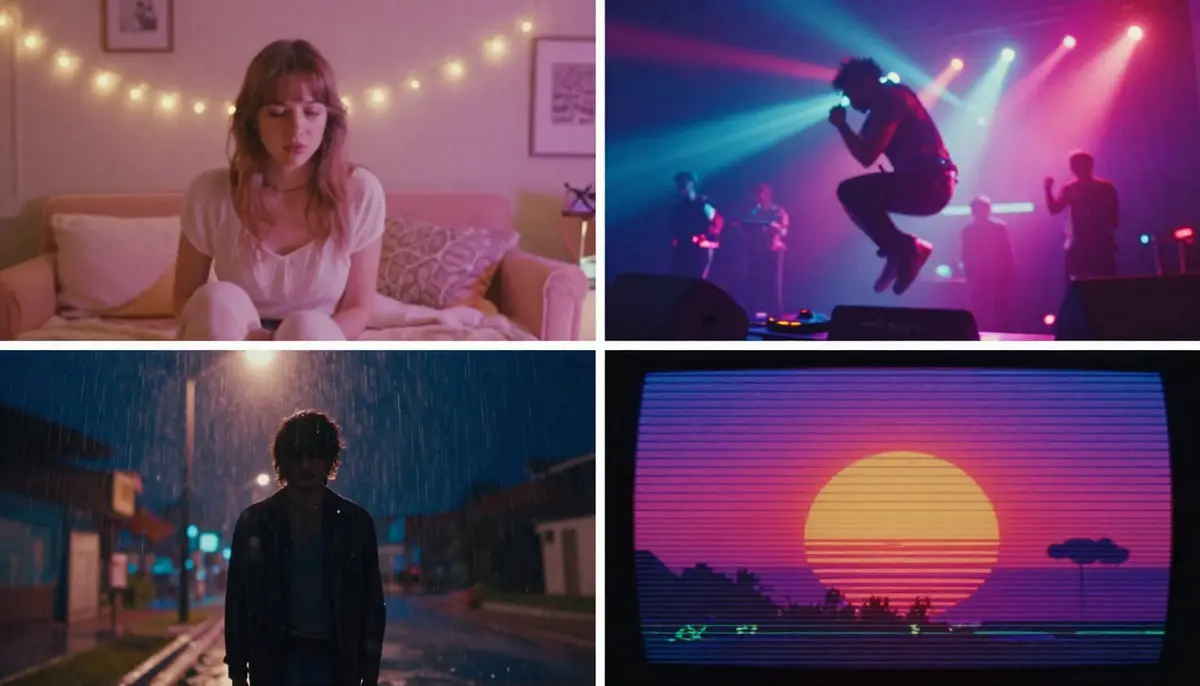
Eight distinct use cases for AI music video generation, each with different visual styles, audio requirements, and target audiences. The same core technology adapts to wildly different creative applications.
1. Indie Music Artist MVs
The opportunity: Independent musicians have always faced a painful gap between their music quality and their visual content quality. A bedroom producer can create a polished, radio-ready track on a laptop, but producing a matching music video traditionally costs $3,000--20,000 for even a basic shoot. AI music video generation eliminates this cost barrier entirely.
How to approach it: Upload your finished track to Seedance. Write visual prompts that capture the song's emotional arc -- not a literal scene-by-scene illustration of the lyrics, but imagery that evokes the same feeling. Dream pop benefits from soft, ethereal, floating visuals. Lo-fi tracks pair with warm, nostalgic urban scenes. Experimental electronic music invites abstract, surreal imagery.
Best practices for indie MVs: Generate multiple sections separately if your song has distinct parts. Create one visual for the verse, another for the chorus, and a third for the bridge. Then stitch them together in a video editor with transitions. This gives each section its own visual identity while the music provides continuity.
Realistic expectation: AI-generated MVs in 2026 work exceptionally well for stylized, atmospheric, and abstract visual approaches. They are less effective for narrative-heavy, performance-based MVs that require a specific actor doing choreographed movements in a specific real-world location. Play to AI's strengths: atmosphere, surrealism, visual poetry.
2. Lyric Videos
The opportunity: Lyric videos have become a standard release format -- often published before or alongside the official music video. They drive streaming numbers, provide content for lyric-focused audiences, and serve as the first visual touchpoint for a new song. Traditional lyric video production involves motion graphics, text animation, and background visual design. AI simplifies this to prompt plus text overlay.
How to approach it: Generate atmospheric visual loops that match your song's mood. Export these and add lyric text overlays in CapCut, After Effects, or Canva Video. The AI handles the visual backdrop; you handle the typography.
Best practices: Use slow, smooth camera movements that do not compete with the text for attention. Avoid visually busy scenes -- the lyrics need to be readable against the background. Generate in a color palette that provides good contrast for your chosen text color.
3. YouTube Background Music Videos
The opportunity: "Lo-fi beats to study to," "rain sounds for sleep," "meditation music" -- these YouTube channels generate millions of views with a simple formula: good audio paired with a visual loop. Some of the most-subscribed music channels on YouTube are built entirely on this model. AI makes creating both the audio and the visual trivially easy.
How to approach it: Generate a looping visual scene -- a cozy room with rain outside the window, a nighttime city skyline, an animated character at a desk. Pair it with a long-form AI-generated lo-fi or ambient track. For YouTube-specific optimization, export in 16:9 at 1080p minimum, and include relevant keywords in your title, description, and tags.
Revenue model: These videos monetize through YouTube AdSense, with top channels earning $5,000--50,000+ per month from ad revenue alone. The key is consistency: upload regularly, build a library of content, and let the algorithm work. AI generation makes a daily upload schedule feasible for a single person.
4. Social Media Reels with Music
The opportunity: Instagram Reels, TikTok, and YouTube Shorts all prioritize video content with music. Posts with audio get significantly higher engagement than silent or text-only posts. For brands and creators, producing short-form video with matching music has been a constant content treadmill. AI collapses the production cycle from hours to minutes.
How to approach it: Generate 5--15 second vertical (9:16) videos with the soundtrack mode active. The AI produces both visuals and a music track suited to the content. For trending audio, generate the visual first, then add a trending TikTok sound in the platform's native editor. For original audio, let the AI create the full package.
Best practices: The first 1--2 seconds must visually hook the viewer. Use prompts that start with immediate visual impact: a dramatic reveal, bold color, or surprising motion. On TikTok and Reels, sound is on by default -- so your audio quality matters from the first frame. Do not bury the best part of your visual or audio at the end.
5. Podcast Visualizers
The opportunity: Podcasters face a distribution problem. Their content is audio-only, but the dominant content platforms (YouTube, Instagram, TikTok) are video-first. "Podcast visualizers" -- dynamic visual representations of audio content -- solve this by giving audio content a visual form suitable for video platforms. Traditional podcast visualization requires motion graphics software and design skills. AI generates these automatically.
How to approach it: Upload your podcast audio clip to Seedance. The AI generates dynamic visuals that respond to the audio -- intensity, rhythm, and tonal shifts in the speech produce corresponding visual changes. Alternatively, write a visual prompt that represents your podcast's theme or topic, and let the AI generate an atmospheric visual loop to accompany your audio.
YouTube strategy: Many top podcasters now publish full video episodes on YouTube, which has become the number-one podcast discovery platform. An AI-generated visual accompaniment transforms an audio episode into a YouTube-compatible video with minimal effort. Even a simple visual loop is better than a static thumbnail image for YouTube's algorithm.
6. Product Ads with Soundtrack
The opportunity: Product videos with matching music convert at significantly higher rates than silent product videos. But licensing music for commercial use costs $50--500+ per track, and hiring a composer for a custom score costs even more. AI-generated soundtracks eliminate both the cost and the licensing complexity -- the generated music is original and commercially usable.
How to approach it: Follow the product video workflow for the visual generation, then activate the soundtrack mode to add matching music. For a premium product showcase, generate cinematic orchestral or ambient music. For an energetic product launch, generate upbeat electronic. The AI matches the musical energy to the visual content automatically.
Licensing advantage: A significant benefit of AI-generated music within Seedance is that the output is original -- it is not sampled from existing copyrighted tracks. This eliminates the copyright strike risk that comes with using recognizable music in ads. You own the generated output and can use it commercially without additional licensing fees.
7. Game and App Trailers
The opportunity: Game trailers and app preview videos rely heavily on audio-visual synchronization. The dramatic pause before a boss reveal, the building tension of a countdown timer, the impact sound of a powerful ability -- these moments live at the intersection of sound and image. Creating trailers with AI gives indie game developers and app makers access to the same production quality as AAA studios.
How to approach it: Generate dramatic, high-energy visual sequences with the soundtrack mode set to "cinematic" or "dramatic." Write prompts that describe action, impact, and spectacle. Upload game screenshots or concept art as reference images to maintain visual consistency with your actual product. Layer in UI elements, gameplay footage, and text callouts in post-production.
Audio emphasis: Game trailers are one of the use cases where audio quality matters most. The soundtrack needs to build tension, hit climaxes at the right moments, and resolve satisfyingly. If the AI's first soundtrack does not match your trailer's pacing, regenerate or use a standalone AI music tool to create a custom track, then import it as an audio reference.
8. Wedding and Event Highlight Videos
The opportunity: Personal event videos -- weddings, graduations, anniversaries, birthdays -- are among the most emotionally charged video content people create. Professional event videography costs $1,000--5,000+. Many people have hundreds of photos from their event but no video. AI can transform those photos into a cinematic highlight video with emotional music, creating something that feels like a professional production from smartphone photos.
How to approach it: Select your best 10--20 event photos. Use Seedance's image-to-video capability to animate each photo with gentle motion: subtle zooms, soft camera drifts, light shifts. Activate the soundtrack mode and describe the emotional tone you want: "warm, emotional, acoustic guitar and piano, wedding first dance feeling." The AI generates individual clips with matching music. String them together in a video editor to create a complete highlight reel.
Why it works: Event photos already carry deep emotional weight for the people in them. Adding gentle motion makes them feel alive. Adding music that matches the emotion makes them feel cinematic. The combination transforms a photo slideshow into something that feels like a genuine film, and it costs virtually nothing compared to hiring a videographer after the fact.
AI Music Video Prompt Templates
These five prompt templates are designed for specific music video styles. Each includes a visual prompt, recommended audio style, and generation parameters. Copy them directly and adjust to fit your specific project.
Template 1: Cinematic Music Video
Visual prompt:
A silhouette walking through neon rain on a deserted downtown street
at midnight. Puddles on the asphalt reflect towering LED billboards
in magenta, cyan, and gold. Steam rises from a subway grate, curling
through the neon light. The camera tracks slowly behind the figure,
maintaining a medium-wide shot. Rain streaks catch the colored light
like falling sparks. The figure pauses at a crosswalk, head tilted
upward toward the glowing signs. Cinematic anamorphic lens with
horizontal flares. Blade Runner atmosphere. Moody, contemplative,
visually rich. 4K ultra-realistic.
Recommended audio style: Cinematic synth-wave or atmospheric electronic. Dark, pulsing bassline with ethereal synth pads. Slow tempo (70--85 BPM). Think Vangelis meets M83.
Parameters: 16:9 aspect ratio. 10-second duration. Soundtrack mode active. Resolution: highest available.
When to use it: Atmospheric MVs for electronic, synth-pop, or indie tracks. Also works for film mood reels and brand identity videos.
Template 2: Dreamy Lo-fi
Visual prompt:
Soft pastel clouds drifting over a quiet city at twilight, seen
through the rain-speckled window of a cozy apartment. A desk lamp
casts warm amber light over a cluttered workspace with vinyl records,
a steaming mug, and scattered handwritten notes. Raindrops trace
slow paths down the window glass. The city lights beyond are soft,
blurred circles of warm white and gentle orange. Camera holds a
static medium shot with extremely shallow depth of field focused on
the raindrops. The background city breathes with gentle, slow
ambient motion. Warm, nostalgic, intimate. Film grain. 24fps
cinematic quality.
Recommended audio style: Lo-fi hip hop. Vinyl crackle, detuned piano chords, soft kick-snare pattern, warm bass. Tempo: 70--80 BPM. Chillhop Records aesthetic.
Parameters: 16:9 or 1:1 aspect ratio. 10-second duration (designed to loop). Soundtrack mode: lo-fi/ambient. Perfect for YouTube lo-fi streams when looped.
When to use it: Lo-fi beats channels, study/focus/sleep content, chill playlist visuals, Instagram aesthetic posts.
Template 3: High Energy
Visual prompt:
Fast-paced montage of urban sports and street culture. A skateboarder
launches off a concrete ledge in slow motion, wheels spinning, body
twisted mid-air. Quick cut to a BMX rider grinding a rail with
sparks flying. Cut to a basketball spinning on a fingertip against
a graffiti-covered wall. Each scene is lit by harsh, directional
afternoon sun creating sharp shadows. Colors are high-contrast and
saturated: electric blue sky, warm concrete orange, vivid graffiti
greens and pinks. Dynamic handheld camera with intentional shake.
Rapid scene transitions. 120fps slow-motion bursts within fast
editing. GoPro meets professional sports broadcast. 4K ultra-sharp.
Recommended audio style: High-energy hip hop or electronic. Heavy 808 bass, trap hi-hats, aggressive synth stabs. Tempo: 130--150 BPM. Travis Scott production style.
Parameters: 9:16 aspect ratio for TikTok/Reels or 16:9 for YouTube. 5--10 second duration. SFX mode active for impact sounds. High-energy soundtrack overlay.
When to use it: Sports brand content, energy drink ads, extreme sports channels, hype/trailer-style social content.
Template 4: Emotional Ballad
Visual prompt:
A single candle flickering in darkness on a weathered wooden table.
The flame casts warm, dancing golden light across the surface,
illuminating the grain and scratches in the old wood. A person's
hand slowly enters frame from the right, fingers gently hovering
near the flame without touching it. The hand trembles slightly. The
background is pure darkness with the faintest suggestion of a
window. The camera executes an imperceptibly slow push-in toward
the flame. Extreme shallow depth of field. The flame is razor-sharp
while even the fingertips soften into bokeh. Warm amber and deep
shadow color palette. Intimate, vulnerable, deeply human. 4K
photorealistic. 24fps film cadence.
Recommended audio style: Piano ballad or acoustic guitar with subtle string accompaniment. Minor key. Very slow tempo (55--65 BPM). Adele or Bon Iver production sensibility. Sparse arrangement with space and silence as musical elements.
Parameters: 16:9 aspect ratio. 10-second duration. Soundtrack mode: emotional/acoustic. Resolution: highest available. This template is designed for emotional impact over visual spectacle.
When to use it: Ballad music videos, memorial/tribute videos, dramatic film scenes, emotional brand storytelling, acoustic session visuals.
Template 5: Retro/Vintage
Visual prompt:
VHS-style footage of a summer road trip along a coastal highway.
A vintage convertible with sun-faded red paint cruises along a
winding cliffside road above a sparkling ocean. The driver's arm
hangs out the window, hand surfing the wind. Palm trees line the
inland side of the road. The footage has authentic VHS artifacts:
horizontal tracking lines, slight color bleeding at edges, warm
oversaturated hues shifted toward orange and teal, subtle scan-line
texture, and occasional tracking glitches. Shot from a following car
at the same speed, steady tracking shot. Late afternoon golden light.
The ocean glitters intensely in the background. Nostalgic, carefree,
endless summer. 480p upscaled aesthetic, 4:3 aspect ratio within a
16:9 frame with black side bars.
Recommended audio style: Indie surf rock or dream pop. Reverb-drenched guitars, bouncy bassline, bright tambourine. Tempo: 110--120 BPM. Beach Boys meets Tame Impala. Alternatively, vaporwave or retrowave synths for a more electronic approach.
Parameters: 16:9 aspect ratio (with the 4:3 VHS aesthetic composed within it). 10-second duration. Soundtrack mode: retro/indie. This template deliberately embraces lo-fi visual aesthetics -- do not generate at the highest resolution and then add VHS effects. Let the AI create the vintage look natively.
When to use it: Nostalgic/throwback music videos, summer playlist visuals, vintage-aesthetic brand content, coming-of-age film sequences, retro Instagram content.
Best AI Tools for Music Video Creation
Not all AI video generators have audio capabilities, and among those that do, the feature sets differ significantly. Here is a direct comparison of every relevant tool for music video creation as of February 2026.
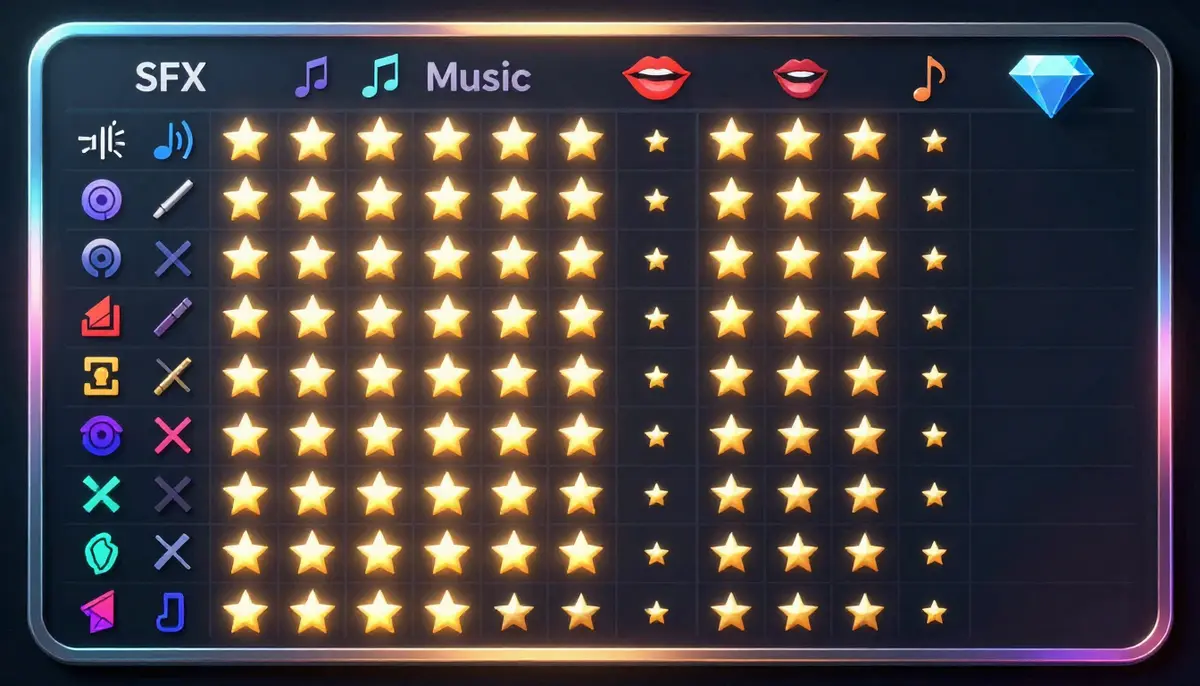
The audio-visual feature landscape in 2026. Seedance 2.0 leads in feature completeness, while each competitor has specific strengths. The right choice depends on your primary use case.
Comparison Table
| Tool | SFX Generation | Soundtrack | Lip Sync | Max Video Quality | Best For | Starting Price |
|---|---|---|---|---|---|---|
| Seedance 2.0 | Yes | Yes | Yes (8 languages) | 2K, up to 2 min | Complete music video creation | Free tier available |
| Google Veo 3 | Yes | Partial | No | 1080p | Environmental audio scenes | Access via Google AI tools |
| Pika 2.0 | Basic | No | No | 1080p | Simple SFX additions | Free tier available |
| Kaiber | No | No (uses uploaded audio) | No | 1080p | Music visualization from uploaded tracks | ~$10/month |
| Suno + Seedance | Via Seedance | Via Suno | Via Seedance | 2K (Seedance) | Best AI music + best AI video combo | Suno free + Seedance free |
Seedance 2.0: The Most Complete Audio-Visual Solution
Seedance is the only platform that supports all three audio-video generation types -- SFX, soundtrack, and lip sync -- within a single tool. For music video creators, this means you can generate an atmospheric visual with environmental sound effects, add a matching musical score, and sync a vocal performance to a character's lips, all without leaving the platform.
Standout features for music video creation:
- Three audio modes (SFX, music, voice) selectable per generation
- Lip sync in 8 languages for multilingual music video distribution
- Audio reference input: upload your own track and generate visuals that respond to it
- Multiple aspect ratios including 9:16 for short-form music content
- Up to 2-minute generation length for complete song sections
- Image-to-video for animating album art or still concepts
Where it excels: Seedance is the best all-in-one solution for creators who want to handle the entire music video pipeline in a single tool. The combination of high visual quality with comprehensive audio capabilities is unmatched.
Try Seedance 2.0 for music video creation -->
Google Veo 3: Strong Native Audio
Veo 3 generates video with native audio that includes environmental sounds, ambient noise, and some degree of musical accompaniment. The audio quality is impressive -- Google's training data and model scale produce rich, layered soundscapes. A beach scene genuinely sounds like a beach, with waves at the right distance, wind at the right intensity, and seabird calls at realistic intervals.
Where it excels: Environmental audio fidelity. Veo 3's soundscapes are among the most realistic in the field.
Limitations for music video creation: Veo 3 does not offer the same level of audio control as Seedance. You cannot select between SFX/music/voice modes. There is no lip sync capability. You cannot upload your own audio track as a reference. For music video creation specifically, the lack of input flexibility limits Veo 3 to ambient/environmental video with incidental audio rather than structured music video production. For a detailed feature-by-feature comparison, see our Seedance vs Veo 3 analysis.
Pika 2.0: Basic Sound Effects
Pika's Sound Effects feature adds environmental audio to generated video. It is a welcome addition to a tool that was previously visual-only, but the capability is limited compared to Seedance and Veo 3. SFX generation covers basic environmental sounds -- footsteps, water, wind, simple impacts -- but there is no music generation and no lip sync.
Where it excels: Simple SFX additions to short clips. If you need a 5-second video of rain with matching rain audio, Pika handles this well.
Limitations: No soundtrack generation, no lip sync, no audio reference upload. For music video creation, Pika alone is insufficient -- you would need to combine it with external audio tools for a complete result.
Kaiber: Music Visualization Specialist
Kaiber takes a different approach from the other tools on this list. Rather than generating audio from video, it generates video from audio. You upload a music track, and Kaiber creates abstract, stylized visual animations that respond to the musical content -- visuals pulse with the beat, colors shift with harmonic changes, and intensity maps to volume.
Where it excels: Abstract music visualization. If your goal is to create trippy, abstract, beat-reactive visuals for an electronic track, Kaiber is purpose-built for this use case.
Limitations: Kaiber does not generate audio -- it requires uploaded audio. Its video output is heavily stylized (abstract/artistic) rather than photorealistic. It cannot create narrative scenes, characters, or realistic environments. For full music video creation with realistic visuals, Kaiber is a niche tool rather than a complete solution.
The Suno + Seedance Combo: Best of Both Worlds
For creators who want maximum control over both the music and the visuals, the most powerful workflow combines a dedicated AI music generator with a dedicated AI video generator. Here is how the Suno + Seedance combo works:
- Generate your track in Suno: Describe the genre, mood, tempo, and instrumentation. Suno produces a complete, high-quality musical track with vocals if desired.
- Upload the track to Seedance as an audio reference: The AI video generator creates visuals that respond to the musical structure -- building when the music builds, calming when the music calms.
- Generate with lip sync if needed: If your Suno track has vocals and you want a singing character, use Seedance's lip sync mode to match mouth movements to the vocal track.
This workflow gives you the quality of a specialized music AI (Suno's music quality is excellent) combined with the visual and sync capabilities of a specialized video AI (Seedance's visual quality and audio integration are the best available). The trade-off is a two-tool workflow rather than a one-tool solution. For professional-quality results, the extra step is worth it.
Advanced: Music-Visual Sync Techniques
Once you have mastered the basic workflow, these advanced techniques will help you create music videos with a level of audio-visual coherence that separates professional-looking content from amateur output.
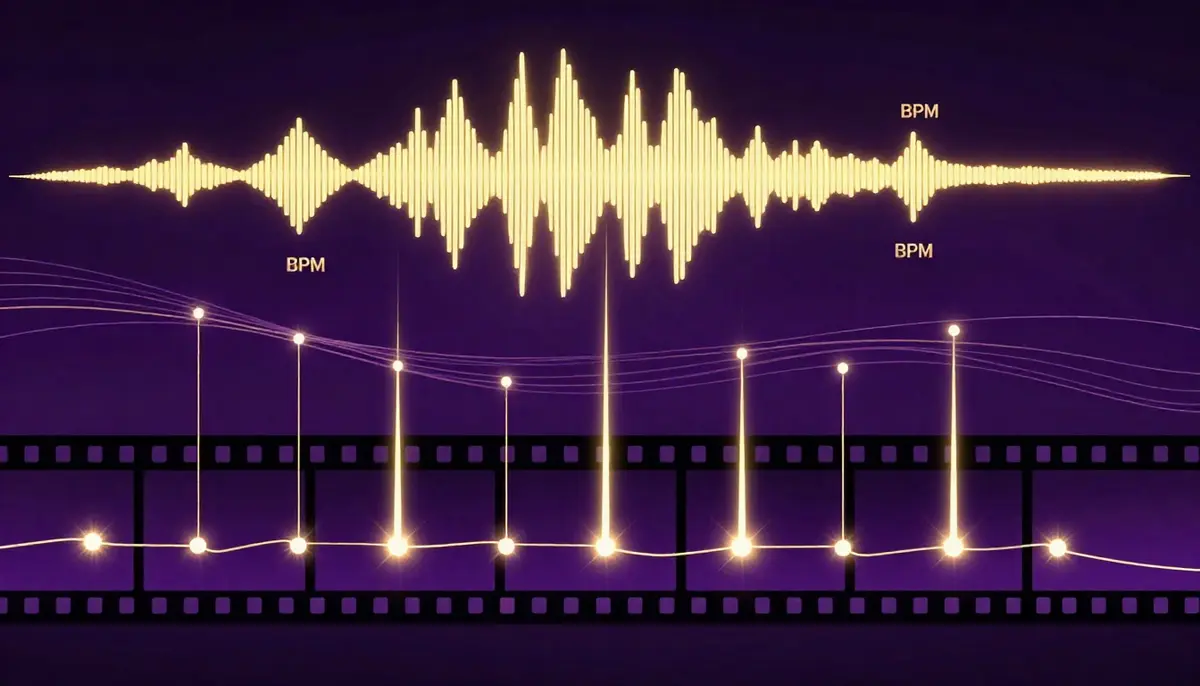
Advanced synchronization goes beyond generating audio and video together. It means consciously aligning visual rhythm, mood, and structure with musical structure for a cohesive audio-visual experience.
BPM Matching: Align Visual Rhythm with Musical Beats
BPM (beats per minute) is the heartbeat of any musical track. When your visual content moves at the same rhythm as your music, the result feels intentional and professional. When they are mismatched, it feels like two unrelated things playing simultaneously.
How to implement BPM matching:
- Identify your track's BPM: Most DAWs (Ableton, Logic, FL Studio) display BPM automatically. Online BPM detection tools also work. Common ranges: lo-fi (70--85 BPM), pop (100--130 BPM), EDM (120--150 BPM), drum and bass (160--180 BPM).
- Translate BPM to visual motion speed: At 120 BPM, there are exactly two beats per second. Camera movements, scene cuts, and visual transitions that occur every half-second will feel locked to the beat.
- Use prompt language that implies tempo: For a 130 BPM track, use words like "quick," "energetic," "dynamic transitions." For a 70 BPM track, use "slow," "flowing," "gentle drift." The AI interprets these tempo cues and adjusts visual pacing accordingly.
- Post-production refinement: If the AI's visual pacing is close but not perfectly on-beat, fine-tune in a video editor. Speed up or slow down sections by 5--10% to lock visual events to beat markers. This micro-adjustment makes a noticeable difference.
Mood Sync: Music Sections Map to Visual Atmosphere
Professional music videos do not maintain the same visual tone throughout. They shift atmospheres to match the emotional arc of the song. AI generation lets you create these shifts by generating separate sections with different visual prompts.
Mapping music structure to visual atmosphere:
| Song Section | Musical Character | Visual Approach |
|---|---|---|
| Intro | Sparse, building | Minimal visuals, soft colors, slow camera. Establishing mood. |
| Verse | Narrative, moderate energy | Story-driven scenes, medium pacing, warm or neutral tones |
| Pre-chorus | Building tension | Camera movement intensifies, colors saturate, visual complexity increases |
| Chorus | Peak energy / emotion | Most dramatic visuals, boldest colors, dynamic camera, full spectacle |
| Bridge | Shift / reflection | Different visual style entirely. New color palette. Slower movement. |
| Outro | Resolution, fading | Return to intro visual style but with resolution. Softening. Fade. |
Generate each section separately with its own prompt, then edit them together. This segmented approach produces far more dynamic, musically responsive results than generating a single long clip.
Segment Generation: Different Visuals for Chorus, Verse, and Bridge
Building on the mood sync concept, the practical technique of segment generation means creating individual AI video clips for each musical section and assembling them in a timeline editor.
Workflow:
- Analyze your song's structure. Mark timestamps for each section (verse 1: 0:00--0:30, chorus 1: 0:30--0:55, verse 2: 0:55--1:25, etc.)
- Write a unique visual prompt for each section. Maintain visual continuity through consistent style descriptors (same color palette, same quality keywords) while varying the scene, camera, and energy level.
- Generate each section as a separate clip in Seedance. Match the clip duration to the section duration.
- Import all clips into a video editor. Align each clip to its corresponding musical section.
- Add transitions between sections -- cross-dissolves for smooth transitions, hard cuts for dramatic ones, whip pans for energetic shifts.
- Export the assembled timeline as your final music video.
This approach gives you the most control over the audio-visual relationship. It is more work than a single generation, but the result is significantly more dynamic and musically responsive.
Reference Video: Use Existing MV Style as Input
If there is an existing music video whose visual style, camera work, or editing rhythm you admire, you can use it as a reference input to guide the AI's generation.
How to use a reference MV:
- Select a music video or video clip that exemplifies the visual style you want.
- Upload it as a reference video in Seedance.
- The AI analyzes the reference's camera movements, shot composition, color palette, editing rhythm, and motion dynamics.
- Your generated output inherits these stylistic characteristics while creating entirely original content.
This technique is particularly useful for clients or collaborators who say "I want it to look like that video" -- you can use their reference directly as an input rather than trying to translate their vision into prompt language.
Important note: The AI creates original visual content inspired by the reference's style. It does not copy or reproduce the reference video. The output is unique content that shares stylistic DNA with the reference.
Frequently Asked Questions
Can AI really generate a complete music video?
Yes, with a clear understanding of what "complete" means in 2026. AI can generate video clips with synchronized audio -- including sound effects, background music, and lip-synced vocals -- that look and sound professional. For atmospheric, stylized, and abstract music videos in the 30-second to 2-minute range, AI produces results that are genuinely ready to publish. For longer-form, narrative-driven music videos with specific actor performances and complex choreography, AI generates excellent raw material that benefits from human editing, sequencing, and post-production. The technology is best understood as a production tool that handles 80--90% of the work, not a push-button replacement for an entire film crew.
What is the best AI music video generator in 2026?
Seedance 2.0 is the most complete AI music video generator available in 2026. It is the only platform that combines all three audio-video capabilities -- SFX generation, AI soundtrack creation, and multi-language lip sync -- in a single tool, paired with high-quality visual generation (up to 2K resolution, 2-minute duration). Google Veo 3 produces strong environmental audio but lacks lip sync and audio input flexibility. Pika offers basic SFX only. Kaiber specializes in abstract music visualization. For full-featured music video creation, Seedance offers the most complete package.
Do I need my own music to create an AI music video?
No. You have three options. First, you can use Seedance's built-in soundtrack generation to let the AI create both the visuals and the music simultaneously. Second, you can use a free AI music generator like Suno to create an original track, then import it into Seedance as an audio reference. Third, you can upload your own original music or a licensed track. All three approaches produce complete audio-visual output. The choice depends on how much control you want over the musical result.
How does AI lip sync work for music videos?
AI lip sync analyzes the audio content of a vocal track -- identifying which phonetic sounds occur at which timestamps -- and generates corresponding mouth shapes, jaw positions, and facial micro-expressions on the character in the video. For singing, this means the character's mouth opens wider for high notes and vowels, narrows for consonants, and maintains temporal alignment with the vocal rhythm. Seedance supports lip sync in eight languages, adjusting the mouth-shape vocabulary for each language's phonetic system. The best results come from clear, well-paced vocal tracks with minimal background instrumentation bleed.
Can I use AI-generated music commercially?
Yes, with Seedance. The music generated within Seedance's platform is AI-original content -- not sampled or derived from copyrighted tracks. On paid plans, you own commercial usage rights to your generated output, including the audio component. This means you can monetize AI music videos on YouTube, use them in commercial ads, and distribute them without copyright infringement concerns. Always verify the specific terms of service for whichever tool you use, as licensing terms vary between platforms.
How long can an AI music video be?
Seedance supports generation of up to 2 minutes per clip. For longer music videos, the recommended approach is segment generation: create multiple clips corresponding to different sections of your song (verse, chorus, bridge), then assemble them in a video editor. A 3--4 minute song might require 3--6 individually generated segments. This segmented approach actually produces better results than a single long generation because each segment gets its own optimized visual prompt.
What audio quality does AI music video generation produce?
Audio quality from AI generation has reached a level that is suitable for online distribution across all major platforms. The output is CD-quality stereo (44.1kHz, 16-bit equivalent). It is clean, well-mixed, and free of the obvious artifacts that plagued earlier AI audio systems. That said, if you are producing content for professional music distribution (Spotify, Apple Music), consider using a dedicated AI music tool like Suno for the audio and importing it into Seedance for the visual generation. Dedicated music AI tools currently produce slightly higher fidelity audio than integrated video-audio generators.
How do I prevent audio-visual desynchronization?
Three techniques minimize sync issues. First, keep individual generation clips under 30 seconds -- shorter clips maintain tighter synchronization. Second, use explicit tempo cues in your visual prompt ("slow, deliberate movement" for slow tracks; "rapid, energetic motion" for fast tracks) so the visual pacing matches the audio pacing. Third, if you notice minor sync drift in the output, use a video editor to micro-adjust timing -- shifting the audio track by 50--100 milliseconds can correct perceptible desync. For lip sync specifically, ensure your source audio is clean and well-paced, as mumbled or overlapping speech is harder for the AI to sync accurately.
Start Creating AI Music Videos
The fusion of AI video and AI audio is not a future possibility. It is a present reality. The tools exist, the quality is production-ready for most use cases, and the cost is a fraction of what traditional music video production demands.
Whether you are an indie musician who has dreamed of having a real music video for your tracks, a content creator building a lo-fi beats channel, a marketer who needs product videos with matching soundtracks, or anyone who makes video content where audio matters, the technology is ready for you right now.
Here is what to do next:
- Go to Seedance Video Generation
- Upload your music track (or let the AI generate one)
- Write a visual prompt that matches your song's mood
- Select your audio mode (SFX, soundtrack, or lip sync)
- Generate your first AI music video
- Share it with the world
Create your first AI music video free -->
Free credits included at signup. No credit card required. No watermark on paid plans. Full commercial usage rights.
The silent era of AI video is over. Every video you create from now on can have a voice, a soundtrack, and a soul.
Related reading: What is Seedance AI Video Generator | Seedance vs Veo 3 Comparison | Text to Video AI Complete Guide | AI Video for YouTube Creators | AI Video for E-Commerce Product Videos | Seedance Prompt Guide and Examples | Best AI Video Generators 2026 Comparison
