
TL;DR
Text-to-video AI generates video clips from written descriptions. You type a prompt, the AI produces a short video with motion, lighting, and camera movement. In 2026, the technology has matured from blurry experiments to near-cinematic quality thanks to Diffusion Transformer (DiT) architectures. This guide covers exactly how it works, a five-step tutorial to create your first video, ten copy-paste prompt templates, an honest comparison of eight tools, six practical use cases, and the real limitations you should know about. Try text-to-video generation free →
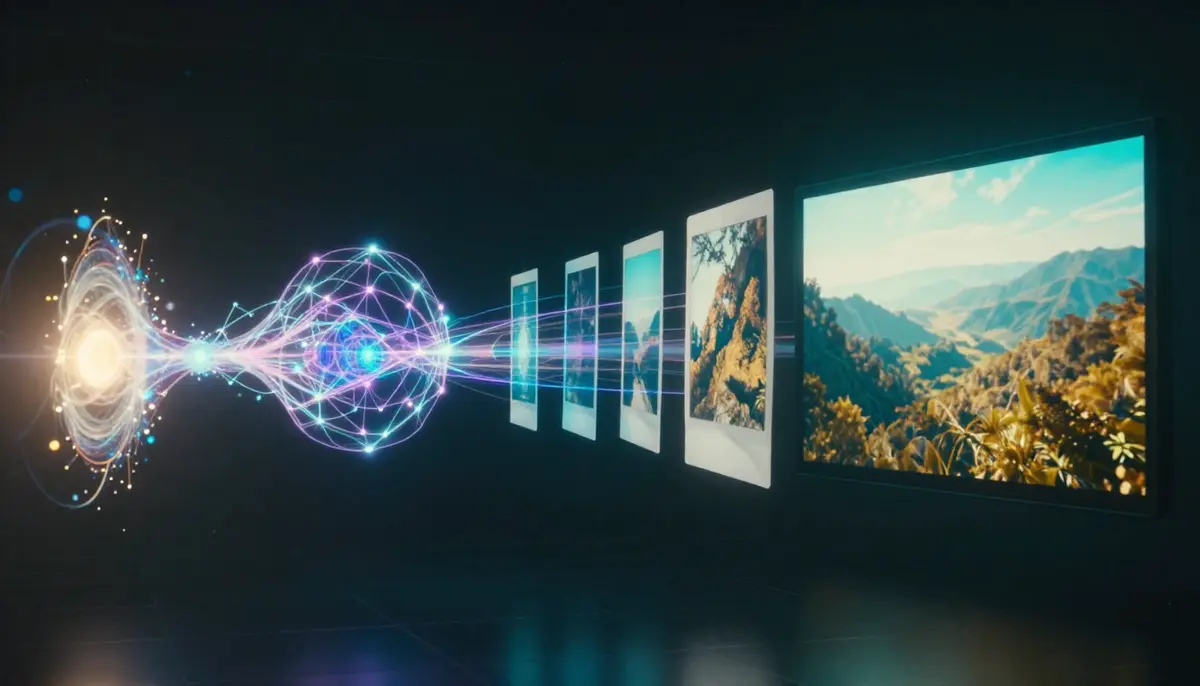
Text-to-video AI transforms your written descriptions into dynamic video clips — from a single sentence to a cinematic scene.
What Is Text-to-Video AI?
Text-to-video AI is artificial intelligence that generates video from written text. You describe a scene — a woman walking through rain, a product rotating on a pedestal, a drone shot over mountains — and the AI model produces a short video clip where that scene plays out with realistic motion, physics, and lighting.
The core idea is simple: words in, video out. But the technology behind it is anything but simple. Modern text-to-video systems use neural networks trained on billions of video-text pairs. They learn the statistical patterns that connect language descriptions to visual motion. When you write "a cat jumping onto a table," the model draws on everything it has learned about cats, jumping physics, table surfaces, and gravity to produce a plausible video.
Why It Matters in 2026
Text-to-video AI crossed the production-readiness threshold in 2025-2026. Early systems (2022-2023) produced short, blurry, physically implausible clips. Today's models generate 2K resolution video with accurate physics, natural motion, and cinematic quality in the 5-15 second range. This shift turned text-to-video from a research curiosity into a practical tool for:
- Content creators who need B-roll, intros, and social media clips without a camera
- Marketers who need ad variations and product demos at scale
- Educators who need to visualize abstract concepts
- Small businesses that cannot afford professional video production
- Anyone who can write but cannot film
The barrier to video creation has dropped from "own a camera and know how to edit" to "write a good sentence."
How Text-to-Video AI Works: From GAN to DiT
Understanding the technology helps you write better prompts and choose the right tool. Here is the three-generation evolution of text-to-video AI.
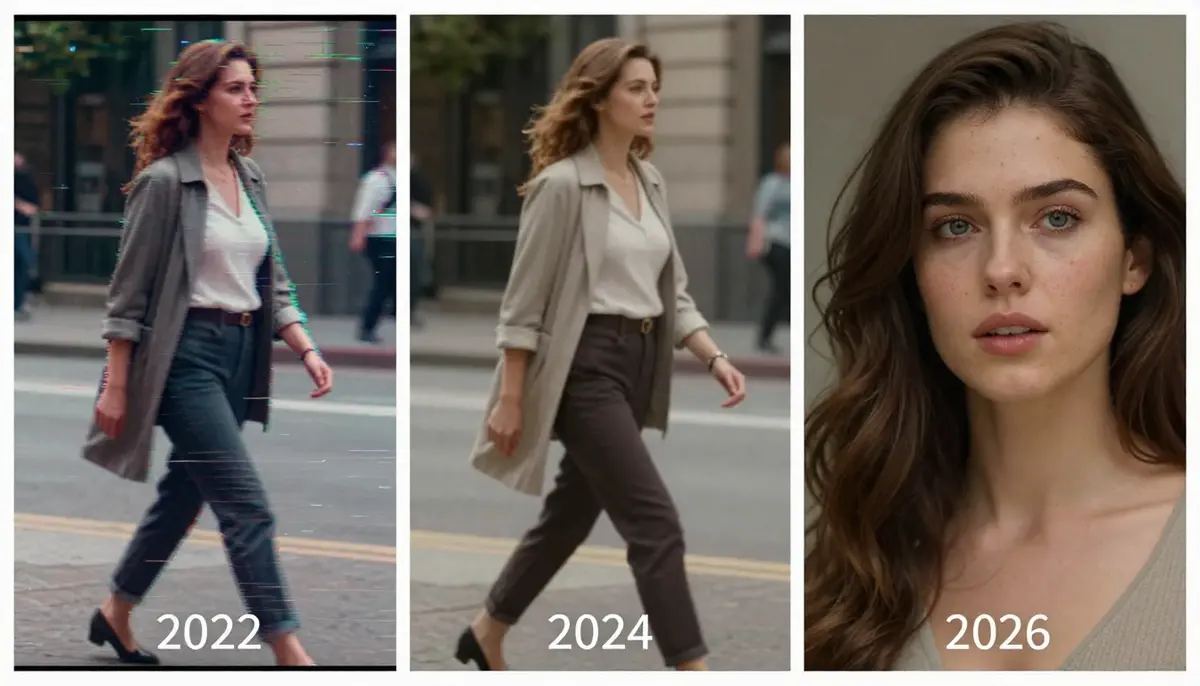
Three generations of text-to-video AI: GAN (2020-2022), Diffusion Models (2023-2024), and Diffusion Transformers (2025-2026).
Generation 1: GAN Era (2020-2022)
Generative Adversarial Networks were the first architecture to show text-to-video was possible. Two neural networks competed: a generator created video frames, and a discriminator judged whether they looked real. The results were low-resolution (256×256), short (2-4 seconds), and often physically nonsensical. Objects morphed unpredictably, faces warped, and temporal consistency was poor. Notable examples include CogVideo and NUWA.
Limitations: Low resolution, severe temporal inconsistency, mode collapse, limited text understanding.
Generation 2: Diffusion Models (2023-2024)
Diffusion models changed the game. Instead of adversarial training, they learned to reverse a noise-adding process — starting from pure noise and gradually denoising it into a coherent video guided by the text prompt. This approach produced dramatically better quality: higher resolution (up to 1080p), longer duration (4-10 seconds), and much better text-visual alignment.
OpenAI's Sora (announced February 2024) demonstrated that diffusion models could produce remarkably realistic videos. Runway Gen-2 and Gen-3, Pika, and Stable Video Diffusion all followed this paradigm.
Limitations: Still struggled with hands/fingers, text rendering, complex multi-object physics, and temporal drift over longer durations.
Generation 3: DiT — Diffusion Transformer (2025-2026)
The current state of the art combines diffusion processes with Transformer architectures (the same architecture behind GPT and BERT). DiT models process video as sequences of spatial-temporal patches, enabling:
- Better temporal coherence: Transformers excel at modeling long-range dependencies across frames
- Higher resolution: Native 2K output (Seedance 2.0 achieves 2048×1080)
- Improved physics: More realistic motion, gravity, fluid dynamics
- Stronger text understanding: Better alignment between prompt descriptions and visual output
- Multi-modal input: Some DiT models accept images, video, and audio alongside text
Seedance 2.0, Google Veo 3, and Kling 3.0 all use DiT-based architectures. This is why 2026-era text-to-video feels categorically different from 2024-era results.
Text-to-Video vs Image-to-Video
These are complementary approaches, not competitors:
| Dimension | Text-to-Video | Image-to-Video |
|---|---|---|
| Input | Written description only | Photograph + motion description |
| Creative freedom | Maximum — AI decides all visuals | Constrained by source image |
| Control | Less precise — depends on prompt | More precise — visual anchor exists |
| Best for | Concept exploration, original content | Product demos, photo animation, style-matched content |
| Predictability | Lower — results vary between runs | Higher — output matches source image |
Most professional workflows use both: text-to-video for initial concept exploration, then image-to-video for refined, controlled output. For a deep dive into image-to-video, read our complete Image-to-Video AI guide.
5-Step Tutorial: Create Your First AI Video from Text
Here is the practical workflow to generate your first text-to-video output, using Seedance 2.0 as the example platform. The principles apply to any tool.
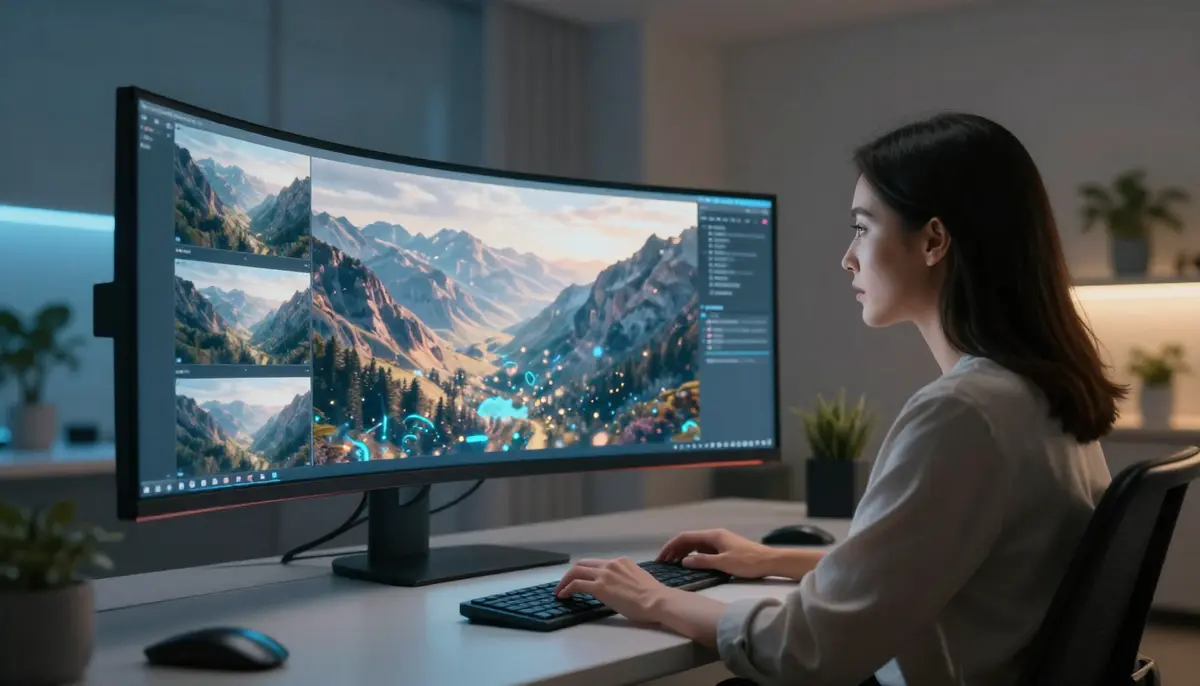
Creating your first text-to-video: from prompt writing to final output in five steps.
Step 1: Define Your Video Goal
Before writing a prompt, decide:
- Type: B-roll, product demo, social media content, artistic piece, or explainer?
- Duration: 5 seconds for testing, 10-15 seconds for final output
- Aspect ratio: 16:9 for YouTube/desktop, 9:16 for Shorts/Reels/TikTok, 1:1 for Instagram
- Style: Cinematic, documentary, animation, commercial, or artistic
Clear goals prevent wasted generation credits on vague experiments.
Step 2: Write a High-Quality Text Prompt
The prompt is everything in text-to-video. Use this formula:
[Subject] + [Action/Motion] + [Environment] + [Style] + [Camera Movement] + [Lighting]
Bad prompt: "A dog running"
Good prompt: "A golden retriever running through a sunlit meadow, wildflowers swaying in the breeze. The dog's fur ripples with each stride. Camera tracks alongside at ground level. Warm golden hour lighting with long shadows. Cinematic shallow depth of field, 4K quality."
Key rules:
- Be specific about motion: "slowly turns head" not just "turns"
- Describe the camera: "camera pushes in" or "drone aerial shot" or "handheld tracking"
- Set the mood: lighting, color palette, atmosphere
- Avoid contradictions: do not ask for "fast action" and "slow motion" simultaneously
- Skip text/UI requests: current models struggle to render readable text in video
For a complete prompt engineering system, see our Prompt Guide and 10 Prompts That Actually Work.
Step 3: Choose Your Tool and Parameters
Select your platform (see the comparison table below), then configure:
- Model: Use the latest available model (e.g., Seedance 2.0, not 1.0)
- Resolution: 1080p minimum, 2K if available
- Duration: Start with 5 seconds to test, then extend
- Aspect ratio: Match your distribution platform
- Seed (if available): Lock the seed for consistent iteration
Step 4: Generate and Review
Click generate and wait (typically 60-180 seconds depending on the tool). When reviewing the output:
- ✅ Does the motion match your description?
- ✅ Is the subject consistent throughout (no morphing)?
- ✅ Are physics plausible (gravity, fluid, cloth)?
- ✅ Is the camera movement smooth?
- ❌ Any artifacts, flickering, or warping?
- ❌ Any uncanny valley effects on faces/hands?
Step 5: Iterate and Refine
First-generation results are rarely perfect. Refine by:
- Adjusting the prompt: Add specificity where the AI guessed wrong
- Changing one variable at a time: Do not rewrite the entire prompt
- Trying different seeds: Same prompt can produce very different results
- Extending duration: Once you like the 5-second version, try 10-15 seconds
- Adding audio: If your tool supports it (Seedance, Veo 3), add sound effects or music
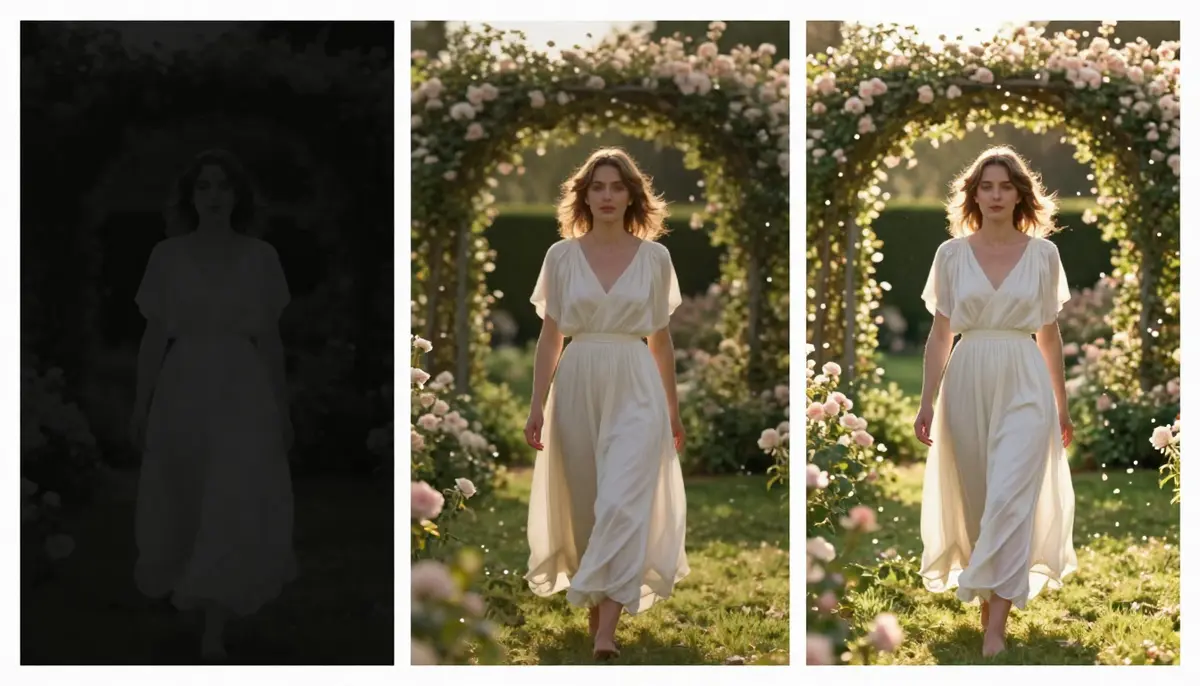
Prompt iteration in action: V1 (basic prompt) → V2 (added motion and lighting) → V3 (full cinematic specification). Each refinement dramatically improves quality.
10 Text-to-Video Prompt Templates
Copy, paste, and customize these templates. Each has been tested on Seedance 2.0 and produces strong results on most major platforms.
1. Cinematic Portrait
A close-up of a young woman with flowing dark hair, her face illuminated by warm golden hour sunlight filtering through a window. She slowly turns her head toward the camera, a subtle smile forming. Soft bokeh background of a cozy interior. Camera holds steady with a slight push-in. Warm amber lighting, shallow depth of field, 4K cinematic quality.
Best for: Social media, personal branding, artistic content
2. Product Showcase
A sleek wireless headphone rotating slowly on a matte black pedestal. Soft studio lighting creates clean highlights on the brushed metal surface. Camera orbits 180 degrees at eye level. Minimalist white background, no shadows. Smooth continuous motion, commercial product photography quality.
Best for: E-commerce, product marketing, Amazon/Shopify listings
3. Nature Cinematic
An epic aerial drone shot over a misty mountain valley at sunrise. Golden light breaks through layered clouds, illuminating a winding river below. Camera pushes forward slowly, revealing the vast landscape. Volumetric fog drifts between peaks. IMAX cinematography quality, hyper-detailed.
Best for: YouTube intros, travel content, screensavers, meditation channels
4. Urban Street
A neon-lit Tokyo alley at night after rain. Wet cobblestones reflect vivid pink, teal, and amber neon signs. A lone figure walks away from camera, umbrella in hand. Steam rises from a street vent. Camera follows at a distance, tracking shot. Film noir atmosphere, anamorphic lens flare.
Best for: Music videos, moody B-roll, artistic content, cyberpunk aesthetic
5. Anime Style
An anime warrior princess with flowing silver hair stands on a cliff edge overlooking a fantasy kingdom. Her cape billows dramatically in the wind. She raises a glowing sword that emits blue energy particles. Cherry blossom petals drift past. Camera slowly orbits. Studio Ghibli meets Ufotable quality animation.
Best for: Animation content, gaming channels, fantasy storytelling
6. Food & Beverage
Extreme macro close-up of rich dark coffee being poured in slow motion into a pristine ceramic cup. Individual droplets and tiny splashes frozen mid-air. Wisps of steam curl elegantly upward. Warm side lighting reveals the liquid's amber transparency. Cinnamon stick and scattered beans visible in soft focus foreground.
Best for: Restaurant marketing, food blogs, beverage advertising
7. Fashion & Editorial
A model in a flowing white silk gown walks confidently down a dark runway. Multiple flash strobes create sharp geometric light patterns. The fabric billows with perfect physics. Camera at a low angle, slight slow motion. High fashion editorial aesthetic, Vogue magazine quality.
Best for: Fashion brands, beauty content, editorial storytelling
8. Sci-Fi & Fantasy
A massive spaceship emerges from hyperspace above a ringed planet. Blue energy dissipates around the hull as the vessel decelerates. Tiny fighter escorts flank its sides. Camera pulls back to reveal the scale against the planet. Volumetric space dust and distant star field. Hollywood VFX quality.
Best for: Entertainment, sci-fi channels, concept visualization
9. Sports & Action
A basketball player at the peak of a slam dunk, frozen in mid-air. Time resumes in slow motion — sweat droplets fly, the ball compresses against the rim, arena spotlights create dramatic lens flare. Camera shoots from below looking up. ESPN broadcast quality, hyper-detailed.
Best for: Sports content, energy/action branding, highlight reels
10. Abstract & Artistic
Liquid gold and deep indigo ink collide in slow motion inside a glass sphere. The fluids intertwine in mesmerizing fractal patterns. Tiny bubbles catch light. Camera slowly rotates around the sphere. Pure black background. Macro photography meets fluid dynamics simulation. Meditative, hypnotic pace.
Best for: Background visuals, music videos, art installations, screensavers
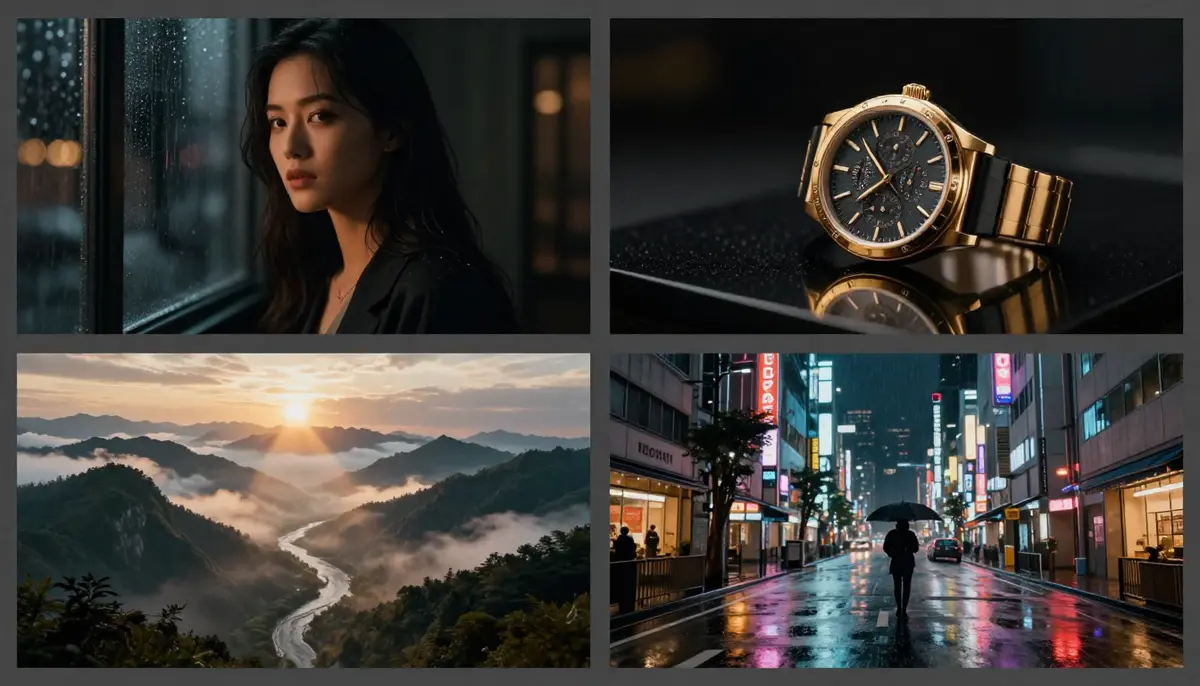
Results from four of the ten prompt templates above — each produces distinct cinematic styles from pure text input.
Best Text-to-Video AI Tools in 2026
We tested eight major platforms using the same prompt ("A golden retriever running through a sunlit meadow, wildflowers swaying, cinematic 4K quality") and scored them on five dimensions. All tests conducted in February 2026.
| Tool | Max Resolution | Max Duration | Free Tier | Audio | Best For | Quality Score |
|---|---|---|---|---|---|---|
| Seedance 2.0 | 2K (2048×1080) | 15 sec | ✅ Free credits | ✅ SFX + Music + Lip sync | Multi-modal creative work | 9.2/10 |
| Google Veo 3 | 4K (limited) | 8 sec | ✅ AI Studio quota | ✅ Native audio | Audio-visual fusion | 9.0/10 |
| Sora 2 | 1080p | 20 sec | ❌ Requires ChatGPT Plus | ❌ | Longer text-driven videos | 8.8/10 |
| Kling 3.0 | 1080p | 20+ sec | ✅ Free credits | ⚠️ Limited | Long videos, budget option | 8.5/10 |
| Runway Gen-4 | 1080p | 10 sec | ✅ 125 credits | ❌ | Professional editing workflows | 8.5/10 |
| Pika 2.0 | 1080p | 10 sec | ✅ Daily free credits | ⚠️ SFX only | Beginners, fun effects | 8.0/10 |
| Luma Dream Machine | 1080p | 5 sec | ✅ Free generations | ❌ | 3D scenes, fast iteration | 7.8/10 |
| Hailuo (MiniMax) | 1080p | 6 sec | ✅ Free daily | ❌ | Fastest generation speed | 7.5/10 |
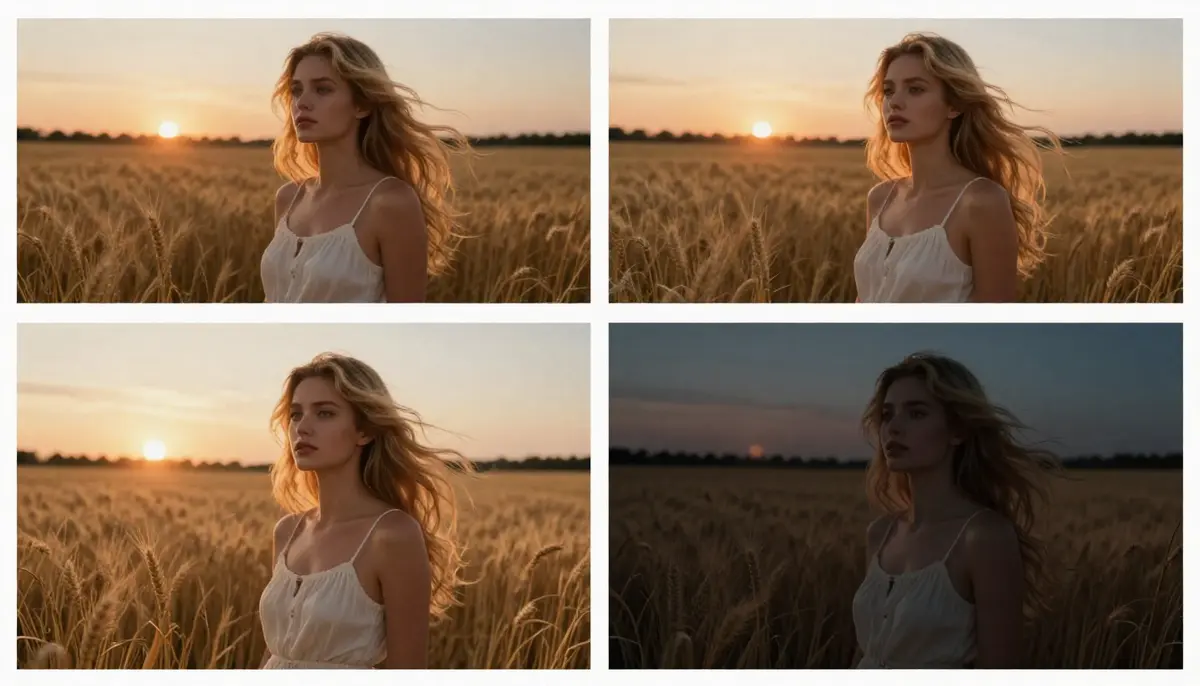
The same prompt on four platforms — subtle but meaningful differences in quality, motion physics, and style.
Key takeaways:
- Best overall quality: Seedance 2.0 (2K native + quad-modal input + audio)
- Best for audio: Seedance 2.0 and Google Veo 3 (both offer native audio generation)
- Best free option: Seedance 2.0 (free credits, no credit card, 2K even on free tier)
- Longest free videos: Kling 3.0 (20+ seconds)
- Best for beginners: Pika 2.0 (simplest interface, fun effects)
For a deeper comparison, see our Best AI Video Generators 2026 guide. For free-only options, see Free AI Video Generators Compared.
6 Text-to-Video Use Cases
1. Social Media Content
Generate eye-catching video for Instagram Reels, TikTok, YouTube Shorts, and X/Twitter. AI eliminates the need for filming, editing, and post-production for short-form content.
Recommended: 9:16 aspect ratio, 5-15 seconds, high energy prompts with strong visual hooks in the first second.
2. Marketing & Advertising
Create ad variations at scale. Test multiple visual concepts from different prompts before committing budget to professional production. Generate A/B test variants in minutes instead of days.
Recommended: Multiple aspect ratios for multi-platform campaigns. Add audio with Seedance for complete ad units.
3. Education & Training
Visualize abstract concepts that are difficult or impossible to film: molecular structures, historical events, mathematical concepts, scientific processes. AI video makes the invisible visible.
Recommended: Clear, specific prompts describing the concept. Pair with voiceover for maximum educational impact.
4. Entertainment & Storytelling
Independent filmmakers and storytellers use text-to-video for concept visualization, storyboarding, and even final production of short films. The technology democratizes cinematic creation.
Recommended: Use detailed prompts with camera direction and lighting specifications for cinematic results.
5. E-Commerce Product Videos
Turn product descriptions into product demo videos. Especially valuable for businesses with hundreds of SKUs that cannot afford individual product video shoots. For detailed e-commerce workflows, see our AI Video for E-Commerce guide.
Recommended: Product-specific prompts with studio lighting. 1:1 for listings, 16:9 for YouTube, 9:16 for social.
6. YouTube Content Creation
Generate B-roll, intro sequences, explainer visuals, and complete Shorts from text descriptions. YouTube creators use AI video to increase output volume without proportional time investment. For a complete YouTube workflow, see our AI Video for YouTube Creators guide.
Recommended: Match your channel's visual style in every prompt for brand consistency.
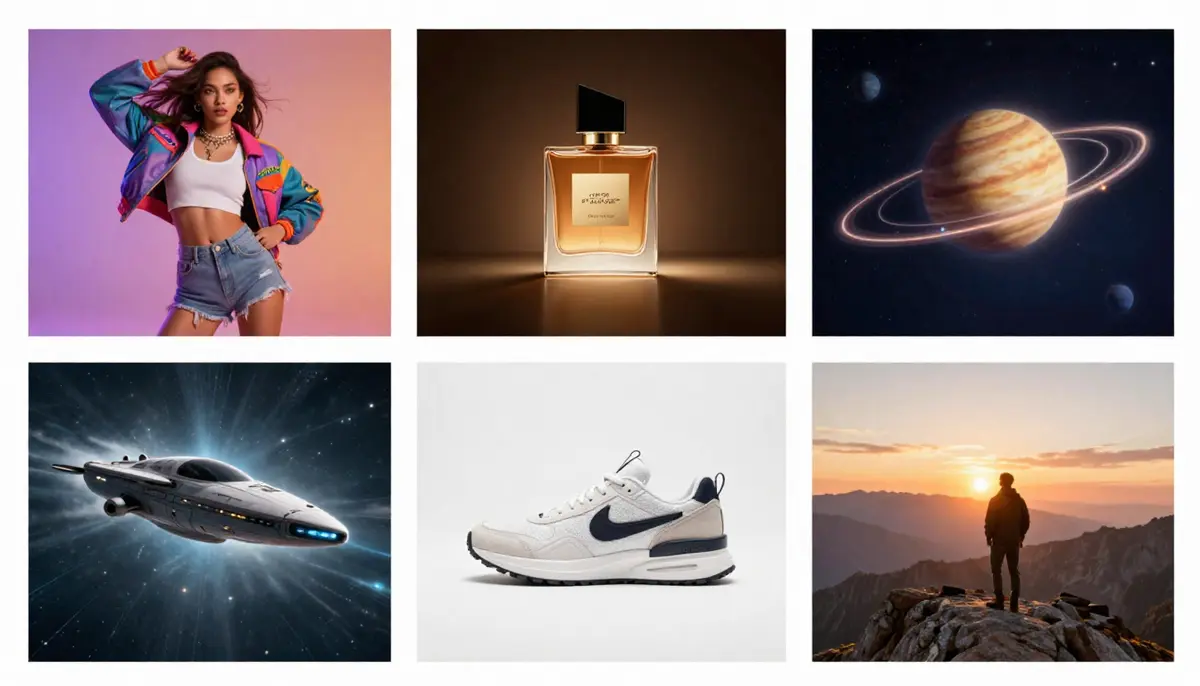
Six practical use cases for text-to-video AI — from social media clips to e-commerce product demos to educational visualizations.
Text-to-Video vs Image-to-Video: When to Use Which
This is one of the most common questions from new users. The answer depends on what you are starting with and what you need.
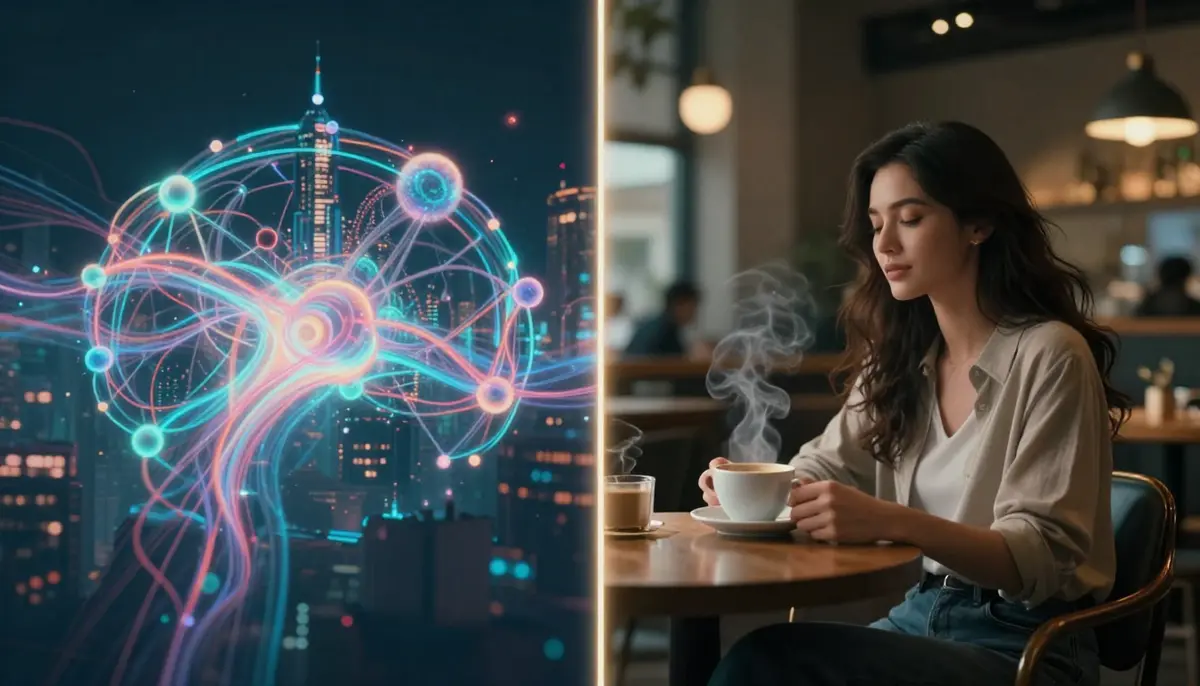
Two paths to AI video: text-to-video starts from words, image-to-video starts from an existing photograph.
Use Text-to-Video when:
- You are creating something entirely new (no reference images exist)
- You want maximum creative freedom
- You are exploring concepts or brainstorming visually
- You need abstract or impossible-to-film scenes (sci-fi, fantasy, micro/macro)
- You want rapid idea iteration — changing the entire scene with a new prompt
Use Image-to-Video when:
- You have a specific photograph you want to animate
- You need the output to match an existing visual exactly
- You are making product videos from product photos
- You need character consistency (same person across scenes)
- You want more predictable, controllable results
Use both together for the best results:
- Generate concept explorations with text-to-video
- Select the best frame as a reference image
- Use image-to-video to create a controlled, refined version
For the complete image-to-video workflow, read our Image-to-Video AI guide.
Current Limitations — Honest Assessment
Text-to-video AI in 2026 is impressive but not perfect. Here is what works well and what still struggles.
What It Does Well
- Short videos (5-15 seconds): Quality is near-cinematic
- Single-subject scenes: One person, one animal, one object — excellent results
- Nature and landscapes: Fluid dynamics, weather, and atmospheric effects are strong
- Stylized content: Anime, film noir, sci-fi — style transfer is highly reliable
- Product rotation and showcase: Simple product motions are consistent
- Camera movements: Pan, zoom, orbit, tracking shots — well-controlled
What It Still Struggles With
- Hands and fingers: Extra fingers, impossible hand positions, and finger morphing remain common
- Text rendering: Readable text in video is unreliable — words warp, letters scramble
- Complex multi-person interaction: Two people shaking hands, dancing together, or fighting often produces limb confusion
- Long-form narrative (>30 seconds): Maintaining scene consistency over long durations degrades
- Fine physical accuracy: A ball bouncing exactly right, pouring water into a specific container — physics is approximate, not exact
- Face consistency over time: Faces can subtly shift features across frames, especially in longer generations
The Trajectory
Every limitation listed above was worse in 2024 than it is in 2026. The rate of improvement is exponential. Hand rendering went from "always wrong" to "usually right." Face consistency went from "drifts after 2 seconds" to "stable for 10-15 seconds." Text rendering went from "unreadable" to "sometimes readable." Expect these to continue improving through 2026-2027.
FAQ
What is the best text to video AI in 2026?
Seedance 2.0 leads on overall quality with native 2K resolution, quad-modal input, and built-in audio generation. Google Veo 3 excels in audio-visual fusion and physics simulation. Sora 2 offers the longest single-generation duration at 20 seconds. The "best" depends on your specific needs — resolution, audio, duration, or price.
Is there a free text to video AI generator?
Yes. Seedance 2.0 offers free daily credits with no credit card required. Pika 2.0 provides daily free generations. Kling 3.0 gives sign-up credits. Google Veo 3 is accessible through AI Studio with a free quota. See our complete free tools comparison for details on each platform's free tier.
How long can text-to-video AI videos be?
Most tools generate 5-15 seconds per generation. Sora 2 reaches 20 seconds. Kling 3.0 supports 20+ seconds. For longer content, generate multiple clips and edit them together in a video editor like Premiere Pro, DaVinci Resolve, or CapCut.
Can text-to-video AI create professional quality?
In the 5-15 second range, yes. Top-tier tools like Seedance 2.0 and Veo 3 produce output that is often indistinguishable from professionally filmed footage for short clips. For longer projects, AI video works best as a component (B-roll, cutaways, visual effects) rather than the entire production.
How do I write a good prompt for text-to-video?
Follow the formula: Subject + Action + Environment + Style + Camera + Lighting. Be specific about motion and atmosphere. Avoid contradictions. Skip text or UI elements. Iterate from simple to complex. See our Prompt Guide for the complete system.
Is text-to-video better than image-to-video?
They serve different purposes. Text-to-video offers maximum creative freedom when you have no reference material. Image-to-video offers more control when you have a specific visual starting point. Most professionals use both — text-to-video for exploration, image-to-video for refinement.
Can I use text-to-video AI for commercial purposes?
Most paid plans grant commercial usage rights. Seedance 2.0 paid plans include full commercial rights with no watermark. Always check the specific terms of service for your chosen platform, as policies vary and may have restrictions on certain content types.
Will text-to-video AI replace video editors?
No. It changes their role. AI handles content generation — creating raw visual material from descriptions. Human editors handle narrative, pacing, emotion, brand consistency, and the creative decisions that require human judgment. The most effective workflow in 2026 is AI generation + human editing.
Start Creating Videos from Text
Text-to-video AI in 2026 is ready for professional use. The technology has evolved from blurry GAN experiments to near-cinematic DiT-powered outputs in just four years. Whether you need social media content, product demos, educational visuals, or creative exploration, text-to-video delivers.
The best way to learn is to start generating. Write a prompt, see the result, iterate.
Turn your first text prompt into video — try Seedance free →
Want more control over your output? Try Image-to-Video instead →
Want to explore prompt techniques? Read our Prompt Guide with 50+ examples →
