
TL;DR
AI video generation is transforming YouTube content creation. Creators are using it to produce B-roll on demand, generate YouTube Shorts at scale, run profitable faceless channels, create eye-catching thumbnails, build branded intros and outros, visualize educational content, and produce music videos -- all without a camera crew or a six-figure production budget. This guide covers 7 specific ways YouTube creators are using AI video in 2026, a complete step-by-step workflow for building a YouTube video with AI, a head-to-head tool comparison (Seedance, Runway, Pika, Kling, HeyGen), YouTube SEO strategies for AI content, monetization rules under the current YouTube Partner Program, and the five most common mistakes to avoid. Whether you are a solo creator trying to post more consistently or a team looking to 10x output without 10x cost, AI video is the single biggest leverage point available right now. Try Seedance free and create your first YouTube video -->
Recommended tools: Seedance 2.0 for text-to-video and image-to-video generation, Seedance Video Generation for the full creator workspace, and the prompt techniques from our AI Video Prompt Guide to get professional results on the first try.
AI video tools are giving individual creators the production capabilities that used to require a full team. The result is more content, higher quality, and faster turnaround.
Why YouTube Creators Are Adopting AI Video
The YouTube creator economy has a fundamental bottleneck: producing good video takes too long, costs too much, and requires skills most solo creators do not have. AI video generation is eliminating all three barriers at once.
The Numbers Behind Creator AI Adoption in 2026
The shift is not theoretical. It is happening at scale.
- 67% of full-time YouTube creators report using at least one AI tool in their production workflow, according to a 2026 Creator Economy Report.
- AI-assisted channels publish an average of 3.2 videos per week, compared to 1.4 for channels using traditional production only.
- Channels that adopted AI video tools in 2025 saw an average 40% increase in total watch hours within six months, driven primarily by increased upload frequency.
- The search volume for "AI video generator for YouTube" has grown 280% year-over-year since early 2025.
These numbers reflect a simple reality: the YouTube algorithm rewards consistency, and AI makes consistency achievable for creators at every level.
Traditional Production Bottlenecks
Before AI video tools, creating a single polished YouTube video required:
Time: A 10-minute YouTube video with B-roll, transitions, and visual variety typically requires 4--8 hours of editing, plus additional hours for shooting supplementary footage. For educational or explainer content, creating custom visuals adds another 2--4 hours.
Cost: Stock footage subscriptions run $30--200 per month. Custom B-roll shoots require equipment rental, location access, and travel time. Hiring a freelance editor costs $25--75 per hour. A single well-produced video can easily cost $200--500 in direct expenses.
Skill: Shooting cinematic B-roll requires camera expertise, lighting knowledge, and motion control. Most creators excel at being on camera or writing scripts -- not at cinematography and motion graphics.
The scaling problem: If the algorithm rewards three videos per week but each video takes 15 hours of total production time, you need 45 hours per week just on production -- before scripting, planning, or running the business side of your channel.
One Person, One Production Team
AI video generation collapses the production pipeline. A single creator with a laptop can now:
- Generate custom B-roll for any topic in minutes instead of hours
- Produce vertical Shorts from existing long-form content without re-shooting
- Create channel branding assets (intros, outros, thumbnails) without design software
- Visualize abstract concepts for educational content without motion graphics skills
- Maintain a consistent posting schedule without burning out
The result is that AI does not replace the creator. It replaces the production infrastructure around the creator. Your ideas, scripts, and on-camera presence remain human. Everything else can be accelerated.
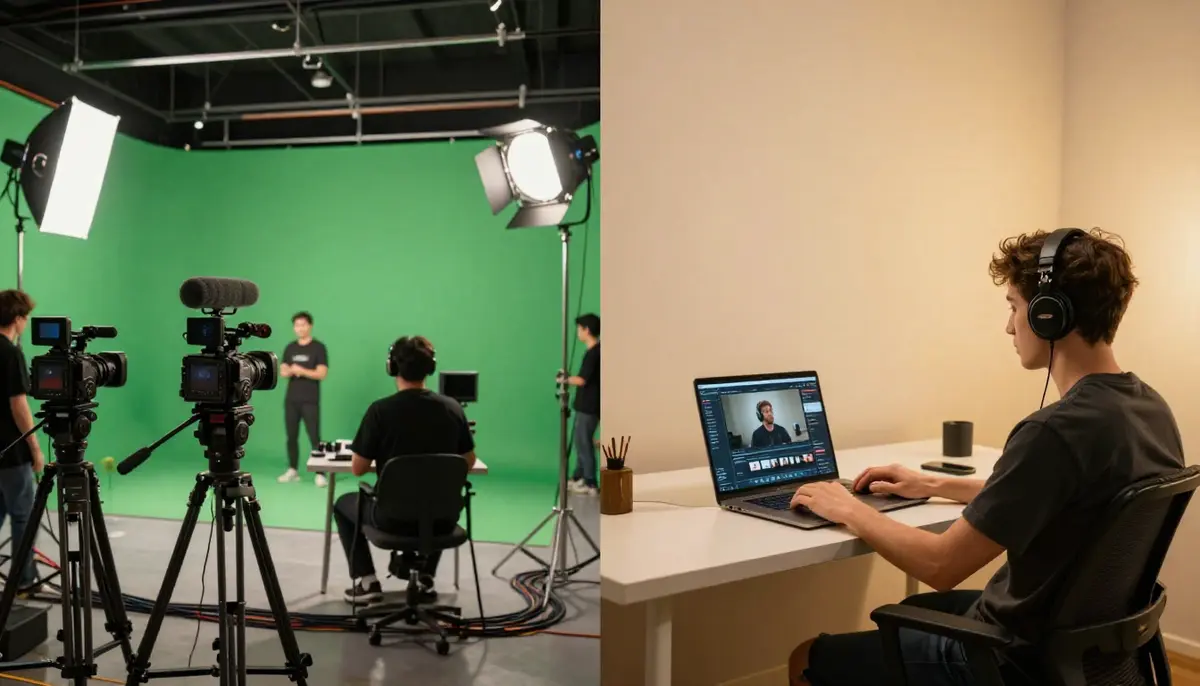
Traditional YouTube production requires separate tools and skills for B-roll, graphics, thumbnails, and editing. AI consolidates visual content creation into a single step, freeing creators to focus on what matters most: their content and audience.
7 Ways YouTube Creators Use AI Video
These are not hypothetical use cases. Every method below is being used by real YouTube creators to produce real content that earns real revenue. We have ordered them from most common to most specialized.
1. AI B-Roll Generation
B-roll is the visual backbone of nearly every YouTube video. It is what plays while you narrate, what illustrates your points, and what keeps viewers visually engaged between talking-head segments. It is also the single most time-consuming element of YouTube production.
The problem it solves: Finding or shooting relevant B-roll for every topic is a constant pain. If you are making a video about the history of space exploration, you need footage of rockets, astronauts, planetary surfaces, and mission control rooms. Stock footage is generic, expensive, and every other creator is using the same clips. Custom shooting is impossible for most topics.
How AI B-roll works: You describe the visual you need in a text prompt, and the AI generates a 5--10 second clip matching your description. Need a sweeping aerial view of a futuristic city? A close-up of hands typing on a vintage typewriter? A slow-motion explosion of colorful powder? Each clip takes 1--3 minutes to generate and costs a fraction of a cent compared to stock footage licensing.
Three prompt templates for YouTube B-roll:
City and Urban B-Roll:
Aerial drone shot slowly gliding over a modern city skyline at golden
hour. Skyscrapers reflect warm sunlight. Traffic flows smoothly on
highways below. Subtle haze in the atmosphere. Cinematic color grading,
warm tones. Smooth, steady camera movement. 4K broadcast quality.
Nature and Environment B-Roll:
Slow-motion close-up of morning dew drops on green leaves in a forest.
Soft, diffused sunlight filtering through the canopy above. A single
drop falls from a leaf tip. Shallow depth of field, macro lens
perspective. Peaceful, meditative atmosphere. Natural color palette.
Ultra-high definition.
Abstract and Conceptual B-Roll:
Abstract visualization of data flowing through neural network pathways.
Glowing blue and purple light particles travel along interconnected
nodes. Camera slowly pulls back to reveal the full network structure.
Dark background. Futuristic, clean aesthetic. Smooth particle motion.
High-quality 3D render look.
For more prompt techniques and iteration strategies, see our complete AI Video Prompt Guide with 10 tested examples.
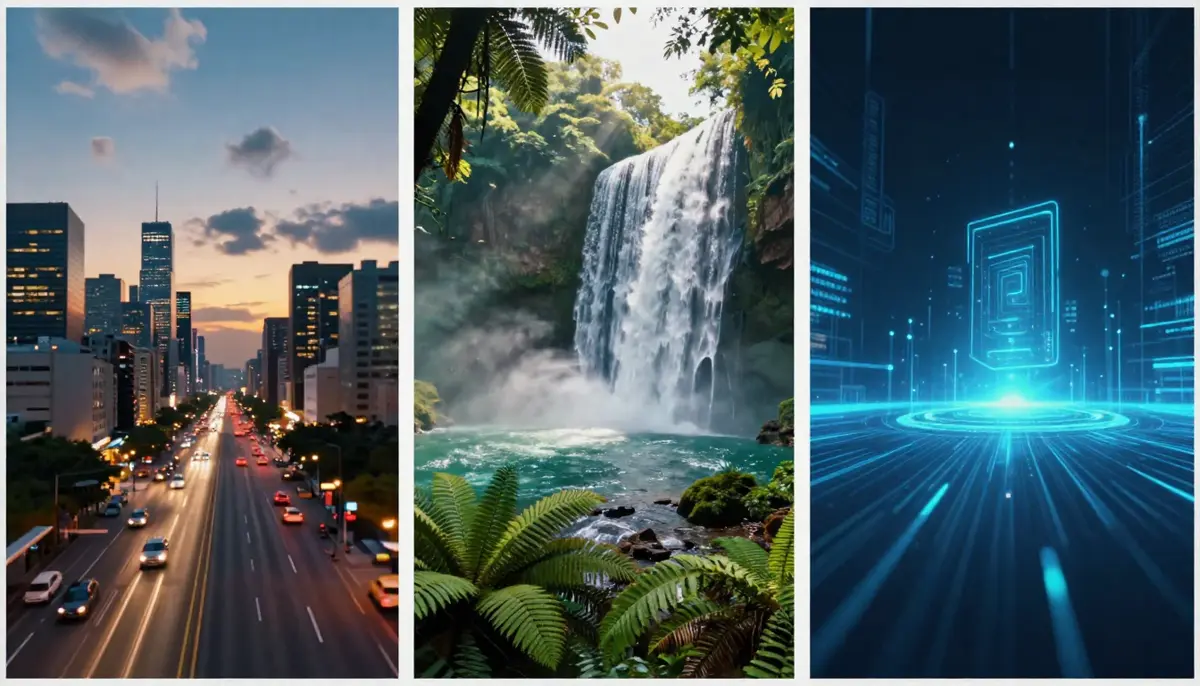
AI-generated B-roll covers the full range of visual needs: urban aerials, nature macro shots, abstract concepts, and everything in between. Each clip is unique to your channel -- no more recognizing the same stock footage across competing videos.
Actionable takeaway: Before your next video, list the 5--8 B-roll shots you need. Write a one-sentence description for each. Feed those descriptions into Seedance text-to-video and generate all your B-roll in a single session. The time savings on a single video will convince you.
2. YouTube Shorts and TikTok Repurposing
YouTube Shorts is the fastest-growing segment of the platform. The algorithm actively promotes short-form vertical content, and Shorts can funnel viewers into your long-form content. But creating Shorts traditionally means either filming separate vertical content or awkwardly cropping horizontal footage.
The problem it solves: Repurposing long-form content into Shorts requires re-framing, re-editing, and often re-shooting. Most creators either skip Shorts entirely or produce low-effort crops that perform poorly.
How AI Shorts generation works: AI video generators natively support 9:16 vertical output. You can create purpose-built Shorts content from text prompts, generate vertical AI visuals to pair with voiceover clips, or create eye-catching visual hooks for the first 2 seconds of a Short.
The long-to-Shorts AI workflow:
- Identify the most compelling 30--60 second segment from your long-form video
- Extract the audio from that segment
- Generate 3--5 vertical AI video clips that visually match the audio content (set aspect ratio to 9:16, duration to 5--10 seconds each)
- Edit the AI clips together with your extracted audio
- Add text overlays and a strong hook in the first frame
Parameters for vertical AI video:
- Aspect ratio: 9:16 (1080x1920)
- Duration: 5--15 seconds per clip (shorter clips edit together better)
- Motion: Moderate to high energy (Shorts viewers scroll fast)
- First frame: Visually striking (this is your thumbnail in the Shorts feed)
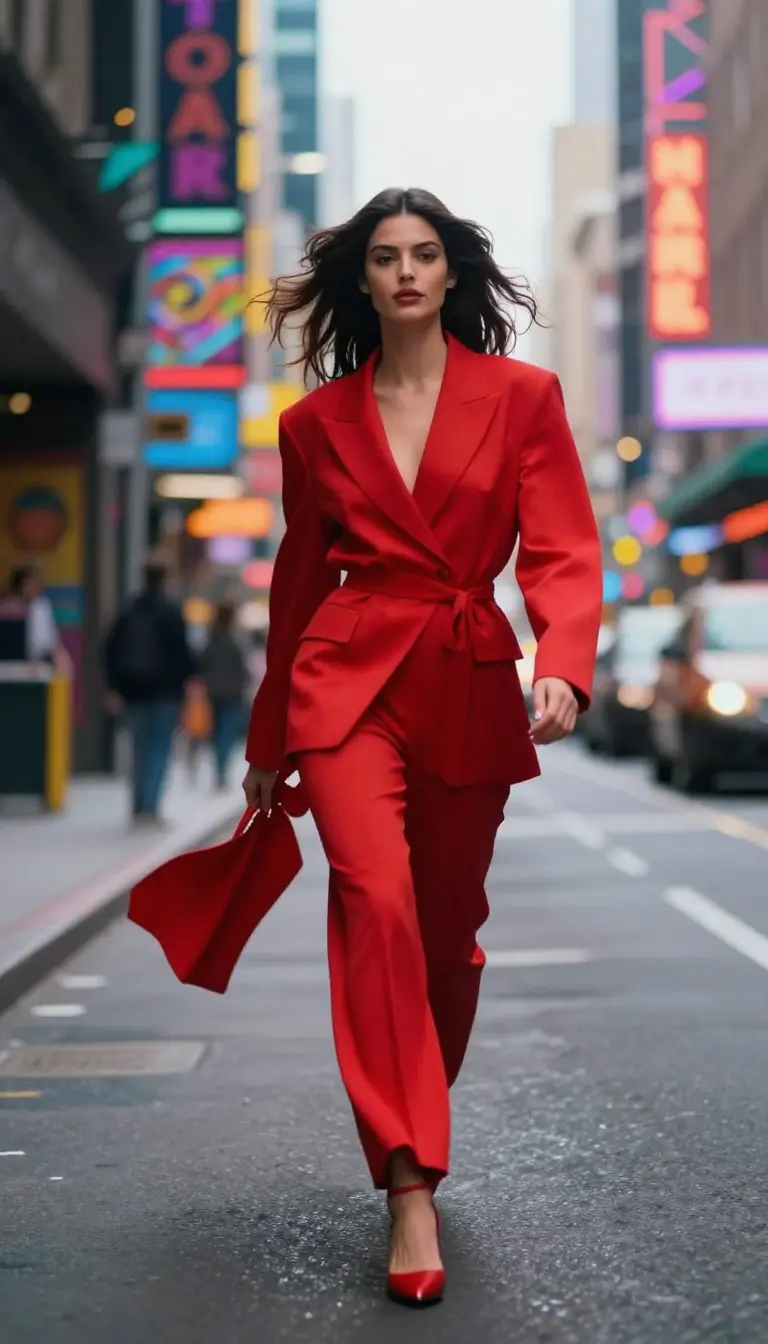
AI-generated Shorts in native 9:16 format. Purpose-built vertical content outperforms cropped horizontal footage in the Shorts algorithm because every pixel is intentional.
Actionable takeaway: For every long-form video you publish, commit to creating 2--3 Shorts using AI-generated visuals paired with audio highlights. This doubles your content output with minimal additional effort and feeds the Shorts algorithm consistently. Our social media video guide covers platform-specific strategies in more detail.
3. Faceless YouTube Channels
Faceless YouTube channels -- channels that never show the creator on camera -- are one of the fastest-growing categories on the platform. Meditation, ambient soundscapes, educational compilations, news commentary, historical documentaries, and bedtime storytelling channels generate millions of views without a single face. AI video has made this format dramatically more accessible.
The problem it solves: Faceless channels traditionally relied on stock footage, screen recordings, or slideshow-style content. The visual quality ceiling was low, and the content felt generic. AI video raises that ceiling to cinematic quality.
Complete faceless channel workflow:
- Script: Write or use AI to draft your script. For a 10-minute video, aim for 1,500--2,000 words of narration.
- Voiceover: Record yourself or use AI text-to-speech (tools like ElevenLabs or PlayHT produce natural-sounding narration).
- Visual plan: Break your script into segments and identify the visual needed for each 10--15 second section.
- AI video generation: Generate each visual segment using Seedance text-to-video. For a 10-minute video, you will need approximately 40--60 AI clips.
- Assembly: Edit clips together in your timeline, sync with voiceover, add transitions and background music.
- Publish: Upload with optimized title, description, tags, and thumbnail.
Which niches work best for AI faceless channels:
| Niche | Why It Works | AI Video Style |
|---|---|---|
| Meditation / relaxation | Viewers want ambient visuals, not talking heads | Slow nature scenes, abstract flowing visuals |
| History / documentaries | Historical footage is limited; AI recreates scenes | Period-accurate environments, dramatic landscapes |
| Science / space | Real footage is scarce; concepts need visualization | Space visuals, molecular animations, abstract science |
| News commentary | Visual variety keeps commentary engaging | Relevant scene illustrations, data visualizations |
| Bedtime stories | Children and adults want calming illustrated stories | Storybook-style animated scenes, gentle motion |
| Finance / investing | Abstract concepts need concrete visuals | City skylines, charts coming to life, office scenes |
Prompt example for a meditation channel:
Serene mountain lake at dawn. Mirror-still water reflects snow-capped
peaks and a pastel sky transitioning from deep blue to soft pink.
A gentle mist drifts slowly across the water surface. Camera holds
steady with an almost imperceptible slow zoom. Peaceful, meditative
atmosphere. Soft natural lighting. Ultra-high definition. Calming,
dreamlike color grading.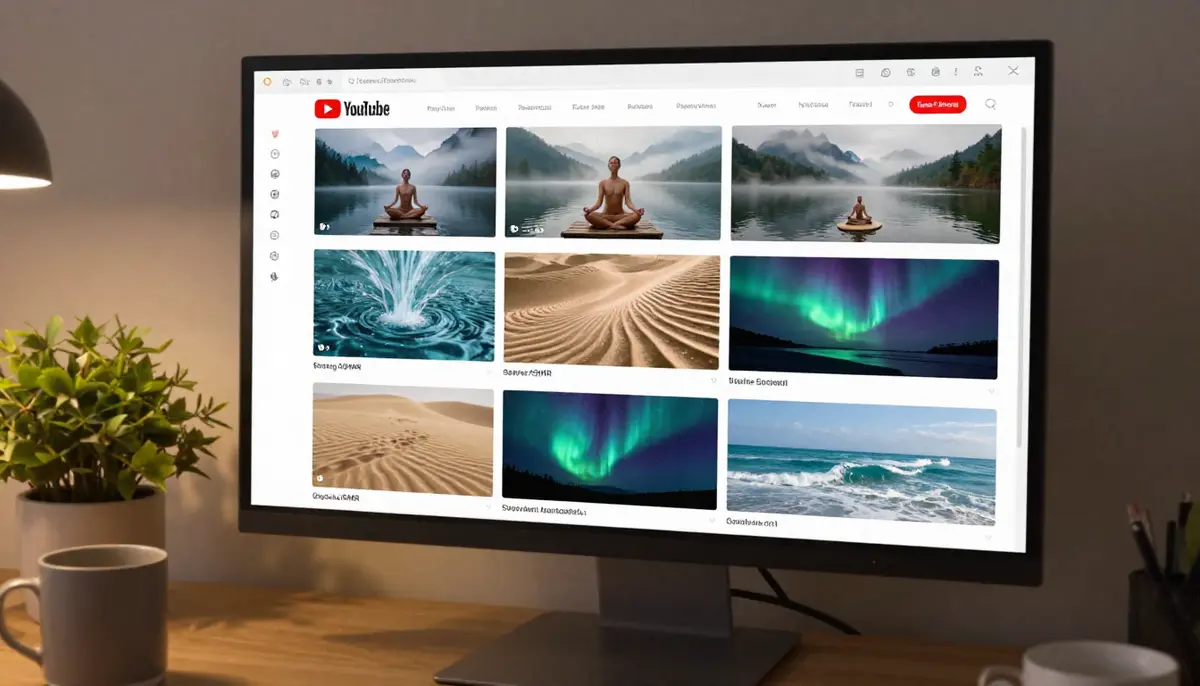
Faceless YouTube channels powered by AI video generation. Each niche benefits from different visual styles, all achievable through text prompts without any camera equipment.
Actionable takeaway: If you have been considering a faceless channel, start with a meditation or ambient sounds niche. Generate 10 minutes of AI nature visuals, layer royalty-free ambient audio, and publish your first video this week. These channels compound with volume -- the faster you start, the faster the algorithm finds your audience.
4. AI Thumbnails and Visual Assets
Thumbnails determine whether your video gets clicked. YouTube's own data shows that 90% of the best-performing videos use custom thumbnails, and thumbnail click-through rate (CTR) directly influences how aggressively the algorithm recommends your content.
The problem it solves: Creating compelling thumbnails requires Photoshop skills, a library of visual assets, and an understanding of what works in your niche. Most creators spend 20--45 minutes per thumbnail. AI can generate unique background scenes, dramatic lighting, and visual elements that make thumbnails pop.
How creators use AI for thumbnails:
- Background generation: Instead of searching for stock images or shooting background plates, describe the exact scene you want. "Dramatic sunset over a desert highway, vibrant orange and purple sky, cinematic wide angle" gives you a unique thumbnail background in seconds.
- Element creation: Need an explosion, a pile of money, a futuristic cityscape, or a specific object for your thumbnail composition? AI generates these visual elements on demand.
- Concept iteration: Generate 10 thumbnail background variations in the time it takes to find one stock photo. Test different visual approaches before committing.
- Image-to-video thumbnail preview: An emerging technique is generating a short I2V animation from your thumbnail to use as a video preview or channel trailer element, creating visual continuity between the thumbnail and the video content.
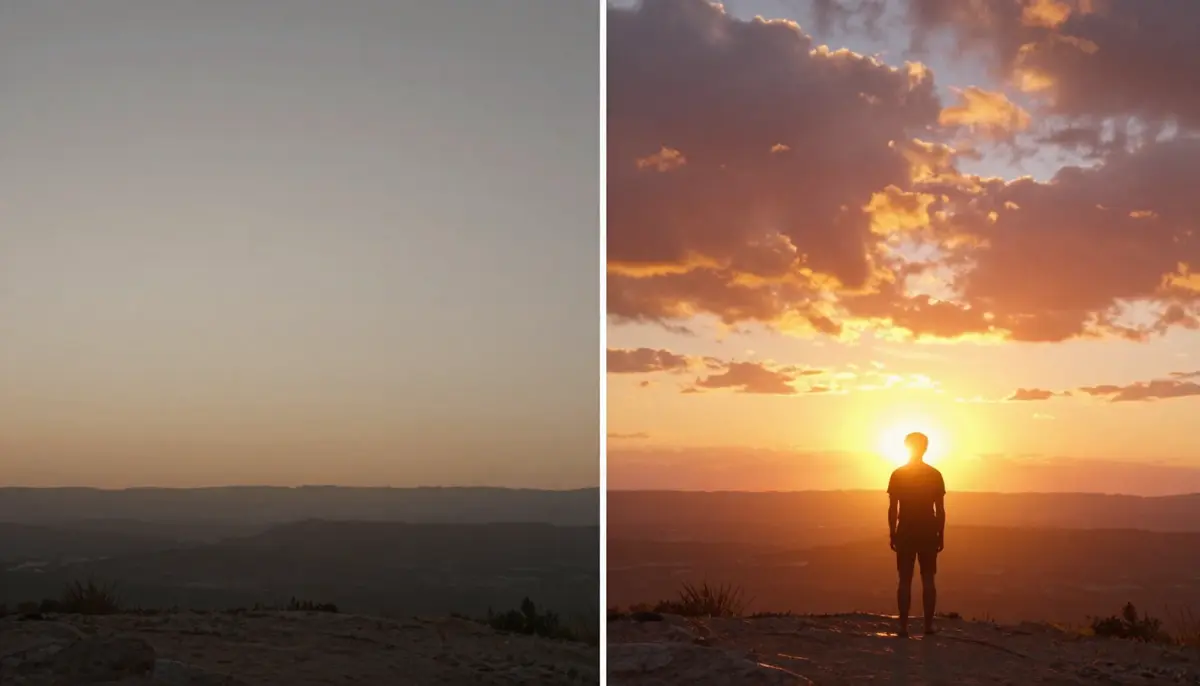
AI-generated thumbnail backgrounds and visual elements give creators the ability to produce professional-quality thumbnails without advanced design skills. The visual impact directly translates to higher click-through rates.
Actionable takeaway: For your next video, generate 5 different AI background options for your thumbnail using Seedance. Pick the most visually striking one, composite your face and text on top, and compare the CTR against your usual thumbnail style.
5. Intro and Outro Sequences
A strong intro sets the tone for your channel. A strong outro drives subscriptions, watch time, and engagement. But most creators use either no intro/outro, a static title card, or a template they found online that looks like every other channel's.
The problem it solves: Custom animated intros and outros traditionally require After Effects or Motion skills that most creators lack. Hiring a motion designer costs $100--500 for a single 5--10 second sequence.
How AI generates intros and outros:
- Text-to-video intros: Describe your ideal channel intro. "Logo reveal emerging from swirling particles of light against a dark background, cinematic, premium feel, 5 seconds" generates a unique branded opener.
- Style consistency: Use reference images of your brand colors, existing visual identity, or mood boards as Image-to-Video inputs to maintain visual consistency across your intro, outro, and video content.
- Seasonal updates: When you want a fresh look for a holiday series, a special event, or a rebrand, generating a new intro takes minutes instead of weeks.
Prompt template for a channel intro:
A sleek 3D text logo emerges from a burst of glowing particles against
a deep dark blue background. The particles swirl and converge to form
the text, which pulses with a subtle inner glow. Camera slowly pushes
in as the logo settles into position. Premium, modern aesthetic.
Cinematic lighting with subtle lens flare. Smooth, polished motion.
5 seconds total. Broadcast quality.
Actionable takeaway: Generate 3 intro variations with AI. Ask your audience (in a community post or poll) which one they prefer. The winning intro gives your channel a polished, professional feel that builds brand recognition.
6. Explainer and Educational Content
Educational content is one of the strongest-performing categories on YouTube. But explaining abstract concepts -- how quantum computing works, what happened during the fall of Rome, how compound interest grows wealth -- requires visuals that do not exist in stock libraries.
The problem it solves: Traditionally, educational YouTubers either used static diagrams, paid for custom motion graphics, or relied on screen recordings. AI video can generate visual representations of virtually any concept, making abstract ideas tangible and engaging.
How AI visualizes abstract concepts:
- Science: Molecular interactions, cellular processes, physics demonstrations, astronomical events
- History: Period-accurate environments, historical scenes, architectural recreations
- Finance: Visual metaphors for market movements, growth concepts, economic systems
- Technology: Data flow visualizations, network architectures, software concepts
Prompt example for explaining neural networks:
A vast network of interconnected glowing nodes suspended in dark space.
Pulses of bright blue light travel along the connections between nodes,
accelerating as they pass through multiple layers. The camera slowly
orbits the structure, revealing its depth and complexity. Some nodes
activate brightly as signals reach them. Scientific visualization
aesthetic. Clean, futuristic design. Smooth, continuous animation. 4K.
For comprehensive techniques on text-to-video generation for educational content, see our Text-to-Video AI Complete Guide.
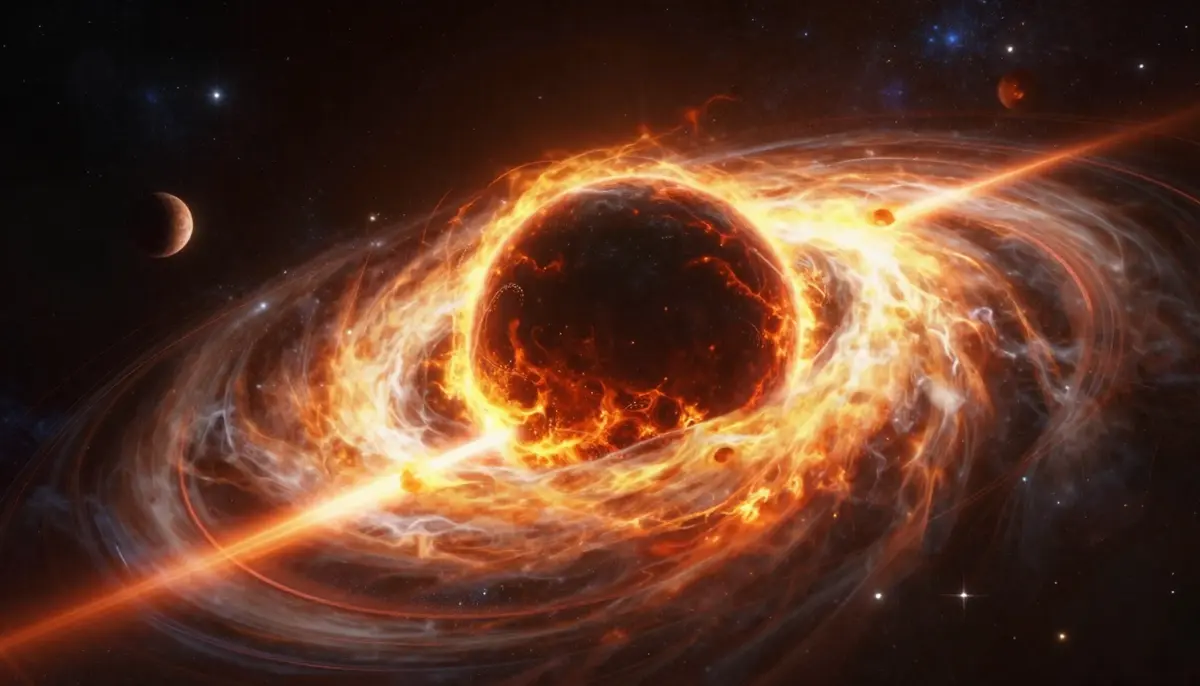
AI-generated visuals for educational content transform abstract concepts into concrete, visually engaging scenes. What once required a motion graphics team can now be prompted in natural language.
Actionable takeaway: Identify the three most abstract concepts in your next educational video. Write a one-sentence visual description for each. Generate AI clips for those specific moments and compare viewer retention on those segments to your previous method of illustrating similar concepts.
7. Music Videos and Lyric Videos
AI video is opening up music video production to artists and producers who never had the budget for a traditional shoot. But it is equally relevant for YouTube creators who produce music content, lyric videos, or use original music in their content.
The problem it solves: Music videos are expensive. Even a basic music video costs $5,000--20,000 when you factor in locations, crew, equipment, and post-production. Lyric videos are cheaper but still require motion graphics skills.
How creators use AI for music visual content:
- Full music videos: Generate scene-by-scene visuals that match the mood, lyrics, and tempo of a song
- Lyric videos: Create flowing, atmospheric backgrounds that complement on-screen lyrics
- Visualizers: Produce ambient, reactive-looking visuals for podcast episodes, lo-fi streams, or music playlists
- Performance backdrops: Generate dramatic background visuals for live performance recordings
AI music generation tools can also produce original soundtracks for your AI visuals, creating a fully AI-generated audiovisual experience. For an in-depth guide on combining AI music with AI video, see our upcoming AI Music Video Generator Guide.
Actionable takeaway: If you produce any music-adjacent content, experiment with generating 30--60 seconds of AI visuals matched to a track. The visual quality of AI-generated scenes now rivals what indie music videos achieved with real cameras just two years ago.
Step-by-Step: Build a YouTube Video with AI
Here is the complete workflow for producing a YouTube video using AI video generation, from initial planning through YouTube SEO optimization. This workflow applies whether you are creating a faceless video, supplementing talking-head content with AI B-roll, or producing a fully AI-visual Short.
Step 1: Plan Your Content and Visual Needs
Before generating any AI video, define your content structure.
- Write your script or outline: Know what you are saying before deciding what viewers will see. For a 10-minute video, that means 1,500--2,000 words of narration or dialogue.
- Create a visual shot list: Go through your script and identify every moment that needs a visual. Mark each as: talking head, screen recording, AI B-roll, AI full scene, or existing footage.
- Note aspect ratios: Are you producing 16:9 for standard YouTube, 9:16 for Shorts, or both?
- Estimate clip count: A 10-minute video with AI B-roll typically needs 15--30 AI clips at 5--10 seconds each. A fully AI-visual faceless video needs 40--60 clips.
Step 2: Write Your AI Video Prompts
Batch your prompt writing. Go through your visual shot list and write a prompt for each AI clip before you start generating.
Prompt writing tips for YouTube:
- Be specific about motion: "Camera slowly pans left to reveal..." is better than "a scene of..."
- Match your channel's visual style: If your content is warm and friendly, describe warm lighting and soft colors. If it is dramatic and intense, describe high contrast and dynamic camera movement.
- Include duration awareness: For B-roll inserts, keep descriptions focused on a single moment (5 seconds). For full scenes, allow for a developing sequence (10 seconds).
- Reference your prompts guide: Use the structure from our Seedance Prompt Guide for consistent, high-quality results.
Step 3: Generate AI Video Clips in Batch
Open Seedance Video Generation and work through your prompt list systematically.
- Choose the right mode: Text-to-video for described scenes, Image-to-video for content that needs to match a specific reference image or product.
- Select Seedance 2.0 model for the highest quality output.
- Set resolution: 1080p minimum for YouTube (2K for premium channels).
- Set duration: 5 seconds for B-roll inserts, 10 seconds for featured scenes.
- Generate in batches: Start all your clips generating, then review and re-generate any that need adjustment while the others process.
Step 4: Edit and Assemble Your Video
Import your AI clips into your editor (Premiere Pro, DaVinci Resolve, CapCut, or your preferred tool).
- Sync AI visuals to voiceover or narration -- the visual should change when the topic changes.
- Add transitions: Cross-dissolves work well between AI clips. Hard cuts work for energy shifts.
- Color grade for consistency: AI clips may vary slightly in color temperature. A quick color correction pass unifies the look.
- Layer audio: Background music, sound effects, and voiceover should all be balanced. AI clips do not include diegetic sound, so adding ambient audio makes them feel more natural.
Step 5: Optimize for YouTube SEO
Your video's discoverability depends on how well you optimize metadata.
- Title: Include your primary keyword naturally. Keep it under 60 characters.
- Description: Write 200+ words. Include primary and secondary keywords in the first two sentences. Add timestamps, links to related videos, and a call to action.
- Tags: Include your primary keyword, 3--5 variations, and your channel name.
- Thumbnail: Use the AI-generated thumbnail assets from step 2 or create a new one with AI background generation.
- Chapters: Add timestamp chapters. YouTube uses these for search features and suggested clips.
- Cards and end screens: Link to related videos and playlists to maximize session time.
Step 6: Publish and Repurpose
- Publish your long-form video with optimized metadata.
- Generate 2--3 Shorts from the strongest moments using vertical AI clips (see Section 2 above).
- Cross-post vertical versions to TikTok and Instagram Reels for additional reach.
- Schedule community posts with behind-the-scenes AI generation screenshots to engage your audience.
- Track performance: Monitor CTR, average view duration, and Shorts funnel-to-long-form conversion.
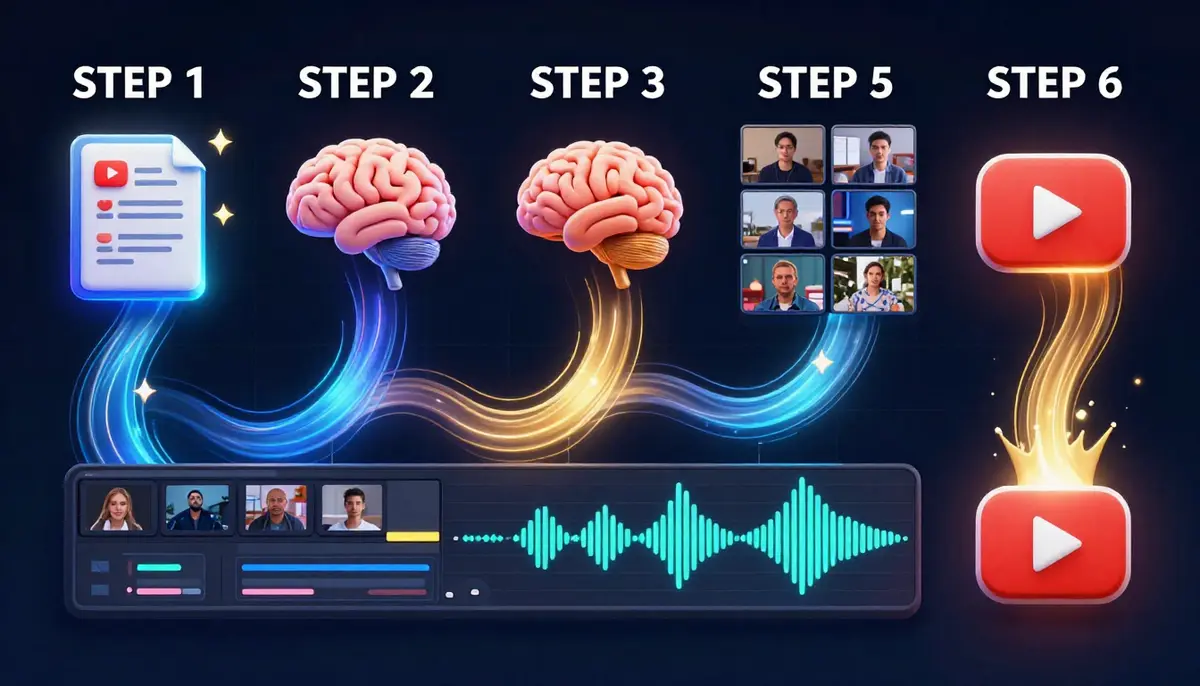
The complete AI-assisted YouTube production workflow. Each step builds on the previous one, creating an efficient pipeline that gets faster with practice.
Best AI Video Tools for YouTube Creators
Not all AI video generators are built for YouTube workflows. Here is how the major tools compare on the features that matter most to creators.
| Feature | Seedance 2.0 | Runway Gen-3 | Pika 2.0 | Kling 2.0 | HeyGen |
|---|---|---|---|---|---|
| Text-to-Video | Yes | Yes | Yes | Yes | Limited |
| Image-to-Video | Yes (up to 9 refs) | Yes (1 ref) | Yes (1 ref) | Yes (1 ref) | Yes (face-focused) |
| Max Resolution | 2K native | 1080p | 1080p | 1080p | 1080p |
| Max Duration | 10s (extendable) | 10s | 10s | 10s | 60s+ (avatar) |
| 9:16 Vertical (Shorts) | Native | Native | Native | Native | Native |
| Audio Integration | Built-in | Separate | Limited | Limited | Built-in (speech) |
| Batch Generation | Yes | Limited | Limited | Yes | Yes |
| YouTube-Specific Strength | B-roll, Shorts, full scenes, cinematic quality | Visual effects, creative scenes | Stylized content, quick edits | Long scenes, character consistency | Talking head avatars, translations |
| Free Tier | Yes (daily credits) | Limited trial | Free credits | Free credits | Limited trial |
| Best For | All-purpose YouTube creation | High-end creative B-roll | Quick social clips | Story-driven content | Localization, avatar videos |
| Starting Price | ~$9.90/mo | ~$12/mo | ~$8/mo | ~$5.99/mo | ~$24/mo |
Our recommendation for YouTube creators: Seedance 2.0 offers the best combination of quality, versatility, and value for YouTube workflows. Native 2K resolution means your AI content matches or exceeds the quality of your camera footage. Multi-image input lets you maintain visual consistency across clips. And the daily free credits let you experiment before committing.
For a more detailed tool comparison, see our Best AI Video Generators 2026 Comparison and our Free AI Video Generators Guide.
Each AI video tool has distinct strengths. The right choice depends on your primary use case: Seedance for all-purpose YouTube creation, Runway for high-end creative work, and HeyGen for avatar-based content and localization.
YouTube SEO + AI Video: How They Work Together
AI video does not just change how you produce content. It changes how your content performs in the YouTube algorithm. Here are the four key intersections between AI video and YouTube SEO.
Thumbnail CTR
Thumbnail click-through rate is the single most important metric for YouTube discoverability. AI-generated thumbnail backgrounds and visual elements allow you to create more visually striking, unique thumbnails at a faster pace. When you can generate 10 thumbnail options in the time it took to make one, you can A/B test more aggressively and converge on higher-CTR designs.
Practical tip: Generate 5 AI background variations for every video. Create a thumbnail with each. Use YouTube's built-in A/B thumbnail testing (available to channels with 1,000+ subscribers) or post options in a community poll to pick the winner.
Watch Time and Average View Duration
Watch time is the algorithm's primary quality signal. AI B-roll directly improves watch time by:
- Reducing visual monotony: Viewers drop off when they see the same talking-head shot for too long. AI B-roll provides visual variety that keeps eyes on the screen.
- Illustrating concepts: When viewers can see what you are describing, comprehension improves, and comprehension keeps people watching.
- Professional perception: Higher production quality signals that the content is worth watching. First impressions happen in the first 30 seconds -- AI B-roll in your intro can significantly reduce early drop-off.
Shorts Algorithm Performance
The YouTube Shorts algorithm prioritizes:
- Completion rate: Shorter, visually compelling Shorts get watched to the end more often. AI-generated visuals that are inherently interesting help drive completions.
- Unique visuals: The Shorts feed is visually competitive. AI-generated content looks different from typical phone-camera footage, which helps your Shorts stand out in the feed.
- Posting frequency: Channels that post Shorts consistently get preferential distribution. AI makes daily Shorts production feasible.
Posting Frequency and Consistency
YouTube's recommendation system favors channels that post on a regular schedule. AI video tools reduce production time per video by 40--60%, which means:
- A creator who previously managed 1 video per week can realistically produce 2--3
- Shorts production goes from an afterthought to a daily habit
- Seasonal content and trend-responsive videos can be produced quickly enough to ride algorithm waves
The compounding effect is significant. More videos mean more impressions, more impressions mean more subscribers, more subscribers mean higher baseline views on every future video.
Monetization: Can AI Videos Make Money on YouTube?
This is the question every creator asks. The answer is yes, with important caveats.
YouTube Partner Program Policy on AI Content (2026)
YouTube's current policy on AI-generated content, updated in late 2025, establishes the following:
- AI-generated content is eligible for monetization through the YouTube Partner Program (YPP). There is no blanket ban on AI video in monetized content.
- Disclosure is required: Creators must label content that contains "realistic" AI-generated or altered material using YouTube's AI content labels in YouTube Studio. This includes AI-generated scenes that could be mistaken for real footage.
- Misleading content is penalized: AI content that deliberately impersonates real people, fabricates events, or deceives viewers about the nature of the content violates community guidelines and can result in demonetization or channel strikes.
- Original value matters: YouTube's ad-friendly content guidelines still require that content provides original value. A channel that simply generates random AI clips with no commentary, curation, or added value may be classified as "repetitious content" and denied monetization.
What This Means in Practice
Monetizable AI video use cases:
- Talking-head videos supplemented with AI B-roll (most common and safest approach)
- Educational content with AI-generated visualizations where the creator's explanation provides the value
- Faceless channels with original scripts, narration, and curated AI visuals (the creator's editorial voice is the value)
- Shorts with AI visuals paired with original audio, commentary, or storytelling
Risky or non-monetizable AI video use cases:
- Channels that mass-produce AI video with no human editorial input or narration
- Content that uses AI to generate fake news, fake celebrity content, or misleading information
- Exact replications of another creator's content using AI
- Channels that do not disclose AI-generated content when disclosure is required
Best Practices for Monetized AI Content
- Always disclose: Use YouTube's built-in AI content labels. Transparency builds trust with both YouTube and your audience.
- Add original value: Your script, narration, analysis, curation, or on-camera presence should be the primary value. AI video enhances your content, not replaces it.
- Maintain quality: Low-effort AI spam hurts everyone. Produce content you would genuinely want to watch.
- Stay updated: YouTube's AI policies are evolving. Check the YouTube Help Center regularly for policy updates.
- Build audience trust: Be open about your production process. Many successful creators have found that audiences appreciate AI-assisted content when the creator is transparent about it.
Common Mistakes YouTube Creators Make with AI Video
After working with thousands of YouTube creators, these are the five most frequent mistakes -- and how to fix each one.
Mistake 1: Using AI Video as a Crutch Instead of an Enhancement
The problem: Some creators start generating AI visuals for every second of their video, replacing all human-shot footage. The result feels sterile and impersonal.
The fix: Use AI video for what it does best -- B-roll, abstract concepts, supplementary visuals -- and keep your human presence front and center. The most successful AI-assisted channels blend AI footage with real camera work. Viewers connect with people, not AI renders.
Mistake 2: Ignoring Visual Consistency
The problem: Each AI clip is generated independently, so without intentional style direction, your video looks like a collage of clips from different films. Color temperatures shift, lighting styles change, and the visual language feels disjointed.
The fix: Establish a visual style guide for your channel's AI content. Include consistent descriptors in every prompt: lighting style, color palette, camera movement speed, and overall mood. Add a color grading step in post-production to unify all clips. Using reference images through Image-to-Video helps maintain consistency across generations.
Mistake 3: Overly Long AI Clips
The problem: AI-generated video has subtle artifacts that become more noticeable over time. A 3-second AI clip looks great. A 10-second clip may start to show inconsistencies in motion, physics, or detail.
The fix: Keep individual AI clips to 3--7 seconds for B-roll inserts. Cut between different clips rather than holding on a single generation for extended periods. This is actually better editing practice regardless of whether the footage is AI-generated or shot on camera.
Mistake 4: Not Optimizing Prompts for YouTube Aspect Ratios
The problem: Creators generate beautiful 16:9 content for long-form but forget to generate separate 9:16 versions for Shorts repurposing. Cropping horizontal footage to vertical always looks bad.
The fix: When generating AI B-roll, create both horizontal (16:9) and vertical (9:16) versions of your key visuals in the same session. It takes minimal extra time and gives you a complete asset library for both formats.
Mistake 5: Skipping Audio Design
The problem: AI-generated video clips are silent. Many creators drop them into their timeline without adding ambient sound, and the result is jarring dead silence whenever AI footage appears.
The fix: Layer ambient audio, subtle sound effects, or background music under every AI clip. Forest B-roll needs bird sounds. City aerials need distant traffic hum. Abstract visuals need atmospheric music. The audio layer is what makes AI footage feel like it belongs in your video.
FAQ
Can I use AI-generated video on YouTube without getting demonetized?
Yes. YouTube's 2026 policies explicitly allow AI-generated content to be monetized through the YouTube Partner Program. The requirements are that you disclose AI-generated content using YouTube Studio's labeling tools, that the content does not mislead viewers about real events or people, and that it provides original value beyond the AI generation itself. Thousands of creators are currently earning revenue from videos that include AI-generated visuals.
What is the best AI video generator for YouTube creators?
Seedance 2.0 offers the strongest combination of features for YouTube workflows: native 2K resolution, both text-to-video and image-to-video modes, 9:16 vertical support for Shorts, multi-image reference input for consistency, and built-in audio capabilities. It also provides daily free credits, so you can test it before subscribing. For avatar-based content, HeyGen is specialized for that use case. See our full comparison guide for detailed analysis.
How do I make YouTube Shorts with AI video?
Set your AI video generator to 9:16 aspect ratio (1080x1920). Generate 5--15 second clips based on prompts that describe your desired visual. Pair these clips with extracted audio from your long-form content, original voiceover, or trending audio. Edit together 2--4 AI clips with text overlays, and publish as a YouTube Short. The entire process takes 15--30 minutes per Short.
Can I build a faceless YouTube channel entirely with AI video?
Yes, and many creators are doing exactly this. The most successful faceless AI channels combine AI-generated visuals with original scripts, human or AI voiceover, and thoughtful editing. Meditation, education, history, and ambient channels work particularly well. The key to monetization eligibility is providing original editorial value -- your curation, narration, and content structure -- rather than publishing raw AI output.
Do I need to disclose that my YouTube videos use AI-generated content?
YouTube requires disclosure when your content includes realistic AI-generated or altered material that could be mistaken for real footage. Use the AI content label in YouTube Studio when uploading. For stylized or obviously AI-generated visuals (abstract animations, clearly synthetic B-roll), disclosure is recommended but may not be strictly required. When in doubt, disclose. It builds audience trust and ensures compliance.
How much does it cost to produce YouTube videos with AI?
A Seedance subscription starts at approximately $9.90 per month and provides enough credits for dozens of video generations. For a creator producing 2--3 YouTube videos per week, monthly AI video costs are typically $10--30, compared to $200--1,000+ for stock footage subscriptions and freelance editing. Many tools, including Seedance, offer free credits to get started without any cost.
Will AI video make my YouTube content look fake or low quality?
Current-generation AI video (2026) produces output at 1080p--2K resolution with natural motion, realistic lighting, and cinematic quality that is often indistinguishable from stock footage. The quality concern is valid for early AI video tools, but models like Seedance 2.0 produce B-roll and scene content that integrates seamlessly with camera-shot footage when properly color-graded. The key is using AI video as a production tool, not a replacement for intentional creative direction.
How many AI video clips do I need for a 10-minute YouTube video?
For a talking-head video supplemented with AI B-roll, plan for 15--30 AI clips at 3--7 seconds each. These fill the visual gaps between on-camera segments. For a fully AI-visual faceless video, you will need 40--60 clips to cover the entire 10-minute runtime. Start by listing every visual you need, then generate them in a batch session -- most creators find this takes 1--2 hours for a full video's worth of AI footage.
Start Creating YouTube Content with AI
The gap between creators who use AI video tools and those who do not is widening every month. AI-adopting creators publish more frequently, produce higher visual quality, and spend more time on what actually matters -- writing better scripts, engaging with their audience, and developing their unique voice.
You do not need to overhaul your entire workflow at once. Start with one use case:
- If you shoot talking-head videos: Generate AI B-roll for your next upload and compare the viewer retention data.
- If you want to grow with Shorts: Produce 3 AI-powered Shorts this week from your existing content.
- If you are considering a faceless channel: Publish your first AI-visual video this weekend.
The tools are ready. The platform supports it. The algorithm rewards it.
Create your first AI video for YouTube with Seedance -- free credits, no credit card -->
Ready to level up your prompts? Our complete prompt engineering guide shows you exactly how to write prompts that produce professional results on the first generation.
