
TL;DR
AI video generators have fundamentally changed how marketing teams produce content. Instead of spending $500--$2,000 per product video with traditional production, you can now create polished marketing videos for under $1 each. This guide covers seven high-impact marketing use cases, platform-specific strategies for TikTok, Instagram Reels, YouTube Shorts, and LinkedIn, ten copy-paste prompt templates, and a step-by-step workflow to create your first AI marketing video with Seedance. If you need video content at scale, this is your playbook. Start creating marketing videos for free -->
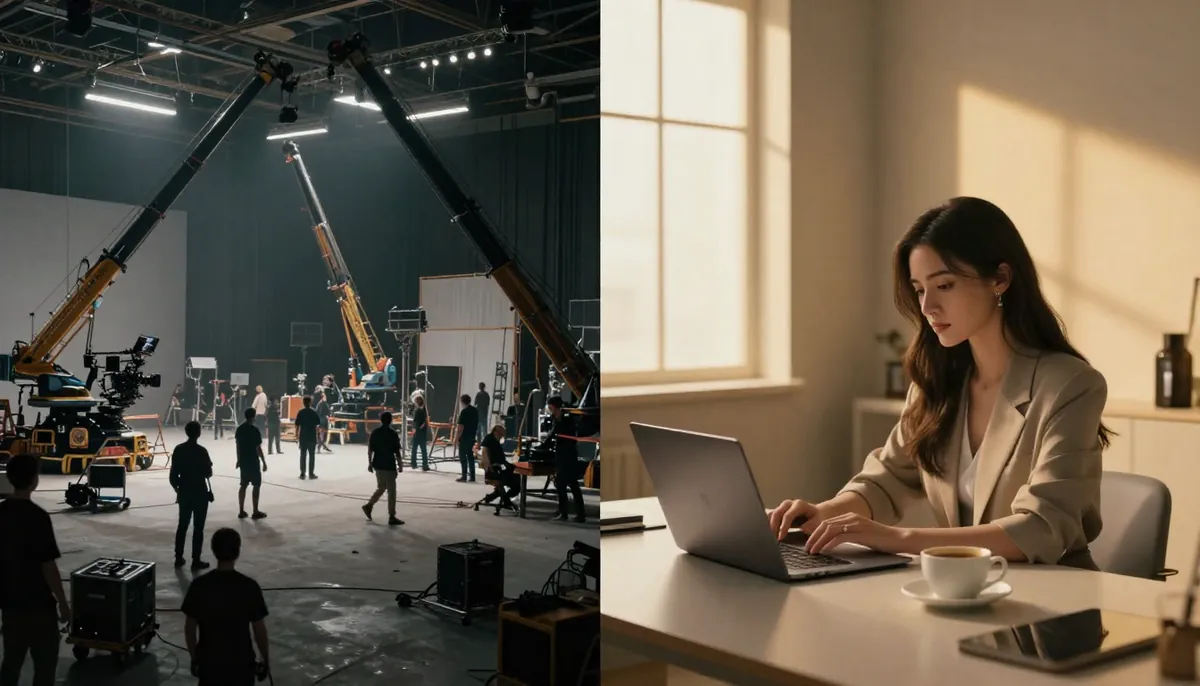
Traditional video production versus AI-generated video: the cost gap is staggering, and the quality gap is shrinking fast.
Why Marketing Teams Are Switching to AI Video
Video dominates every marketing channel. Eighty-nine percent of consumers say they want to see more video content from brands, and short-form video has the highest ROI of any social media format. The problem has never been demand -- it has been supply. Creating enough quality video content to feed TikTok, Instagram, YouTube, email campaigns, and landing pages simultaneously used to require a production team, a budget, and weeks of lead time.
AI video generators have eliminated that bottleneck. Here is what the shift looks like in practice.
Traditional Production vs. AI Video Generation
| Factor | Traditional Production | AI Video (Seedance) |
|---|---|---|
| Cost per video | $500--$2,000+ | $0.15--$0.80 |
| Time to first draft | 3--10 business days | 30--90 seconds |
| Revisions | $100--$500 per round | Generate a new version instantly |
| Monthly output capacity | 4--8 videos | 200--500+ videos |
| A/B test variants | Rarely feasible | 10+ variants per concept in minutes |
| Requires crew/equipment | Yes (camera, lighting, editor) | No (text prompt or product photo) |
| Scaling to 26 languages | $10,000+ per video | Change the prompt text |
The numbers tell the story. A mid-market e-commerce brand spending $4,000/month on traditional video production typically produces 4--6 product videos. The same budget using an AI video generator yields hundreds of unique clips -- enough to test multiple creative angles across every platform, every week.
Key Adoption Data
- 91% of businesses used video as a marketing tool in 2025, up from 86% in 2024 (Wyzowl).
- Short-form video (under 60 seconds) generates 2.5x more engagement than long-form on social platforms.
- Marketing teams that adopted AI video tools in 2025 reported producing 8x more video content with the same headcount.
- The average cost-per-view for AI-generated ad creative is 40--60% lower than traditionally produced ads, primarily due to the ability to test more variants.
If you are still relying on stock footage slideshows or outsourcing every product video to a freelancer, you are leaving performance on the table. The rest of this guide shows you exactly how to use AI video for marketing across every major channel and use case.
7 Marketing Use Cases for AI Video
1. Social Media Short-Form Content (TikTok, Reels, Shorts)
Short-form vertical video is the engine of organic reach in 2026. Algorithms on TikTok, Instagram, and YouTube favor frequent posting with high engagement. AI video generators let you maintain a daily posting cadence without burning out your creative team.
What works:
- Trending concept adaptations generated in minutes rather than hours
- Product-in-context scenes that show your item in aspirational settings
- "Oddly satisfying" loops: close-up textures, pouring, unboxing motions
- Dramatic reveals with cinematic lighting
Example workflow:
- Identify a trending sound or concept on TikTok
- Write a prompt that adapts the concept to your product or brand
- Generate 3--5 variants with Seedance in 9:16 aspect ratio
- Pick the strongest, add text overlay and audio in your editor
- Post within the trend window (usually 48--72 hours)
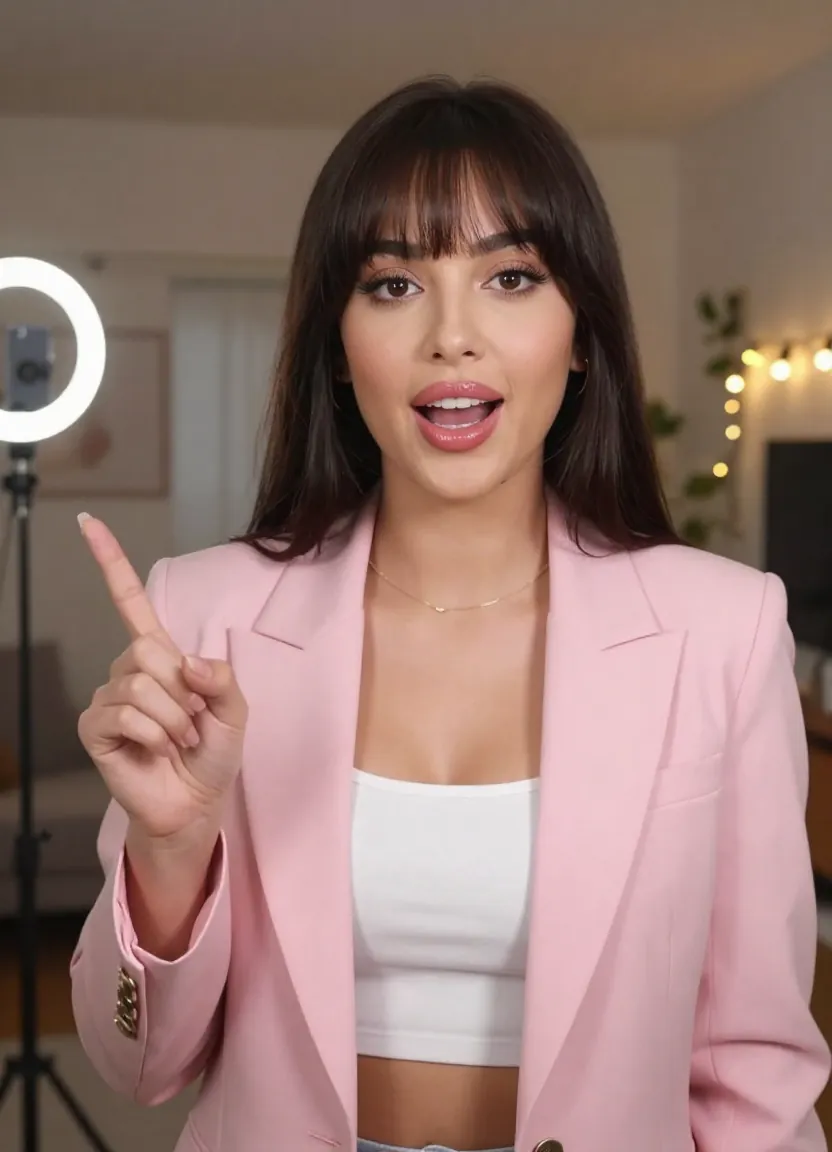
Vertical 9:16 AI video generated for social media -- the cinematic quality grabs attention in the first frame.
The key advantage is volume. Instead of creating one carefully planned Reel per week, you can generate ten variations and let the algorithm tell you what resonates. This data-driven approach to content creation is what separates brands that grow on social from those that stagnate. See more examples in our creative use case gallery.
2. Product Demo & E-Commerce Videos
For e-commerce brands, the image-to-video workflow is transformative. You already have product photos -- now you can turn every static product shot into a dynamic video that shows the item in motion, in context, or from multiple angles.
What works:
- Product hero shots that rotate or reveal details with dramatic lighting
- Lifestyle context: a handbag placed on a cafe table, a watch on a wrist at golden hour
- Before/after transformations for skincare, cleaning products, or home decor
- Ingredient or material close-ups with cinematic macro effects
Image-to-video workflow:
- Upload your existing product photo to Seedance
- Write a prompt describing the motion and context you want
- The AI preserves your product's exact appearance while adding cinematic motion
- Download and use directly on product pages, ads, or social

Image-to-video generation: upload your product photo and the AI creates a polished video with cinematic motion and lighting.
A traditional product video for an e-commerce listing costs $500--$2,000 when you factor in a photographer, videographer, lighting, and editing. With an AI product video generator, you can create the same asset from an existing product photo for under $1. Multiply that across a catalog of 200 SKUs and the savings become enormous. For a comprehensive guide to AI video specifically for e-commerce -- including Amazon, Shopify, and TikTok Shop strategies -- read our AI video for e-commerce guide.
For a complete walkthrough of the image-to-video feature, see our step-by-step guide.
3. Brand Story & About Us Videos
Every brand needs cinematic content that communicates its identity, values, and origin story. These videos appear on About pages, investor decks, onboarding sequences, and social profiles. Traditionally, a brand film costs $5,000--$50,000 and requires weeks of planning.
What works:
- Atmospheric establishing shots of locations relevant to your brand story
- Abstract visual metaphors: seeds growing, light breaking through clouds, hands crafting
- Cinematic transitions between scenes representing your brand journey
- Aspirational lifestyle footage that embodies your target customer's world
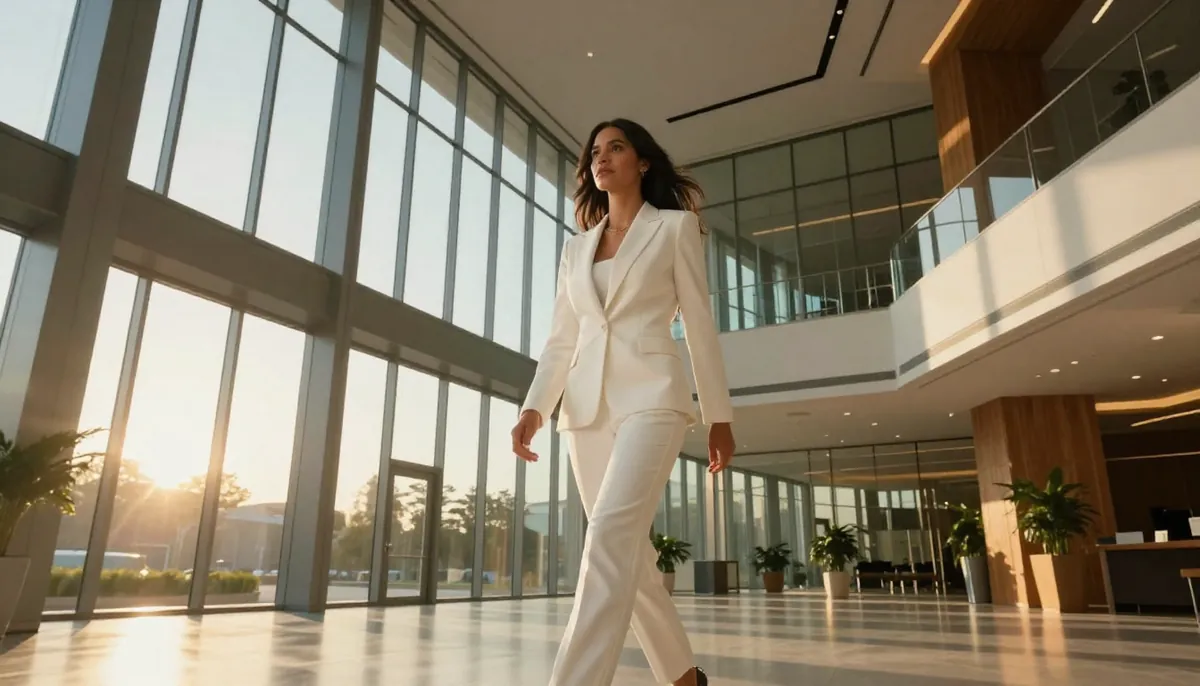
AI-generated brand cinematic -- dramatic lighting and atmospheric environments that would cost thousands in traditional production.
You will not replace a full documentary-style brand film with AI generation. But you can create the B-roll, establishing shots, and visual metaphor sequences that make up 60--70% of a typical brand video. Combine AI-generated footage with real talking-head interviews from your team, and you have a professional brand film at a fraction of the cost.
4. Ad Creative A/B Testing
This is where AI video generators deliver the most measurable ROI for performance marketers. The biggest lever in paid social advertising is creative variation -- testing multiple hooks, visuals, and angles to find the combination that drives the lowest cost-per-acquisition.
The old approach: Create 2--3 ad variants per campaign, test them over 2 weeks, iterate slowly.
The AI approach: Generate 20--30 visual variants in an afternoon. Test 10 hooks simultaneously. Identify winners within 48 hours. Scale the best performers.
What to test:
- Different opening frames (the first 0.5 seconds determines thumb-stop rate)
- Multiple product angles and contexts
- Various lighting moods (warm vs. cool, dramatic vs. bright)
- Different motion types (slow reveal vs. dynamic camera movement)
- Seasonal and cultural context variations
A direct-to-consumer skincare brand running Facebook and TikTok ads might traditionally produce 4 ad variants per month. With AI video generation, the same team can produce 40+ variants, identify the top 3 performers, and reallocate budget accordingly. Brands that adopt this high-volume testing approach typically see 30--50% reductions in cost-per-acquisition within the first quarter.
5. Email Marketing & Landing Pages
Video in email increases click-through rates by 200--300%. Video on landing pages increases conversions by up to 80%. Despite these numbers, most marketing teams skip video in email and landing pages because the production cost per asset is too high for channels where the video plays a supporting role.
AI video changes the calculus. When a product hero video costs $0.30 to generate, you can afford to create unique video content for every email campaign and every landing page variant.
What works:
- Product reveal animations for new launch announcements
- Animated hero sections for landing pages (replaces static hero images)
- Seasonal campaign visuals that rotate monthly
- Tutorial snippets showing product usage in 5--10 seconds
Practical tip: Generate your video as a short loop (4--5 seconds) and embed it as an auto-playing, muted GIF or MP4 in your landing page hero section. This creates a premium feel with minimal effort and no additional bandwidth cost.
6. Event & Launch Teasers
Product launches, seasonal sales, and events all benefit from teaser content that builds anticipation. Traditional teaser videos require planning well in advance -- booking shoots, coordinating teams, editing under deadline pressure.
What works:
- Dramatic close-ups of new products with suspenseful lighting
- Abstract visual teasers that hint without revealing (particles, light effects, motion blur)
- Countdown-style reveals with cinematic transitions
- Behind-the-scenes simulated footage that creates buzz
Workflow for a product launch:
- Generate 5--7 teaser clips showing the product in mysterious, dramatic lighting
- Release one per day in the week before launch (Instagram Stories, TikTok)
- Generate the full product reveal video for launch day
- Repurpose the best-performing teaser for paid ads
This approach lets you create a complete multi-day launch campaign in a single sitting. No coordination with videographers, no scheduling conflicts, no waiting on edits.
7. UGC-Style Content
User-generated content style videos outperform polished brand content in paid social by 20--50% on average. They feel authentic, relatable, and trustworthy. The challenge is sourcing enough genuine UGC or working with creators -- both expensive and time-consuming.
AI video generators can produce UGC-style content that captures the aesthetic: natural lighting, casual framing, everyday settings, authentic-feeling product interactions.
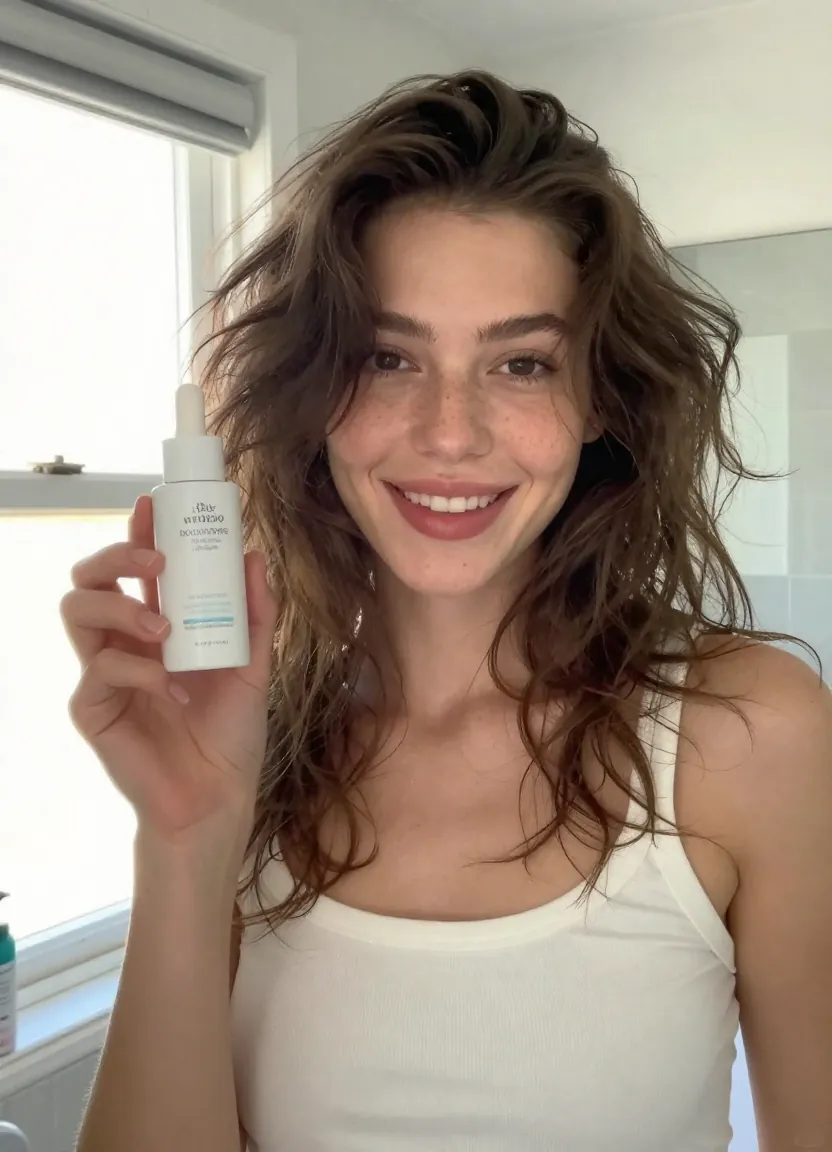
UGC-style AI video -- natural lighting, casual composition, and the authentic feel that drives higher engagement on paid social.
What works:
- Natural daylight indoor scenes (kitchen counter, bathroom mirror, living room)
- Casual product unboxing or "haul" setups
- Morning/evening routine context
- Close-up product application or usage moments
Important note: Always disclose AI-generated content where required by platform policies and advertising regulations. Transparency builds trust.
Platform-Specific Guide
Each social platform has its own technical requirements, audience expectations, and algorithmic preferences. Here is how to optimize your AI marketing videos for each.
TikTok
| Specification | Recommendation |
|---|---|
| Aspect ratio | 9:16 (vertical) |
| Duration | 5--15 seconds (sweet spot: 7--10s) |
| Resolution | 1080x1920 |
| Key strategy | Hook in first 0.5s, beat-sync to trending audio |
TikTok-specific tips:
- Generate multiple hook variations -- the opening frame determines whether viewers stop scrolling
- Use Seedance's audio input to sync generated visuals to trending sounds
- Prioritize movement and energy over polished aesthetics
- Generate content daily; TikTok rewards frequency over perfection
- Use text-to-video for trend adaptations; image-to-video for product showcases
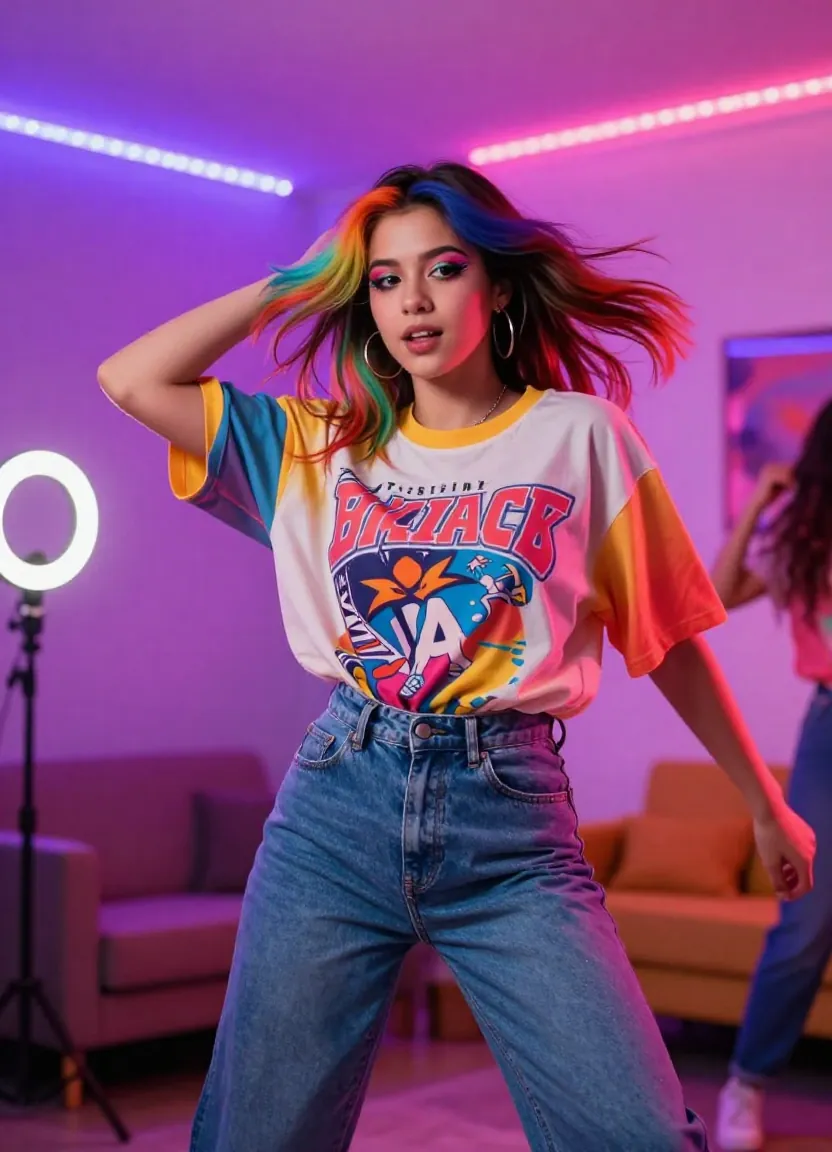
TikTok-optimized AI video: vertical format, high energy, designed to stop the scroll in the first half-second.
Instagram Reels
| Specification | Recommendation |
|---|---|
| Aspect ratio | 9:16 (vertical) |
| Duration | 5--15 seconds |
| Resolution | 1080x1920 |
| Key strategy | Aesthetic-first, polished visuals, strong color grading |
Instagram-specific tips:
- Instagram audiences value visual polish more than TikTok audiences
- Use prompts with specific lighting and color palette descriptions (golden hour, pastel tones, moody contrast)
- Generate multiple color mood variations of the same concept and test which aesthetic resonates with your audience
- Lifestyle and aspirational content outperforms pure product demos on Instagram
- Combine AI video with Instagram's native text and sticker overlays
YouTube Shorts
| Specification | Recommendation |
|---|---|
| Aspect ratio | 9:16 (vertical) |
| Duration | 5--15 seconds (max 60s) |
| Resolution | 1080x1920 |
| Key strategy | Information-dense, educational hooks, strong CTA |
YouTube Shorts-specific tips:
- YouTube audiences are more information-seeking than TikTok or Instagram audiences
- Lead with a curiosity hook or surprising visual
- Generate visuals that illustrate a concept, comparison, or transformation
- AI explainer-style visuals work well: show the problem, then the solution
- YouTube Shorts can drive subscribers; always include a CTA to your main channel
LinkedIn Video
| Specification | Recommendation |
|---|---|
| Aspect ratio | 16:9 (landscape) or 1:1 (square) |
| Duration | 10--15 seconds |
| Resolution | 1920x1080 or 1080x1080 |
| Key strategy | Professional tone, thought leadership visuals, clean aesthetic |
LinkedIn-specific tips:
- Use clean, professional visual styles -- avoid overly flashy or casual aesthetics
- Generate B-roll for thought leadership posts (office environments, technology visuals, abstract data visualizations)
- Product and company milestone announcements benefit from polished AI video
- Keep motion subtle and intentional rather than fast-paced
- LinkedIn penalizes external links; native video gets 5x more reach
Step-by-Step: Create Your First Marketing Video
Here is a six-step walkthrough to create a marketing-ready AI video with Seedance. We will use a product showcase as the example, but the same workflow applies to any marketing use case.
Step 1: Define Your Platform and Format
Before opening the generator, decide where this video will live. This determines your aspect ratio and duration.
- TikTok/Reels/Shorts: 9:16, 5--15 seconds
- LinkedIn/YouTube: 16:9, 10--15 seconds
- Instagram Feed: 1:1 or 4:5, 5--10 seconds
- Landing page/email: 16:9 or 1:1, 4--6 seconds (loop)
Step 2: Choose Your Input Mode
Seedance supports three input approaches. Pick the one that matches your assets:
- Text-to-Video: Best when you have no existing visuals and want to generate from scratch
- Image-to-Video: Best for product marketing -- upload your product photo and animate it
- Video-to-Video: Best for style transfer -- take existing footage and transform its visual style
For product marketing, image-to-video typically produces the best results because it preserves your actual product's appearance.
Step 3: Write Your Prompt
Your prompt should describe four elements: subject, action/motion, environment/lighting, and camera behavior.
Example prompt for a skincare product video:
"Luxury skincare serum bottle on a marble countertop. Warm golden hour sunlight streams through a window, casting soft shadows. A hand with manicured nails gently picks up the bottle and tilts it, catching the light on the glass surface. Shallow depth of field, smooth cinematic camera push-in. Soft, premium aesthetic. 4K quality."
For detailed prompt-writing strategies, see our prompt guide with 50+ templates.
Step 4: Configure Generation Settings
- Resolution: 1080p (always -- marketing content needs to look sharp)
- Aspect ratio: Match your target platform (9:16, 16:9, or 1:1)
- Duration: 5--10 seconds for social, 4--5 seconds for landing page loops
- Model: Seedance 2.0 for highest quality
Step 5: Generate and Iterate
Generate your first version. Review it for:
- Does the opening frame grab attention?
- Is the motion smooth and natural?
- Does the lighting match your brand aesthetic?
- Is the product clearly visible and well-presented?
If any element is off, adjust your prompt and generate again. Each generation takes 30--90 seconds, so iterating is fast.
Step 6: Export and Deploy
Download your video and add any final touches in your preferred editor:
- Text overlays (CTA, product name, price)
- Audio track (music, voiceover, sound effects)
- Branding elements (logo watermark, brand colors)
- Captions for accessibility
Then publish directly to your target platform or upload to your ad manager.
For users new to Seedance, our complete beginner's guide walks through every feature of the interface.
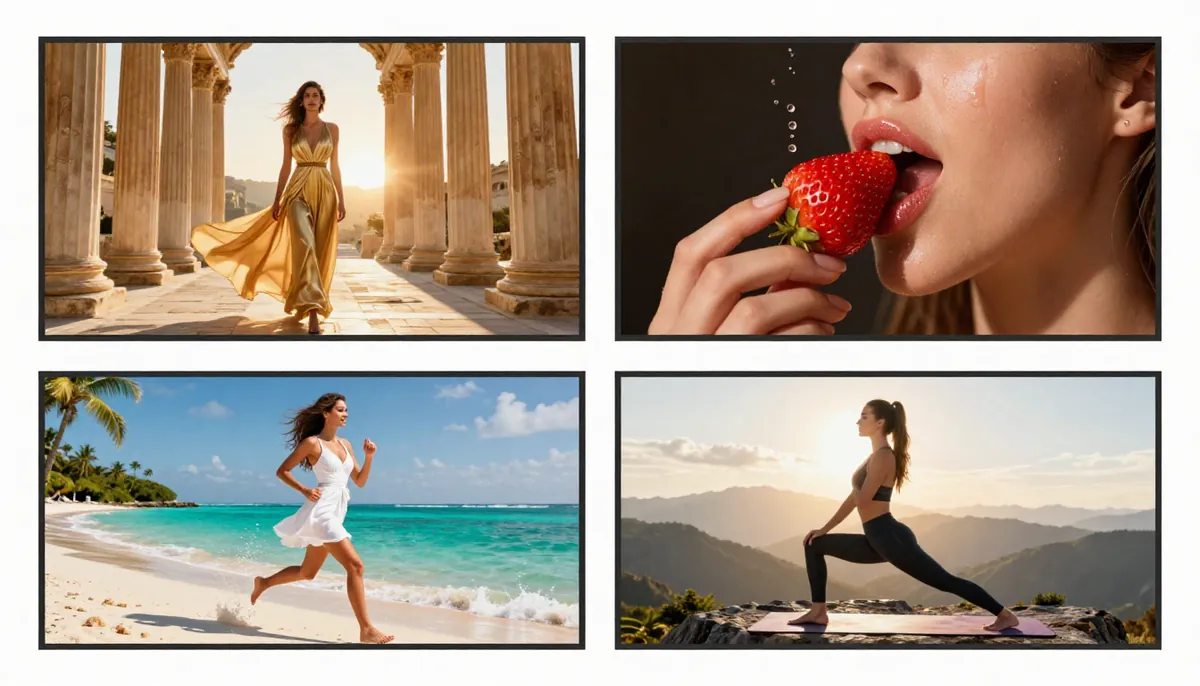
Different prompt templates produce dramatically different results -- iterate quickly to find the visual style that performs best for your audience.
10 Marketing Prompt Templates
Copy-paste these prompts directly into Seedance. Adjust the product, brand, and context details to match your use case.
1. Product Showcase
"Close-up product shot of [YOUR PRODUCT] on a clean white surface. Soft studio lighting with subtle gradient background. The camera slowly orbits 180 degrees around the product, revealing different angles. Dramatic rim lighting highlights the product edges. Shallow depth of field, premium commercial aesthetic. 4K."
2. UGC-Style Review
"Casual handheld-style video. A person's hands unboxing [YOUR PRODUCT] at a kitchen table with natural window light. Genuine excitement, relaxed pace. The product is placed on the table and examined closely. Warm daylight tones, slightly overexposed for an authentic social media feel. Vertical 9:16."
3. Brand Cinematic
"Sweeping cinematic establishing shot. [DESCRIBE YOUR BRAND'S ENVIRONMENT: e.g., a sun-drenched vineyard, a modern tech office, a bustling artisan workshop]. Golden hour light, anamorphic lens flare, slow dolly movement. Dust particles floating in the light. Epic, aspirational mood. Widescreen 21:9 or 16:9."
4. Before/After Transformation
"Split-screen style transition. Left side shows [BEFORE STATE: e.g., dull skin, messy room, old product]. A dramatic wipe or dissolve transitions to the right side showing [AFTER STATE: e.g., glowing skin, organized room, new product]. Bright, clean lighting. Satisfying transformation reveal. 9:16 vertical."
5. Testimonial Background
"Soft-focus background video for a customer testimonial overlay. Blurred lifestyle scene of [RELEVANT CONTEXT: e.g., a bright modern kitchen, a serene yoga studio, a bustling coffee shop]. Gentle, ambient movement. Warm tones, shallow depth of field. Clean and undistracting. 16:9."
6. Seasonal Campaign
"Festive [SEASON: e.g., winter holiday, summer, back-to-school] atmosphere. [YOUR PRODUCT] positioned in a [SEASONAL SETTING: e.g., cozy fireplace mantle with fairy lights, sunny beach towel, organized desk with school supplies]. Season-appropriate lighting and color palette. Gentle camera drift. Warm, inviting mood. 9:16."
7. Explainer Visual
"Abstract visual metaphor for [YOUR CONCEPT: e.g., data flowing through networks, ingredients blending into a formula, raw materials transforming into finished product]. Clean, modern aesthetic with [BRAND COLORS]. Smooth morphing transitions. Slightly futuristic look. Dark background with illuminated subjects. 16:9."
8. Fashion Lookbook
"High-fashion editorial style. [DESCRIBE MODEL AND OUTFIT]. Walking confidently through [SETTING: e.g., a sunlit European alley, a modern minimalist studio, a rooftop at sunset]. Wind catching fabric naturally. Professional fashion photography lighting with strong directional light and defined shadows. Cinematic slow motion. 9:16."
9. Food & Beverage
"Appetizing food commercial style. [YOUR FOOD/DRINK] being prepared or served. Close-up of [KEY VISUAL: e.g., chocolate being poured, steam rising from coffee, fresh ingredients being tossed]. Rich, saturated colors. Macro lens detail. Smooth slow-motion capture. Warm, appetizing lighting. Makes the viewer hungry. 9:16 or 1:1."
10. Real Estate
"Cinematic property showcase. Smooth drone-style flyover transitioning to interior walkthrough of [PROPERTY TYPE: e.g., a luxury modern home, a cozy suburban house, a downtown loft]. Golden hour exterior lighting, warm interior ambient light. Wide-angle perspective, steady gliding camera movement. Premium, aspirational feel. 16:9."
Scaling Video Production for Your Brand
Once you have validated which prompt templates and styles perform best for your brand, you can scale your production workflow efficiently.
Batch Generation Workflow
For brands managing large product catalogs or multi-market campaigns, Seedance's Business plan supports high-volume generation.
Typical production workflow:
- Prepare your assets: Gather product images and organize them by category
- Create prompt templates: Build reusable prompts for each product type using the templates above
- Generate in batches: Use Seedance to generate videos for each product using your templates
- Quality review: Stage generated videos for human review before publishing
- Distribute: Publish approved videos to your CMS, ad platform, or social media scheduler
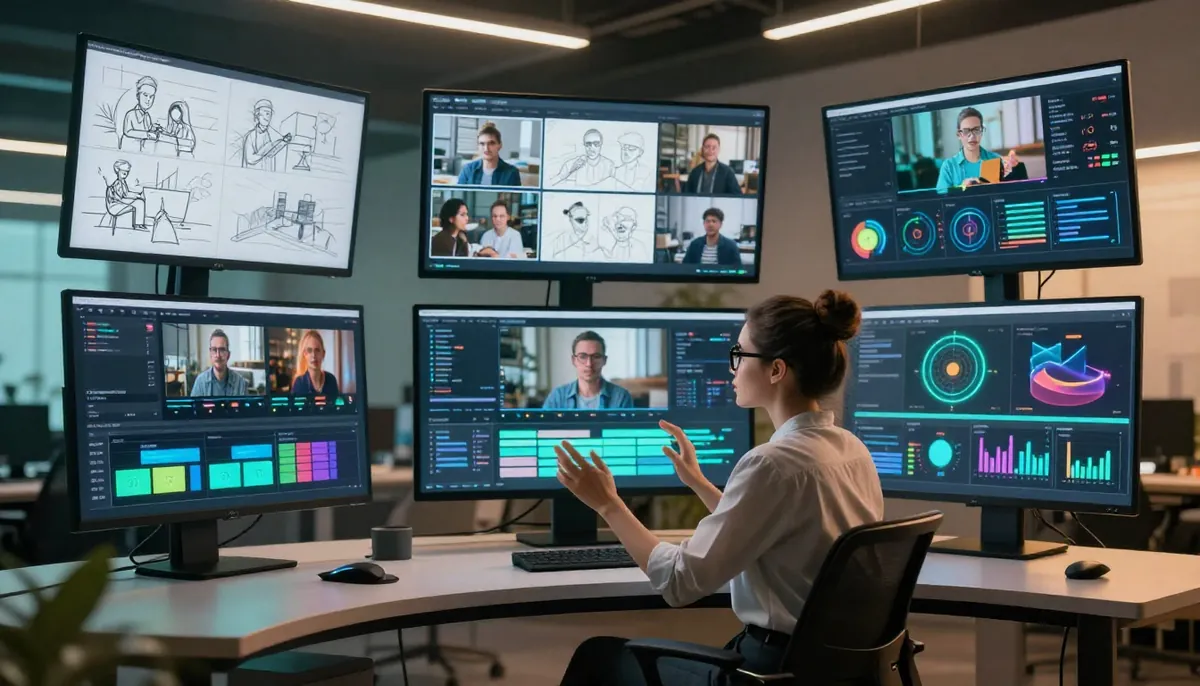
Streamlined pipeline: from product catalog to published marketing videos across all channels, with human review at the quality gate.
Production Pipeline Best Practices
For teams producing video content regularly, here is a practical approach:
- Organize assets: Keep product images, brand assets, and reference videos in a structured folder system
- Standardize prompts: Create a prompt library organized by product category and platform (TikTok, Instagram, YouTube)
- Batch your work: Generate all videos for a campaign in one session to maintain visual consistency
- Establish a review process: Have team members review and approve videos before publishing
- Track performance: Monitor which video styles and prompts drive the best results per platform
- Iterate: Refine your prompt templates based on performance data
This workflow allows a small team to maintain a video content output that previously required a full production department.
Scaling Across Markets and Languages
If you sell internationally, the same automation pipeline can generate localized content for each market:
- Adjust prompt language for cultural context (e.g., Japanese aesthetic preferences vs. American)
- Generate market-specific seasonal content (Lunar New Year, Diwali, Black Friday)
- Create region-specific product context (different settings, skin tones, environments)
- Produce versions with different text overlay templates per language
This is where the cost advantage becomes overwhelming. Localizing a single traditional product video across 10 markets might cost $15,000--$30,000. Generating localized AI videos for the same 10 markets costs under $10 total.
Cost Analysis: AI Video vs. Traditional Production
Let us put real numbers to the comparison. Below is a detailed breakdown for a mid-market e-commerce brand with 100 SKUs, running campaigns across four social platforms.
Per-Video Cost Comparison
| Video Type | Traditional Cost | AI Video Cost | Savings |
|---|---|---|---|
| Product hero video (15s) | $500--$2,000 | $0.15--$0.80 | 99.9% |
| Social media clip (10s) | $200--$800 | $0.15--$0.30 | 99.9% |
| Brand cinematic B-roll (10s) | $1,000--$5,000 | $0.30--$0.80 | 99.9% |
| Ad creative variant (15s) | $300--$1,000 | $0.15--$0.80 | 99.9% |
| Landing page hero video (5s loop) | $300--$800 | $0.15--$0.30 | 99.9% |
| UGC-style content (10s) | $150--$500 (creator fee) | $0.15--$0.30 | 99.9% |
Monthly Production Comparison
| Metric | Traditional Team | AI-Powered Team |
|---|---|---|
| Videos produced per month | 8--15 | 200--500+ |
| Monthly production budget | $4,000--$15,000 | $50--$200 |
| Time from concept to publish | 5--14 days | Same day |
| A/B test variants per campaign | 2--3 | 15--30 |
| Platforms covered | 1--2 (repurposed) | 4--5 (native formats) |
| Team size required | 3--5 people | 1--2 people |
ROI Calculation
Consider a DTC brand currently spending $6,000/month on video production (in-house editor + freelance videographer + stock footage licenses):
Current output: 10 videos/month across 2 platforms Current cost-per-video: $600
With AI video generation:
- Tool cost: $29.90/month (Pro plan) to $99.90/month (Enterprise plan)
- Output: 200+ videos/month across 4--5 platforms
- Cost-per-video: $0.15--$0.50
Monthly savings: $5,900+ Annual savings: $70,000+ Output increase: 20x more content
The savings compound further when you factor in the revenue impact. More content means more testing, more testing means better-performing ads, and better-performing ads mean lower cost-per-acquisition and higher ROAS. Brands that 10x their creative output while maintaining quality typically see 25--40% improvements in paid media efficiency within two quarters.
For pricing details and plan comparisons, visit our pricing page. Want to start with zero commitment? Our free-tier guide explains exactly what you get at no cost.
Frequently Asked Questions
Can AI-generated videos really compete with professionally produced marketing content?
For social media, short-form ads, and product showcases -- yes. AI video quality has reached a level where viewers cannot reliably distinguish AI-generated content from traditionally produced content in the 5--15 second format. For longer narrative content, interviews, and live-action brand films, traditional production still has the edge. The sweet spot for AI video in marketing is high-volume, short-form content where speed and iteration matter more than handcrafted perfection.
What is the best aspect ratio for marketing videos?
It depends on the platform. Use 9:16 (vertical) for TikTok, Instagram Reels, and YouTube Shorts. Use 16:9 (landscape) for YouTube long-form, LinkedIn, and website embeds. Use 1:1 (square) for Instagram feed posts and Facebook. Seedance supports all major aspect ratios including 16:9, 9:16, 1:1, 3:4, 4:3, and 21:9. Generate native-format content for each platform rather than cropping one video to fit all.
How do I maintain brand consistency across AI-generated videos?
Create a brand prompt template that includes your visual identity: specific color palettes, lighting style, environmental settings, and mood descriptors. Use image-to-video with your actual brand assets (product photos, logos) as reference images. Save your best-performing prompts as templates and reuse them across campaigns. Consistency comes from consistent prompting.
Can I use AI-generated marketing videos for paid ads on Meta, TikTok, and Google?
Yes. All major ad platforms accept AI-generated video content. There are no technical restrictions on uploading AI-generated videos to Meta Ads Manager, TikTok Ads Manager, or Google Ads. Some platforms require disclosure that content is AI-generated -- check current policies for each platform. With a Seedance Pro plan or higher, generated videos are cleared for commercial use.
How many marketing videos can I generate per month?
With the Seedance Pro plan, you receive enough credits to generate approximately 200+ videos per month. The Enterprise plan supports higher volumes suitable for agencies and large catalogs. For teams that need thousands of videos (large e-commerce catalogs, multi-market campaigns), the Business plan with batch generation is the most efficient approach. See our pricing page for specific credit allocations.
Do I need video editing skills to create marketing videos with AI?
No editing skills are required for generation. You describe what you want in plain English and the AI handles cinematography, lighting, motion, and composition. However, you will likely want to add text overlays, your logo, a CTA, and audio in a basic editor before publishing. Free tools like CapCut or Canva are sufficient for these finishing touches. For the generation itself, no technical skills are needed.
Can AI video generators create product videos from just a product photo?
Yes -- this is one of the most powerful marketing applications. Seedance's image-to-video mode takes your existing product photography and transforms it into a dynamic video while preserving the exact appearance of your product. Upload your product hero image, describe the motion and context you want, and the AI generates a polished video. This means your existing product photo library is already a video asset library waiting to be activated.
Is it worth switching from stock footage to AI-generated video for marketing?
For most marketing teams, yes. Stock footage is generic, overused, and does not feature your actual product. AI-generated video can be customized to your exact brand aesthetic, product, and audience. The cost is comparable or lower than premium stock subscriptions, while the output is unique to your brand. The exception is footage requiring real human actors in identifiable roles -- for that, stock footage or real production may still be preferable. For a broader comparison of available tools, see our AI video generator comparison guide.
Start Creating Marketing Videos
The gap between brands that use AI video and those that do not is widening every month. The teams that adopted AI video generation early are producing 10--20x more content, testing creative ideas faster, and driving measurably better performance across paid and organic channels.
You do not need a production team. You do not need a video budget. You need a product photo and a clear description of the video you want to create.
Start generating marketing videos for free --> -- no credit card required. Free credits are available at signup so you can test with your own products before committing to a plan.
New to AI video generation? Start with our beginner's guide to Seedance. Want prompt inspiration? Browse 50+ prompt templates. Looking for free options? Read our complete free-tier guide. Comparing tools? See our best AI video generators comparison. YouTube creator? Read our AI Video for YouTube Creators Guide.
