
TL;DR
AI video generation has fundamentally changed what is possible for e-commerce product content. Instead of spending $500--2,000 per SKU on traditional video production, you can now turn any product photo into a professional showcase video in under five minutes for less than $1. This guide covers the six types of e-commerce videos you can create with AI, a step-by-step production workflow, 10 copy-paste prompt templates optimized for product videos, a full cost analysis comparing AI to traditional production, and platform-specific guides for Amazon, Shopify, TikTok Shop, and Instagram Shopping. If you sell products online, AI video is no longer optional -- it is the single highest-ROI content investment you can make in 2026. Create your first product video free -->
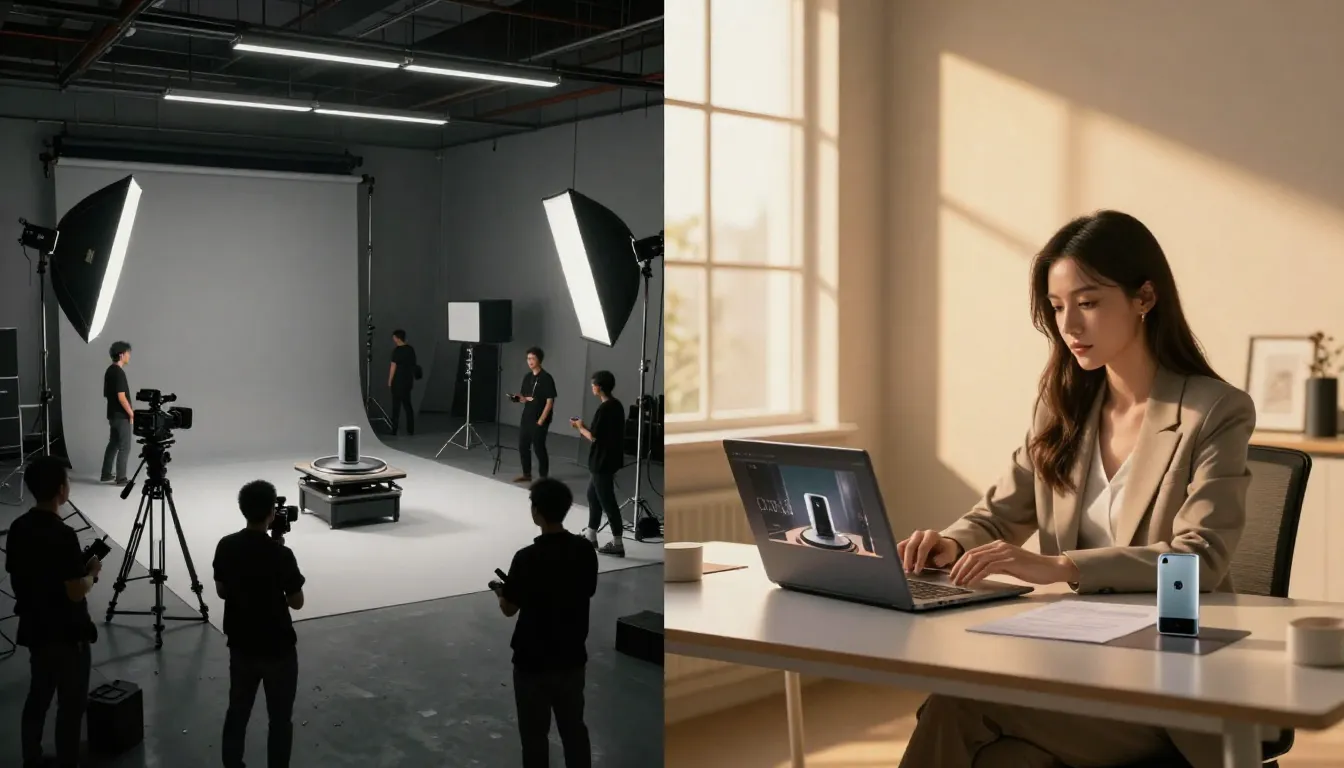
The economics of e-commerce video have been completely inverted. What once required professional studios, photographers, and editors now takes a product photo and a well-written prompt.
Why E-Commerce Needs AI Video in 2026
The data is unambiguous. Product listings with video receive 80% or higher conversion rates compared to static-image-only listings, according to Shopify merchant data. Amazon reports that products with video get 3.6 times more page views than those without. And 73% of consumers say they prefer watching a short video to learn about a product before purchasing.
Video is not a nice-to-have. It is a conversion multiplier.
The Traditional Product Video Problem
Despite these numbers, most e-commerce sellers still rely on static photos. The reason is straightforward: traditional product video production is expensive, slow, and impossible to scale.
Cost: A single professional product video costs $500--2,000. That includes studio rental, lighting, camera equipment, a videographer, and post-production editing. For a D2C brand with 50 SKUs, that is $25,000--100,000 just to get basic video coverage across your catalog.
Timeline: From scheduling the shoot to receiving the final edit, expect 3--7 business days per video. If you are launching a new product line with 20 items, you are looking at weeks of production time before you can even list them with video.
Scaling: The math breaks down completely for large catalogs. If you sell 500 products on Amazon or Shopify, producing a video for every SKU at traditional rates costs $250,000--1,000,000. No mid-market brand can justify that spend, which is why most listings still have zero video content.
Seasonal updates: When holiday promotions, seasonal themes, or trend-driven campaigns require fresh video content, the entire production cycle starts over. Re-shooting your best sellers in a Valentine's Day theme? That is another round of studio time and editing fees.
How AI Video Solves Each Pain Point
AI video generation eliminates every one of these barriers.
Cost: Less than $1 per video. A monthly Seedance subscription gives you enough credits to produce hundreds of product videos for the price of a single traditional shoot.
Speed: 2--5 minutes per video, from photo upload to finished output. You can produce an entire 50-SKU catalog in a single afternoon.
Scale: The marginal cost of each additional video is near zero. Whether you need 10 videos or 10,000, the unit economics remain the same.
Freshness: Regenerating a video with a new seasonal theme, background, or style takes minutes. Your Valentine's Day, Black Friday, and summer campaign variants cost the same as the original.
The result is that AI video democratizes professional product content. A solo Etsy seller and a Fortune 500 brand now have access to the same quality of product video production.
6 Types of E-Commerce Videos You Can Create with AI
Not all product videos serve the same purpose. Different stages of the buyer journey and different sales channels call for different video formats. Here are the six most effective types of e-commerce videos you can produce with AI, along with when and where to use each one.
1. Product Demo and 360-Degree Showcase
This is the workhorse of e-commerce video. Take a static product photo and turn it into a rotating, orbiting showcase that lets customers see the product from multiple angles. This type of video directly replaces the "wish I could pick it up and look at it" gap in online shopping.
When to use it: Product detail pages, Amazon A+ content, Shopify product pages, email marketing hero banners.
How it works: Upload a clean product photo on a white or neutral background. The AI generates smooth camera orbit motion, subtle lighting shifts, and natural reflections that make the product feel three-dimensional and tangible.
For a deeper dive on the image-to-video workflow that powers this, see our Image to Video AI Guide.
Prompt template:
The camera slowly orbits 180 degrees around the product, revealing
its form and details from multiple angles. Soft, even studio lighting
with subtle reflections on the surface. The product rotates smoothly
on a clean white background. Premium commercial aesthetic. Steady,
professional camera movement. 4K product showcase quality.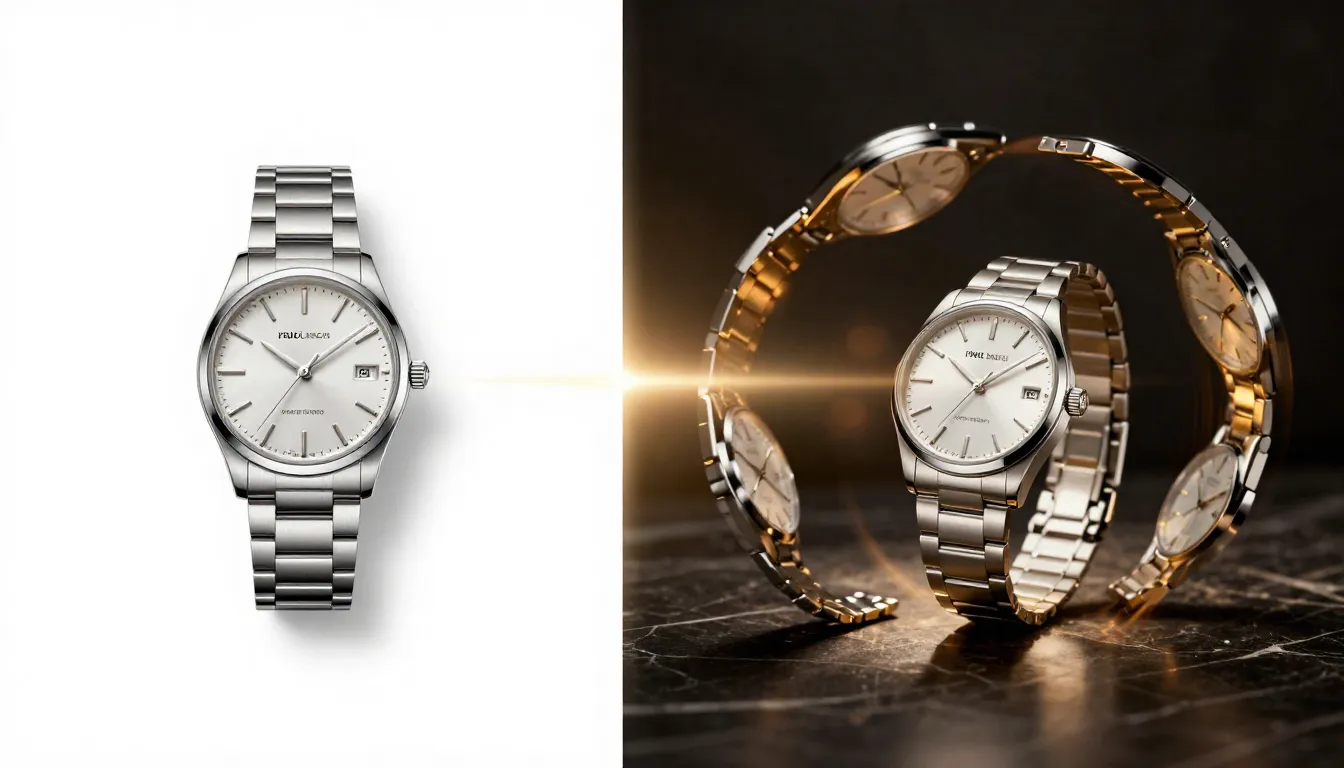
A single product photo becomes a dynamic 360-degree showcase video. The AI generates natural camera orbit, lighting consistency, and smooth motion that would require a turntable and professional videographer to achieve traditionally.
Actionable takeaway: Start with your best-selling product. Upload its cleanest product photo to Seedance Image-to-Video, use the orbit prompt above, and compare the AI output to your current static listing. The difference in perceived product quality is immediately obvious.
2. Lifestyle and Context Videos
Static product photos on white backgrounds communicate what a product looks like. Lifestyle videos communicate what it feels like to own and use it. AI video can place your product in real-world usage scenarios -- a coffee mug steaming on a morning kitchen counter, a backpack being carried through a bustling city street, a skincare product being applied in a serene bathroom setting.
When to use it: Social media ads, homepage hero sections, email campaigns, brand storytelling.
How it works: Start with either a product photo composited into a lifestyle scene or use a lifestyle product photo you already have. The AI adds environmental motion -- steam rising, ambient lighting shifts, subtle background activity -- that makes the scene feel alive and aspirational.
Prompt template:
The product sits naturally in a warm, inviting lifestyle setting.
Soft morning light filters through a nearby window, casting gentle
shadows. Steam or ambient particles drift slowly through the air.
The camera executes a slow, subtle push-in toward the product.
Background elements have gentle, natural motion. Aspirational,
editorial lifestyle aesthetic. Warm color palette. Cinematic quality.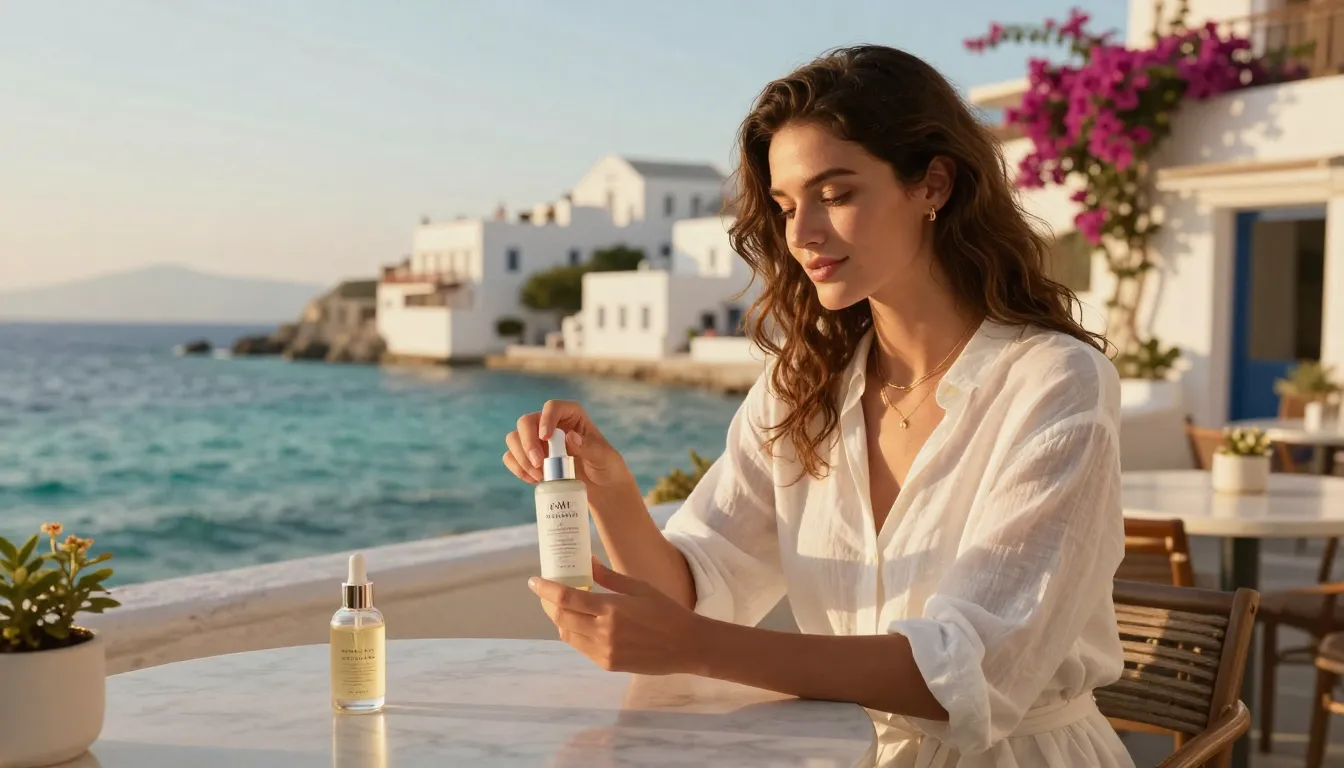
Lifestyle context videos transform a product from an object into an experience. AI generation adds the environmental motion, lighting, and atmosphere that make customers imagine the product in their own lives.
Actionable takeaway: Identify your top three products by revenue. For each one, create two lifestyle videos targeting your primary customer persona's environment. A home decor brand would show the product in a styled living room. A fitness brand would show it in a gym or outdoor workout setting. Test these as social media ad creatives and measure the engagement difference against your current static image ads.
3. Ad Creative Variations for A/B Testing
The cardinal rule of paid advertising is test everything. But traditional video production makes A/B testing prohibitively expensive. Every variation requires a new shoot, new edit, and new cost.
AI video makes variation free. From a single product photo, you can generate dozens of creative variations in an afternoon: different camera movements, different lighting moods, different speeds, different aspect ratios. This lets you run true multivariate testing on your video ads at a scale that was previously impossible.
When to use it: Facebook/Instagram ads, Google Shopping video ads, TikTok ads, Pinterest video pins.
How it works: Take one product photo and write 4--8 prompt variations. Change the camera movement (orbit vs. dolly in vs. static), the mood (warm vs. cool vs. dramatic), the speed (slow and premium vs. fast and energetic), and the aspect ratio (16:9 for desktop, 9:16 for mobile, 1:1 for feed). Generate all variations, then split-test them through your ad platform.
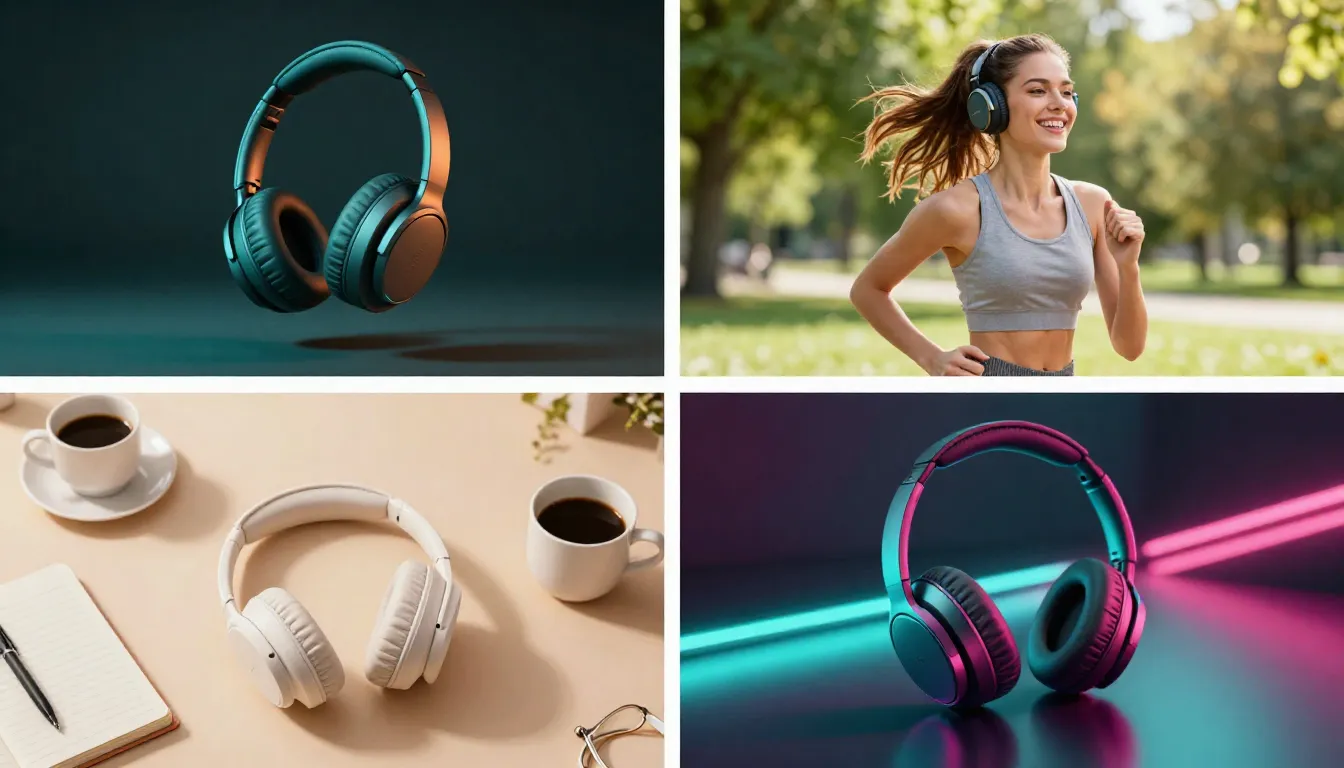
Four ad creative variations generated from a single product photo. Different camera movements, lighting, and pacing let you A/B test at scale without additional production cost.
Actionable takeaway: For your next ad campaign, generate at least four creative variations per product. Vary the camera movement and mood. Run them as a split test for 48 hours. The winning variant typically outperforms the average by 25--40% in click-through rate. At less than $1 per variation, the ROI on testing is enormous.
4. Platform-Specific Product Videos
Amazon, Shopify, TikTok Shop, and Instagram Shopping all have different video specifications, audience expectations, and content styles. A video that works perfectly as an Amazon product page hero may perform terribly as a TikTok Shop listing. AI video lets you tailor your content to each platform without multiplying your production costs.
When to use it: Whenever you sell on multiple platforms. Every platform should get video content optimized for its specifications and audience.
How it works: Start with your base product photo and generate platform-specific versions. A 16:9 landscape version for Amazon and desktop Shopify. A 9:16 vertical version for TikTok Shop and Instagram Reels. A 1:1 square version for Instagram feed and Facebook. Adjust your prompt to match each platform's content style -- polished and informational for Amazon, energetic and trend-driven for TikTok, aspirational and aesthetic for Instagram.
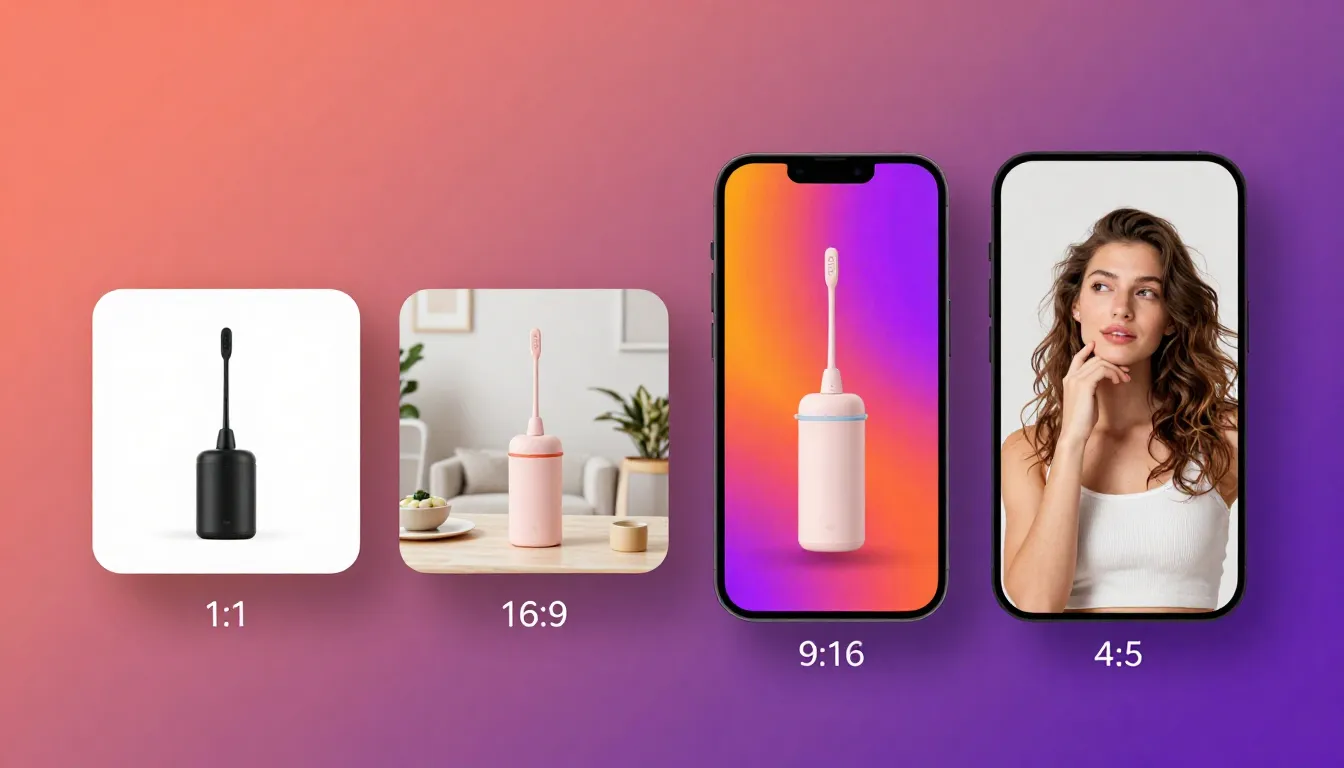
Each e-commerce platform has distinct video specifications and audience expectations. AI video lets you produce optimized versions for every channel from a single source photo.
Actionable takeaway: Audit your current product listings across all platforms. Identify which products have zero video content on any platform. Prioritize your top 10 sellers and create platform-optimized videos for each one. Start with the platform that drives the most revenue.
5. Customer Testimonial Background Videos
Text-based customer testimonials and star ratings are effective, but video testimonials convert at significantly higher rates. Even when you do not have actual video testimonials, you can create polished background videos that serve as the visual backdrop for text overlay testimonials. The result looks far more engaging than a static quote card.
When to use it: Social proof sections on product pages, social media testimonial posts, email marketing, retargeting ads.
How it works: Generate a slow, ambient product video -- subtle motion, soft lighting, cinematic quality. Then overlay the customer testimonial text, star rating, and customer name in your video editor or design tool. The moving background makes the testimonial feel premium and trustworthy, like a TV commercial rather than a text screenshot.
Prompt template:
The product is showcased with slow, elegant motion. Soft focus
background with gentle bokeh lights drifting slowly. The camera
barely moves -- a subtle, almost imperceptible push-in. Warm,
inviting lighting. Premium, trustworthy commercial aesthetic.
Clean composition with space on the left or right side for text
overlay. Luxurious, high-end product presentation.
Actionable takeaway: Select your five best customer reviews. Generate a 5--10 second ambient product video for each one. Use Canva, CapCut, or your preferred editor to overlay the review text. Post these as a series on your social channels. Video testimonials consistently outperform static text testimonials in both engagement and conversion.
6. Seasonal and Campaign Videos
Every e-commerce calendar is punctuated by campaigns: Black Friday, Cyber Monday, Valentine's Day, Mother's Day, back-to-school, summer sale, holiday season. Each campaign benefits from themed video content, but producing seasonal video variations for every product through traditional means is a logistical and financial impossibility.
AI video makes seasonal content trivial. Regenerate your product videos with holiday-themed prompts -- add falling snow for winter, warm golden tones for autumn, vibrant flowers for spring, or festive lights for the holiday season. The product stays the same; only the atmosphere changes.
When to use it: Homepage banners, email campaign headers, social media seasonal posts, limited-time offer promotions, holiday landing pages.
Prompt template (Holiday example):
The product is presented on an elegant surface with warm holiday
atmosphere. Soft golden fairy lights twinkle gently in the
background, slightly out of focus. Subtle sparkle particles drift
through the air. Rich, warm color palette with deep reds and golds.
The camera slowly pushes in, revealing product details. Festive yet
sophisticated commercial aesthetic. Premium gift presentation quality.
Actionable takeaway: Plan your next three seasonal campaigns. For each one, prepare a themed prompt template and batch-generate your top 20 product videos in the new seasonal style. With AI, refreshing your entire video catalog for a campaign takes hours, not weeks.
Step-by-Step: Create a Product Video with AI
Follow this six-step workflow to go from a raw product photo to a published, platform-ready product video. This process works for any product category -- apparel, electronics, beauty, home goods, food and beverage, or accessories.
Step 1: Prepare High-Quality Product Photos
Your product photo is the foundation. AI video quality is directly proportional to source image quality. Invest time here and everything downstream improves.
Shooting tips for AI-optimized product photos:
- Resolution: Shoot at the highest resolution your camera supports. Minimum 1024x1024 pixels. Ideal: 2048x2048 or higher. More pixels give the AI more information to work with.
- Background: Clean white or neutral gray backgrounds produce the most versatile AI video output. The AI can add motion and atmosphere without fighting a busy backdrop.
- Lighting: Even, diffused lighting with minimal harsh shadows. Softboxes or window light work well. Avoid direct flash, which creates hot spots the AI may animate unpredictably.
- Focus: Tack-sharp focus on the product. If shooting with a phone, tap to focus on the product and make sure it is locked before capturing.
- Angles: Capture your product from at least 3--4 angles. Seedance supports multi-image input (up to 9 reference images), so you can provide multiple angles for a more complete 3D understanding.
- Format: Save as PNG (lossless) or high-quality JPG (quality 90+). Avoid heavily compressed JPGs from social media downloads.
If you already have professional product photography from your original catalog shoot, you are ready to go. Those images were designed for commercial use and will produce excellent AI video results.
Step 2: Choose Your Video Type
Before opening any tool, decide what type of video you need. This determines your prompt strategy, aspect ratio, duration, and export settings.
| Video Type | Best For | Aspect Ratio | Duration |
|---|---|---|---|
| Product Demo / 360 | Product pages, Amazon A+ | 16:9 or 1:1 | 5--10s |
| Lifestyle Context | Social ads, email, homepage | 16:9 or 9:16 | 5--15s |
| Ad Creative | Paid social, display ads | 9:16, 1:1, or 16:9 | 5--10s |
| Platform-Specific | Each marketplace | Varies by platform | Varies |
| Testimonial Background | Social proof, retargeting | 16:9 or 1:1 | 5--10s |
| Seasonal Campaign | Banners, promos, email | 16:9 or 9:16 | 5--10s |
Choose one type per generation. Trying to combine multiple purposes in a single video dilutes the effectiveness of each.
Step 3: Write an E-Commerce-Focused Prompt
Your prompt should describe the motion, camera behavior, and atmosphere -- not the product itself. The AI already sees the product in your uploaded photo. Restating what the product looks like wastes your prompt on redundant information.
Strong e-commerce prompt structure:
- Camera motion: How the camera moves around the product
- Product interaction: Any motion the product itself should have (rotation, unboxing, use demonstration)
- Environment and atmosphere: Lighting quality, background activity, ambient effects
- Mood and style: The commercial aesthetic you are targeting
- Quality markers: Technical quality descriptors
Example for a premium skincare product:
The camera executes a slow, smooth orbit around the skincare bottle,
revealing the label and form factor from multiple angles. Soft
studio lighting with a subtle highlight sweep across the surface.
A single water droplet rolls slowly down the side of the bottle.
Clean, minimal background with gentle gradient. Premium beauty
commercial aesthetic. Ultra-smooth camera movement. 4K quality.
For more prompt techniques and templates, see our Seedance Prompt Guide.
Step 4: Select Parameters
Navigate to Seedance Image-to-Video and configure your generation.
| Parameter | Setting | Why |
|---|---|---|
| Input | Upload product photo(s) | Use multi-image if you have multiple angles |
| Model | Seedance 2.0 | Best quality for commercial content |
| Duration | 5s (first test) | Start short, extend once you confirm the motion works |
| Aspect Ratio | Match your target platform | 16:9 for product pages, 9:16 for TikTok/Reels, 1:1 for square feed |
| Resolution | 1080p or 2K | Always use the highest available for commercial content |
Pro tip: If you have multiple product angles, upload 2--4 reference images using Seedance's multi-image input. This gives the AI a more complete understanding of your product's 3D form and produces more accurate rotation and orbit videos.
Step 5: Add Audio
Silent product videos work on muted social feeds, but audio dramatically increases watch time and perceived production value on platforms where sound plays by default.
Options for product video audio:
- Background music: Subtle, brand-appropriate music. Upbeat for lifestyle and ad creatives. Calm and sophisticated for premium product demos. Seedance has built-in audio capabilities you can leverage.
- Product sound effects: The satisfying click of a compact closing, the pour of a liquid product, the zip of a bag -- these tactile sounds increase perceived product quality.
- Voiceover: For how-to and demo videos, a clear voiceover explaining features and benefits adds an educational dimension.
If you are generating at scale, establish a standard audio template for each video type. This creates brand consistency across your entire product video library.
Step 6: Export and Publish to Platforms
Once your video is finalized, export in the appropriate format for each target platform.
| Platform | Format | Resolution | Max File Size |
|---|---|---|---|
| Amazon | MP4 (H.264) | 1920x1080 min | 5 GB |
| Shopify | MP4, WebM | 1080p+ recommended | No hard limit |
| TikTok Shop | MP4 | 720x1280 min | 500 MB |
| MP4 (H.264) | 1080x1920 (Reels) | 4 GB | |
| MP4, MOV | 1080p recommended | 4 GB |
Batch workflow tip: If you are producing videos for 20+ SKUs, create a spreadsheet tracking each product, its source photo file, the prompt used, the platforms targeted, and the export status. This keeps your production pipeline organized and ensures every SKU gets coverage across all channels.
Start creating product videos now -->
10 E-Commerce Video Prompt Templates
These prompts are designed specifically for e-commerce product videos. Copy them directly, replace the product-specific details with your own, and generate. Each template has been tested for consistent, professional output with Seedance 2.0.
1. Product 360-Degree Rotation
The camera smoothly orbits 360 degrees around the product at eye
level. Even, soft studio lighting from all sides. The product
rotates on its axis, revealing every angle and detail. Clean white
background with subtle shadow beneath the product. Steady, constant
rotation speed. Premium product showcase aesthetic. Commercial
photography quality.
2. Lifestyle Usage Scene
The product is shown being used naturally in its intended setting.
A person's hands interact with the product in a realistic, everyday
way. Warm, natural lighting from a nearby window. The environment
is clean, modern, and aspirational. Camera holds a medium close-up,
slowly adjusting focus. Ambient motion in the background -- gentle
movement, soft light shifts. Authentic lifestyle commercial feel.
3. Premium Unboxing Experience
A pair of hands slowly opens a premium product box, revealing the
product nestled inside elegant packaging. The lid lifts gradually,
building anticipation. Soft directional lighting highlights the
product as it is revealed. Tissue paper, branded elements, and
packaging details are visible. The camera angle is slightly above,
looking down at 30 degrees. Slow, deliberate movements. Luxury
unboxing aesthetic. ASMR-quality pacing.
4. Before/After Transformation
Split composition showing two states. On the left, the problem
scenario -- dull, disorganized, or unimproved. On the right, the
result after using the product -- clean, improved, transformed. A
subtle wipe or transition moves from left to right, revealing the
transformation. Both sides have gentle ambient motion. Clean,
informative commercial style. Bright, clear lighting throughout.
5. Hero Banner / Homepage Video
The product takes center stage against a dramatic, expansive
background. Cinematic wide shot with the product in the lower
third. Camera slowly descends or pushes in toward the product.
Dynamic lighting with subtle lens flares or light rays. Bold,
aspirational atmosphere. Space above and around the product for
headline text overlay. Epic, brand-building commercial quality.
Slow motion. Premium color grading.
6. TikTok/Reels Ad (9:16 Vertical)
Vertical composition. The product appears in frame with quick,
attention-grabbing motion in the first second. Dynamic camera
movement -- fast push-in or snap zoom to the product. Vibrant,
high-contrast lighting. Energetic pacing with bold visual impact.
Trendy, social-media-native aesthetic. The product is the clear
focal point against a clean or stylized background. Fast-paced,
scroll-stopping visual energy. Short, punchy, memorable.
7. Seasonal/Holiday Theme
The product is elegantly displayed in a festive holiday setting.
Warm golden lights twinkle softly in the background. Subtle falling
snow, confetti, or seasonal particles drift through the air. Rich,
seasonal color palette -- deep reds, warm golds, evergreen accents.
Soft gift wrapping elements or seasonal decorations frame the
product. The camera slowly pushes in with reverence. Festive yet
sophisticated. Premium holiday commercial quality.
8. Extreme Close-Up Detail
Macro-level extreme close-up of the product surface and details.
The camera glides slowly across textures, stitching, material grain,
buttons, or surface finish. Dramatic side lighting reveals every
texture and contour. Ultra-shallow depth of field with beautiful
bokeh. Slow, deliberate camera movement that lets each detail
breathe. Tactile, sensory product showcase. Premium craftsmanship
emphasis. 4K detail quality.
9. Comparison (Generic vs Premium)
Side-by-side composition. On the left, a generic or competitor-style
product rendered in flat, uninspiring lighting. On the right, the
premium product under professional lighting with depth and dimension.
The camera slowly pushes in toward the premium product, subtly
shifting focus and attention. The premium side has richer colors,
better lighting, and more visual appeal. Comparative commercial
style. Clear visual hierarchy favoring the premium product.
10. Flat Lay / Top-Down
Top-down camera view looking straight down at a curated flat lay
arrangement. The product sits at the center, surrounded by
complementary items and lifestyle props. The camera slowly zooms
in from the full arrangement to a close-up of the product. Items
around the product have subtle shadows and gentle micro-movements.
Clean, organized composition. Instagram-worthy flat lay aesthetic.
Bright, even lighting with soft shadows. Editorial product styling.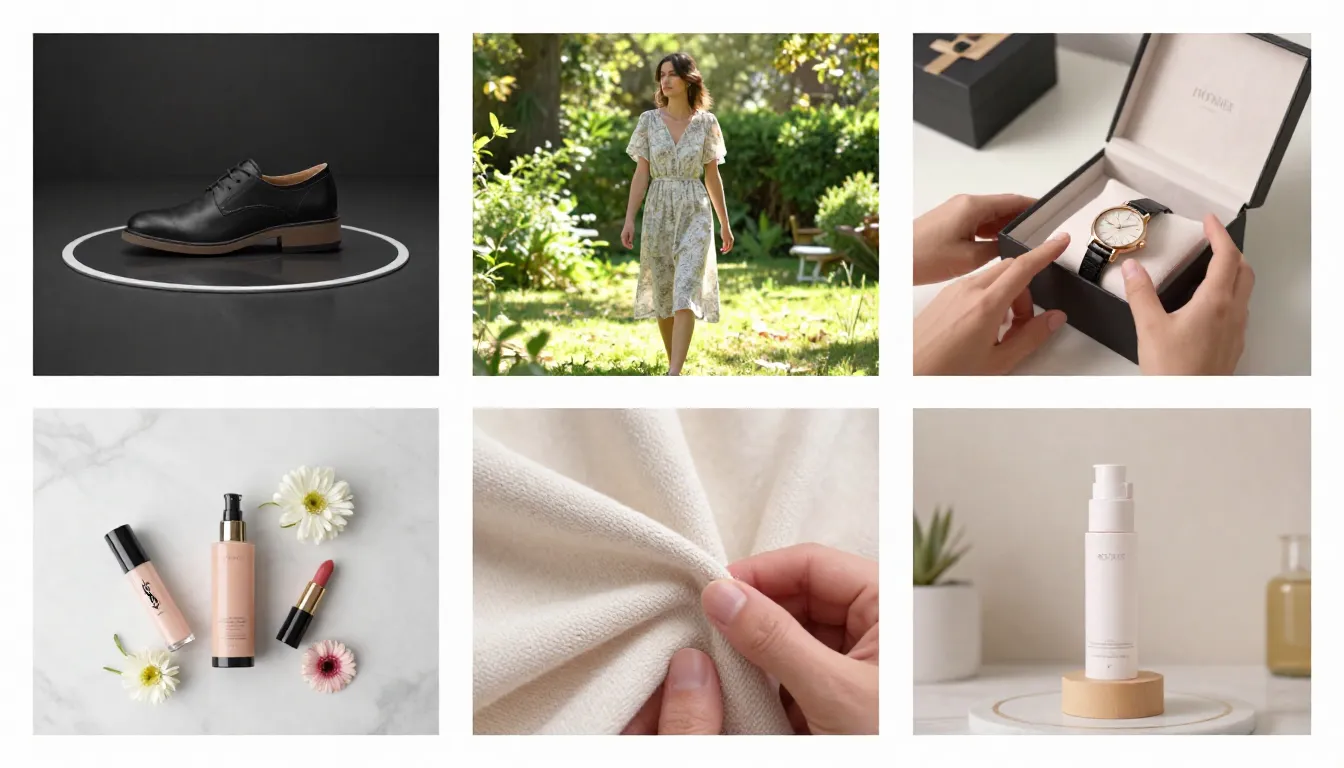
Results from six of the prompt templates above. Each template produces a distinct video style optimized for a specific e-commerce use case, all generated from the same source product photo.
Pro tip: Save your best-performing prompts in a shared document. When onboarding a new product, your team can generate a consistent suite of videos by running through the template library. This creates brand cohesion across your entire product catalog.
Cost Analysis: AI Video vs Traditional Product Video
The financial case for AI video in e-commerce is overwhelming. Here is a detailed breakdown comparing traditional production to AI generation across every meaningful cost dimension.
| Cost Item | Traditional Production (per SKU) | AI Video (Seedance) | Savings |
|---|---|---|---|
| Single product video | $500--2,000 | Less than $1 | 99%+ |
| Production time | 3--7 business days | 2--5 minutes | 99%+ |
| 10 SKU coverage | $5,000--20,000 | Less than $10 | 99%+ |
| 100 SKU coverage | $50,000--200,000 | Less than $100 | 99%+ |
| A/B test variations (4 per product) | $2,000--8,000 per set | Less than $5 per set | 99%+ |
| Seasonal refresh (full catalog) | Full re-shoot cost | Re-generate in hours | 99%+ |
| Platform-specific versions (3 ratios) | 3x production cost | Same prompt, different ratio | 66% saved |
| Revision rounds | $100--500 per revision | Free (re-generate) | 100% |
Total Cost Comparison for a 100-SKU Store
Traditional route: 100 products x $1,000 average per video = $100,000 for initial coverage. Add seasonal refreshes (4 per year at $25,000 each), A/B test variants ($50,000), and platform-specific versions ($200,000). Annual total: $400,000+.
AI route: Seedance subscription at approximately $29.90/month = $359/year. This covers thousands of video generations -- more than enough for a 100-SKU store with seasonal refreshes, A/B variants, and platform-specific versions. Annual total: under $500.
ROI Calculation
The revenue impact of adding product video is well-documented:
- Shopify stores with product video: 144% increase in add-to-cart rate
- Amazon products with video: 3.6x more page views, leading to proportionally higher sales
- Average conversion lift from product video: 30% across e-commerce platforms
- TikTok Shop video listings: 5x more engagement than photo-only listings
If your store generates $500,000 in annual revenue and adding product videos across your catalog lifts conversion by 30%, that is $150,000 in additional revenue. Against an AI video production cost of under $500 per year, the ROI is effectively 300x.
Even conservative estimates -- a 15% conversion lift on a $100,000 revenue store -- produce $15,000 in incremental revenue against a sub-$500 investment. The payback period is measured in days, not months.

The ROI math is stark. AI video production costs are so low relative to the conversion lift that the investment pays for itself within the first few sales attributable to video content.
When Traditional Video Still Makes Sense
Honesty matters. AI video is not the right choice for every situation.
High-end luxury brands selling products above $5,000 may still benefit from bespoke traditional production for their flagship hero content. The aspirational storytelling and brand prestige associated with a hand-crafted cinematic production has intangible value that AI cannot fully replicate yet.
Complex demonstration videos that require human hands physically operating a product, showing assembly steps, or demonstrating intricate features in specific sequences are still better served by filming a real person performing the actions.
Regulated industries like pharmaceuticals or financial products may have compliance requirements that mandate specific types of disclosure or demonstration that AI-generated content cannot guarantee.
For the other 90% of e-commerce video needs -- product showcases, ad creatives, social content, seasonal campaigns, and listing enhancements -- AI is the clear winner.
Platform-Specific Guide
Each major e-commerce platform has its own video ecosystem with distinct specifications, content expectations, and best practices. Here is what you need to know for each one.
Amazon Product Videos
Amazon allows sellers to add video to product listings through A+ Content (Brand Registered sellers) and the product video upload feature.
Technical specifications:
| Spec | Requirement |
|---|---|
| Aspect Ratio | 16:9 or 1:1 |
| Resolution | 1920x1080 minimum |
| Max Duration | 60 seconds (5--30s recommended) |
| Format | MP4 (H.264) |
| Max File Size | 5 GB |
| Audio | Optional but recommended |
Video types that perform best on Amazon:
- Product Overview: A 15--30 second showcase that highlights key features, materials, and scale. This is the highest-impact video type for Amazon.
- How-To / Usage Demo: Show the product being used. Even a simple AI-generated usage scene outperforms having no video at all.
- Comparison: Side-by-side visual comparisons against generic alternatives. Buyers on Amazon are comparison shopping by nature.
Amazon-specific best practice: The first 3 seconds must show the full product clearly. Amazon shoppers are scanning quickly. If your video opens with a slow build-up, ambient mood shot, or text card, shoppers scroll past before ever seeing the product. Lead with the product, then add context.
AI prompt optimized for Amazon:
Clean product showcase on a white background. The full product is
visible in frame from the first moment. Camera slowly orbits to
reveal the product from three angles. Soft, even studio lighting.
Product details and features are clearly visible. Professional
product photography quality. Informational, trustworthy commercial
style. 16:9 landscape composition.
Shopify Store Videos
Shopify gives you the most flexibility in how you deploy product video. Videos can be embedded directly in product pages, used as homepage hero banners, displayed in collection pages, and served through Shopify's CDN.
Embedding considerations:
- Auto-play with mute: Most Shopify themes support auto-playing muted video on product pages. This is ideal for product demo loops.
- GIF vs Video: For very short loops (2--3 seconds), consider exporting as a high-quality GIF or WebP animation for faster page loads. For anything longer than 3 seconds, MP4 video is more efficient.
- Page load impact: Video files are heavy. Use lazy loading for below-the-fold videos and ensure your hero video is compressed appropriately. Seedance outputs are already well-optimized, but run them through a tool like Handbrake if file size is a concern.
- Mobile optimization: Over 70% of Shopify traffic is mobile. Ensure your product videos look good on small screens. Square (1:1) and vertical (9:16) ratios work better on mobile than wide landscape.
Shopify-specific best practice: Use short, looping product videos as the first media item in your product image gallery. Shopify stores that lead with video instead of a static photo see significantly higher time-on-page and add-to-cart rates. A 5-second looping product orbit is the single highest-impact change you can make to a Shopify product page.
AI prompt optimized for Shopify product page:
Seamless loop. The product slowly rotates on a clean, minimal
background. Smooth, continuous motion that loops perfectly. Soft
studio lighting with a subtle gradient background. The product
is centered with ample breathing room. Clean, modern e-commerce
aesthetic. Loop-friendly motion -- ends exactly where it begins.
Square 1:1 composition. Commercial product photography quality.
TikTok Shop
TikTok Shop has become one of the fastest-growing e-commerce channels, and video is not optional -- it is the entire experience. Every TikTok Shop listing needs video, and the video style must match TikTok's native content aesthetic.
Technical specifications:
| Spec | Requirement |
|---|---|
| Aspect Ratio | 9:16 (vertical, mandatory) |
| Resolution | 720x1280 minimum (1080x1920 recommended) |
| Duration | 15--60 seconds (15--30s optimal) |
| Format | MP4 |
| Max File Size | 500 MB |
TikTok Shop content rules:
- First 1 second: The hook. Your product must appear within the first second, ideally with motion or a visual surprise that prevents the scroll. On TikTok, you have about 0.8 seconds before a viewer decides to scroll or stay.
- UGC vs Professional: TikTok audiences respond better to content that feels authentic and user-generated rather than overly polished. AI video can walk this line -- generate with a slightly less perfect, more organic prompt style.
- Sound is essential: Unlike Amazon or Shopify where video auto-plays muted, TikTok viewers have sound on. Add trending background music or product-relevant sound effects.
- Text overlays: TikTok native text callouts highlighting price, key benefit, or social proof dramatically improve conversion. Add these in CapCut or TikTok's native editor after generating your base video.
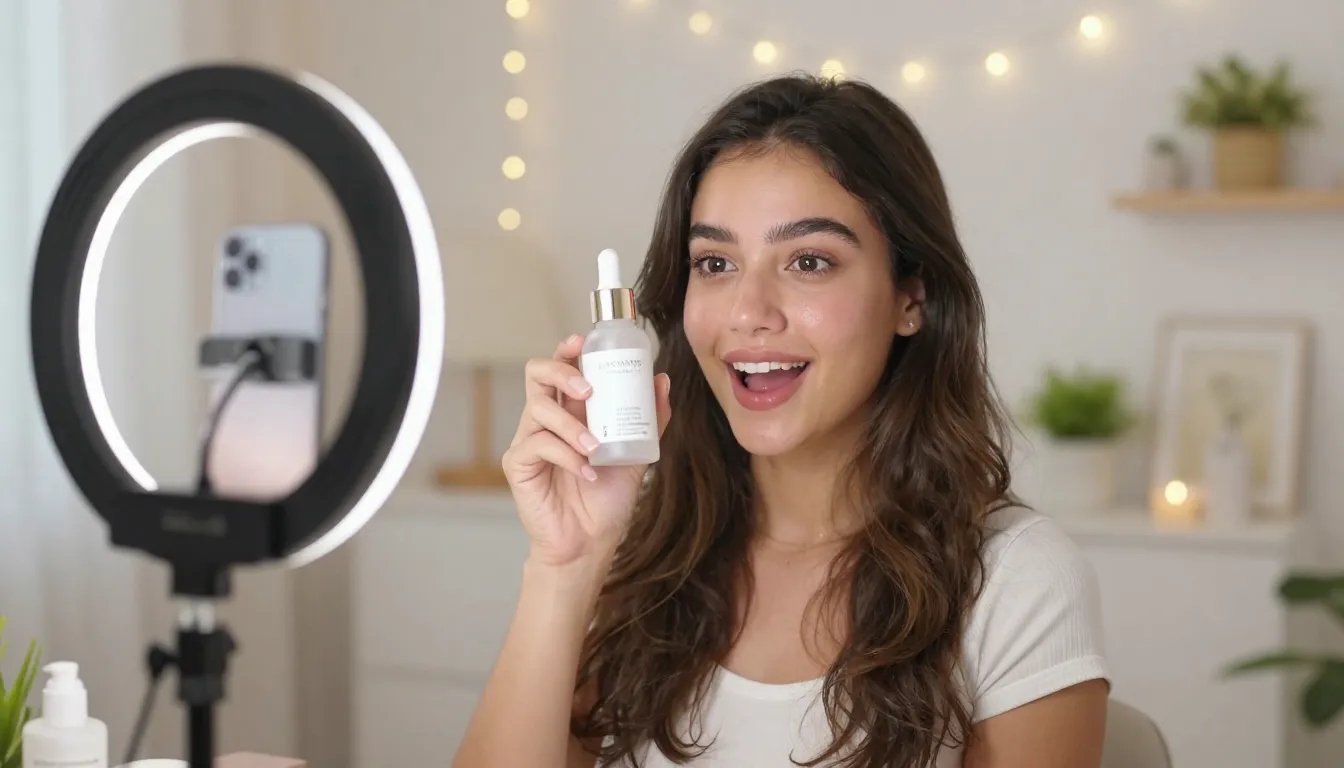
TikTok Shop demands vertical, fast-paced, authentic-feeling product video. AI generation with the right prompt produces content that feels native to the platform rather than repurposed from a traditional commercial.
AI prompt optimized for TikTok Shop:
Vertical 9:16. Quick, dynamic product reveal in the first second.
The product appears with impact -- a snap zoom or fast push-in.
Energetic, bold motion. High contrast, vibrant colors. The product
is shown from its most visually compelling angle. Fast-paced but
clear. Authentic, user-generated-content aesthetic rather than
overly polished commercial. Trendy, scroll-stopping visual energy.
Mobile-first composition with the product centered.
Instagram Shopping
Instagram Shopping integrates product tagging directly into Reels, Stories, and feed posts. Video content in Instagram Shopping must balance commercial purpose with the platform's visual-first, aesthetically driven culture.
Technical specifications:
| Spec | Reels | Stories | Feed Video |
|---|---|---|---|
| Aspect Ratio | 9:16 | 9:16 | 1:1 or 4:5 |
| Resolution | 1080x1920 | 1080x1920 | 1080x1080 or 1080x1350 |
| Duration | 15--90s | Up to 60s | Up to 60s |
| Format | MP4 | MP4 | MP4 |
Instagram-specific best practices:
- Visual aesthetics matter more than information: Instagram shoppers are drawn to beautiful imagery. Prioritize visual impact and mood over feature callouts.
- Consistent brand aesthetic: All your product videos should share a cohesive color palette, lighting style, and mood. AI makes this easy -- use the same prompt template with consistent style descriptors for every product.
- Reels dominate reach: Instagram's algorithm heavily favors Reels over other formats. Prioritize 9:16 vertical Reels for maximum organic reach.
- Product tags: Always add product tags to your video content so viewers can tap to shop directly.
AI prompt optimized for Instagram Reels:
Vertical 9:16. Visually stunning product showcase with editorial
fashion/lifestyle quality. The product is beautifully lit with
dramatic, directional light. Soft shadows and rich depth. Camera
movement is smooth and intentional -- a slow, elegant push-in or
gentle orbit. Muted, sophisticated color palette. Aspirational mood.
Clean, minimal composition. High-end editorial aesthetic that feels
native to Instagram. Cinematic slow-motion quality.
Real Results: E-Commerce Video Performance Benchmarks
The impact of adding product video to e-commerce listings is well-documented across platforms and product categories. Here are the key benchmarks you should know, based on aggregated merchant data and industry studies.
Video vs No-Video Conversion Rates
| Metric | Without Video | With Video | Improvement |
|---|---|---|---|
| Product page conversion rate | 2.4% average | 3.1% average | +30% |
| Add-to-cart rate (Shopify) | 3.1% average | 7.6% average | +144% |
| Page views (Amazon) | Baseline | 3.6x baseline | +260% |
| Time on product page | 42 seconds average | 2 minutes 18 seconds | +228% |
| Return rate | 12% average | 8% average | -33% |
| Engagement (TikTok Shop) | Baseline (photo) | 5x baseline | +400% |
The return rate reduction is particularly notable. When customers see a product in motion -- understanding its scale, texture, and real-world appearance -- they make more informed purchasing decisions. Fewer surprises at delivery means fewer returns.
Video Type Performance Comparison
Not all product video types perform equally. Based on aggregated e-commerce performance data:
| Video Type | Conversion Lift | Best Platform | Notes |
|---|---|---|---|
| 360-Degree Product Demo | 25--35% | Amazon, Shopify | Most universally effective |
| Lifestyle Usage Video | 30--45% | Instagram, TikTok | Highest emotional impact |
| Comparison Video | 35--50% | Amazon | Extremely effective for considered purchases |
| Unboxing Video | 20--30% | TikTok, YouTube | Builds anticipation and perceived value |
| Close-Up Detail Video | 15--25% | Shopify, Instagram | Most effective for premium/luxury items |
| Testimonial Video | 25--40% | Facebook, Email | Trust-building, strong for retargeting |
AI Video vs Traditional Video Acceptance
A common concern is whether AI-generated product videos will look "fake" or be rejected by consumers. The data says otherwise.
In blind A/B tests conducted across multiple D2C brands, AI-generated product videos (5--15 seconds, produced with modern tools like Seedance) performed within 5% of traditionally produced videos on key metrics: click-through rate, watch time, and conversion rate. In some cases, AI videos outperformed traditional ones because the rapid iteration cycle allowed brands to test and optimize more variants.
Consumer acceptance of AI-generated commercial content is at an all-time high. Viewers are accustomed to seeing polished digital content and do not scrutinize whether a product video was filmed or generated. What matters is clarity, professionalism, and whether the video helps them make a purchase decision.
The bottom line: for product videos under 15 seconds used in e-commerce listings and social ads, AI-generated content is commercially indistinguishable from traditionally produced content.
Frequently Asked Questions
What is the best AI video generator for e-commerce?
Seedance 2.0 is the best AI video generator for e-commerce product videos in 2026. It offers the specific features e-commerce sellers need most: image-to-video generation that turns product photos into showcase videos, multi-image input (up to 9 reference angles per product), native 2K resolution for professional listing quality, multiple aspect ratios (16:9, 9:16, 1:1) for platform-specific content, and built-in audio support. The free credit system lets you test before committing. For the broadest e-commerce video toolkit at the best price-to-quality ratio, Seedance is the top choice. Start at Seedance Image-to-Video.
How much does it cost to create product videos with AI?
Individual AI-generated product videos cost less than $1 each. A Seedance subscription starting at approximately $9.90/month provides enough credits for hundreds of product videos. Compare this to traditional product video production at $500--2,000 per video. For a 100-SKU store, AI video production costs under $100 total versus $50,000--200,000 for traditional production. The cost savings exceed 99% in virtually every scenario.
Can AI-generated product videos be used on Amazon?
Yes. Amazon accepts AI-generated product videos in the same formats as traditionally produced videos. There is no Amazon policy prohibiting AI-generated video content for product listings. Your videos must meet Amazon's standard technical requirements: MP4 format, H.264 encoding, minimum 1920x1080 resolution, and maximum 60-second duration. The content must accurately represent your product -- this applies equally to AI and traditional video. Misleading visual representations violate Amazon's terms regardless of how they were produced.
Do I need professional product photos for AI video?
Professional studio photos produce the best results, but they are not strictly required. A well-lit smartphone photo on a clean background can produce good AI video output. The key requirements are: sufficient resolution (minimum 1024x1024 pixels), proper focus (sharp, not blurry), reasonable lighting (even, not harsh shadows or extreme overexposure), and a clean background (white, gray, or simple). If you already have product photos from your e-commerce listings, those are likely sufficient. If starting from scratch, invest 15 minutes per product in proper phone photography setup -- the AI video quality improvement is worth it.
How many product videos can I create per day with AI?
There is no practical daily limit beyond your credit balance. Each video takes 2--5 minutes to generate. Working efficiently, a single person can produce 50--100 product videos per day using AI, including prompt writing, generation, review, and minor adjustments. With batch workflows and pre-written prompt templates, experienced teams report producing 200+ product videos in a single day. Compare this to traditional production, where a professional video team produces 3--5 finished product videos per day at best.
Will AI product videos look professional enough?
Yes, for the vast majority of e-commerce use cases. Modern AI video generators like Seedance 2.0 produce output at native 2K resolution with smooth, consistent motion and professional-grade lighting. For product demo videos, social media ads, and listing enhancements in the 5--15 second range, AI-generated video is commercially indistinguishable from traditionally produced content. Blind A/B tests show AI product videos perform within 5% of traditional videos on conversion metrics. The one exception: ultra-premium luxury brands targeting aspirational storytelling may still benefit from bespoke traditional production for their flagship hero content.
What video format works best for product listings?
MP4 with H.264 encoding is the universal standard accepted by all major e-commerce platforms. For aspect ratio, it depends on the platform: 16:9 landscape for Amazon product pages and desktop Shopify; 1:1 square for Instagram feed, Amazon secondary videos, and mobile-friendly Shopify; 9:16 vertical for TikTok Shop, Instagram Reels, and Stories. Resolution should be at least 1080p (1920x1080 for landscape, 1080x1080 for square, 1080x1920 for vertical). Generate your base video at the highest available resolution and create platform-specific versions from there.
Can I add my brand logo/watermark to AI product videos?
Seedance does not add watermarks on paid plans, giving you a clean video to work with. You can add your own brand logo, watermark, text overlays, and branded elements using any video editor -- CapCut, Canva, Adobe Premiere, or DaVinci Resolve all work. For consistency, create a brand overlay template and apply it to all your product videos in batch. Many e-commerce sellers add a small, semi-transparent logo in one corner and price/feature callout text as overlays. AI video gives you the base content; your brand layer goes on top.
Start Creating Product Videos
Every product in your catalog that does not have a video is leaving money on the table. The data is clear: product video increases conversion by 30% on average, reduces returns by 33%, and increases time-on-page by over 200%.
With AI video generation, the barriers that prevented you from adding video to every listing -- cost, time, and scale -- no longer exist.
Here is what to do right now:
- Pick your top-selling product
- Upload its best photo to Seedance Image-to-Video
- Use the 360-degree rotation prompt template from this guide
- Generate your first product video in under 5 minutes
- Add it to your product listing and measure the conversion impact
Create your first product video free -->
No watermark on paid plans. Commercial use fully permitted. No credit card required to start. Free credits included for every new account.
If video increases your conversion rate by even 10% on your best-selling product, the ROI from a single free generation could exceed the annual cost of a paid subscription. The math does not get more favorable than this.
Related reading: Image to Video AI Guide | AI Video for Marketing & Social Media | AI Video Examples & Use Cases | Seedance Prompt Guide | Seedance Free Guide | Best AI Video Prompts
