
TL;DR
Great AI video starts with great prompts. This guide teaches you the universal video prompt formula — a seven-element framework that works across every major AI video platform:
[Subject] + [Action] + [Environment] + [Camera] + [Lighting] + [Style] + [Sound]
You will learn why most prompts fail (and how to fix them in seconds), a complete camera language reference with 15+ movement types, an atmosphere keyword library organized by lighting, color, texture, and mood, five progressive prompt examples that evolve from basic to cinematic, how to write sound design into your prompts, and platform-specific optimization tips for Seedance, Sora, Kling, Runway, and Veo 3.
This is not a tool guide — it is a methodology. The skill of writing video prompts transfers across every platform. Master it once, use it everywhere.
Generate prompts automatically →
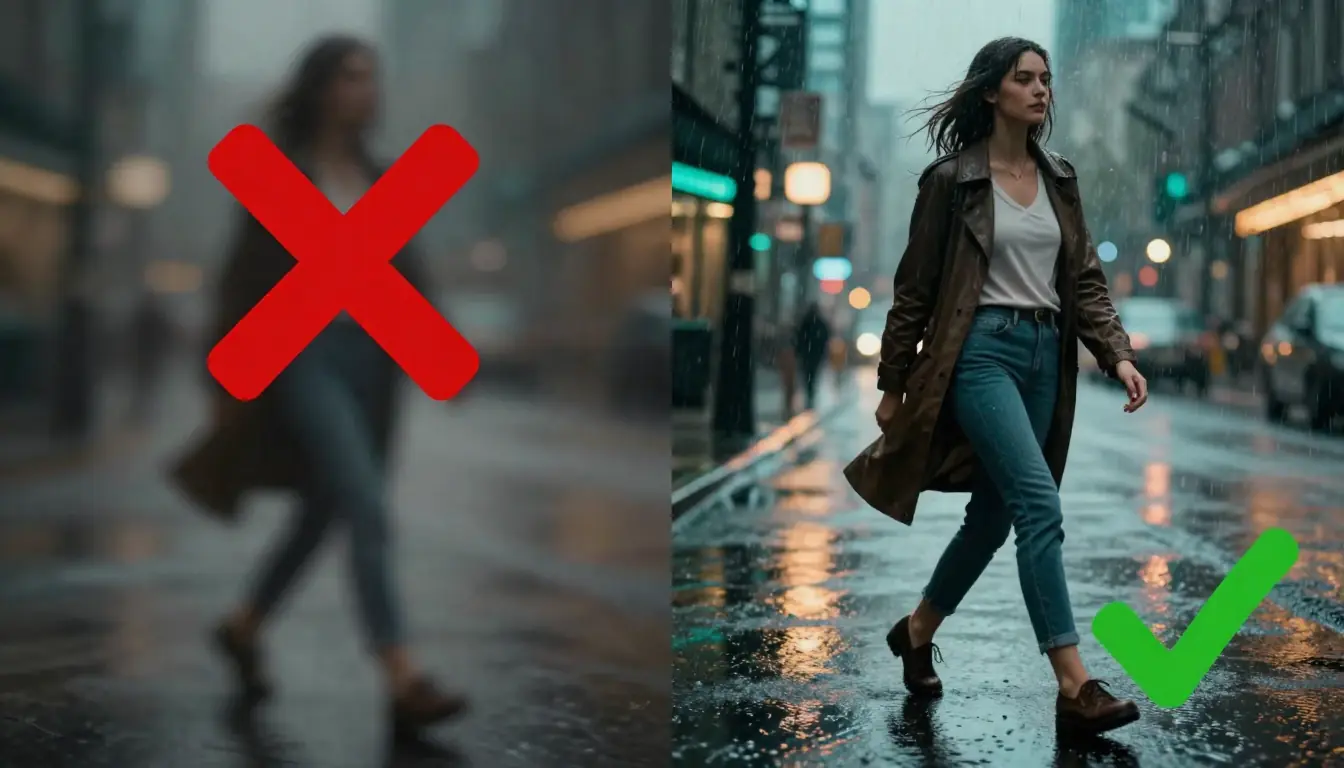
Same concept, radically different results. The left prompt says "a woman walking in the rain." The right prompt specifies camera movement, lighting direction, atmosphere, and sound — and the AI model responds with cinematic quality.
Why Most AI Video Prompts Fail (And How to Fix Them)
Every AI video generator — Seedance, Sora, Kling, Runway, Veo 3 — runs on the same fundamental principle: the more precise and structured your text input, the more controlled and cinematic the output. Most people write prompts as if they are describing a photo to a friend. But video is not a photo. Video has motion, time, camera behavior, atmospheric progression, and sound.
Here are the five most common reasons prompts fail, with instant fixes for each.
1. Too Vague — The "Beautiful Sunset" Problem
The single most common prompt failure. You write something like "a beautiful sunset over the ocean" and get a technically accurate but emotionally empty clip that looks like a stock screensaver.
The problem is not that the AI cannot render sunsets. It is that "beautiful" and "sunset" are the only data points you gave it. The AI has seen millions of sunsets in its training data and picks the statistical average — which is, by definition, generic.
| Before | After |
|---|---|
| A beautiful sunset over the ocean | Golden hour light spills across a calm Pacific shore, waves lapping at volcanic rock, sun sitting two finger-widths above the horizon, sky gradient shifting from deep amber at the horizon through salmon pink to pale lavender at the zenith, long shadows stretching toward camera |
The fix is specificity. Replace adjectives ("beautiful," "amazing," "stunning") with observable details — colors, positions, textures, spatial relationships.
2. No Motion Instructions — The Static Image Problem
You write a richly detailed scene description and the AI produces something that looks like a photograph with a slight zoom — because you described a moment, not a movement.
Video is temporal. Without explicit motion instructions, the AI defaults to the most conservative interpretation: a slow push-in or a slight parallax. That is technically "video" but it is not what you wanted.
| Before | After |
|---|---|
| A vintage red sports car parked on a mountain road, misty morning, cinematic | A vintage red Porsche 911 accelerates through a winding mountain road, tires gripping wet asphalt, mist parting around the car body, camera tracking alongside at bumper height, trees blurring past in the foreground |
The fix: every video prompt needs at least one verb describing physical motion and one phrase describing camera motion. Subject moves. Camera moves. Both create visual energy.
3. Contradictory Directions — The Close-Up Wide-Angle Paradox
This is surprisingly common, especially when people chain together cinematic terms they have heard but do not fully understand. "Extreme close-up of a woman walking through a vast desert landscape, wide establishing shot" contains two mutually exclusive framing instructions. The AI will try to average them, producing something that is neither close nor wide — just confused.
| Before | After |
|---|---|
| Close-up of a woman walking through a vast desert, wide establishing shot, epic scale | Extreme close-up of a woman's eyes reflecting desert light, sand particles catching golden hour sun on her eyelashes, shallow depth of field with the vast dune field blurred into an amber gradient behind her |
The fix: pick one camera position per shot. If you want both close and wide, write two separate shots connected by a transition. For multi-shot sequences, platforms like Seedance support storyboard timeline formats that let you specify each shot independently.
4. Missing Atmosphere — The Lighting and Mood Gap
Your prompt describes a subject doing an action in a location. That covers three of seven dimensions. Without lighting, color palette, atmospheric effects, and stylistic direction, the AI fills in the blanks with neutral defaults: flat, even lighting, muted colors, no particular mood. The result looks like security camera footage with better resolution.
| Before | After |
|---|---|
| A man sitting alone in a coffee shop | A man in his 40s sits alone in a dimly lit corner booth, warm amber light from a single pendant lamp catching the steam rising from his coffee cup, rain streaking down the window behind him casting rippled shadow patterns across his face, muted teal-and-copper color palette, melancholic atmosphere |
The fix: add lighting direction, color temperature, atmospheric effects (fog, rain, dust, steam), and a mood word. These four additions transform "a scene" into "a feeling."
5. No Sound Design — The Silent Film Problem
Most AI video platforms in 2026 support audio generation — background music, ambient sound effects, even dialogue with lipsync. But most people write prompts that are entirely silent because they think of video prompts as visual instructions only.
Sound is half the experience. A forest scene without birdsong and rustling leaves feels artificial. An action sequence without impact sounds feels weightless. A product showcase without music feels like a PowerPoint presentation.
| Before | After |
|---|---|
| A cat jumping from a bookshelf and landing on a sofa | A ginger cat leaps gracefully from the top of a tall oak bookshelf, body stretching mid-air, landing softly on a velvet sofa cushion that compresses under its weight. Sound: soft paw impact on fabric, a single book sliding on the shelf, quiet ambient room tone with distant rain against windows |
The fix: add a sound line at the end of your prompt specifying background music style, ambient sound effects, and any dialogue or voiceover. We cover this in depth in the Sound Design section below.
The Universal Video Prompt Formula
Every effective video prompt, regardless of which platform you use, contains the same seven elements. Some elements are essential (you need them in every prompt), and others are optional (they improve results but the prompt works without them). The formula:
[Subject] + [Action] + [Environment] + [Camera] + [Lighting] + [Style] + [Sound]
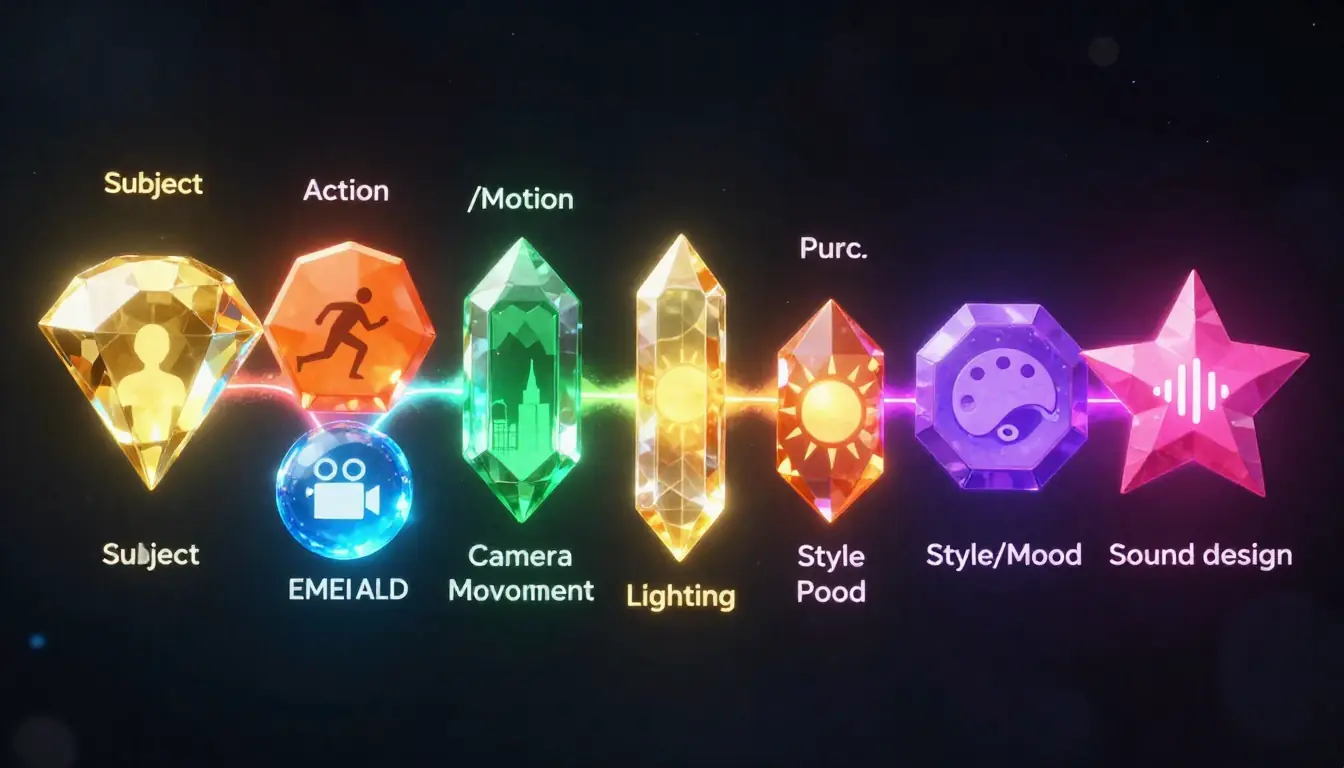
The seven elements of the universal video prompt formula. Every element adds a dimension of control over the final output.
Let us break each element down with keyword banks and example phrases.
Element 1: Subject (Essential)
The subject is who or what the viewer looks at. This should be the most specific part of your prompt — not "a woman" but "a woman in her 60s with silver hair pulled back in a loose bun, deep laugh lines around her eyes, wearing a faded denim apron."
Keyword bank:
| Category | Examples |
|---|---|
| People | a young man in his 20s, an elderly woman, a child around age 5, a dancer, a chef, a soldier |
| Animals | a golden retriever, a snow leopard, a hummingbird, a koi fish, a monarch butterfly |
| Objects | a vintage typewriter, a crystal perfume bottle, a leather-bound journal, a ceramic vase |
| Vehicles | a matte-black motorcycle, a wooden sailboat, a weathered pickup truck, a bullet train |
| Abstract | particles of light, ink droplets in water, geometric shapes, liquid metal |
Example phrases:
- "A barista in her 30s with tattoo sleeves and a flour-dusted black apron"
- "A weathered bronze compass lying open on a nautical chart"
- "Thousands of paper lanterns, each glowing warm amber from a candle inside"
Element 2: Action (Essential)
The action is what happens — both what the subject does and how the scene evolves over time. This is what separates video prompts from image prompts. Without action, you get a moving photograph.
Keyword bank:
| Movement type | Examples |
|---|---|
| Human motion | walking, running, turning slowly, reaching out, leaning forward, exhaling, blinking |
| Camera-relative motion | approaching camera, walking away from camera, crossing frame left to right |
| Object motion | rotating, falling, floating, shattering, assembling, unfolding, melting |
| Environmental motion | wind moving through grass, clouds rolling, rain falling, leaves drifting, tide coming in |
| Transformation | day turning to night, flower blooming, ice forming, paint spreading, light shifting |
Example phrases:
- "Slowly reaches down and picks up a fallen autumn leaf, turning it in her fingers"
- "The compass needle trembles, then swings decisively north"
- "Lanterns lift off one by one from the ground, rising into the dark sky at different speeds"
Element 3: Environment (Essential)
The environment is where the scene takes place. Describe both the immediate setting (foreground) and the broader context (background). Include weather, time of day, and season when relevant.
Keyword bank:
| Setting type | Examples |
|---|---|
| Natural | dense forest, desert dunes, ocean cliff, alpine meadow, volcanic beach, bamboo grove |
| Urban | narrow Tokyo alley, brutalist concrete plaza, rooftop garden, subway platform, neon-lit avenue |
| Interior | candlelit library, industrial loft, greenhouse conservatory, vintage darkroom, marble atrium |
| Fantasy | floating islands, crystal cavern, bioluminescent reef, ruined temple, cloud city |
| Time/Weather | pre-dawn twilight, overcast midday, thunderstorm, first snow, humid summer evening |
Example phrases:
- "In a narrow Kyoto side street, stone lanterns lining both sides, cherry blossom petals drifting across wet cobblestones"
- "Inside a cavernous abandoned cathedral, shafts of dusty light piercing through broken stained glass"
- "On the edge of a volcanic cliff at blue hour, sulfurous steam rising from cracks in the black rock"
Element 4: Camera (Important)
Camera instructions tell the AI how the viewer sees the scene. This includes framing (how close), angle (from where), and movement (how the viewpoint changes over time). Camera language is the single biggest lever for improving prompt quality — we dedicate an entire section to it below.
Quick keyword bank:
| Aspect | Examples |
|---|---|
| Framing | extreme close-up, close-up, medium shot, full shot, wide shot, extreme wide shot |
| Angle | eye level, low angle, high angle, bird's eye, worm's eye, over-the-shoulder, Dutch angle |
| Movement | dolly in, dolly out, pan left/right, tilt up/down, tracking shot, orbit, crane up/down |
| Lens | 24mm wide angle, 50mm standard, 85mm portrait, 200mm telephoto, macro lens, anamorphic |
Example phrases:
- "Camera starts in extreme close-up on the subject's eye, then slowly dollies out to reveal a wide shot of the full landscape"
- "Low angle tracking shot following the subject at knee height as they walk through the market"
- "Slow 180-degree orbit around the product, camera at 15-degree downward angle, shallow depth of field"
Element 5: Lighting (Important)
Lighting defines the mood of every frame. Professional cinematographers spend hours setting up lights. In prompt writing, you get the same control with a few well-chosen words.
Keyword bank:
| Lighting type | Visual effect |
|---|---|
| Golden hour | Warm, long shadows, orange-amber tones, flattering on skin |
| Blue hour | Cool, moody, deep blue sky with residual warm horizon |
| Backlit / Rim light | Glowing edges, silhouette effect, dramatic separation from background |
| Side light | Half the face lit, half in shadow, high contrast, dramatic |
| Rembrandt lighting | Triangle of light under the eye on the shadow side, classic portrait look |
| Top light | Harsh overhead shadows, dramatic or interrogation feel |
| Volumetric light | Visible light beams cutting through dust, fog, or smoke |
| Neon / Artificial | Colored light sources, reflections on wet surfaces, cyberpunk aesthetic |
| Tyndall effect | Light scattering through particles, visible rays in mist or dust |
| Silhouette | Subject entirely dark against a bright background |
Example phrases:
- "Backlit by a low sun, golden rim light outlining her hair and shoulders, face in gentle shadow"
- "A single shaft of volumetric light piercing through a gap in the ceiling, dust motes floating in the beam"
- "Neon signs reflecting off rain-slicked asphalt, casting pink and cyan light on the subject's face"
Element 6: Style (Optional but Recommended)
Style tells the AI what visual language to use — cinematic film, documentary realism, anime, oil painting, or something else entirely. Without a style declaration, the AI defaults to a generic realistic look.
Keyword bank:
| Style | Visual characteristics |
|---|---|
| Cinematic | Shallow depth of field, filmic color grading, 2.39:1 aspect ratio feel |
| Documentary | Handheld camera energy, natural lighting, observational framing |
| Commercial | Clean, bright, product-focused, precise lighting, smooth motion |
| Music video | Stylized color, dramatic angles, rhythm-synced cuts, high energy |
| Anime | Cel-shaded, vibrant colors, exaggerated motion, dynamic lines |
| Film noir | High contrast black and white, venetian blind shadows, low-key lighting |
| Oil painting | Visible brushstroke texture, rich saturated colors, classical composition |
| Ink wash / Sumi-e | Black ink on white, flowing gradients, minimalist, East Asian aesthetic |
| Vintage film | Film grain, slightly desaturated, warm color cast, soft focus edges |
| Cyberpunk | Neon-drenched, high contrast, holographic elements, urban dystopia |
Example phrases:
- "Cinematic style, shallow depth of field, Kodak Portra 400 color palette, subtle film grain"
- "Studio Ghibli-inspired anime style, soft watercolor backgrounds, gentle character animation"
- "Shot on 16mm vintage film stock, slightly overexposed highlights, warm amber color cast"
Element 7: Sound (Optional)
Sound adds the auditory dimension. Not all platforms support audio generation yet, but including sound design in your prompt future-proofs it and often improves visual results too — because the AI uses audio cues to inform the mood and pacing of the visuals.
Keyword bank:
| Sound type | Examples |
|---|---|
| Music style | orchestral, lo-fi hip hop, ambient electronic, jazz piano, acoustic guitar, cinematic score |
| Ambient SFX | rain on glass, wind through trees, city traffic hum, ocean waves, fire crackling, crowd murmur |
| Action SFX | footsteps on gravel, door creaking, glass shattering, engine revving, fabric rustling |
| Voice | whispered narration, dialogue, breathing, laughter, singing |
| Silence | strategic silence, sound fading out, muffled audio |
Example phrases:
- "Sound: gentle piano melody in minor key, rain pattering against window glass, distant thunder, no dialogue"
- "Sound: no music, only natural ambient — birdsong, rustling leaves, a distant stream, the subject's footsteps on dry earth"
- "Sound: cinematic orchestral swell building from strings to full brass, whooshing wind sound effect on camera movement"
Camera Language: The Secret Weapon
Camera language is the single most impactful skill you can develop as a video prompt writer. When you write "dolly in slowly" instead of "zoom in," you are speaking the AI model's native vocabulary — because these models were trained on millions of hours of professionally shot video where camera movements have specific names and specific visual effects.
This section is your comprehensive reference. Bookmark it.
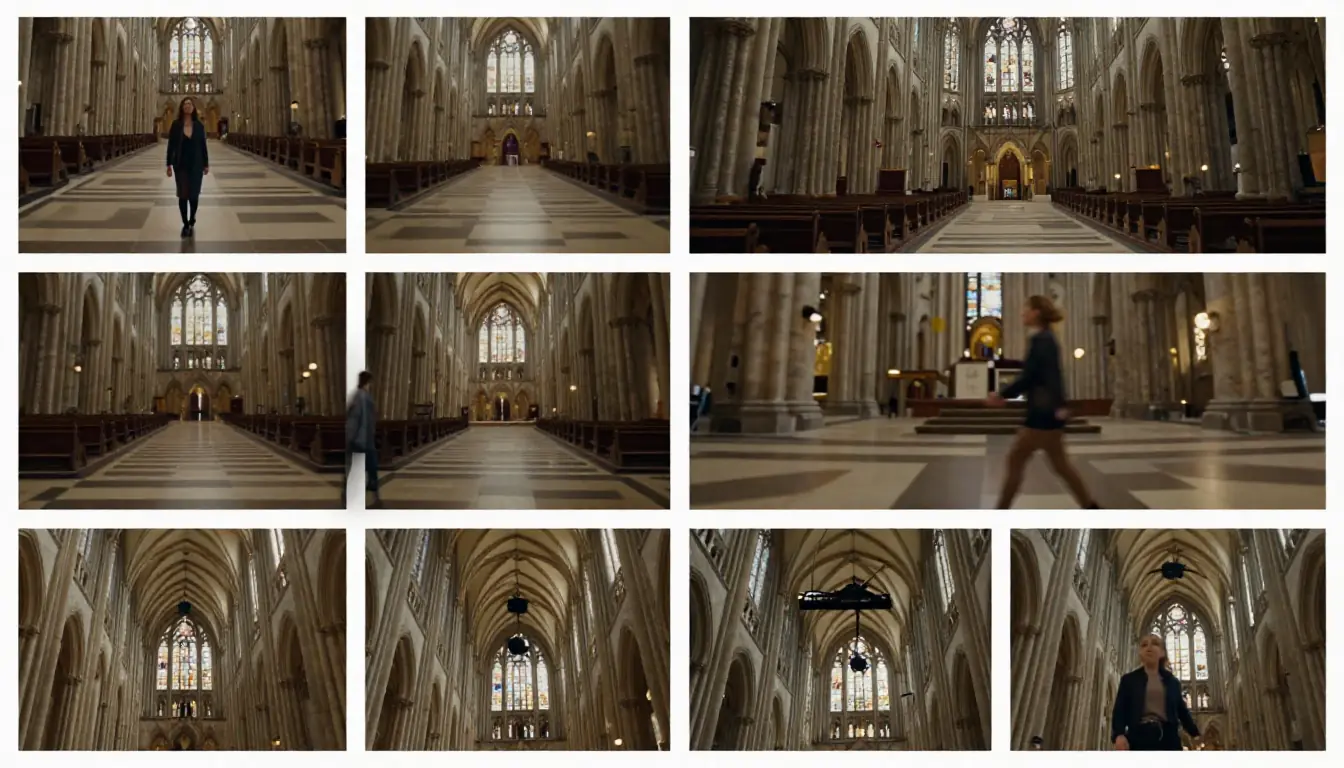
Camera movements are not interchangeable — each produces a distinct emotional effect. Knowing the right term transforms your prompt results.
Core Camera Movements
Dolly In / Dolly Out
The camera physically moves toward (dolly in) or away from (dolly out) the subject. Unlike a zoom, the perspective changes — foreground objects grow proportionally, creating a sense of depth and physical approach.
- Emotional effect: Dolly in creates intimacy, focus, revelation. Dolly out creates isolation, context, departure.
- When to use: Dolly in for emotional close-ups, character moments, revealing details. Dolly out for establishing scale, endings, pulling away from a subject.
- Prompt phrase: "Camera dollies in slowly from medium shot to extreme close-up on the subject's hands"
Pan (Left / Right)
The camera stays in place but rotates horizontally, like turning your head. The viewpoint sweeps across the scene.
- Emotional effect: Survey, discovery, following action laterally, connecting two elements in a scene.
- When to use: Revealing a landscape, following a character walking, showing the breadth of a space.
- Prompt phrase: "Slow pan right across the workshop, revealing rows of handcrafted instruments on the wall"
Tilt (Up / Down)
The camera stays in place but rotates vertically — like nodding your head. Tilt up reveals height; tilt down reveals ground-level details.
- Emotional effect: Tilt up creates awe, grandeur, aspiration. Tilt down creates grounding, discovery, intimacy with surfaces.
- When to use: Tilt up for tall structures, characters standing up, revealing the sky. Tilt down for revealing objects on a table, transitioning from sky to ground.
- Prompt phrase: "Camera tilts up from the roots of the ancient tree, following the massive trunk to the canopy where light filters through"
Tracking Shot (Lateral)
The camera moves alongside a subject, maintaining the same distance and angle, as if mounted on a dolly track running parallel to the subject's path.
- Emotional effect: Companionship, journey, immersion. The viewer travels with the subject.
- When to use: Following a character walking or running, moving through a space, product reveals along a surface.
- Prompt phrase: "Camera tracks alongside the runner at shoulder height, keeping pace as she sprints through the alley"
Orbit / Arc
The camera circles around the subject while keeping the subject centered in frame. Can be full 360-degree or partial arc.
- Emotional effect: Heroic, powerful, showcasing, three-dimensional revelation.
- When to use: Product reveals (showing all angles), hero shots, dramatic character introductions, decisive moments.
- Prompt phrase: "Camera orbits 180 degrees around the chess player, starting from behind and ending face-on, revealing her expression of concentration"
Crane Up / Crane Down (Jib)
The camera moves vertically — physically rising up or descending — often combined with a tilt to maintain the subject in frame.
- Emotional effect: Crane up creates transcendence, liberation, expanding perspective. Crane down creates grounding, arrival, focusing attention.
- When to use: Crane up for endings, moments of triumph, transitioning to an aerial view. Crane down for beginnings, arrivals, moving from establishing shot to intimate framing.
- Prompt phrase: "Camera cranes up from ground level, rising above the crowd, revealing the full scale of the festival stretching to the horizon"
Handheld
The camera has subtle, organic shake — not stabilized on a tripod or gimbal. Mimics the feeling of being held by a human operator.
- Emotional effect: Immediacy, urgency, documentary realism, tension, intimacy.
- When to use: Action sequences, emotional conversations, documentary style, horror, anything that benefits from a visceral, "you are there" feeling.
- Prompt phrase: "Handheld camera follows the character through the crowded market, slightly unsteady, catching glimpses of faces and stalls"
Steadicam / Gimbal
A smooth, floating camera movement that glides through spaces. Unlike handheld, there is no shake — the motion is fluid and continuous.
- Emotional effect: Dreamlike, elegant, immersive, effortless exploration.
- When to use: Walking through architectural spaces, following characters through complex environments, one-take sequences, luxury and beauty shots.
- Prompt phrase: "Steadicam glides behind the dancer as she moves through the empty ballroom, camera floating at waist height"
Advanced Camera Techniques
Hitchcock Zoom (Dolly Zoom / Vertigo Effect)
The camera dollies in while zooming out (or vice versa). The subject stays the same size but the background dramatically warps — stretching or compressing. Named after its use in Alfred Hitchcock's Vertigo.
- Emotional effect: Disorientation, realization, dread, a world shifting around a fixed point.
- When to use: Moments of revelation, horror, psychological shifts, surreal sequences.
- Prompt phrase: "Dolly zoom on the character's face — camera pushes in as the lens zooms out, background stretching away, creating a vertigo effect"
Whip Pan
An extremely fast horizontal pan that blurs the entire frame during the movement. Often used as a transition between two scenes or to convey sudden attention shift.
- Emotional effect: Energy, surprise, urgency, comedic timing, jarring transition.
- When to use: Action sequences, scene transitions, comedy beats, montage connectors.
- Prompt phrase: "Whip pan from the speaker's face to the audience's reaction, motion blur during the transition"
Rack Focus (Pull Focus)
Focus shifts from one depth plane to another within a single shot. Foreground goes blurry as background sharpens, or vice versa.
- Emotional effect: Redirecting attention, revealing information, connecting foreground and background elements.
- When to use: Revealing something in the background, shifting attention between two characters, emphasizing a detail.
- Prompt phrase: "Rack focus from the blurred foreground flowers to the woman's face in the background, pulling her into sharp focus"
Dutch Angle (Canted Angle)
The camera tilts on its roll axis, creating a diagonal horizon line. The world looks tilted.
- Emotional effect: Unease, instability, tension, stylized drama, madness.
- When to use: Thriller or horror moments, to convey a character's disturbed mental state, stylized action.
- Prompt phrase: "Dutch angle close-up of the detective's face, 15-degree tilt, harsh side lighting creating deep shadows"
Speed Ramp (Time Ramping)
The playback speed changes within a single shot — typically slowing down during a key moment and then speeding back up. Requires specifying the timing.
- Emotional effect: Emphasis, impact, dramatic weight on a specific moment.
- When to use: Action impacts (a punch connecting, a ball being hit), dance peaks, dramatic reveals.
- Prompt phrase: "The martial artist strikes — motion ramps to slow motion at the moment of impact, showing the ripple through the fabric, then accelerates back to real time"
One-Take (Long Take / Oner)
A continuous shot with no cuts. The camera moves through a space, following action, discovering elements, without ever cutting to a different angle.
- Emotional effect: Immersion, real-time experience, technical virtuosity, building tension.
- When to use: Establishing a complex space, building sustained tension, following a journey, creating a "you are there" feeling.
- Prompt phrase: "Continuous one-take shot: camera enters through the front door, glides through the hallway, passes the kitchen, and arrives at the garden where the family is gathered"
First Person / POV
The camera represents a character's eyes. The viewer sees what the character sees, including their hands entering frame.
- Emotional effect: Maximum immersion, subjective experience, video game aesthetic.
- When to use: VR-style content, action sequences, tutorials, experiencing a journey firsthand.
- Prompt phrase: "First-person POV: hands push open a heavy wooden door, revealing a sunlit meadow stretching to distant mountains"
For Seedance-specific camera controls and how to combine them in storyboard timelines, see our Seedance Prompt Guide.
The Atmosphere Keyword Library
Atmosphere is what turns a technically correct video into an emotionally resonant one. It is the difference between "a room" and "a room that makes you feel something." This library organizes atmosphere keywords by four dimensions — lighting, color tone, texture/quality, and mood — so you can mix and match to create precisely the feeling you want.
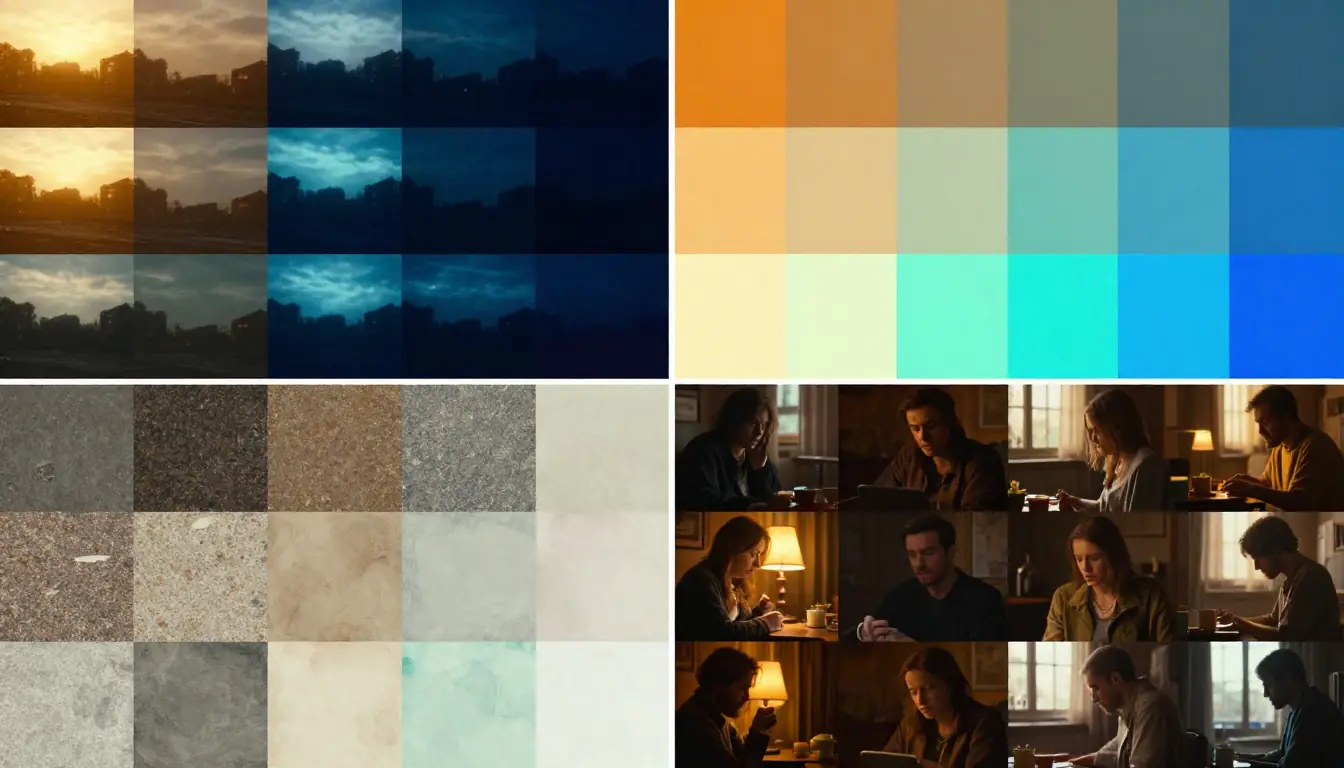
The atmosphere keyword library: combine one keyword from each dimension to define the emotional signature of your video.
Lighting Keywords
Lighting is the foundation of atmosphere. Changing the lighting in a prompt can completely transform the mood while keeping every other element identical.
| Keyword | Visual Effect | Best For |
|---|---|---|
| Golden hour | Warm amber light, long soft shadows, flattering skin tones | Romance, nostalgia, travel, beauty |
| Blue hour | Deep blue ambient light with residual warm tones at horizon | Melancholy, contemplation, transition, urban moods |
| Backlit | Subject outlined by light from behind, face in shadow or silhouette | Drama, mystery, hero shots, beauty |
| Side light | Strong directional light from one side, half the subject lit, half in shadow | Tension, character studies, dramatic portraits |
| Top light | Harsh overhead lighting casting deep shadows under eyes and chin | Interrogation, theater, isolation, unease |
| Rembrandt lighting | Classic portrait lighting — one side lit, small triangle of light under the shadow-side eye | Portraiture, elegance, classical atmosphere |
| Silhouette | Subject entirely dark, defined only by outline against a bright background | Mystery, anonymity, visual impact, storytelling |
| Volumetric | Visible light beams, usually cutting through dust, fog, or smoke | Spirituality, drama, forest scenes, stage lighting |
| Tyndall effect | Light scattering through fine particles, creating defined beams in mist | Nature, morning scenes, ethereal, dreamlike |
| Neon | Artificial colored light sources, typically pink, blue, cyan, magenta | Cyberpunk, nightlife, urban, contemporary |
| Candlelight | Warm, flickering, orange-amber point source light | Intimacy, historical, dinner scenes, cozy |
| Overcast diffused | Soft, even, shadowless light from a cloudy sky | Documentary realism, neutral mood, skin detail |
| Harsh noon sun | High-contrast, short shadows, washed-out highlights | Tension, desert scenes, brutality, exposure |
| Bioluminescent | Self-glowing organic light, typically blue-green | Fantasy, underwater, alien worlds, dreamy |
Color Tone Keywords
Color tone sets the emotional temperature of the entire frame. Warm tones feel inviting; cool tones feel detached. High saturation feels energetic; low saturation feels subdued.
| Keyword | Visual Effect | Emotional Association |
|---|---|---|
| Warm palette | Amber, orange, gold, reddish tones dominating | Comfort, nostalgia, intimacy, autumn |
| Cool palette | Blue, teal, cyan, slate tones dominating | Distance, calm, sadness, winter, technology |
| High saturation | Vivid, punchy, intense colors | Energy, youth, fantasy, pop culture |
| Low saturation / Desaturated | Muted, washed-out, pastel colors | Melancholy, realism, memory, vintage |
| Monochrome | Single color family or full black and white | Timelessness, art, focus, abstraction |
| Teal and orange | Classic film color grade — teal shadows, warm highlights | Hollywood blockbuster, commercial, cinematic |
| Cyberpunk palette | Neon pink, electric blue, deep purple against dark backgrounds | Futuristic, nightlife, digital, edgy |
| Vintage / Retro | Slightly faded, warm color cast, lifted blacks | Nostalgia, 70s/80s, indie film, memory |
| Pastel | Soft, light, desaturated colors | Gentle, dreamy, feminine, whimsical |
| Earth tones | Browns, greens, ochre, terracotta | Nature, grounding, organic, documentary |
| Cross-processed | Unusual color shifts — green shadows, magenta highlights | Experimental, artistic, music video, fever dream |
| Kodachrome | Rich reds and greens, warm skin tones, deep blacks | Photojournalism, 1960s–70s, Americana |
Texture and Quality Keywords
Texture and quality keywords define the visual surface of your video — whether it looks like 35mm film, a polished commercial, a documentary, or a painting.
| Keyword | Visual Effect | Best For |
|---|---|---|
| Cinematic | Wide aspect ratio feel, shallow DOF, filmic color | Narrative, drama, storytelling |
| Documentary | Natural lighting, slightly imperfect framing, observational | Realism, journalism, education |
| Commercial | Clean, bright, precisely lit, smooth camera movement | Product showcases, ads, corporate |
| Music video | Stylized, dramatic, high energy, unconventional angles | Performance, brand content, social |
| Film grain | Organic noise texture overlaid on the image | Vintage, analog, indie, warmth |
| Clean digital | No grain, no noise, pixel-perfect sharpness | Tech, product, modern, clinical |
| Anamorphic | Horizontal lens flares, oval bokeh, slight edge distortion | Cinematic drama, sci-fi, epic scale |
| Oil painting texture | Visible brushstroke-like texture, rich impasto feel | Art, fantasy, dreams, classical |
| Ink wash | Black ink gradients on white, flowing and organic | East Asian aesthetic, minimalism, calm |
| Watercolor | Soft bleeding edges, translucent color layers | Gentle, illustration, storybook |
| 8mm / Super 8 | Heavy grain, light leaks, unstable frame, washed color | Memory, flashback, home video, nostalgia |
| 4K ultra-sharp | Extreme detail, razor-sharp focus, visible micro-textures | Product close-ups, nature, technology |
Mood Keywords
Mood keywords are the emotional direction you give the AI. They affect everything — pacing, color choices, camera behavior, and the overall feel.
| Keyword | What It Evokes | Pairs Well With |
|---|---|---|
| Cozy | Warmth, comfort, safety, home | Candlelight, warm palette, interior settings |
| Tense | Anxiety, anticipation, something about to happen | Side lighting, handheld camera, tight framing |
| Suspenseful | Dread, uncertainty, slow build | Low-key lighting, slow dolly, desaturated |
| Joyful | Happiness, celebration, lightness | Golden hour, high saturation, wide shots |
| Melancholic | Sadness, longing, beauty in sadness | Blue hour, cool palette, slow motion |
| Epic | Grand, heroic, awe-inspiring, larger than life | Wide angle, crane shots, orchestral |
| Healing | Peace, recovery, gentle restoration | Soft light, pastel palette, nature, slow pace |
| Horror | Fear, dread, the uncanny, disturbing | Deep shadows, Dutch angle, desaturated, silence |
| Romantic | Love, desire, tenderness, intimacy | Backlight, warm palette, shallow DOF, close-ups |
| Energetic | Speed, excitement, adrenaline, pulse | Whip pans, speed ramps, high saturation, wide lens |
| Mysterious | Intrigue, the unknown, hidden information | Fog, silhouette, low-key lighting, slow reveal |
| Nostalgic | Longing for the past, bittersweet memory | Film grain, vintage palette, overexposed highlights |
Combining Atmosphere Keywords: Three Examples
The real power comes from combining one or two keywords from each dimension. Here are three combinations that produce distinctly different atmospheres for the same subject — "a woman standing at a window":
Combination 1: Warm nostalgia
Golden hour backlighting, warm palette with amber and honey tones, film grain texture, nostalgic mood
Combination 2: Cold tension
Side light from a single source, cool teal palette, clean digital texture, tense mood
Combination 3: Ethereal dream
Tyndall effect light beams through sheer curtains, pastel palette, watercolor texture, healing mood
Same subject, three radically different videos. Atmosphere keywords are the controls.
From One Sentence to Cinematic Prompt: 5 Progressive Examples
The best way to learn prompt writing is to watch prompts evolve. Each example below starts with a basic V1 (the kind most people write), improves to V2 (adds specificity and camera), and reaches V3 (a fully specified cinematic prompt). Pay attention to what changes at each level and why.
For more ready-to-use video prompt examples, see 10 AI Video Prompts That Actually Work.
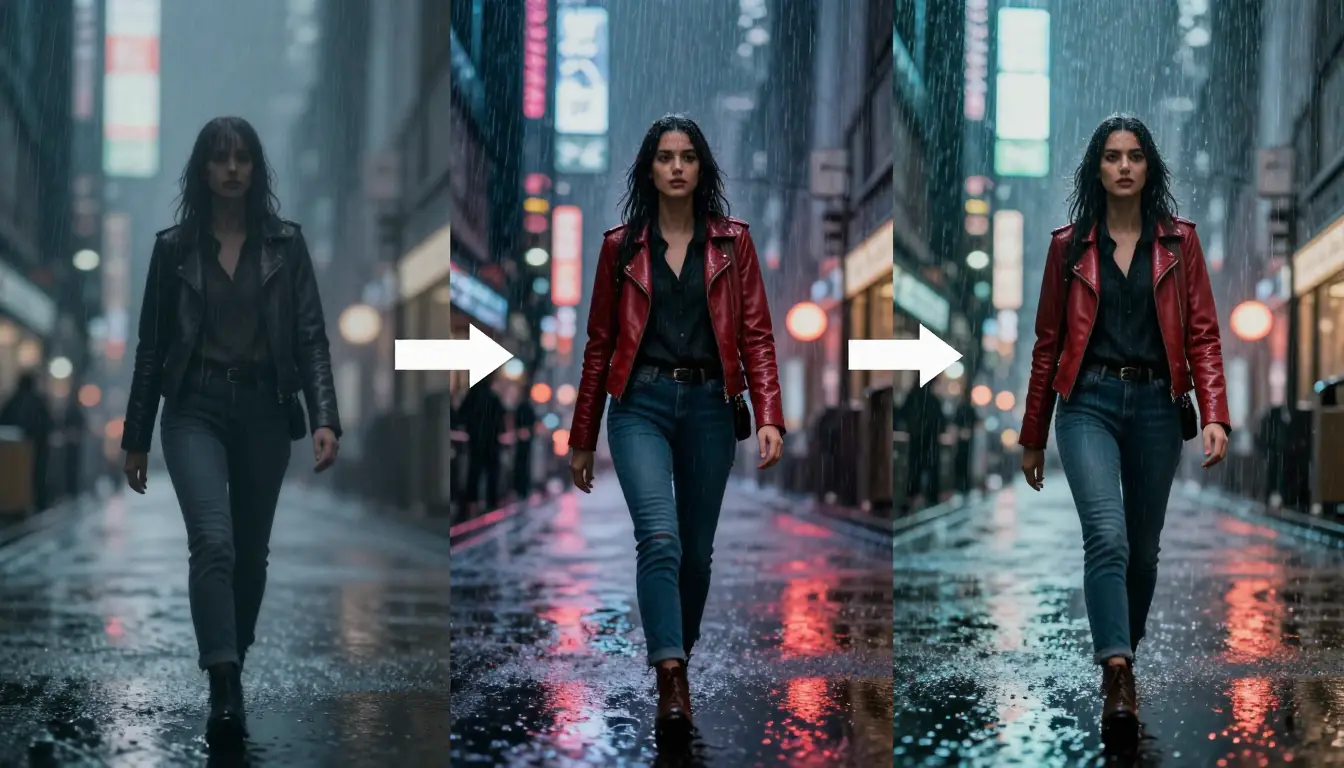
Prompt evolution in action. V1 gives the AI almost nothing to work with. V3 gives it everything — and the results are dramatic.
Example 1: Portrait / Mood — "A Woman Walking in Rain"
V1 — Basic (18 words)
A woman walking in the rain at night in a city, cinematic, beautifulWhat you get: a generic woman, generic city, generic rain, flat lighting, no emotional resonance. The AI fills in every blank with statistical averages.
V2 — Improved (62 words)
A young Asian woman in a long dark coat walks slowly through a rain-soaked Tokyo backstreet at night. Neon signs reflect in the wet pavement, casting pink and blue light. She carries a transparent umbrella. Camera tracks beside her at shoulder height. Shallow depth of field. Melancholic mood.What improves: specific subject identity, specific location, specific lighting sources, camera position, emotional direction. The AI now has enough to generate something distinctive.
V3 — Cinematic (138 words)
A woman in her late 20s, Japanese, long black hair partially wet and clinging to her neck, wearing an oversized charcoal wool coat over a cream turtleneck, walks alone through a narrow Shinjuku backstreet at 2am. Rain falls in fine sheets, catching neon light from izakaya signs overhead — warm amber kanji characters and cold blue beer advertisements. The wet asphalt mirrors everything, creating a double world beneath her feet. She carries a transparent vinyl umbrella, water beading and streaming down its surface.

Camera: tracking shot at shoulder height, moving alongside her at walking pace, shallow depth of field at f/1.4, foreground rain droplets occasionally crossing the lens out of focus.

Lighting: practical neon sources only — no fill light. Rim light from signs behind her outlines her coat collar and umbrella edge. Her face catches intermittent warm light as she passes each shopfront.

Style: cinematic, Kodak Vision3 500T film stock, slight grain, teal-and-amber color grade, Wong Kar-wai atmosphere.

Sound: rain on umbrella surface, distant muffled jazz from a bar, her footsteps on wet stone, no dialogue, no music score.
Why V3 works: every element of the formula is specified. The AI has no room to guess — and when AI does not guess, it renders exactly what you described.
Example 2: Product Showcase — "A Watch on a Table"
V1 — Basic (14 words)
A luxury watch sitting on a table, product shot, high quality, 4KV2 — Improved (58 words)
A stainless steel dive watch with a dark blue dial rests on a slab of raw gray marble. Camera orbits slowly around the watch, 15 degrees above. Single key light from the upper left creates a defined shadow. The watch's crystal catches the light and creates a brief flare. Commercial style, clean background.V3 — Cinematic (126 words)
A stainless steel dive watch with a sunburst navy-blue dial and ceramic bezel sits on a rough-cut block of Carrara marble, positioned at the golden-ratio intersection of the frame. The second hand sweeps continuously. Micro water droplets bead on the crystal surface and the steel bracelet links, catching light.

Camera: begins in macro extreme close-up on the dial — the indices and lume dots fill the frame — then slowly dollies out while simultaneously orbiting clockwise, completing a 270-degree arc over 8 seconds until the full watch and marble base are revealed in a three-quarter beauty shot.

Lighting: single hard key light at 10 o'clock position, 45 degrees above. No fill — deep shadows on the right side. A subtle rim light from behind separates the watch from the dark charcoal background. The sapphire crystal catches the key light at exactly the 3-second mark, creating a controlled lens flare.

Style: high-end commercial, shot on RED V-Raptor, ultra-sharp 8K downscaled to 4K, zero grain, clinical precision. Color: cool steel tones with warm gold accents from the lume.

Sound: near silence — only the faint mechanical tick of the movement, a single clean chime at the flare moment.
Example 3: Landscape Travel — "Mountains at Sunrise"
V1 — Basic (12 words)
Beautiful mountains at sunrise, drone shot, epic landscape, cinematicV2 — Improved (55 words)
Snow-capped mountain peaks emerging from a sea of clouds at sunrise. The first rays of sun paint the peaks golden while the valleys remain in blue shadow. Camera cranes up slowly from the cloud layer, revealing the full mountain range. Wide angle, epic scale, warm-to-cool color gradient. Aerial perspective.V3 — Cinematic (134 words)
The Dolomites at sunrise in late autumn. Jagged limestone spires — the Tre Cime di Lavaredo — pierce through a thick layer of valley clouds, their east-facing faces catching the first horizontal rays of sun and turning from cold blue-gray to blazing amber-gold. The cloud layer below is a rolling ocean of soft white and pale peach, filling the valleys completely, slow-motion eddies curling around the base of each peak.

Camera: starts buried inside the cloud layer — visibility near zero, soft white diffusion everywhere — then cranes upward at a steady pace, breaking through the cloud surface to reveal the peaks and the vast sky above. The transition from claustrophobic fog to infinite horizon takes 4 seconds. Continue rising to a high aerial wide shot, 200 meters above the peaks, showing the full range stretching into the distance. 24mm wide angle lens.

Lighting: first light of day — sun at 5 degrees above the eastern horizon, casting extreme raking light across the mountain faces. Golden hour warmth on lit surfaces, blue hour coolness in shadowed areas. Volumetric light beams visible where sun cuts between peaks and illuminates columns of rising mist.

Style: National Geographic cinematic, IMAX-quality, ultra-wide dynamic range, vivid but natural color, no filters.

Sound: wind at altitude — a sustained low whisper with occasional gusts, no music, no human sounds. The silence amplifies the scale.
Example 4: Action Sequence — "A Martial Artist Fighting"
V1 — Basic (15 words)
A martial artist doing a spinning kick, action movie style, slow motionV2 — Improved (64 words)
A female martial artist in a dark training hall performs a spinning back kick. Her bare foot connects with a hanging heavy bag, sending it swinging violently. Camera captures the kick from a low angle, slightly slow motion at the point of impact, then returns to real-time as she recovers her stance. Side lighting creates dramatic shadows. Powerful and precise.V3 — Cinematic (141 words)
A woman in her 30s, lean and muscular, wearing a fitted black tank top and loose gray training pants, stands in a dimly lit martial arts gym. Worn wooden floor, heavy bags hanging in rows, chalk dust suspended in the air. She explodes from stillness — a spinning hook kick that arcs through 360 degrees, her back heel striking a leather heavy bag at head height. The bag deforms on impact, absorbing and then repelling the force, swinging wildly on its chain.

Camera: starts medium shot at 45-degree angle. As the spin begins, camera speed-ramps to 240fps slow motion — her hair whips in an arc, chalk dust traces the path of her foot, the bag surface ripples visibly on impact. At the moment of peak bag deformation, hold for one beat, then ramp back to real-time as she plants her foot and returns to guard position. Slight handheld energy, never fully still.

Lighting: single harsh side light from camera-left, no fill. Her lit side is sharp and defined, shadow side nearly black. Chalk dust and sweat particles glow in the light beam. A faint warm practical light from a distant doorway provides depth separation in the background.

Style: David Fincher / Fight Club aesthetic — desaturated, greenish-teal undertone, high contrast, gritty. Anamorphic lens with subtle horizontal flares from the side light.

Sound: silence before the kick — ambient gym hum, a breath in. The kick: explosive fabric snap, heavy leather impact, chain rattle, the bag's pendulum swing creaking. Her sharp exhale on contact. No music.
Example 5: Emotional Storytelling — "A Grandmother and Child"
V1 — Basic (16 words)
A grandmother and her grandchild spending time together, heartwarming, emotional, beautiful momentV2 — Improved (71 words)
An elderly grandmother with silver hair and weathered hands teaches her 5-year-old granddaughter how to knead bread dough in a sunlit country kitchen. The child stands on a wooden step stool, flour on her cheeks, laughing. The grandmother guides her small hands through the dough. Golden morning light through a window. Camera at eye level, gently observing. Warm color palette. Intimate, cozy atmosphere.V3 — Cinematic (147 words)
A Japanese grandmother in her 80s, silver hair in a soft bun, deep expression lines around smiling eyes, wearing an indigo apron over a cream linen blouse, stands beside her granddaughter — age 4 or 5, round cheeks, short black hair with a red clip — at a low wooden table in a traditional kitchen. Shoji screen doors are slid open to a small garden where morning light enters. They are making mochi together. The grandmother's large, weathered hands wrap around the child's tiny ones, guiding them to fold and press the soft rice dough. Flour dust floats in the shaft of sunlight between them.

Camera: close-up on their four hands working the dough — the contrast of old and young skin, the patience of the grandmother's guidance. Slowly dolly out to a medium shot that includes both faces. The grandmother looks down at the child with an expression of absolute contentment. The child looks up, grinning, flour on her nose. Rack focus between them — first sharp on the grandmother's eyes, then pulling to the child's smile. 85mm portrait lens, f/2.0, creamy bokeh.

Lighting: natural morning sunlight from the garden, soft and directional, Tyndall effect through the flour dust. No artificial light. The light creates a warm halo around the grandmother's silver hair.

Style: Hirokazu Kore-eda film quality — observational, unhurried, documentary intimacy with cinematic beauty. Kodachrome-inspired color — rich but not oversaturated. 16:9.

Sound: the soft rhythmic sound of hands pressing dough, birds outside in the garden, a distant wind chime, the child's occasional giggle, the grandmother humming a folk melody under her breath. No score — only diegetic sound.
Writing Sound Design Into Your Prompts
Sound design is the most overlooked dimension in video prompt writing. In 2026, platforms like Seedance, Veo 3, and Kling support audio generation alongside video — and the quality gap between prompts that include sound direction and those that do not is enormous.
Think of it this way: a beautifully shot forest scene with no ambient sound feels like a GIF. Add birdsong, rustling leaves, and a distant stream, and it becomes a place you want to step into.
The Sound Design Format
Add sound instructions as a separate paragraph or line at the end of your prompt, covering three layers:
Layer 1: Background music — overall mood and genre
Background music: slow ambient piano, minor key, sparse notes with reverbLayer 2: Ambient SFX — environmental sounds that establish the setting
Ambient: light rain on leaves, distant thunder rolls, wet road traffic humLayer 3: Action SFX and dialogue — specific sounds tied to events in the video
SFX: footsteps on wet pavement, umbrella opening with a click, coffee cup placed on saucer
Dialogue: none
Sound Keyword Reference
Music styles for different moods:
| Mood | Music direction |
|---|---|
| Peaceful | Ambient, soft piano, acoustic guitar fingerpicking, lo-fi |
| Tense | Low drone, dissonant strings, minimal percussive pulse |
| Joyful | Upbeat acoustic, ukulele, light percussion, major key |
| Epic | Orchestral crescendo, taiko drums, brass fanfare, choir |
| Romantic | String quartet, gentle jazz, bossa nova |
| Mysterious | Dark ambient, reverb-heavy piano, distant bell tones |
| Energetic | Electronic beat, driving drums, bass-heavy, uptempo |
| Melancholic | Solo cello, slow piano in minor key, sparse guitar |
Ambient sound environments:
| Environment | Sound layers |
|---|---|
| Forest | Birdsong, rustling leaves, distant woodpecker, stream |
| City night | Traffic hum, distant sirens, neon buzzing, footsteps |
| Ocean | Waves breaking, seagulls, wind, distant boat engine |
| Interior café | Coffee machine, murmured conversation, spoon on ceramic, jazz |
| Rain | Rain intensity (light patter / heavy downpour), thunder, drips |
| Workshop | Tool sounds, wood shavings, machinery hum, radio in background |
When to Use Silence
Silence is not the absence of sound design — it is a deliberate choice. Strategic silence creates:
- Impact moments: silence before a dramatic beat amplifies the beat
- Scale: vast landscapes with only wind convey immensity
- Tension: removing expected sounds creates unease
- Focus: silence directs all attention to the visual
In your prompt, write it explicitly: "Sound: silence — no music, no ambient, only the subject's breathing."
For more on how audio generation works in AI music video production, see our AI Music Video Generator Guide.
Platform-Specific Prompt Tips
The universal formula works everywhere, but each AI video platform has quirks in how it interprets prompts. Optimizing your prompt for the specific platform you are using can improve results significantly.
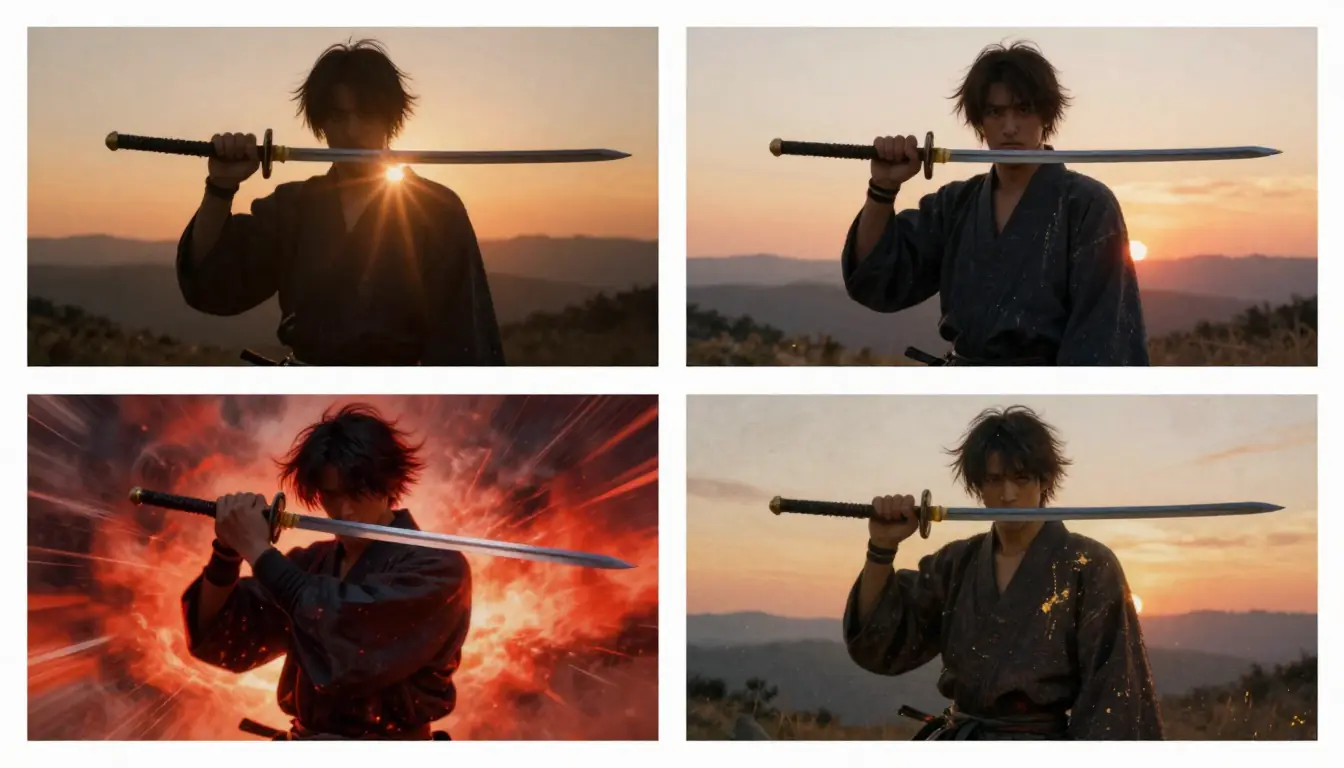
The same concept — "a woman walking through rain at night" — optimized for five different platforms. Same formula, different emphasis.
Seedance
Strengths: Storyboard timeline format, multi-shot sequences, image-to-video references, built-in prompt generator.
Optimization tips:
- Use the storyboard timeline structure for complex sequences — break the video into shots with timestamps:
Shot 1 (0-3s): [description] Shot 2 (3-6s): [description] Shot 3 (6-10s): [description] - Reference uploaded images with
@Image1,@Image2for style and character consistency - Camera language works exceptionally well — use specific terms (dolly, track, orbit) rather than generic ("move toward")
- Include sound design — Seedance processes audio cues
- For the fastest workflow, use the Video Prompt Generator to create a structured prompt from a simple idea, then refine it manually
For the full Seedance-specific prompt guide with 50+ examples, see Seedance Prompt Guide.
Sora (OpenAI)
Strengths: Physical realism, natural motion, long-form natural language understanding.
Optimization tips:
- Write in flowing, descriptive paragraphs rather than structured bullet points — Sora excels at parsing natural language
- Emphasize physical details: gravity, weight, material properties, fluid dynamics
- Describe what something "looks like it would feel" — texture and material descriptions improve physical fidelity
- Use aspect ratio and duration specifications explicitly
- Be detailed about physics: "the heavy fabric drapes and sways with each step, delayed by its own weight" produces better results than "flowing dress"
Kling (Kuaishou)
Strengths: Fast generation, strong action and motion, good facial consistency.
Optimization tips:
- Keep prompts concise — Kling responds better to focused, action-forward prompts (50-80 words is the sweet spot)
- Lead with the action: "A dancer leaps and spins" rather than building up to it after a long setting description
- Specify motion direction clearly: "moves from left to right," "approaches camera," "turns away"
- Kling handles human motion and facial expressions particularly well — capitalize on this with close-up emotional prompts
- Camera instructions work well but keep them to one or two moves per prompt
Runway (Gen-3 Alpha / Gen-4)
Strengths: Style control, Motion Brush spatial control, reference image integration.
Optimization tips:
- Combine text descriptions with style tags — Runway has strong style interpretation
- Describe motion in terms of spatial vectors: "movement from bottom-left to top-right," "rotation along the vertical axis"
- If using Motion Brush, keep the text prompt focused on overall scene and style while using the brush for specific motion zones
- Runway interprets art style descriptions well — "in the style of a Terrence Malick film" or "Wes Anderson framing" can produce strong results
- Keep prompts focused — one clear scene per generation rather than multi-shot sequences
Veo 3 (Google DeepMind)
Strengths: Audio understanding, physics simulation, cinematic quality, longer sequences.
Optimization tips:
- Include detailed audio descriptions — Veo 3 generates synchronized audio from text
- Describe physical interactions in detail: how objects collide, how materials deform, how light interacts with surfaces
- Use cinematography-specific terminology — Veo 3's training data is heavily weighted toward professional film
- Specify duration and pacing: "the scene unfolds slowly over 10 seconds" guides the temporal structure
- Physics descriptions improve results dramatically: "water splashes upward on impact, droplets catching backlight" rather than just "water splash"
For a detailed comparison of how Seedance stacks up against Sora on prompt interpretation and output quality, see Seedance vs Sora.
Or Let AI Write Your Prompts
You have just learned a comprehensive framework for writing video prompts from scratch. That knowledge is valuable — it makes you a better judge of prompt quality and gives you complete control over every detail. But you do not always have to write every prompt manually.
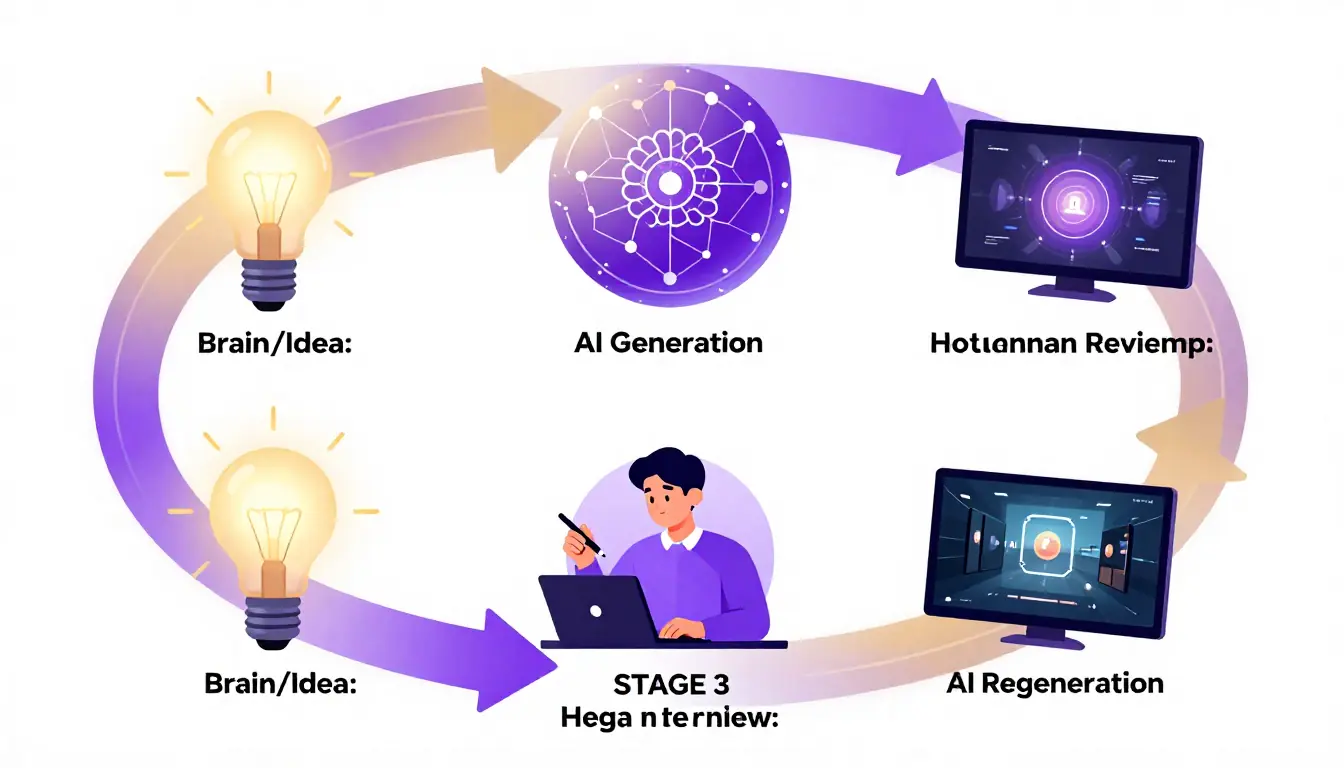
The hybrid workflow: let AI handle the structure and technical vocabulary, then apply your creative vision in the refinement step.
When to Write Manually vs. Use AI
| Scenario | Best approach |
|---|---|
| You have a precise vision and know exactly what you want | Manual — you will write it faster and more accurately than editing an AI draft |
| You have a rough idea but need structure | AI generate → manual refine |
| You need multiple prompt variations quickly | AI generate multiples → pick and refine the best |
| You are learning and want to study prompt structure | AI generate → read and analyze — this is how you build vocabulary |
| You need to match a specific reference | Manual — describe what you see in the reference precisely |
The Hybrid Workflow (Recommended)
The most efficient prompt writing process combines AI generation with human refinement:
-
Start with AI. Go to the Seedance Video Prompt Generator and describe your idea in one or two plain sentences. Pick a style. Generate.
-
Read the output critically. The AI will produce a structured prompt with camera language, timing, lighting, and sound. Read it through. Does the camera movement match the mood you want? Is the lighting direction creating the right atmosphere? Are there details you would change?
-
Refine manually. This is where your knowledge of the formula, camera language, and atmosphere keywords pays off. Swap out the AI's camera choice for one that better serves your vision. Adjust the lighting keywords. Add specific details the AI could not know — character-specific traits, brand-specific requirements, emotional nuances.
-
Generate the video. Send the refined prompt to the Video Generator. The result will be dramatically better than either a fully manual amateur prompt or a fully AI-generated prompt that you never reviewed.
For a complete walkthrough of the AI prompt generation tool, see our AI Video Prompt Generator Guide.
Cinematic Results: Putting It All Together
Let us write one final prompt that uses everything from this guide — formula, camera language, atmosphere keywords, sound design — to produce a truly cinematic result.
The brief: A lone astronaut discovers plant life on Mars.
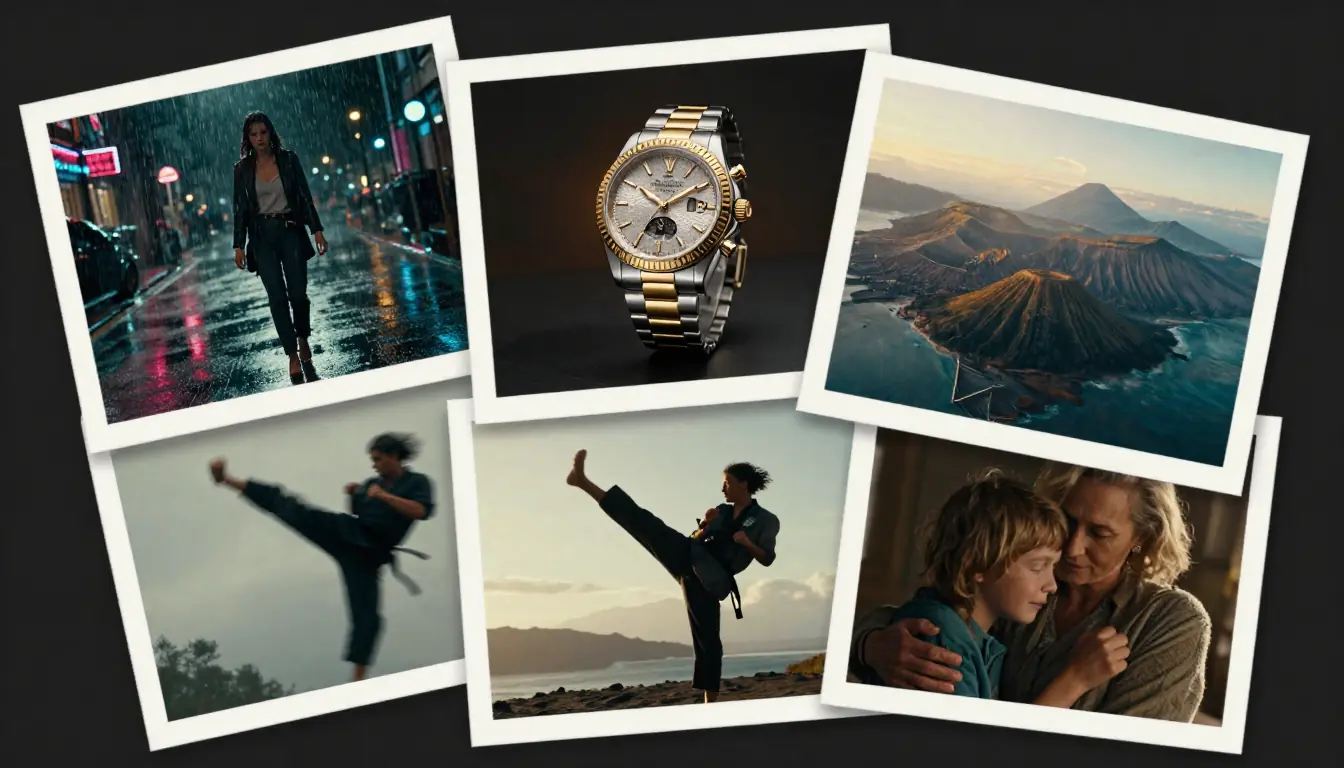
A fully specified cinematic prompt produces results that feel directed — because it was. Every element serves the story.
The complete prompt:
Subject: A solitary astronaut in a dusty, sun-bleached EVA suit — visor partially reflective, scratched from use, mission patches barely legible. The suit is not pristine Hollywood white; it is a working tool, weathered by months on the Martian surface.

Action: The astronaut crouches beside a small crack in the rust-red basalt. Inside the crack, a single tiny green sprout — two delicate leaves, almost translucent — pushes up through the red soil. The astronaut's gloved hand reaches toward it, hesitates, trembles slightly, then gently touches the soil beside it. The sprout's leaves shift almost imperceptibly in the faint breeze of the astronaut's movement.

Environment: The Martian surface — a flat, rust-red plain scattered with dark basalt rocks, stretching to low eroded hills on the horizon. The sky is a pale butterscotch-pink, characteristic of Martian atmospheric scattering. Dust devils move in the far distance. The scene feels vast and achingly empty — except for this one tiny green thing.

Camera: Opens with an extreme wide shot — the astronaut is a small figure in the immense Martian landscape, emphasizing isolation. Slow dolly in over 4 seconds, closing to a medium shot. As the astronaut crouches, the camera drops to ground level and continues in to a close-up of the gloved hand and the sprout — both in sharp focus, the Martian horizon a blurred amber band behind. Rack focus: pull from the hand to the astronaut's visor, where we see the sprout's reflection. 65mm lens, anamorphic. Hold for 2 beats.

Lighting: Late Martian afternoon — low sun from camera-right, casting long amber-red shadows. The side light sculpts the EVA suit's texture. The sprout's translucent leaves glow with subsurface scattering as the sunlight passes through them — the only green in a world of red. Volumetric dust particles drift through the light beam.

Style: Ridley Scott's The Martian meets Terrence Malick's The Tree of Life. Cinematic, anamorphic, muted Martian color palette (red oxide, amber, pale pink sky) with the single point of vivid green as a deliberate contrast. IMAX-quality resolution. Subtle film grain.

Sound: Wind — thin, high-pitched Martian wind, unlike Earth wind, more a whistle through the helmet. The astronaut's breathing inside the suit — measured at first, then quickening with the realization. A single, sustained low note from a cello enters as the hand reaches for the sprout. No dialogue. No narration. Let the image and the breath tell the story.
This prompt uses all seven formula elements, specific camera language (extreme wide, dolly in, rack focus), atmosphere keywords (volumetric, subsurface scattering, anamorphic), sound design (ambient wind, breathing, single cello note), and style references (Ridley Scott, Terrence Malick). Every detail serves the emotional arc: isolation → discovery → awe.
That is video prompt engineering.
FAQ
How long should an AI video prompt be?
There is no universal length. The right length depends on the complexity of your vision and the platform. V1-style prompts (15-30 words) produce generic results on any platform. V2-style prompts (50-80 words) are the sweet spot for most platforms — enough detail for distinctiveness without overwhelming the model. V3-style prompts (100-200 words) produce the most controlled results on platforms that support long prompts, like Seedance and Sora. For Kling, stay closer to 50-80 words. The key metric is not word count — it is whether every element of the formula is addressed.
Do I need to know cinematography to write good video prompts?
No, but it helps enormously — and this guide just taught you the essentials. You do not need a film degree. You need to know the names of 10-15 camera movements, understand the emotional effect of different lighting types, and have a vocabulary for atmosphere. Bookmark the Camera Language and Atmosphere Keyword Library sections and reference them until the terms become second nature.
Can I use the same prompt on different AI video platforms?
Yes — the universal formula works everywhere. However, each platform interprets prompts differently. A prompt optimized for Sora (long, flowing, physics-heavy) may need restructuring for Kling (shorter, action-first). The Platform-Specific Tips section covers the adjustments. The core formula stays the same; the delivery format adapts.
What is the difference between this guide and the Seedance Prompt Guide?
The Seedance Prompt Guide is platform-specific — it teaches Seedance's storyboard format, image references, and 50+ ready-to-copy prompts optimized for Seedance. This guide is universal — it teaches the underlying skill of prompt writing that works on any platform. Think of this guide as the textbook and the Seedance guide as the lab manual for one specific tool.
How do I describe camera movements if I do not know the technical terms?
Start by describing what you want the viewer to see and feel. "The camera slowly gets closer to the subject's face" is a dolly in. "The camera follows the person from the side as they walk" is a tracking shot. AI platforms understand natural-language descriptions reasonably well. But learning the technical terms (use the Camera Language reference above) produces noticeably better results because the AI models were trained on video described with these specific terms.
Should I include negative prompts (what I do NOT want)?
Some platforms support negative prompts — instructions about what to avoid. These can help: "No text overlays, no watermarks, no blurry frames, no morphing artifacts." However, most modern AI video generators handle quality better through positive specification. Instead of "no bad lighting," write "Rembrandt lighting from camera-left." Instead of "no shaky camera," write "smooth steadicam movement." Positive prompts guide the AI toward what you want; negative prompts only tell it what to avoid, leaving the alternative up to chance.
How do I maintain character consistency across multiple prompts?
Character consistency across multiple AI video generations is one of the hardest challenges in prompt writing. Three strategies help: (1) Use extremely specific character descriptions and repeat them verbatim across prompts — "a woman in her late 20s, Japanese, long black hair, oversized charcoal wool coat, cream turtleneck." (2) Use image-to-video workflows — upload a reference image of the character and prompt the AI to animate it. Seedance supports this with @Image references. (3) Generate all clips of the same character in a single session when possible, using the same seed or style settings.
Is there a tool that writes video prompts for me?
Yes. Seedance's Video Prompt Generator takes a plain-language description and generates a fully structured storyboard prompt with camera language, timeline, lighting, and sound design. For a detailed walkthrough, see our AI Video Prompt Generator Guide. The recommended workflow is AI-generate → manually refine → generate video.
Start Writing Better Video Prompts Now
You now have the complete toolkit: the seven-element formula, a camera language reference with 15+ movements, an atmosphere keyword library with 50+ terms across four dimensions, five progressive examples showing the evolution from basic to cinematic, sound design methodology, and platform-specific optimization tips.
The difference between amateur and professional AI video output is not the tool — it is the prompt. And prompt writing is a skill that improves with practice.
Three ways to start:
-
Practice the formula. Pick any subject and write V1 → V2 → V3 versions. Compare the outputs. The improvement will be immediate and dramatic.
-
Use the Prompt Generator. Let AI handle the structure, then apply your camera and atmosphere knowledge to refine the output. Try the Video Prompt Generator →
-
Generate your first video. Take your best prompt and create a video right now. Open the Video Generator →
For more prompt inspiration and ready-to-use examples, explore:
- 10 AI Video Prompts That Actually Work — tested prompts with V1→V2→V3 iterations
- Text to Video AI: Complete Guide — understand the technology behind the tools
- AI Video Prompt Generator Guide — let AI write your prompts
- Seedance Prompt Guide — 50+ Seedance-specific prompts
The best AI video you will ever make starts with the next prompt you write.
