
TL;DR
An AI video prompt generator takes your rough idea — "a girl running through a rainy city" — and transforms it into a structured storyboard prompt with camera movements, timeline, sound design, and style specifications that produce dramatically better results across Seedance, Sora, Kling, Runway, and every other AI video tool.
The difference between amateur and professional AI video results almost always comes down to one thing: prompt structure. A loose sentence gives the model room to guess. A structured storyboard tells it exactly what to render, frame by frame.
Seedance's Video Prompt Generator handles the heavy lifting in three steps:
- Describe your idea in plain language
- Pick one of 12 video styles (cinematic, anime, commercial, sci-fi, and more)
- Get a complete storyboard prompt with camera language, timeline, sound design, and reference suggestions — ready to copy or send directly to the Video Generator
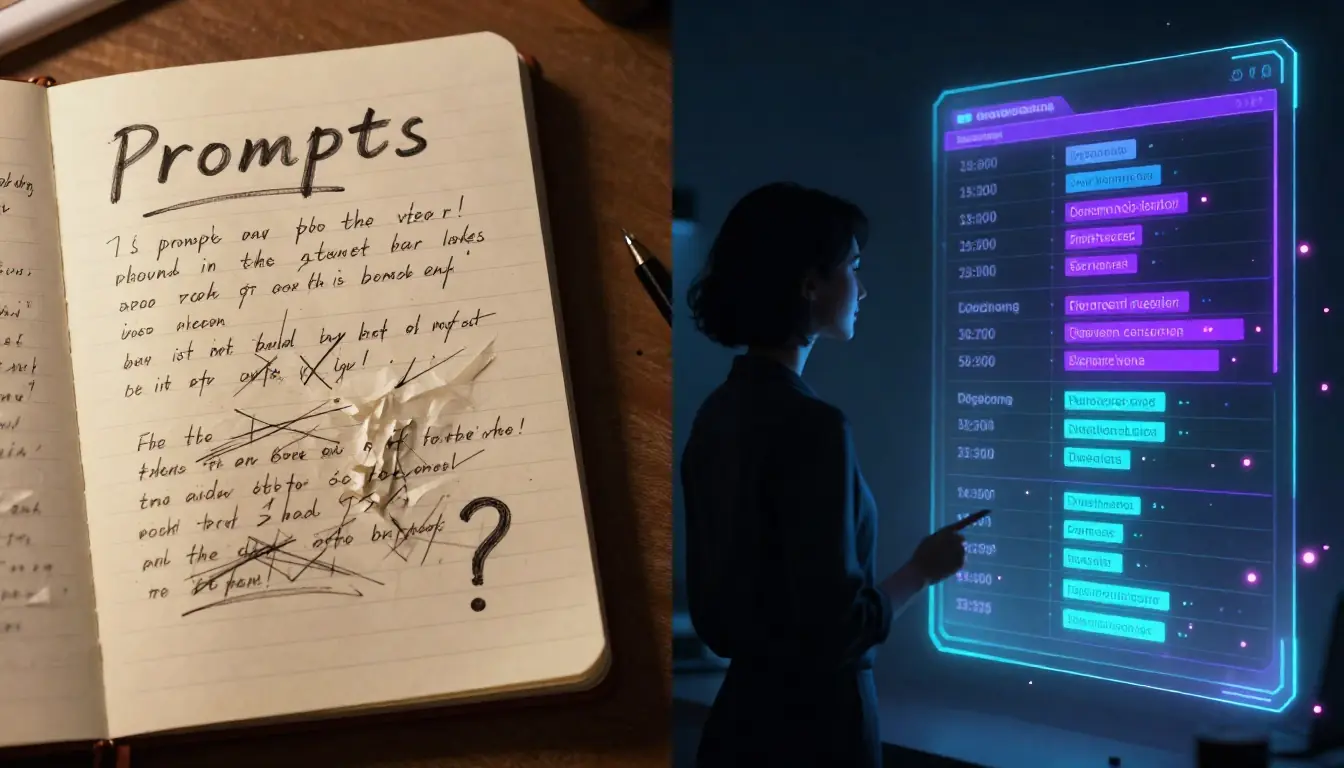
Left: output from "a girl running in the rain." Right: output from an AI-generated storyboard prompt with camera tracking, lighting direction, color grading, and sound design. Same concept, completely different result.
What Is an AI Video Prompt Generator?
An AI video prompt generator is a specialized tool that converts a short text description into a detailed, structured video prompt optimized for AI video generation platforms. Think of it as the difference between telling a film director "shoot someone walking down a street" versus handing them a complete shot list with camera angles, lighting setups, lens choices, color grading notes, and a sound design brief.
The fundamental problem it solves is straightforward: AI video generators are only as good as the prompts they receive, but writing great video prompts is significantly harder than writing image prompts. Video adds temporal dimensions — camera movement, action timing, transitions, and audio — that most people have no experience describing in text.
Five Pain Points of Manual Video Prompt Writing
If you have tried writing video prompts from scratch, you have probably hit these walls:
-
Camera language barrier. You know you want "that dramatic slow push-in shot" but do not know it is called a "dolly in" — and you definitely do not know how to phrase it so the AI model interprets it correctly.
-
Timeline structure. A video is not a single moment — it unfolds over time. Describing what happens at second 0, second 3, second 6, and second 10 in a way that flows naturally is a screenwriting skill most people do not have.
-
Missing dimensions. Most people describe the subject and maybe the action, then stop. They forget about lighting direction, color palette, atmospheric effects, sound design, and aspect ratio — all of which affect the final output.
-
Style inconsistency. Without a structured format, each prompt you write ends up in a different format, making it hard to iterate or maintain a consistent visual language across multiple clips.
-
Time cost. A professional-quality video prompt takes 10–20 minutes to write manually. If you are generating multiple clips for a project, that adds up to hours of prompt writing before you even generate a single frame.
Three Approaches to Video Prompts
| Approach | How It Works | Best For | Limitations |
|---|---|---|---|
| Manual writing | Write the entire prompt from scratch, specifying camera, timing, style | Experienced filmmakers and prompt engineers | Steep learning curve, time-consuming, requires camera and editing vocabulary |
| Template libraries | Pick a pre-written prompt template, swap in your subject and details | Quick iterations on proven structures | Rigid, limited creative range, can feel formulaic |
| AI prompt generation | Describe your idea in plain language, AI generates the complete storyboard prompt | Everyone — beginners get professional results, experts save time | Less granular control over every word (though you can edit the output) |
The honest take: if you are a filmmaker who thinks in shot lists and has internalized camera language over years of practice, you may prefer writing from scratch. But even professional directors use AI prompt generators as a starting point — they are faster than writing from scratch and often suggest camera techniques or timing choices you had not considered.
For the other 95% of people who want professional AI video results without studying cinematography for months, an AI video prompt generator is transformative.
For a deep dive into manual prompt writing technique, see our How to Write AI Video Prompts guide. For the image side of prompt generation, see our companion AI Image Prompt Generator Guide.
How the Seedance Video Prompt Generator Works
The Seedance Video Prompt Generator is purpose-built for video — not a generic chatbot prompt, but a specialized storyboard generation system that outputs prompts in a format AI video models understand best.
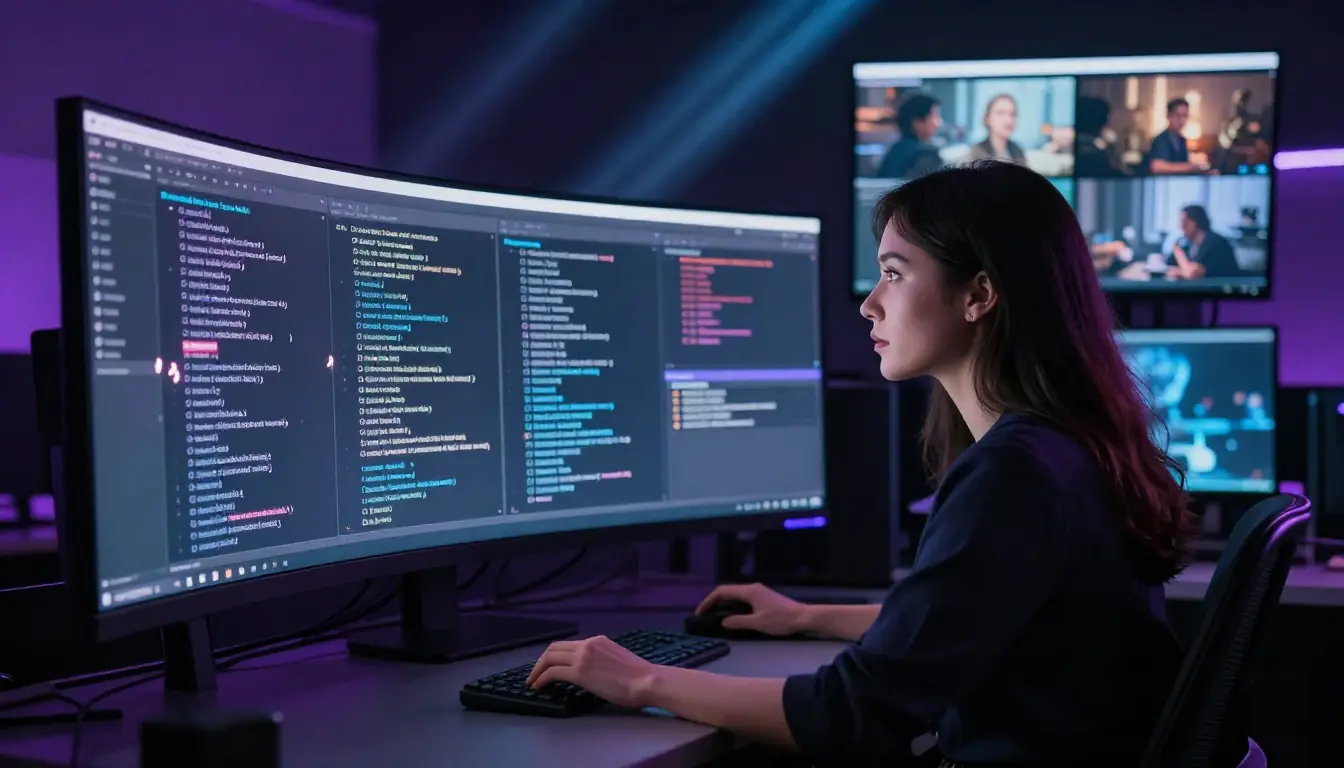
The Seedance Video Prompt Generator: input your idea, pick a style from 12 options, and receive a complete storyboard prompt with camera language, timeline, sound design, and references in seconds.
Step-by-Step Workflow
Step 1: Enter your description. Type a short description of the video you want. It can be as simple as "a cat exploring a spaceship" or as detailed as "a noir detective walking through a rain-soaked alley at midnight, neon reflections on the pavement." The AI works with whatever level of detail you provide.
Step 2: Select a video style. Choose from 12 curated styles, each triggering different camera vocabularies, lighting approaches, color palettes, and pacing:
| Style | Visual Character | Best For |
|---|---|---|
| Cinematic | Widescreen, dramatic lighting, film grain | Narrative shorts, trailers, dramatic scenes |
| Realistic | Natural lighting, documentary-grade fidelity | Product demos, realistic simulations, testimonials |
| Anime | Cel shading, dynamic action, expressive characters | Character stories, action sequences, fan content |
| Commercial | Clean, polished, brand-friendly | Product ads, brand videos, social media content |
| Documentary | Handheld feel, natural pacing, observational | Explainers, educational content, behind-the-scenes |
| Sci-Fi | Futuristic environments, tech aesthetics, VFX-heavy | Tech products, concept videos, futuristic narratives |
| Fantasy | Magical lighting, otherworldly environments | Game trailers, fantasy narratives, creative projects |
| Noir | High contrast, shadows, moody atmosphere | Mystery content, dramatic intros, stylized pieces |
| Vintage | Film grain, warm tones, period aesthetics | Nostalgic content, retro branding, period pieces |
| Ink-Wash | East Asian brush painting, fluid motion | Art-forward content, cultural themes, meditation videos |
| Vlog | Casual framing, natural light, first-person feel | Social media, personal branding, casual content |
| Music Video | Rhythmic editing, stylized color, performance focus | Music content, lyric visualizations, performance clips |
Step 3: AI generates your storyboard prompt. The AI (powered by Gemini 2.5 Flash via OpenRouter) streams a complete storyboard prompt in real time. The output follows a structured format designed for AI video models:
【Style】cinematic, 10 seconds, 16:9, melancholic tension
【Timeline】
  0-3s: [slow dolly in] + [rain-soaked neon alley] + [detective walks toward camera] + [volumetric fog, puddle reflections]
  3-7s: [tracking shot, low angle] + [detective pauses under a flickering sign] + [lights a cigarette, face half-lit] + [lens flare, rain streaks]
  7-10s: [crane up] + [reveals the full alley stretching into darkness] + [detective walks away] + [fade to black]
【Sound】jazz saxophone, slow tempo + rain on pavement SFX + no dialogue
【Reference】@Image1 classic film noir alley, @Image2 Blade Runner rain scene
Step 4: Copy or send directly. Two options:
- Copy the prompt to your clipboard and paste it into any AI video tool — Seedance, Sora, Kling, Runway, Pika, or any other platform.
- Send to Video Generator — one click sends the prompt directly to the Seedance Text-to-Video Generator, where you can generate the video immediately. No switching tabs, no copy-paste.
Cost: 2 credits per generation. This gives you a complete, professional storyboard prompt that would take 10–20 minutes to write manually.
English output toggle: By default, prompts use the structured format with Chinese section headers (【风格】, 【时间轴】, etc.) since the format originated for Chinese-language AI models. Toggle the English output option for fully English prompts — useful when targeting Sora, Runway, or other English-first models.
What the AI Actually Does
The prompt generator does not just pad your description with random filmmaking jargon. It analyzes your input and the selected style to construct a prompt that:
- Determines optimal camera movements based on your subject and action — a product gets orbit shots, a chase scene gets tracking shots, a landscape gets crane reveals
- Builds a shot timeline with pacing appropriate to the style — cinematic uses slower, more deliberate timing; music video uses rapid cuts
- Selects lighting and atmosphere that match the style — noir gets high-contrast side lighting, documentary gets natural ambient light
- Creates a cohesive color palette specific to the chosen aesthetic
- Designs a sound brief with music genre, sound effects, and dialogue direction
- Suggests reference images to anchor the visual style for models that support image references
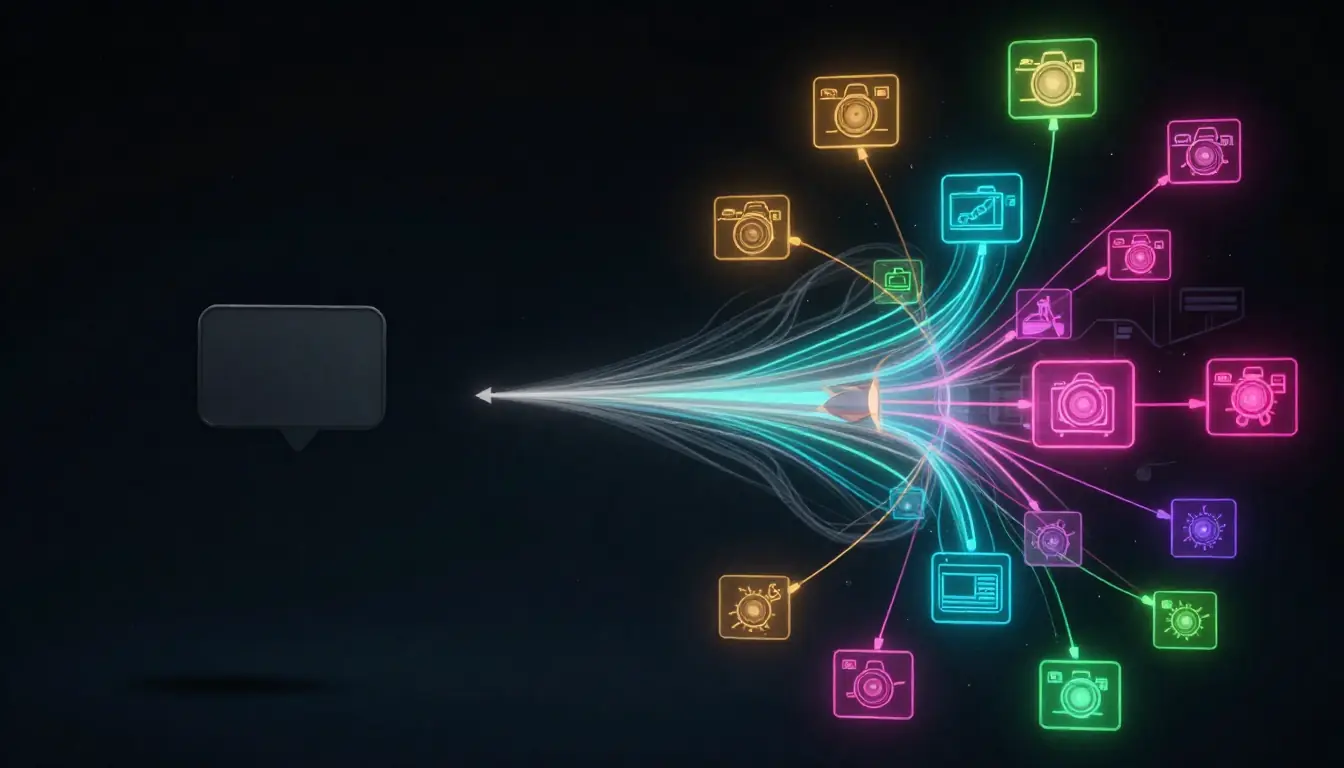
A simple 6-word input expanded into a complete storyboard prompt. The AI adds camera language, timeline structure, lighting, sound design, and reference suggestions automatically.
Honest Limitations
The prompt generator is genuinely useful, but it is not magic:
- Very simple clips. If you want "a white circle growing on a black background," just type that. The AI would over-complicate it with unnecessary camera movements and atmosphere.
- Highly specific shot-by-shot sequences. If you have an exact shot list in your head with precise timing down to individual frames, manual writing gives you more control.
- Prompts you have already perfected. If you have a prompt that consistently produces great results, there is no reason to regenerate it.
The generator shines when you have a concept but struggle to translate it into the structured, timeline-based format that AI video models need — which is most of the time, for most people.
The Anatomy of a Professional Video Prompt
Understanding why the structured format works helps you write better prompts — whether you use the generator or write manually. Here is how each section of a professional video prompt contributes to the final result.
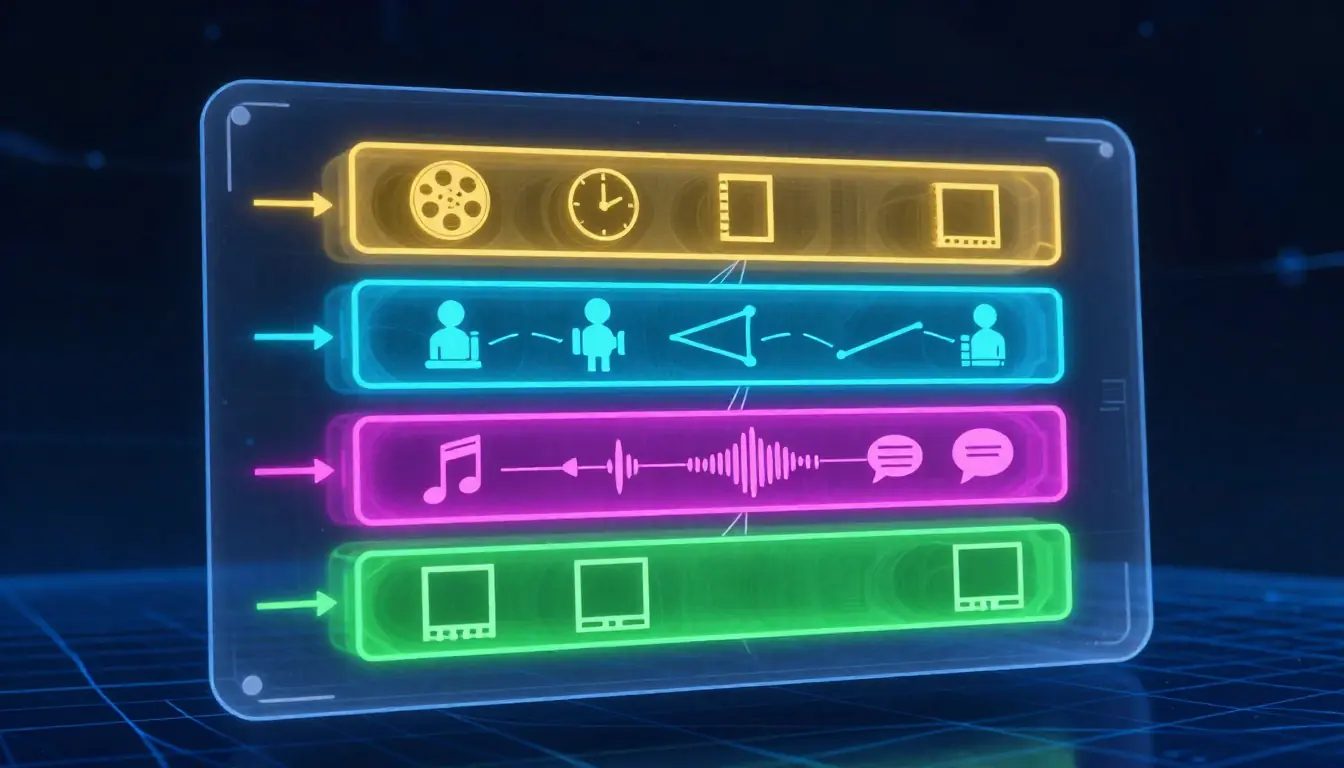
The four sections of a professional video prompt. Each serves a distinct purpose in communicating your vision to the AI model.
Section 1: Style Block — Setting the Rules
【Style】cinematic, 10 seconds, 16:9, melancholic tensionThe style block establishes the global parameters before any action begins. It tells the model: "Everything that follows should be interpreted through this lens."
| Parameter | What It Controls | Example Values |
|---|---|---|
| Visual style | Overall aesthetic, rendering approach | cinematic, anime, noir, documentary, vlog |
| Duration | Total clip length | 5 seconds, 10 seconds, 15 seconds |
| Aspect ratio | Frame dimensions | 16:9 (widescreen), 9:16 (vertical), 1:1 (square) |
| Mood | Emotional tone, color temperature | melancholic tension, joyful energy, eerie calm |
Why this matters: without a style block, the AI model defaults to its own interpretation. You might get cinematic lighting on a vlog-style clip, or documentary pacing on an anime scene. Declaring the style up front creates coherence.
Section 2: Timeline — The Shot Sequence
【Timeline】
  0-3s: [slow dolly in] + [rain-soaked alley] + [detective walks forward] + [volumetric fog]
  3-7s: [tracking shot] + [detective pauses] + [lights cigarette] + [lens flare]
  7-10s: [crane up] + [full alley reveal] + [detective walks away] + [fade to black]
The timeline is the heart of the prompt. Each line follows a consistent structure:
[camera movement] + [scene/environment] + [subject action] + [visual effects]
This structure works because it maps directly to how AI video models process information: they need to know how the camera behaves, what the environment looks like, what the subject does, and what visual effects to apply — at each point in time.
Key principles:
- Break time into 2-4 second segments for most styles. Shorter for action, longer for contemplative scenes.
- Start with an establishing shot that sets the scene before introducing action.
- Build toward a visual climax — the most dramatic camera movement or action should happen in the middle or final segment.
- End with a resolve — a hold, a pull-back, or a fade gives the clip a finished feel.
Section 3: Sound Block — Audio Design
【Sound】jazz saxophone + rain on pavement SFX + no dialogueSound design is the most-overlooked dimension of video prompts. Even though most AI video generators do not yet generate audio from text prompts, specifying sound serves two purposes:
- It influences the visual pacing. When you write "slow jazz," the AI tends to produce smoother, more deliberate camera movements. "Heavy bass electronic" triggers faster, more dynamic visuals.
- It guides your post-production. When you add sound later, having the sound design pre-planned means your audio and visuals will feel intentionally matched rather than bolted together.
Section 4: Reference Block — Visual Anchors
【Reference】@Image1 classic film noir alley, @Image2 Blade Runner rain sceneReference suggestions tell the model (and you) what the target aesthetic looks like. This is especially powerful for:
- Models that support image-to-video or image reference inputs
- Maintaining consistency across multiple clips in a project
- Communicating with collaborators who need to understand your vision
Why Structured > Freeform
A common question: why not just write a natural paragraph describing the video?
The answer is precision. Compare these two approaches:
Freeform: "Make a cinematic video of a detective walking down a rainy neon alley at night, it should look moody and noir, maybe 10 seconds long with some jazz music."
Structured:
【Style】noir, 10s, 16:9, moody tension
【Timeline】0-3s: [slow dolly in] + [neon-lit alley, rain] + [detective walks forward, trench coat collar up] + [volumetric fog, puddle reflections]
3-7s: [low-angle tracking] + [detective pauses under flickering sign] + [lights cigarette, face half-lit] + [lens flare, rain streaks on lens]
7-10s: [crane up, gradual] + [reveal full alley depth] + [detective resumes walking, fades into darkness] + [subtle fade to black]
【Sound】slow jazz sax + rain SFX + distant thunder
【Reference】@Image1 film noir alley, @Image2 Blade Runner cityscape
The structured version gives the model 3x more actionable information in roughly the same word count. Every ambiguity in the freeform version — how does the camera move? what happens when? how does it end? — is resolved in the structured version.
For a deeper exploration of prompt writing techniques, our Seedance Prompt Guide covers the formula with extensive before-and-after examples.
13 Video Prompt Templates by Category
The Seedance Video Prompt Generator includes 16 built-in templates across 6 categories, covering 13 distinct template types. Here is what each one does, when to use it, and the recommended settings.
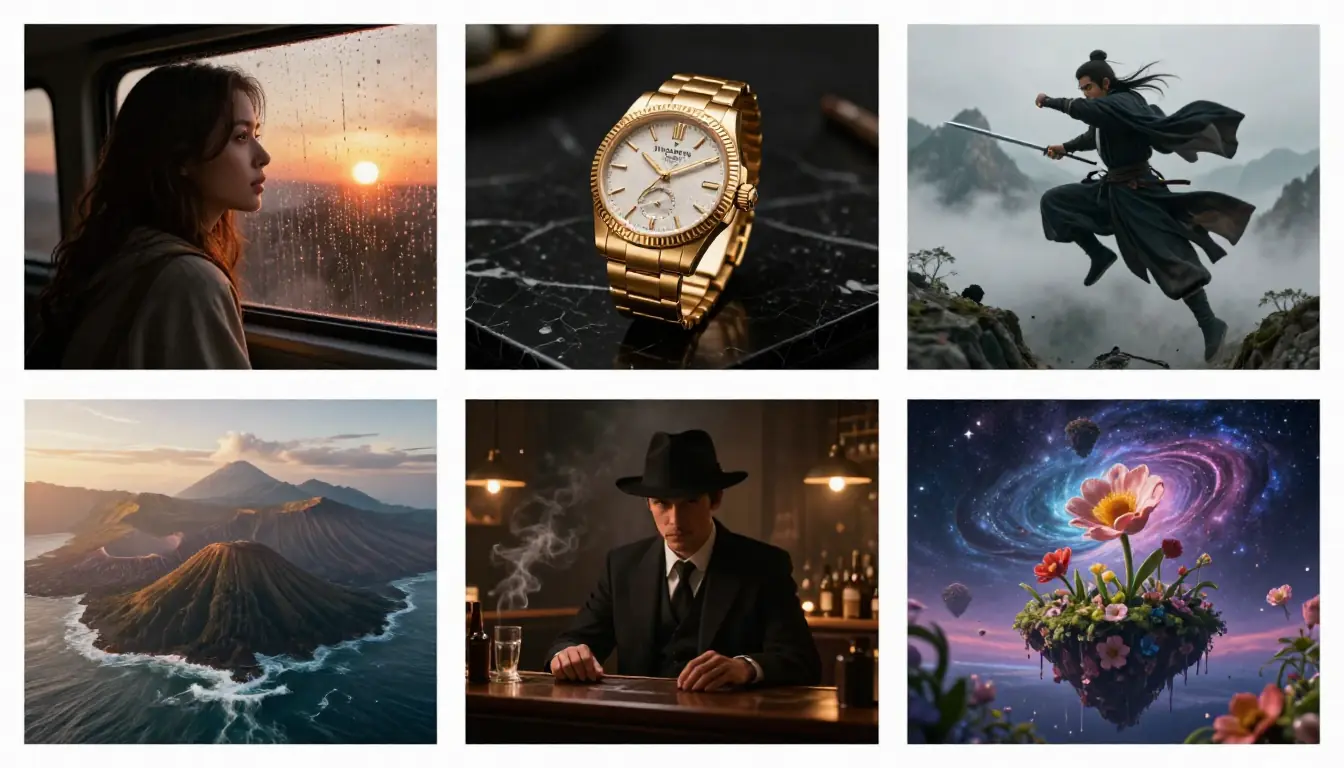
Six template categories covering every major video use case — from narrative storytelling to product showcases to experimental creative formats.
Narrative Templates (3 Types)
Narrative templates are built for storytelling — they structure camera work and pacing around character actions, emotional arcs, and scene reveals.
1. Narrative Story — The classic story-driven clip. Opens with an establishing shot, introduces a character performing an action, and resolves with an emotional or visual payoff.
- Recommended style: Cinematic, Fantasy, or Noir
- Best duration: 10–15 seconds
- Camera focus: Mix of wide establishing and close-up reaction shots
- Use case: Short film scenes, narrative ads, character introductions
2. Emotional Conflict — Centers on internal tension visible through body language, facial expression, and environment contrast. The camera stays tight, the pacing is deliberate.
- Recommended style: Cinematic, Noir, or Realistic
- Best duration: 8–12 seconds
- Camera focus: Close-ups, slow dolly movements, shallow depth of field
- Use case: Dramatic scenes, emotional ads, music video emotional beats
3. Talking Head — A single subject speaking directly to camera. Clean, professional framing with subtle movement to keep the shot dynamic.
- Recommended style: Documentary, Commercial, or Vlog
- Best duration: 5–10 seconds
- Camera focus: Medium close-up with gentle drift or slow zoom
- Use case: Testimonials, explainer openings, social media hooks
Product Templates (3 Types)
Product templates showcase objects, spaces, and commercial environments with camera movements designed to highlight features, materials, and scale.
4. Product Showcase — The hero shot template. Orbits, dollies in, or tracks across a product with controlled lighting that highlights materials and form.
- Recommended style: Commercial or Realistic
- Best duration: 8–12 seconds
- Camera focus: Orbit, slow dolly, macro details
- Use case: Product launches, e-commerce videos, brand content
5. Product Animation — Products in motion — unboxing sequences, assembly reveals, or objects transforming. Dynamic camera follows the action.
- Recommended style: Commercial or Sci-Fi
- Best duration: 8–15 seconds
- Camera focus: Tracking shot following motion, quick cuts between angles
- Use case: Tech products, app demos, feature reveals
6. Space Walkthrough — Virtual tours of interiors, architecture, or environments. Smooth, continuous camera movement through a space.
- Recommended style: Realistic, Commercial, or Sci-Fi
- Best duration: 10–15 seconds
- Camera focus: Steadicam-style forward movement, gentle pans
- Use case: Real estate, interior design, virtual showrooms, game environments
Character Templates (3 Types)
Character templates focus on people and animated characters — their movements, expressions, interactions with the environment, and dramatic moments.
7. Character Action — A character performing a specific physical action. Dynamic camera follows the movement with energy matching the style.
- Recommended style: Anime, Cinematic, or Sci-Fi
- Best duration: 5–10 seconds
- Camera focus: Tracking shots, low angles for power, slow motion for impact
- Use case: Action sequences, sports content, character introductions
8. Character Battle — Two or more characters in combat or intense interaction. Rapid camera shifts, impact cuts, and dramatic angles.
- Recommended style: Anime, Fantasy, or Cinematic
- Best duration: 8–15 seconds
- Camera focus: Quick cuts between angles, tracking action, speed ramps
- Use case: Game trailers, anime-style content, action scenes
9. War Scene — Large-scale conflict with multiple elements: troops, vehicles, explosions, environmental destruction. The camera establishes scale before diving into chaos.
- Recommended style: Cinematic, Realistic, or Sci-Fi
- Best duration: 10–15 seconds
- Camera focus: Crane shots for scale, handheld for immersion, tracking through action
- Use case: Epic trailers, historical content, game cinematics
Landscape Templates (3 Types)
Landscape templates capture environments, nature, and geography. Camera movements are typically slow, sweeping, and designed to convey scale and atmosphere.
10. Landscape Travel — Sweeping environmental shots that showcase natural or urban landscapes. The camera moves through space to reveal depth and scale.
- Recommended style: Cinematic, Realistic, or Documentary
- Best duration: 8–15 seconds
- Camera focus: Drone-style crane shots, slow pans, establishing wide angles
- Use case: Travel content, destination marketing, establishing shots
11. Long-Take Tracking — A continuous single-shot camera movement through an environment. No cuts — the camera weaves through space, discovering elements along the way.
- Recommended style: Cinematic, Realistic, or Documentary
- Best duration: 10–15 seconds
- Camera focus: Steadicam or drone continuous movement, no cuts
- Use case: Immersive experiences, location reveals, virtual tours, art installations
12. One-Take — A single unbroken shot with no camera cuts. Similar to long-take tracking but can include characters and action — the camera witnesses events unfolding in real time.
- Recommended style: Cinematic, Documentary, or Vlog
- Best duration: 10–15 seconds
- Camera focus: Single continuous shot, may orbit or track subjects
- Use case: Music videos, event coverage, dramatic single-moment scenes
Creative Templates (1 Type)
13. Mockumentary — A comedic or satirical take on documentary format. Uses documentary camera conventions (handheld, talking heads, observational framing) but applied to absurd or fictional subjects.
- Recommended style: Documentary or Vlog
- Best duration: 10–15 seconds
- Camera focus: Handheld, quick zooms, "accidental" framing
- Use case: Comedy content, social media satire, creative marketing
How to Choose the Right Template
A decision framework:
- Telling a story? → Narrative Story, Emotional Conflict, or Character Action
- Selling a product? → Product Showcase, Product Animation, or Space Walkthrough
- Creating action content? → Character Battle, War Scene, or Character Action
- Showcasing a place? → Landscape Travel, Long-Take Tracking, or One-Take
- Making something funny? → Mockumentary
- Building a brand? → Talking Head, Product Showcase, or Commercial-style Narrative
You can also ignore the templates entirely and let the AI generate a prompt from scratch based on your description. Templates are a starting point, not a constraint.
For more ready-to-use prompt examples, see our collection of 10 AI Video Prompts with full breakdowns.
Camera Language Cheat Sheet
Camera movement is the vocabulary of video. Knowing these terms — or having a generator that knows them for you — is the single biggest upgrade to your video prompts.
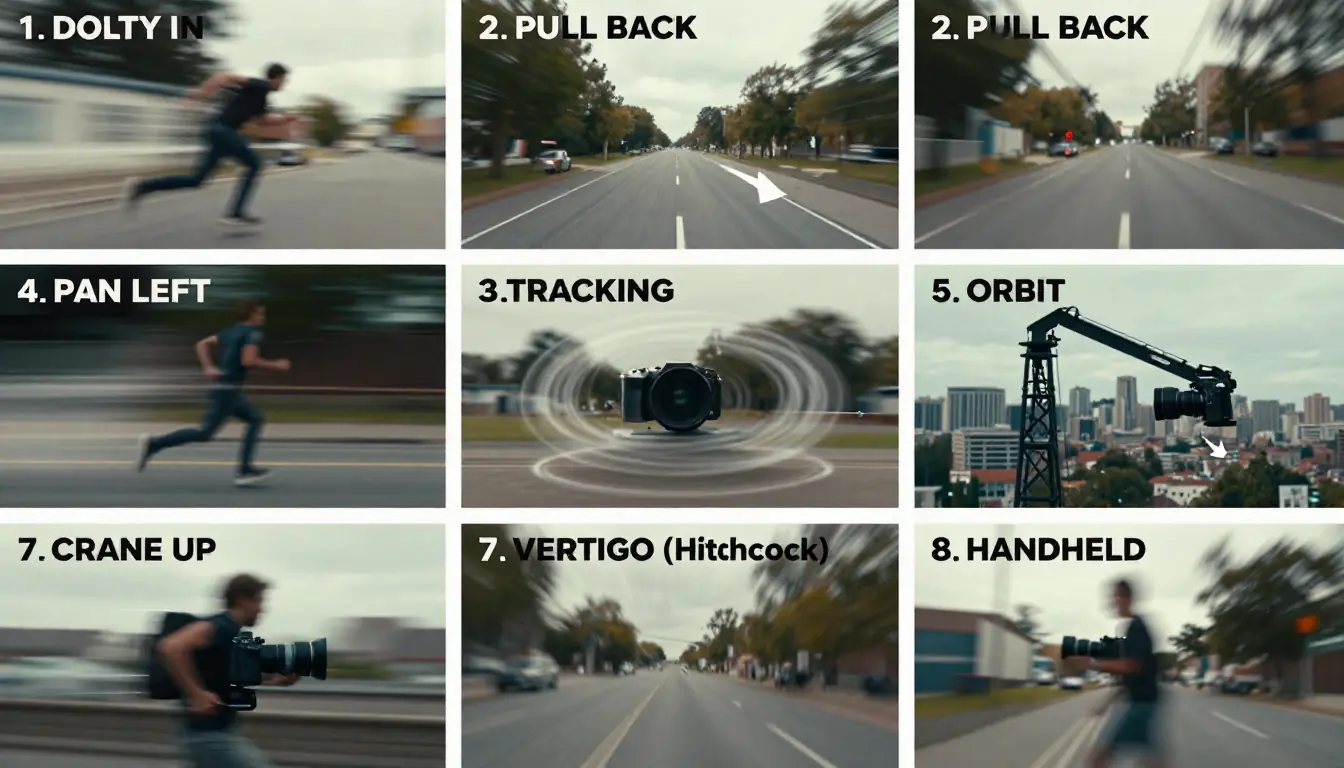
The 8 essential camera movements for AI video prompts. Each creates a distinct visual and emotional effect.
The Essential Camera Movements
| Movement | How to Write It | What It Does | When to Use |
|---|---|---|---|
| Dolly In | "push in," "slow dolly in," "rush in" | Moves camera toward the subject | Emphasize a subject, build tension, draw viewer into a moment |
| Pull Back | "pull back," "gradually retreat," "dolly out" | Moves camera away from the subject | Reveal environment, create emotional distance, establish scale |
| Pan | "pan left," "pan right," "horizontal sweep" | Rotates camera horizontally on a fixed point | Show the breadth of an environment, follow horizontal movement |
| Tracking | "tracking shot," "follow shot," "side track" | Camera moves alongside the subject | Follow a character walking, running, or moving through space |
| Orbit | "orbit," "360° rotation," "circular track" | Camera circles around the subject | Show a subject from all angles, product hero shots, dramatic reveals |
| Crane | "crane up," "crane down," "swoop" | Camera moves vertically | Vertical reveals, establishing scale, dramatic overhead shots |
| Special | "Hitchcock zoom," "one-take," "whip pan" | Specialized techniques with distinct visual signatures | Hitchcock zoom compresses background; one-take creates continuous immersion; whip pan for energy |
| Handheld | "handheld shake," "handheld wobble" | Camera mimics natural hand-held movement | Documentary authenticity, raw tension, found-footage feel |
Combining Camera Movements
The most professional prompts combine multiple camera movements across the timeline. Here are proven combinations:
Reveal + Focus: Crane up (establishing) → Dolly in (focusing on subject) Used for: Character introductions, landscape-to-subject transitions
Follow + Reveal: Tracking shot (following subject) → Pull back (revealing environment) Used for: Journey sequences, chase scenes, exploration
Orbit + Dolly: Orbit (showing subject) → Slow dolly in (intimate close-up) Used for: Product showcases, hero moments, character reveals
Scale + Intimacy: Crane down from aerial → Tracking shot at ground level Used for: Establishing a location before following a character through it
Camera Language Tips for AI Models
Different AI video models respond to camera instructions with varying accuracy. Here is what works best:
- Be explicit with direction. "Slow dolly in from left" is better than "camera moves closer." Specify speed and direction.
- Match movement to duration. A 5-second clip supports one or two camera movements. A 15-second clip can handle three or four.
- Use consistent terminology. Pick "dolly in" or "push in" and stick with it throughout your prompt. Mixing terminology can confuse models.
- Pair camera movement with subject action. "Tracking shot as character runs through corridor" is more effective than separate camera and action descriptions because the model understands they are linked.
For an in-depth guide on applying these camera techniques to Seedance specifically, see our How to Use Seedance guide and the Seedance Prompt Guide.
5 Best AI Video Prompt Generators Compared
Not every tool that helps you write video prompts is the same. Here is an honest comparison of the five main approaches available today.
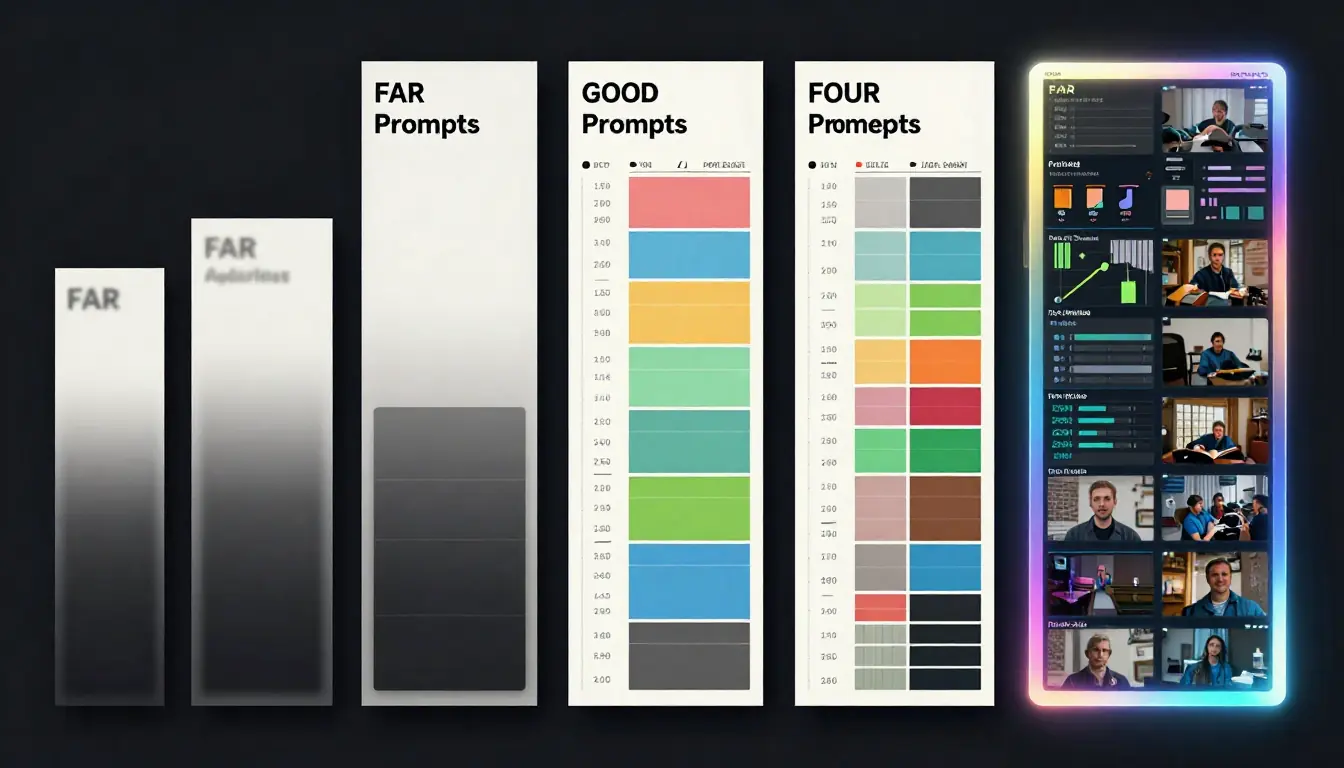
Five approaches to AI video prompt generation compared. Each has genuine strengths — the right choice depends on your workflow.
1. Seedance Video Prompt Generator — Best Dedicated Tool
What it is: A purpose-built video prompt generator that outputs structured storyboard prompts with camera language, timeline, sound design, and references.
Strengths:
- Structured storyboard format designed specifically for AI video models
- 12 video styles that trigger specialized prompt vocabularies
- 16 templates across 6 categories for common video types
- One-click pipeline: generate prompt → send to Video Generator → get video
- Streaming output so you see the prompt building in real time
- Cost: 2 credits per generation
Limitations:
- Requires a Seedance account (free credits available)
- Output format is opinionated — follows the 【Style】/【Timeline】/【Sound】/【Reference】 structure
Best for: Anyone who wants professional video prompts with minimal effort and the ability to generate the video immediately afterward. The prompt-to-video pipeline is the unique advantage no other tool offers.
2. ChatGPT / Claude — Best General-Purpose AI
What it is: General-purpose AI assistants that can write video prompts when asked.
Strengths:
- Extremely flexible — can write prompts in any format you specify
- Great at understanding context and nuance in your descriptions
- Can iterate and refine prompts through conversation
- Already included in subscriptions many people have
Limitations:
- Not specialized for video — you need to guide the output format yourself
- Does not know the specific format preferences of different AI video models
- No integration with video generation tools — you always copy-paste
- Quality depends heavily on how well you instruct the AI about what a good video prompt looks like
Best for: People who already use ChatGPT/Claude daily and want video prompt help within their existing workflow. Works well if you provide the structured format as a system prompt.
3. PromptHero — Best Prompt Library
What it is: A community-driven library of AI prompts, including some video prompts, that you can search, browse, and copy.
Strengths:
- Large library of community-tested prompts
- Can see the actual outputs that prompts produced
- Free to browse
Limitations:
- Primarily an image prompt library — video prompts are limited
- No generation — these are static templates, not AI-generated custom prompts
- Quality varies widely across community submissions
- No structured storyboard format
Best for: Finding inspiration and proven prompt structures to learn from, rather than generating custom prompts for specific projects.
4. Runway — Built-in Prompt Helper
What it is: Runway's text-to-video generator includes basic prompt assistance and suggestions within the generation interface.
Strengths:
- Integrated directly into the video generation workflow
- Suggestions are tuned to Runway's specific model capabilities
- Simple interface
Limitations:
- Very basic compared to a dedicated prompt generator
- Does not generate full storyboard prompts — offers suggestions and enhancements
- Only useful within the Runway ecosystem
- No camera language, timeline structure, or sound design in the output
Best for: Runway users who want quick prompt improvements without leaving the platform.
5. Pika — Prompt Guide
What it is: Pika provides prompt writing guidance and tips within its platform to help users write more effective prompts.
Strengths:
- Guidance is specifically tuned to Pika's model
- Helpful for understanding what Pika's model responds to best
- Integrated into the workflow
Limitations:
- Not a prompt generator — it is a guide, not a tool
- Only relevant for Pika's specific model
- No structured output format
- No templates or style selection
Best for: Pika users who want to improve their prompts within the Pika ecosystem.
The Bottom Line
If you want a dedicated tool that generates complete storyboard prompts and connects directly to video generation, Seedance is the clear choice. If you prefer working within a general AI assistant, ChatGPT or Claude can write competent video prompts when properly instructed. The other options are supplementary — useful for inspiration or minor improvements, but not full prompt generation systems.
Pro Tips: Getting the Best Results
Even with a generator handling the heavy lifting, these techniques will push your results further.
1. Specify the Emotion, Not Just the Action
"A woman walks through a forest" produces a generic clip. "A woman walks through a forest, processing grief, each step heavier than the last" gives the AI an emotional context that affects everything — camera speed, lighting warmth, color saturation.
The emotional descriptor is the single most underused element in video prompts. Add it.
2. Use Concrete Numbers for Duration and Timing
"A long shot" is vague. "A 4-second crane shot descending from treetop level to ground level" is precise. AI models perform dramatically better with specific timing because they can allocate motion budget across the clip.
In the timeline section, always specify exact second ranges: "0–3s," "3–7s," "7–10s." Do not write "first part," "middle," "end."
3. Layer Your Effects — Do Not Stack Them
A common mistake is requesting too many effects in a single time segment. "Slow motion + lens flare + rain + volumetric fog + particle effects + depth of field" in a 3-second window overwhelms most models. Pick two or three effects per segment and let each one breathe.
Rule of thumb: one camera movement + one environmental effect + one subject action per segment. Add a fourth element only if the segment is 4+ seconds.
4. Match Style to Platform
Different AI video platforms have different strengths. Tailor your style choice:
- Seedance: Excels at cinematic, realistic, and commercial styles. Strong motion consistency.
- Sora: Strong with cinematic and realistic. Handles complex camera movements well.
- Kling: Excellent character animation and realistic motion. Great for character-focused prompts.
- Runway Gen-3: Good at stylized and artistic looks. Works well with abstract and creative prompts.
- Pika: Best for short, punchy clips. Stylized content with simple motion.
The Seedance prompt generator produces prompts that work across all platforms, but knowing each platform's strengths helps you choose where to generate.
5. Iterate: Generate, Edit, Regenerate
The generated prompt is a professional starting point, not a final product. The best workflow is:
- Generate the initial prompt with the generator
- Read through it and identify what does not match your vision
- Edit the camera movements, timing, or effects manually
- Generate the video with the edited prompt
- Refine based on the output — adjust the prompt and regenerate
Two or three iterations typically get you to a result that matches your vision precisely. For more on the iterative refinement process, see our How to Write AI Video Prompts tutorial.
From Prompt to Video: The Complete Workflow
Here is the full pipeline from idea to finished video, using the Seedance ecosystem as a reference. This workflow applies to any combination of tools.
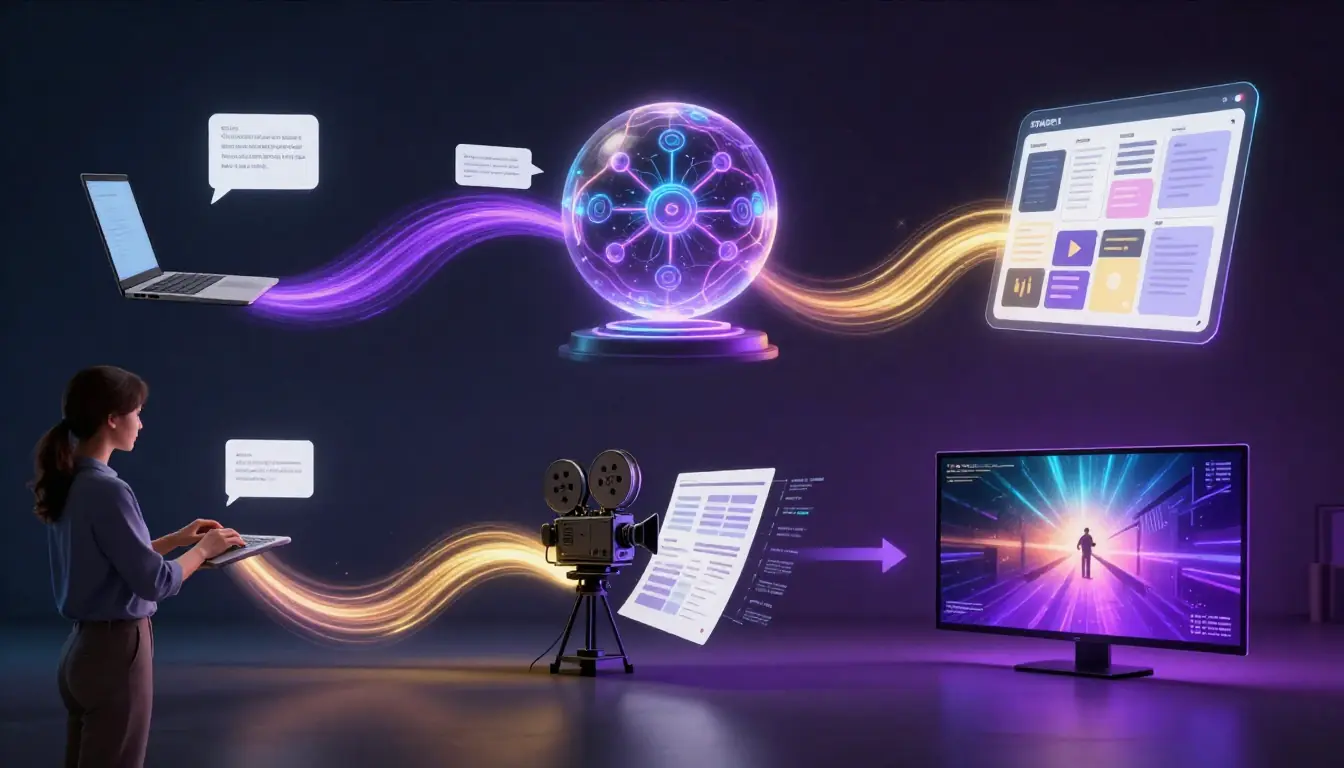
The complete pipeline: from rough idea to finished video in five steps. The prompt generation step (Step 2) is where most quality gains happen.
Step 1: Define Your Concept
Before touching any tool, answer three questions:
- What is the video about? (Subject and action)
- What should it feel like? (Mood and emotion)
- Where will it be used? (This determines duration, aspect ratio, and style)
A one-sentence concept brief is enough: "A 10-second cinematic clip of a lone astronaut discovering a flower growing on Mars, evoking wonder and hope, for a social media campaign."
Step 2: Generate the Prompt
Go to the Video Prompt Generator and:
- Enter your concept description
- Select the style that best matches your vision (cinematic for this example)
- Let the AI generate the complete storyboard prompt
At this stage, you have a professional prompt covering camera movements, timeline, sound design, and visual references.
Step 3: Review and Edit
Read through the generated prompt and adjust:
- Camera movements — do they match the emotional arc you want?
- Timeline pacing — is the timing right for your intended platform?
- Effects and atmosphere — too many? Too few?
- Sound design — does the suggested music/SFX match your vision?
Spend 2–3 minutes here. Small edits at this stage prevent costly re-generations later.
Step 4: Generate the Video
Two paths:
Path A (Seedance): Click "Send to Video Generator" to pass the prompt directly to the Text-to-Video Generator. Select your model, resolution, and duration settings, then generate.
Path B (Other platforms): Copy the prompt and paste it into your preferred platform — Sora, Kling, Runway, Pika, or any other tool. You may need to adapt the format slightly for platforms that do not support the structured storyboard format (flatten the timeline into a single paragraph).
Step 5: Post-Production
AI-generated video rarely needs zero post-production. Common finishing steps:
- Trim the clip to remove any soft starts or ends
- Color grade to match your brand or project palette
- Add audio — music, sound effects, voice-over based on the sound design block
- Combine clips if your project requires multiple scenes
- Add text overlays for social media or advertising contexts
For a complete walkthrough of using Seedance for the video generation step, see our How to Use Seedance Complete Guide. For an overview of the entire AI video generation landscape, our Text to Video AI Guide covers all major platforms and techniques.
Frequently Asked Questions
What is an AI video prompt generator?
An AI video prompt generator is a tool that converts a short text description into a detailed, structured video prompt optimized for AI video generation platforms. It automatically adds camera movements, timeline structure, lighting, sound design, and style specifications that dramatically improve the quality and consistency of AI-generated video. Instead of writing "a person walking in a city," the generator produces a complete storyboard with shot-by-shot camera directions and timing.
Is the Seedance Video Prompt Generator free?
The Seedance Video Prompt Generator costs 2 credits per generation. New accounts receive free credits upon sign-up, so you can try it without payment. Each generation produces a complete storyboard prompt that would take 10–20 minutes to write manually. The prompt includes camera language, timeline, sound design, and reference suggestions.
Which AI video generators work with these prompts?
The generated prompts work with all major AI video platforms: Seedance, Sora, Kling, Runway Gen-3, Pika, Luma Dream Machine, and others. The structured storyboard format is particularly effective with Seedance and Sora, which handle complex camera instructions well. For simpler platforms, you can flatten the timeline into a paragraph format while keeping the key descriptors.
How is this different from asking ChatGPT to write a video prompt?
ChatGPT can write video prompts, but it is not specialized for it. The Seedance generator is trained specifically on video prompt structure: it knows which camera movements work with which styles, how to pace a timeline for different durations, and what sound design complements different visual aesthetics. It also connects directly to the Video Generator — no copy-paste workflow needed. ChatGPT gives you a general prompt; Seedance gives you a production-ready storyboard.
What are the 12 video styles available?
The 12 styles are: Cinematic, Realistic, Anime, Commercial, Documentary, Sci-Fi, Fantasy, Noir, Vintage, Ink-Wash, Vlog, and Music Video. Each triggers different camera vocabularies, lighting approaches, color palettes, and pacing conventions. For example, selecting "Noir" emphasizes high-contrast lighting, shadow play, and deliberate pacing, while "Anime" triggers dynamic camera movements, cel-shading descriptors, and expressive action sequences.
Can I edit the generated prompts?
Absolutely — and you should. The generated prompt is a professional starting point designed to be refined. Read through the output, adjust camera movements that do not match your vision, change the timing, modify effects, or rewrite the sound design. The best results come from using the generator as a foundation and then applying your own creative direction. Two or three edit-regenerate cycles typically produce exactly what you want.
Do I need filmmaking knowledge to use this tool?
No. That is the entire point. The tool translates your plain-language description into professional filmmaking vocabulary — camera movements, shot types, lighting setups, and pacing. You describe what you want to see in everyday words, select a style, and the AI handles the technical construction. It is designed for people who know what they want but not how to describe it in cinematography language.
Can I use the same prompt across different AI video platforms?
Yes, with minor adaptations. The structured storyboard format works directly in Seedance and is compatible with most platforms. For platforms that expect a single paragraph (like some versions of Runway or Pika), flatten the timeline sections into continuous text while keeping the camera language and descriptors. The camera vocabulary (dolly in, tracking shot, crane up) is universal across all AI video models.
Start Generating Better Video Prompts
The gap between "I have a video idea" and "I can describe it in a way that AI models execute perfectly" is where most AI video projects fall short. The Seedance Video Prompt Generator bridges that gap in seconds.
Here is your workflow:
- Go to the Video Prompt Generator
- Type your concept in plain language
- Pick a style from the 12 options
- Get your storyboard prompt with camera language, timeline, sound design, and references
- Send it directly to the Video Generator — or copy it into any AI video platform
Whether you are creating content for a brand, producing a short film, building a social media presence, or just exploring what AI video can do, a structured storyboard prompt is the difference between "that's okay" and "that's exactly what I envisioned."
Generate Your First Video Prompt → | Try the Video Generator → | Explore Seedance →
