
TL;DR
An AI image prompt generator takes your rough idea — "a cat in space" — and transforms it into a professional, multi-dimensional prompt that produces dramatically better results across Midjourney, DALL-E, Stable Diffusion, Flux, and every other major AI image tool.
The secret? Every great image prompt covers 7 dimensions: Subject, Environment, Lighting, Color, Composition, Style & Medium, and Quality Modifiers. Most people only describe the subject and hope for the best. That is why their results look generic.
Seedance's Image Prompt Generator handles the heavy lifting: type a short description, pick one of 12 styles, and get a complete professional prompt in seconds — ready to copy into any AI image tool. Try it free →
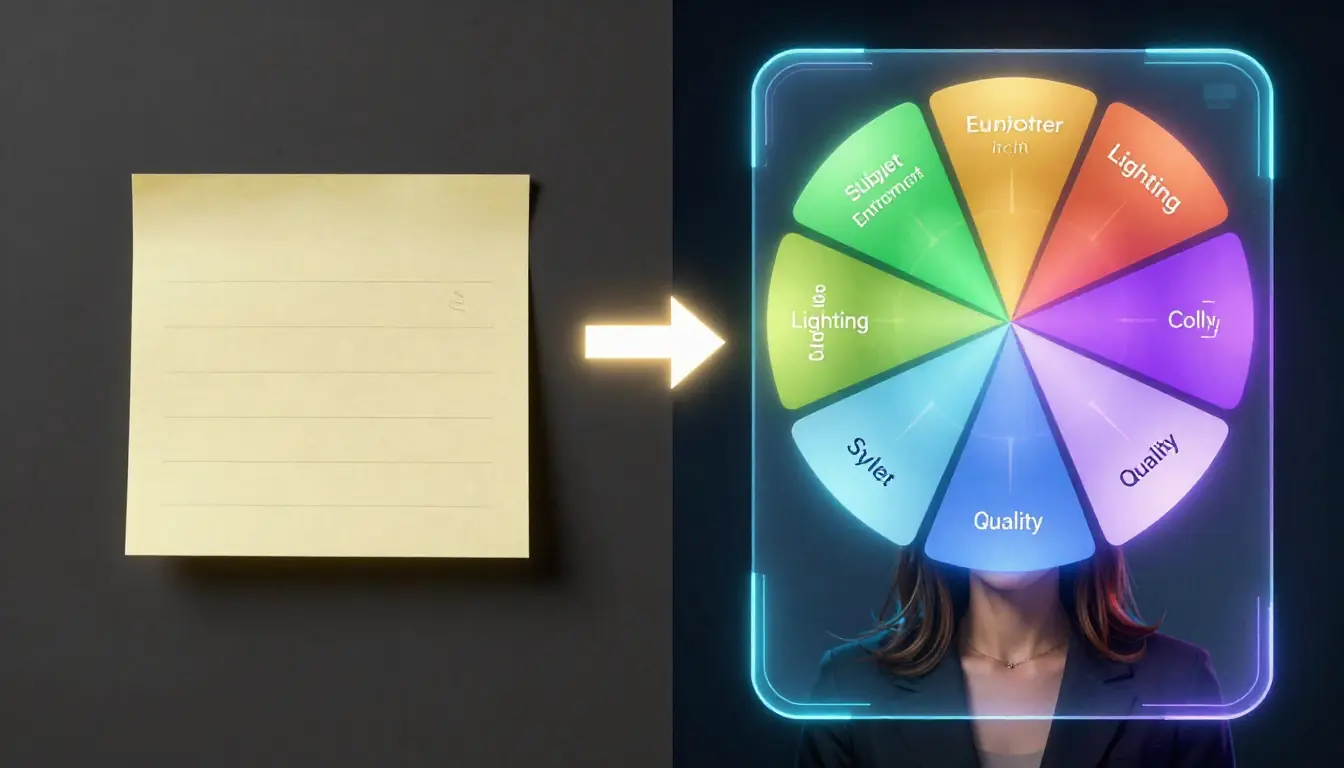
Left: output from "a cat sitting on a windowsill." Right: output from an AI-expanded prompt with lighting, atmosphere, color palette, and quality specifications. Same concept, completely different result.
What Is an AI Image Prompt Generator?
An AI image prompt generator is a tool that takes a simple text description and expands it into a detailed, structured prompt optimized for AI image generation platforms. Think of it as the difference between telling a photographer "take a picture of a flower" versus giving them a full creative brief with lighting direction, lens choice, color palette, and composition guidelines.
The fundamental problem it solves is straightforward: AI image generators are only as good as the prompts they receive, but writing great prompts is a skill that takes months to develop. Most people know what they want to see but do not know how to describe it in the language that AI models understand best.
Three Approaches to Image Prompts
There are three ways to write prompts for AI image generation, and each has a clear place:
| Approach | How It Works | Best For | Limitations |
|---|---|---|---|
| Manual writing | You write the entire prompt from scratch | Experts who know prompt syntax and model-specific keywords | Steep learning curve, time-consuming, inconsistent quality |
| Template libraries | Pick a pre-written prompt and swap in your subject | Quick iterations on proven prompt structures | Rigid, limited creativity, prompts may feel formulaic |
| AI prompt generation | Describe your idea in plain language, AI generates the full prompt | Everyone — beginners get professional results, experts save time | Less direct control over every word (though you can edit the output) |
The honest take: if you already know the 7 dimensions inside out and can write a 150-word prompt in 30 seconds, you may not need a generator. But even experienced prompt engineers use generators as a starting point — they are faster than writing from scratch and often suggest angles you had not considered.
For the other 95% of people who just want great images without studying prompt engineering for weeks, an AI prompt generator is transformative.
For the video side of prompt generation, see our companion AI Video Prompt Generator Guide.
The 7 Dimensions of a Perfect Image Prompt
Every professional AI image prompt — whether you write it manually or generate it with AI — should address these seven dimensions. This is the framework that separates "decent" results from "stunning" results.
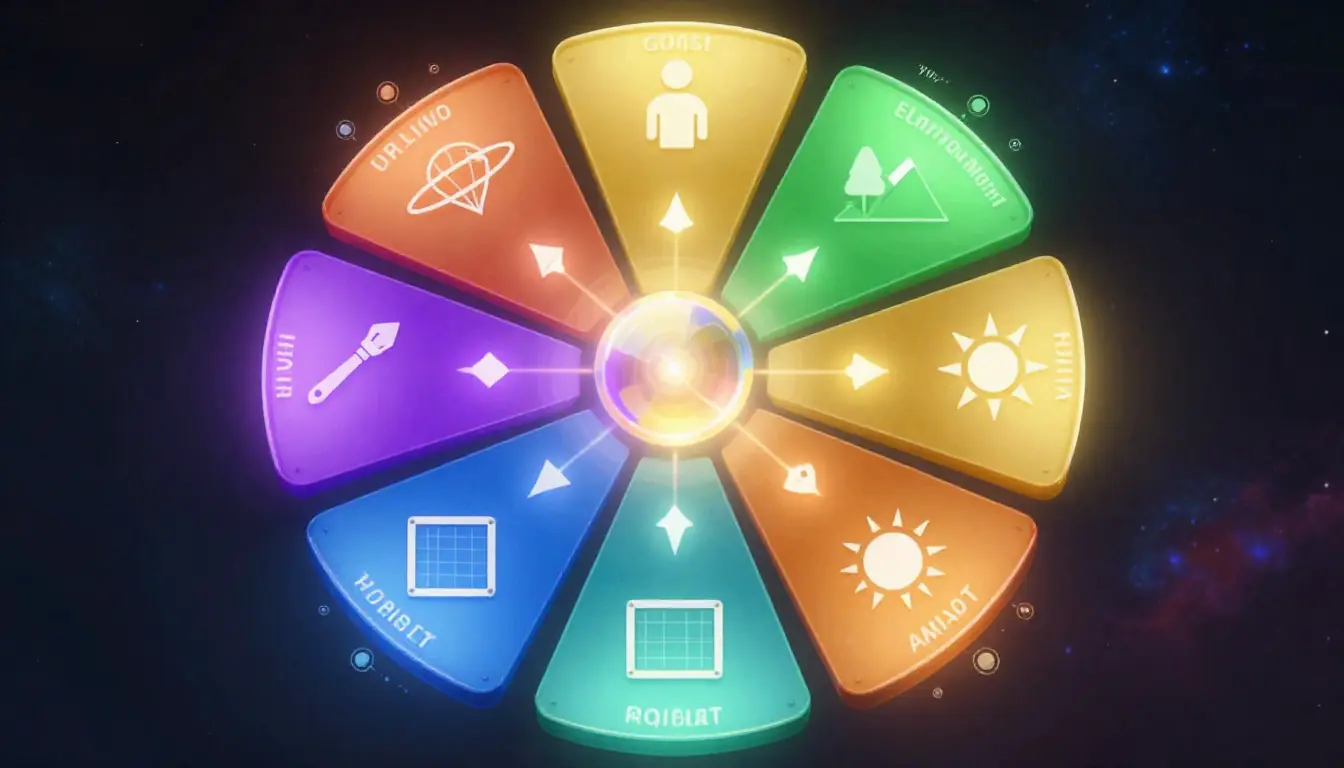
The 7 dimensions framework: addressing each one transforms a vague idea into a precise creative brief that AI models can execute with consistency.
1. Subject — The Core of Your Image
The subject is what the image is about. It seems obvious, but the level of detail you provide here makes an enormous difference.
Key elements to specify:
- Who or what (person, animal, object, character, landscape)
- Age, gender, ethnicity, expression (for people)
- Pose, posture, action
- Clothing, accessories, distinguishing features
- Quantity and spatial relationship (if multiple subjects)
Keywords: portrait, full-body, close-up, headshot, profile view, three-quarter view, candid, posed, action shot
Good prompt: "A weathered fisherman in his 60s with deep smile lines, wearing a faded indigo wool sweater and salt-crusted canvas cap, mending a fishing net with calloused hands"
Weak prompt: "An old man fishing"
The good prompt gives the AI specific physical details, clothing textures, an action, and emotional context. The weak prompt could produce literally anything — a cartoon, a stick figure, a man on a yacht.
2. Environment — Setting the Scene
The environment establishes where the scene takes place and creates the visual context that grounds your subject.
Key elements to specify:
- Location type (indoor, outdoor, urban, natural, abstract)
- Specific setting (Japanese garden, abandoned warehouse, Art Deco penthouse)
- Time of day and season
- Weather and atmospheric conditions
- Background elements and depth
Keywords: background, setting, scene, environment, landscape, interior, exterior, foreground elements, middleground, atmospheric haze, fog, mist, rain, snow
Good prompt: "...standing on a weathered wooden dock at a quiet fishing village in coastal Portugal, early morning fog rolling in from the Atlantic, pastel-colored boats bobbing in the harbor behind him"
Weak prompt: "...at the ocean"
Specificity turns a generic backdrop into a believable world. Naming an actual place (even if the AI will not replicate it exactly) gives the model cultural and visual cues to work with.
3. Lighting — The Most Underestimated Dimension
Lighting is arguably the single most impactful dimension after the subject itself. Professional photographers spend more time on lighting than anything else, and the same principle applies to AI images.
Key elements to specify:
- Light source direction (front, back, side, top, rim)
- Light quality (soft/hard, diffused/direct)
- Time-based lighting (golden hour, blue hour, midday, midnight)
- Artificial lighting (studio, neon, candlelight, fluorescent)
- Shadow characteristics (harsh, soft, dramatic, minimal)
Keywords: golden hour, blue hour, Rembrandt lighting, butterfly lighting, rim light, backlighting, chiaroscuro, soft diffused light, harsh directional light, volumetric light, light rays, god rays, dappled light, ambient occlusion
Good prompt: "...warm golden hour sidelight casting long shadows across the dock, soft rim lighting from the fog creating a luminous halo around his silhouette, gentle fill light bouncing off the water surface"
Weak prompt: "...good lighting"
The word "good" tells the AI nothing. Specifying the direction, quality, and source of light gives the model a lighting diagram to work with.
4. Color — Setting the Emotional Tone
Color palette directly influences the emotional resonance of an image. It is the difference between a warm, nostalgic photograph and a cold, dystopian scene.
Key elements to specify:
- Overall color temperature (warm, cool, neutral)
- Dominant color palette (earthy tones, jewel tones, pastels, monochrome)
- Color contrast and saturation level
- Specific color accents
- Color grading style (cinematic teal-orange, film noir desaturated, Wes Anderson pastels)
Keywords: warm tones, cool tones, muted palette, vibrant, saturated, desaturated, monochromatic, complementary colors, analogous colors, teal and orange, earthy, jewel tones, pastel, neon, sepia
Good prompt: "...muted warm palette dominated by faded indigos, weathered sienna, and sea-foam greens, with a single pop of vermillion from a lobster buoy in the foreground"
Weak prompt: "...colorful"
A specific palette gives the AI a restricted color space to work within, producing cohesive results. "Colorful" might produce a rainbow mess.
5. Composition — Guiding the Viewer's Eye
Composition determines how elements are arranged within the frame. It is the grammar of visual storytelling.
Key elements to specify:
- Camera angle and perspective (eye-level, low angle, bird's eye, Dutch angle)
- Framing (tight, wide, medium, establishing shot)
- Depth of field (shallow bokeh, deep focus, tilt-shift)
- Rule of thirds, leading lines, symmetry, framing devices
- Negative space and visual weight distribution
Keywords: rule of thirds, centered composition, symmetrical, asymmetrical, leading lines, depth of field, shallow DOF, bokeh, tilt-shift, wide angle, telephoto compression, fisheye, macro, bird's eye view, worm's eye view, Dutch angle, overhead shot, establishing shot, close-up, extreme close-up
Good prompt: "...shot with a 85mm lens at f/2.8, shallow depth of field with the fisherman sharp in the left third and the harbor boats softly blurred behind, low angle looking slightly up to convey dignity"
Weak prompt: "...nicely framed"
Specifying lens, aperture, and compositional rules gives the AI a precise visual language. Camera-specific terminology is surprisingly well-understood by modern image models.
6. Style & Medium — Defining the Visual Language
Style and medium tell the AI how the image should look — not just what it depicts, but what kind of artwork it is.
Key elements to specify:
- Art style (photorealistic, impressionist, art nouveau, pop art, minimalist)
- Medium (oil painting, watercolor, digital art, pencil sketch, charcoal)
- Reference artists or movements (optional but powerful)
- Rendering approach (hyperdetailed, loose, abstract, geometric)
- Cultural aesthetic (Japanese ukiyo-e, Scandinavian minimalism, Bauhaus)
Keywords: photorealistic, hyperrealistic, oil painting, watercolor, digital art, 3D render, pencil sketch, charcoal drawing, vector art, pixel art, anime style, concept art, editorial illustration, fashion photography, street photography, documentary style, fine art, commercial photography
Good prompt: "...editorial documentary photography style, reminiscent of Steve McCurry's National Geographic work, rich detail and narrative depth, shot on medium format film"
Weak prompt: "...realistic style"
Referencing a specific photographer or art movement gives the AI a concrete visual target. "Realistic" is one of the least useful style descriptors because every AI model already tries to make images look good.
7. Quality Modifiers — Technical Polish
Quality modifiers are the finishing touches that tell the AI about resolution, rendering quality, and the technical standard you expect.
Key elements to specify:
- Resolution and detail level (4K, 8K, ultra-detailed, intricate)
- Rendering engine references (Unreal Engine, Octane, V-Ray — for 3D styles)
- Anti-aliasing and noise characteristics (film grain, clean digital, noise-free)
- Award or publication references (award-winning, National Geographic, Vogue)
- Negative specifications (what to avoid)
Keywords: 4K, 8K, ultra HD, highly detailed, intricate details, sharp focus, masterpiece, best quality, award-winning, professional, studio quality, magazine cover, editorial quality, Unreal Engine 5, Octane render, ray tracing, film grain, noise-free, artifact-free
Good prompt: "...8K resolution, ultra-detailed, sharp focus on the fisherman's weathered hands, fine film grain reminiscent of Kodak Portra 400, National Geographic quality"
Weak prompt: "...high quality"
Publication and film stock references give the AI extremely specific quality targets. "High quality" is so generic that most models essentially ignore it.
How Seedance Image Prompt Generator Works
Now that you understand the 7 dimensions, let's talk about the fastest way to apply them: Seedance's Image Prompt Generator.
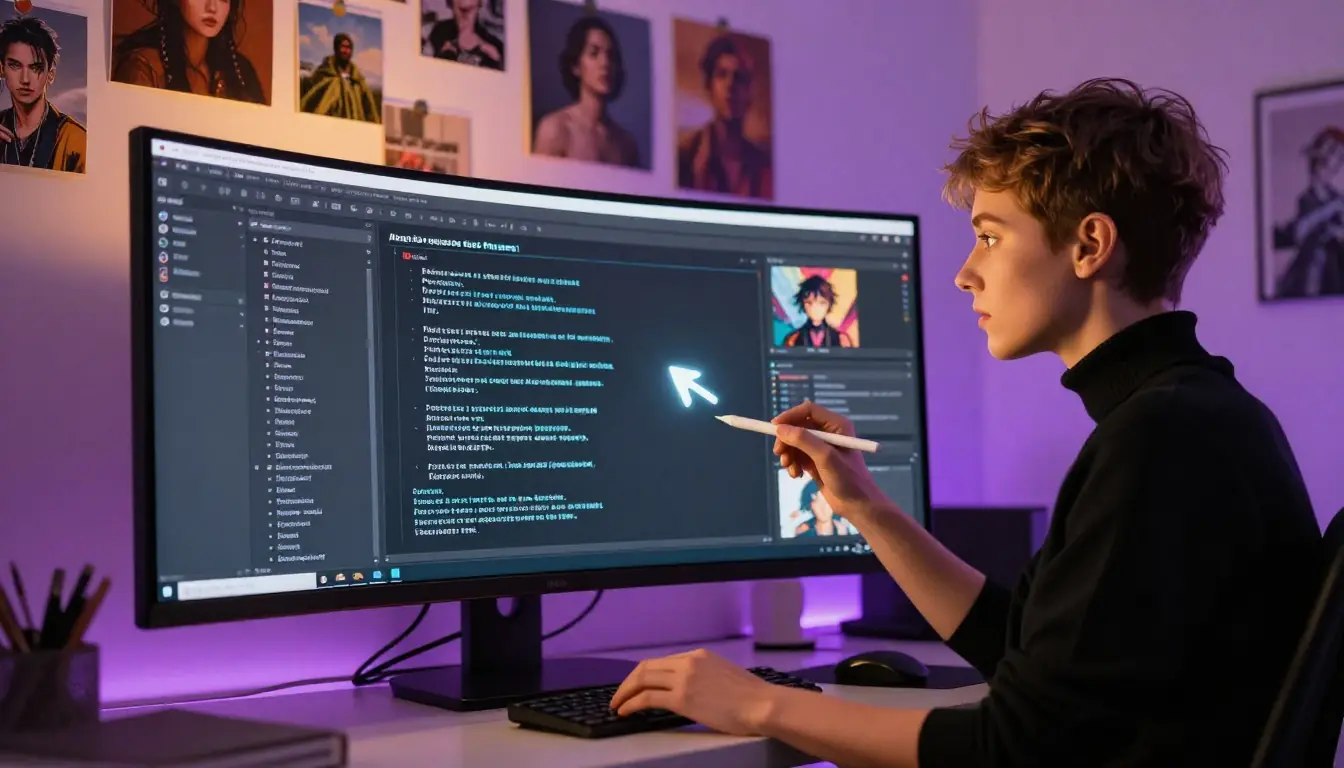
The Seedance Image Prompt Generator: input your idea, pick a style, and receive a professional prompt covering all 7 dimensions in seconds.
Step-by-Step Workflow
Step 1: Enter your description. Type a short description of what you want to see. It can be as simple as "a cyberpunk city at night" or as detailed as you like. The AI works with whatever you give it.
Step 2: Select a style. Choose from 12 curated image styles: Photorealistic, Illustration, Oil Painting, Watercolor, Digital Art, 3D Render, Pixel Art, Minimalist, Surreal, Anime, Cyberpunk, or Concept Art. Each style triggers different prompt structures and keyword vocabularies.
Step 3: AI generates your prompt. The AI (powered by Gemini 2.5 Flash) streams a complete professional prompt in real time. The output covers all 7 dimensions — subject, environment, lighting, color, composition, style & medium, and quality modifiers — tailored to your chosen style.
Step 4: Copy or use directly. You have two options:
- Copy the prompt to your clipboard and paste it into any AI image tool — Midjourney, DALL-E, Stable Diffusion, Flux, Firefly, Leonardo, Ideogram, or any other platform.
- Use in Seedance — one click sends the prompt directly to the Seedance AI Image Generator, where you can generate the image immediately.
Cost: 2 credits per generation. This gives you a complete, professional-grade prompt that would take 5–10 minutes to write manually.
What the AI Actually Does
The prompt generator does not just add random adjectives to your description. It analyzes your input and the selected style to construct a prompt that:
- Identifies the optimal subject framing based on what you described
- Selects an appropriate environment that complements the subject and style
- Chooses lighting that matches the style — soft diffused light for watercolors, dramatic chiaroscuro for oil paintings, neon rim lights for cyberpunk
- Builds a cohesive color palette specific to the chosen aesthetic
- Applies composition rules appropriate for the subject type
- Adds style-specific keywords that the target AI models respond to best
- Includes quality modifiers calibrated for the style
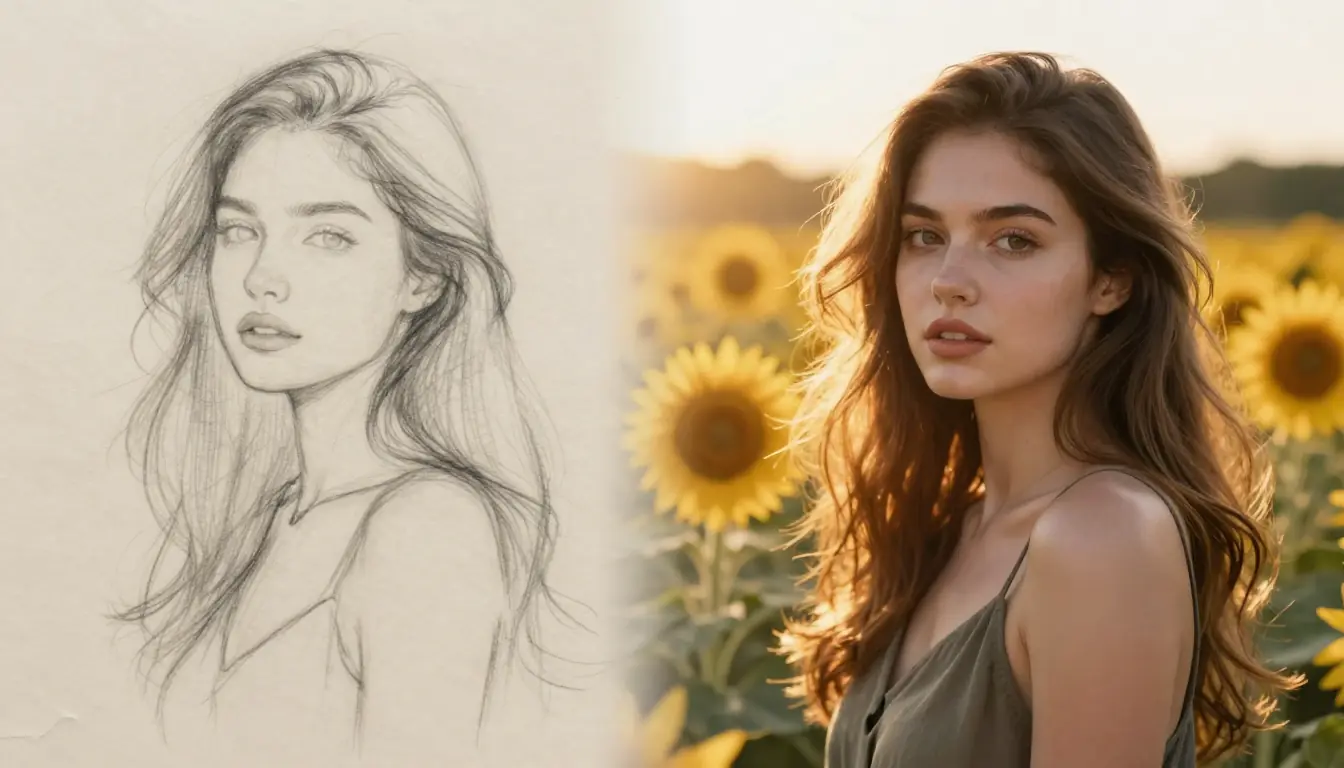
A simple 5-word input expanded into a complete prompt covering all 7 dimensions. The AI adds environment, lighting, color palette, composition, and quality modifiers automatically.
Honest Limitations
The prompt generator is genuinely useful, but it is not magic. Here is when you might not need it:
- Very simple images. If you want "a white circle on a black background," just type that. The AI would over-complicate it.
- Highly specific technical requirements. If you need exact camera settings or very specific post-processing effects, you may want to write those parts manually and use the generator for the creative elements.
- Prompts you have already perfected. If you have a prompt that consistently produces great results, there is no reason to regenerate it.
The generator shines when you have a concept in your head but struggle to articulate it in prompt language — which is most of the time, for most people.
12 Image Styles Explained (With Examples)
The Seedance Image Prompt Generator offers 12 curated styles. Each triggers different keyword vocabularies, lighting approaches, and quality modifiers. Here is what each one does and when to use it.
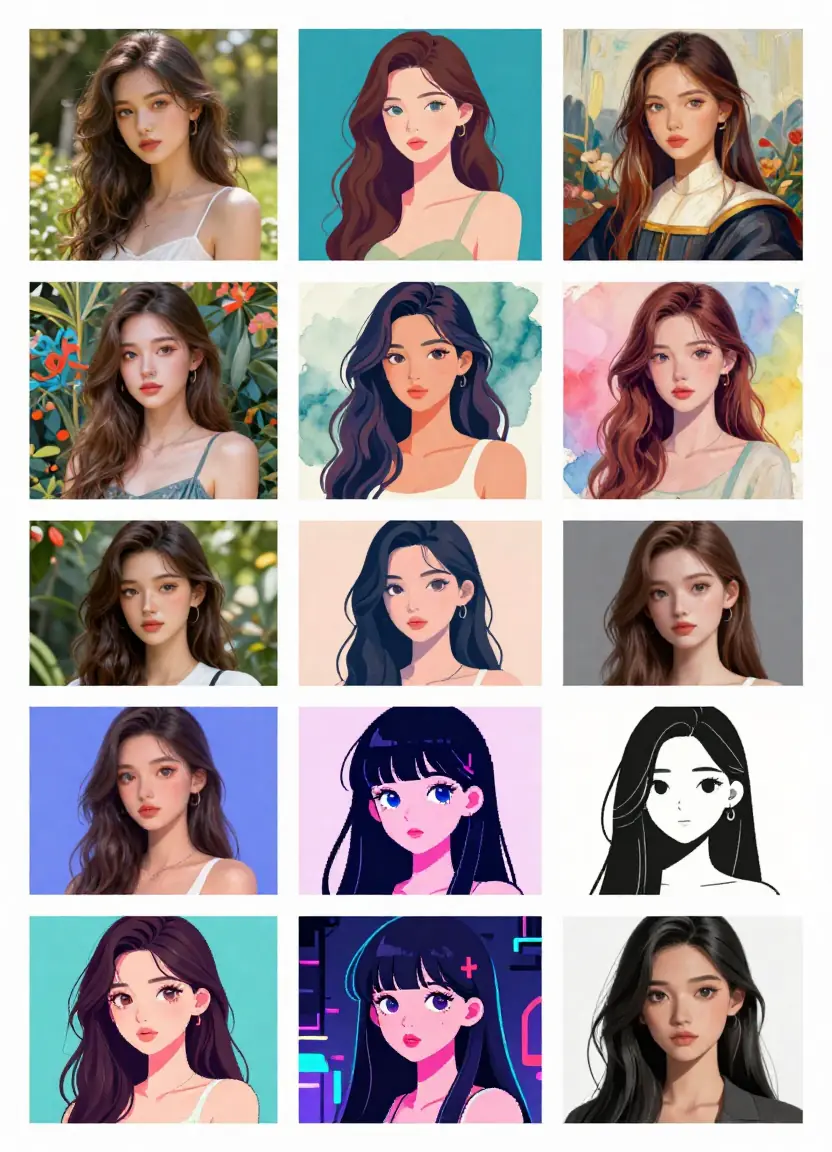
The 12 image styles available in Seedance Image Prompt Generator. Each style produces dramatically different prompts from the same input description.
| Style | Best For | Key Prompt Elements | Example Use Case |
|---|---|---|---|
| Photorealistic | Product shots, portraits, landscapes | Camera specs, lens type, aperture, film stock, natural lighting | Brand photography, social media content |
| Illustration | Editorial, children's books, infographics | Line work, color blocking, stylistic simplification, narrative composition | Blog headers, book covers, explainer visuals |
| Oil Painting | Fine art, dramatic scenes, portraits | Brushwork texture, impasto, canvas grain, classical composition, chiaroscuro | Wall art, gallery prints, classical portraits |
| Watercolor | Delicate subjects, nature, botanicals | Wet-on-wet blending, paper texture, translucent washes, soft edges | Greeting cards, botanical prints, gentle branding |
| Digital Art | Fantasy, sci-fi, character design | Clean lines, vibrant colors, digital brushwork, layered composition | Game art, book covers, poster design |
| 3D Render | Product visualization, architecture, abstract | Subsurface scattering, ray tracing, material shaders, studio lighting | Product mockups, architectural vis, tech branding |
| Pixel Art | Retro gaming, nostalgic aesthetics, icons | Limited palette, grid alignment, dithering, sprite-style | Game assets, retro branding, social media icons |
| Minimalist | Branding, logos, clean design, UI elements | Negative space, geometric shapes, limited palette, sans-serif | Brand identity, app design, clean presentations |
| Surreal | Creative expression, conceptual art, dreamscapes | Impossible physics, scale distortion, dreamlike logic, symbolic elements | Album covers, gallery art, creative campaigns |
| Anime | Character design, fan art, manga-style | Large expressive eyes, dynamic poses, speed lines, cel shading | Character sheets, fan art, comic panels |
| Cyberpunk | Sci-fi, futuristic, urban night scenes | Neon lighting, holographic elements, rain-slicked streets, tech noir | Sci-fi covers, game concepts, futuristic branding |
| Concept Art | Pre-production, world building, character design | Painterly strokes, design annotations, multiple views, color keys | Game development, film pre-production, IP development |
Choosing the Right Style
A common mistake is defaulting to "photorealistic" for everything. Consider:
- Are you creating commercial product images? Photorealistic or 3D Render.
- Is it for a blog or social media? Illustration or Digital Art for shareability.
- Do you want emotional impact? Oil Painting or Watercolor for warmth, Cyberpunk or Surreal for edge.
- Is it for entertainment or gaming? Anime, Pixel Art, or Concept Art depending on the target audience.
- Do you need it to feel handmade? Watercolor or Oil Painting.
- Is it futuristic or tech-focused? Cyberpunk or 3D Render.
The style selection is the single biggest lever you have for changing the output. Experiment — try your description in three different styles and compare.
Compatible with All Major AI Image Generators
The prompts generated by Seedance work across every major platform, but each tool has quirks worth knowing about. Here is how to get the best results from the same prompt on different platforms.
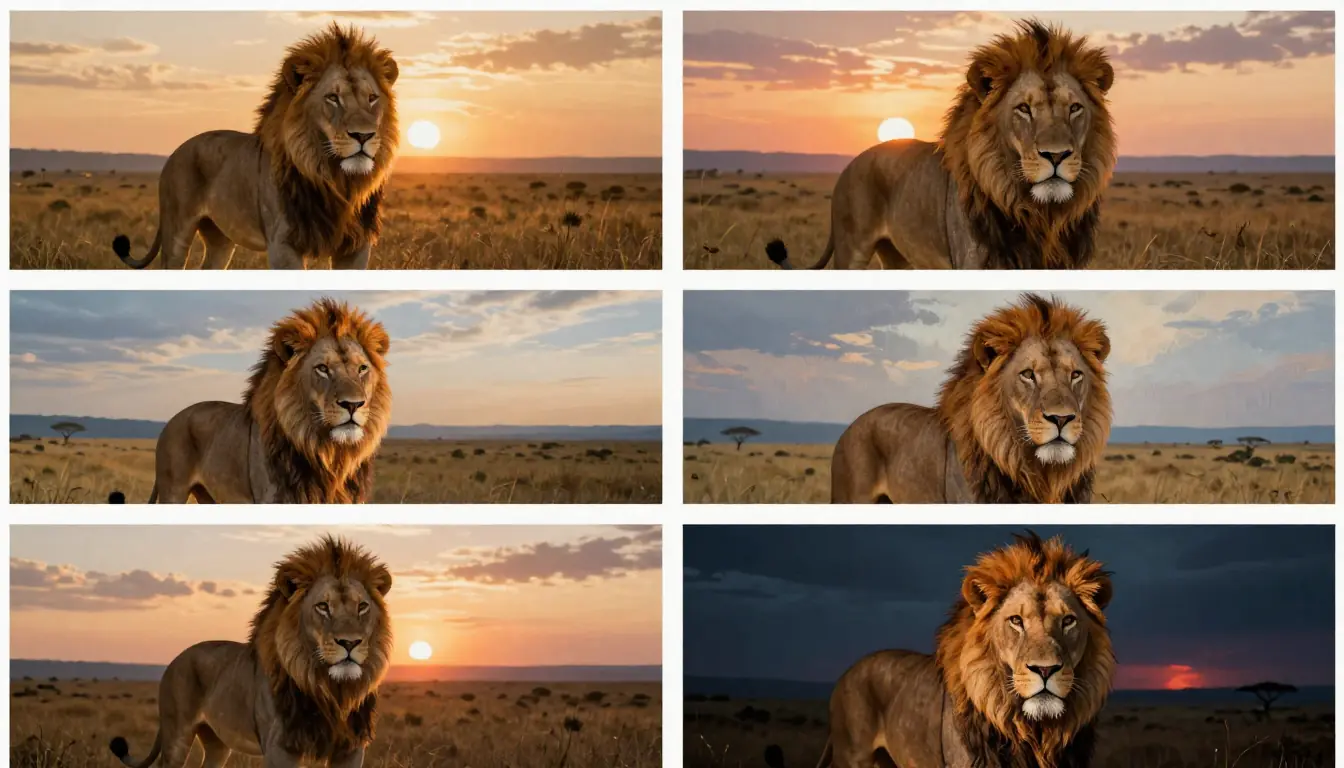
The same Seedance-generated prompt produces distinct but high-quality results across different AI image platforms. Each tool interprets the prompt through its own aesthetic lens.
Midjourney
Prompt format: Natural language with optional parameters at the end.
Midjourney thrives on descriptive, evocative language. The prompts from Seedance's generator work exceptionally well here because Midjourney's model is trained to respond to the kind of detailed, multi-dimensional prompts the generator produces.
Tips for Midjourney:
- Add
--ar 16:9or--ar 3:4for aspect ratio control - Use
--v 7to ensure you are on the latest model - Add
--style rawfor less stylized, more literal interpretations - Add
--s 250to increase stylization (artistic liberty) - The
--chaosparameter (0–100) controls variation between outputs
Example adaptation: Take the Seedance-generated prompt and append --ar 16:9 --v 7 --s 150 for a widescreen, moderately stylized result.
DALL-E 3 (ChatGPT)
Prompt format: Natural language — the more conversational, the better.
DALL-E 3 is the most natural-language-friendly platform. It actively rewrites your prompt internally, so overly technical prompts sometimes get "smoothed out." Seedance-generated prompts work well, but you can also paste them into ChatGPT and ask it to generate the image directly.
Tips for DALL-E 3:
- Works best with descriptive, sentence-based prompts rather than keyword lists
- Specify "wide" or "tall" in your prompt for aspect ratio (it does not support parameter flags)
- DALL-E 3 sometimes ignores very specific technical keywords (lens focal lengths, aperture values) — it interprets the intent instead
- Best at photorealistic and illustration styles; less consistent with pixel art or anime
Stable Diffusion / Flux
Prompt format: Keyword-weighted with positive and negative prompts.
Stable Diffusion and Flux benefit most from keyword-rich prompts and explicit negative prompts. Seedance-generated prompts provide the positive prompt; you should add your own negative prompt for best results.
Tips for Stable Diffusion / Flux:
- Add negative prompts:
ugly, blurry, low quality, deformed, watermark, signature, text, bad anatomy, extra limbs - Use keyword weighting:
(important keyword:1.4)to emphasize specific elements - Specify the checkpoint/model you are using — different models respond differently
- CFG scale (7–12 for most use cases) controls prompt adherence
- SDXL and Flux respond well to the structured prompts the generator produces
Adobe Firefly
Prompt format: Natural language with built-in style controls.
Firefly has its own style selection UI, so the style portion of a Seedance-generated prompt may overlap with Firefly's built-in controls. Use the subject, environment, lighting, and color portions of the generated prompt and let Firefly's UI handle style.
Tips for Firefly:
- Focus on descriptive content rather than style keywords
- Firefly excels at commercially safe images — ideal for business use
- Use Firefly's "Structure" and "Style" references for better control
Leonardo AI
Prompt format: Natural language with model selection and parameter sliders.
Leonardo supports multiple models (DreamShaper, SDXL, proprietary) and responds well to detailed prompts. The full Seedance-generated prompt works as-is.
Tips for Leonardo:
- Select the model that best matches your style (DreamShaper for fantasy, SDXL for photorealism)
- Use the "Prompt Magic" feature to enhance the generated prompt further
- Leonardo's negative prompt field is important — add it manually
Ideogram
Prompt format: Natural language with excellent text rendering.
Ideogram is the strongest platform for images that contain text. If your generated prompt includes text elements, Ideogram is likely the best destination.
Seedance Image Generator
Prompt format: Natural language — designed to work seamlessly with the prompt generator output.
The Seedance AI Image Generator is the natural companion to the prompt generator. One click sends the generated prompt directly to the image generator, creating a seamless workflow: idea → prompt → image. From there, you can even take the generated image and create a video from it — a complete creative pipeline.
For a deeper look at individual platform capabilities, see our comprehensive Best AI Image Generators 2026 comparison.
10 Ready-to-Use Image Prompt Examples
Here are 10 complete, tested prompts covering different categories. Each prompt was generated using the Seedance Image Prompt Generator and refined for maximum cross-platform compatibility. Copy them directly into your preferred AI image tool.
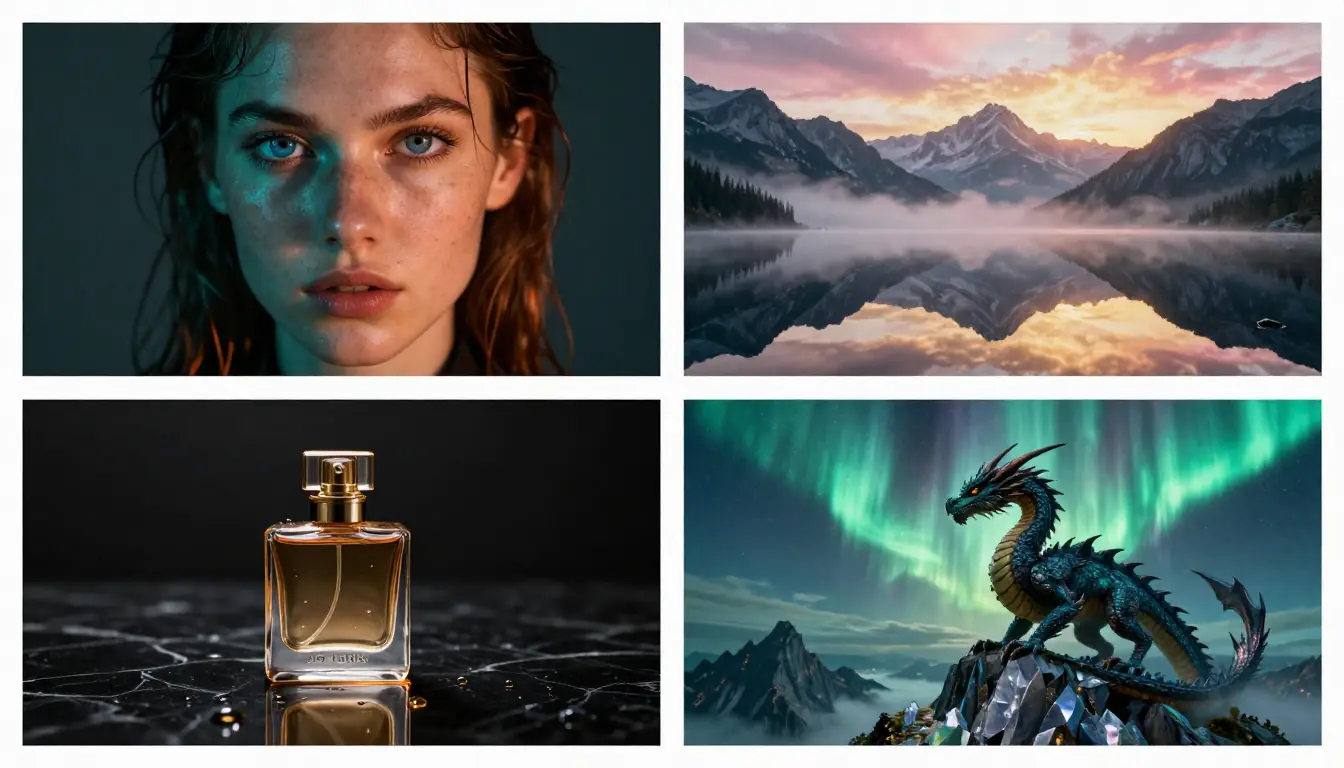
10 example prompts, 10 styles — each prompt was generated by Seedance and tested across multiple AI image platforms for consistent quality.
1. Cinematic Portrait
Style: Photorealistic | Best on: Midjourney, Stable Diffusion, Seedance
A striking portrait of a young woman in her late 20s with sun-kissed olive skin and
windswept dark auburn hair, standing at the edge of a Mediterranean coastal cliff at
golden hour. She wears a flowing ivory linen dress that catches the warm sea breeze. Her
expression is contemplative, gazing toward the horizon with a subtle half-smile. The
Aegean Sea stretches endlessly behind her in gradients of deep cerulean to turquoise.
Warm golden sidelight from the setting sun creates a luminous rim around her silhouette,
while soft fill light bounces from the limestone cliff face. Color palette of warm amber,
sun-bleached ivory, deep ocean blue, and terracotta. Shot with a Canon EOS R5 at 85mm
f/1.8, shallow depth of field with creamy bokeh dissolving the distant sailboats. Rule of
thirds composition with the subject at left intersection. Photorealistic editorial
photography, reminiscent of Annie Leibovitz for Vanity Fair. 8K ultra-detailed, fine film
grain, sharp focus on the eyes, award-winning portrait photography.
2. Epic Landscape
Style: Photorealistic | Best on: Midjourney, DALL-E 3, Flux
A breathtaking panoramic landscape of the Dolomites in northern Italy during the brief
alpine golden hour, when the jagged limestone peaks glow with warm peach and rose light
against a deepening cobalt sky. A pristine glacial lake in the foreground reflects the
mountains like a perfect mirror, disturbed only by a single weathered wooden rowboat
tethered to a moss-covered pier. Wisps of morning mist curl through the dark spruce
forest at the mountain base. The Milky Way is faintly visible in the transitioning sky
above the peaks. Light comes from the low-angle sun at frame right, casting long dramatic
shadows across the valley while the peaks catch the last warm rays. Color palette of warm
peach, rose gold, deep cobalt, forest emerald, and silver mist. Ultra-wide angle at
16mm, deep focus from foreground pier to distant peaks, leading lines from the pier
drawing the eye to the mountain center. Landscape photography in the style of Max Rive
and Marc Adamus. 8K resolution, ultra-sharp across entire frame, National Geographic
Photo of the Year quality, HDR dynamic range, no artifacts.
3. Product Photography
Style: Photorealistic | Best on: DALL-E 3, Midjourney, Seedance
A luxury skincare serum bottle with frosted glass and rose-gold cap, positioned at a
slight angle on a slab of raw pink marble with natural veining. Three fresh peony petals
in blush pink rest casually beside the bottle. A single droplet of golden serum sits
perfectly on the marble surface, catching light. Behind the product, a soft gradient
backdrop transitions from warm cream to pale rose. Studio lighting with a large overhead
softbox providing even illumination, a subtle accent light from frame left creating a
gentle specular highlight on the glass, and a small fill card on the right eliminating
harsh shadows. Color palette of rose gold, blush pink, frosted crystal, warm cream, and
liquid amber. Shot at 100mm macro lens, f/5.6 for product-sharp focus with softly
defocused background, centered composition with generous negative space above for text
overlay. Commercial product photography for luxury beauty brand campaign. 8K resolution,
pristine clean render, studio-perfect lighting, magazine advertisement quality, no dust
or imperfections.
4. Food Photography
Style: Photorealistic | Best on: Midjourney, DALL-E 3, Leonardo
An artfully styled bowl of handmade ramen photographed from a 45-degree angle on a
rustic charcoal-glazed ceramic surface. The rich tonkotsu broth gleams with tiny circles
of golden chicken fat. Perfectly layered toppings include two halves of a jammy soft-
boiled egg showing a gradient from set white to molten golden yolk, thin rounds of
emerald scallion, a mound of braised chashu pork with caramelized edges, a tangle of
bright yellow corn kernels, a sheet of dark nori seaweed, and a swirl of chili oil
creating crimson threads across the surface. Wisps of steam rise from the broth in the
cool air. Chopsticks rest on a wooden hashioki beside the bowl. A small dish of pickled
ginger sits in the soft background blur. Natural window light from frame left with a
white bounce card on the right for fill, creating gentle shadows that accentuate the
texture of each topping. Warm palette of rich amber broth, golden egg, caramel pork,
emerald green, and charcoal ceramic. Shot at 60mm, f/2.8, shallow depth of field with
focus on the egg yolk. Overhead food magazine photography. 4K editorial quality, sharp
detail on textures, Bon Appétit cover worthy, appetizing and inviting.
5. Architectural Visualization
Style: Photorealistic | Best on: Midjourney, Stable Diffusion, 3D Render tools
A stunning modern hillside residence cantilevered over a coastal cliff in Big Sur,
California. The architecture features clean horizontal lines with floor-to-ceiling
frameless glass walls, weathered Corten steel cladding that has aged to a warm rust
patina, and exposed concrete structural beams. An infinity-edge swimming pool on the
lower terrace appears to merge with the Pacific Ocean horizon. Native coastal grasses and
drought-resistant landscaping soften the geometric architecture. Inside, visible through
the glass, warm pendant lights glow over a minimalist open-plan living area with Eames
furniture. The scene is captured during blue hour — the sky transitions from deep indigo
above to a warm amber band at the horizon where the sun has just set. Interior warm
artificial lighting contrasts with the cool blue exterior, creating a cozy beacon effect.
Color palette of Corten rust, concrete grey, ocean teal, twilight indigo, and warm amber
interior glow. Shot at 24mm wide angle from a lower viewpoint on the cliff approach,
emphasizing the dramatic cantilever. Architectural photography by Iwan Baan for Dwell
magazine. 8K resolution, perfect geometry, no lens distortion, HDR twilight exposure,
award-winning architectural visualization.
6. Fantasy Scene
Style: Digital Art | Best on: Midjourney, Stable Diffusion, Leonardo
An ancient elven library carved into the interior of a colossal living tree, its trunk
hundreds of feet wide with roots that form natural archways and reading alcoves.
Thousands of leather-bound books and scrolls line shelves carved directly into the living
wood, which pulses with a faint bioluminescent turquoise glow along its grain. Floating
orbs of warm amber light drift between the levels like enchanted fireflies, illuminating
an intricate spiral staircase of polished root-wood that ascends through openings in the
wood-grain floors above. An elderly elven scholar in robes of deep forest green sits at a
carved desk, studying an enormous open tome, their silver hair catching the light. Through
a massive knot-hole window, a fantasy landscape of floating islands and aurora-streaked
skies is visible in the distance. The lighting blends warm amber from the floating orbs
with cool bioluminescent turquoise from the living wood, creating shifting pockets of
warm and cool throughout the space. Color palette of living wood amber, bioluminescent
teal, aged parchment cream, deep forest green, and silver starlight. Wide-angle
composition showing the full vertical scale with the scholar small in the lower third,
emphasizing the overwhelming scale. Epic fantasy concept art in the tradition of Alan Lee
and John Howe. 8K resolution, intricate detail in every book spine and wood grain,
masterpiece quality, painterly digital art with visible brushwork in the atmospheric
elements.
7. Anime Character
Style: Anime | Best on: Stable Diffusion (NovelAI/NAI), Midjourney (Niji mode)
A fierce female samurai warrior standing in a field of crimson spider lilies under a full
blood moon, in high-quality anime illustration style. She has long raven-black hair tied
in a high ponytail that whips in the wind, sharp amber eyes with a determined expression,
and a thin scar across her left cheekbone. She wears ornate dark lacquered samurai armor
with gold filigree detailing over a deep indigo hakama, the armor plates catching
moonlight. Her katana is drawn and held in a two-handed stance, the blade gleaming with
an ethereal blue edge glow. Cherry blossom petals mix with the spider lily petals
swirling in the wind around her. The blood-red moon looms enormous behind her, partially
obscured by dramatic clouds. Dramatic backlighting from the moon creates a crimson
silhouette rim, while the blue sword glow provides cool fill light on her face. Color
palette of blood red, midnight black, ethereal blue, gold filigree, and deep indigo.
Dynamic composition with low angle emphasizing her power, rule of thirds with the moon
behind her head. High-end anime illustration, Studio Ufotable quality, cel shading with
detailed line art, dramatic action pose. 4K, ultra-detailed anime art, sharp clean lines,
vivid colors, masterpiece quality illustration.
8. Abstract Art
Style: Surreal | Best on: Midjourney, DALL-E 3, Seedance
An abstract visualization of consciousness awakening — a human silhouette dissolving from
the chest outward into thousands of luminous geometric fragments that transform into
butterflies, birds, and mathematical equations as they scatter into an infinite cosmic
void. The silhouette stands on a fractured mirror plane that reflects a different reality
below — where the void above is dark with points of light, the reflection shows a sun-
drenched meadow, creating a duality between the conscious and subconscious. Streams of
golden particles spiral outward from the figure's head in a Fibonacci sequence pattern,
connecting to distant nebulae. The fragments nearest the body retain human skin texture
and warmth before transitioning to crystalline geometric forms and finally to pure light.
The lighting emanates from within the figure itself — a warm golden core that cools to
silver and then to deep cosmic blue at the edges. Color palette transitions from warm
gold and amber at the center through iridescent pearl to deep indigo and cosmic violet at
the edges, with accents of pure white light. Centered symmetrical composition with radial
energy emanating outward. Surrealist digital art blending elements of Alex Grey's
visionary art with cosmic photography. 8K resolution, intricate fractal details in the
geometric fragments, luminous and ethereal, museum-quality conceptual art piece.
9. Vintage Photography
Style: Photorealistic | Best on: Midjourney, Stable Diffusion, DALL-E 3
A nostalgic scene from a 1960s Italian summer — a young couple on a powder-blue Vespa
scooter riding along the Amalfi Coast, the woman sitting sideways on the back in a
yellow polka-dot sundress with a white headscarf billowing behind her, laughing freely.
The man wears a white linen shirt with rolled sleeves and classic aviator sunglasses. The
narrow coastal road winds between pastel-colored buildings with terracotta roofs on the
hillside above and dramatic cliffs dropping to the sparkling Mediterranean below.
Bougainvillea in hot pink cascades over a stone wall they are passing. The scene is
bathed in bright Mediterranean midday light with warm color temperature, casting short
sharp shadows beneath the scooter. The overall feel is sun-bleached and slightly faded,
as if the photo has aged naturally. Color palette of powder blue, sun-faded yellow,
terracotta, bougainvillea pink, Mediterranean azure, and warm cream — all slightly
desaturated with a golden cast. Shot at 50mm from a low tracking angle as if from another
vehicle, slight motion blur on the wheels suggesting movement. Vintage film photography
shot on Kodachrome 64, authentic 1960s grain structure, slightly warm color cast, soft
vignetting at corners, Slim Aarons meets La Dolce Vita. 4K with authentic vintage film
character, nostalgic warmth, natural imperfections, timeless romance.
10. 3D Render
Style: 3D Render | Best on: Midjourney, Leonardo, Stable Diffusion
A whimsical miniature diorama of a cozy Japanese ramen shop at night rendered in stylized
3D with slight tilt-shift effect. The tiny shop is nestled between larger buildings in a
narrow Tokyo alley, with a traditional noren curtain in warm red with white kanji
characters hanging over the entrance. Through the open front, three miniature customers
sit at the counter on wooden stools, steam rising from their bowls. A friendly chef
character with a white headband works behind the counter. The alley is wet from recent
rain, with puddles reflecting the warm yellow glow from the shop and cool blue neon from
a vending machine next door. Tiny details include a parked bicycle with a basket, stacked
beer crates, a sleeping cat on a ledge, and string lights connecting the buildings above.
Warm interior shop light spills into the cool blue-toned alley, creating a strong warm-
cool contrast. Volumetric fog adds atmosphere. Color palette of warm ramen-shop amber and
red against cool night blues and teal, with neon accent colors. Isometric three-quarter
view looking down into the diorama at approximately 30 degrees, tilt-shift blur at top
and bottom edges. Stylized 3D render in the style of a Polycount diorama challenge,
Pixar-quality materials with subsurface scattering on the noren fabric and ray-traced
reflections in puddles. 4K, ultra-detailed miniature, Octane render quality, adorable and
inviting, artstation trending quality.
Want more inspiration? We have compiled 50 AI Image Prompts covering every category, style, and difficulty level.
Pro Tips for Better Image Prompts
Even with a generator handling the heavy lifting, these techniques will push your results further.
1. Iterate on the Generated Prompt — Don't Accept the First Draft
The generated prompt is a professional starting point, not a final product. Read through it and adjust specific elements:
- Swap the lighting if the mood feels wrong
- Change the color palette to match your brand
- Adjust the composition for your intended aspect ratio
- Add or remove specific details
The best workflow is: generate → read → edit → generate the image → refine → regenerate. Each iteration gets you closer to your vision.
2. Use the "Unexpected Combination" Technique
The most visually striking images combine elements that do not normally go together. Instead of "a forest," try "a forest made of crystal trees" or "a forest growing inside an abandoned cathedral." The prompt generator gives you the technical foundation — you add the creative spark.
This technique works especially well with the Surreal and Concept Art styles, which are designed to handle imaginative combinations.
3. Specify What You Do NOT Want
If you are using Stable Diffusion or Flux, add negative prompts to exclude common artifacts:
Negative: ugly, deformed, blurry, low quality, watermark, text, bad anatomy,
extra fingers, extra limbs, cropped, worst quality, jpeg artifacts, signature
For other platforms, you can include "avoid" instructions in the prompt itself: "no text overlays, no watermarks, no extreme close-up."
4. Match Aspect Ratio to Content
Different subjects work better at different aspect ratios:
- Portraits: 3:4 or 2:3 (vertical)
- Landscapes: 16:9 or 21:9 (ultrawide)
- Square content: 1:1 (Instagram, profile pictures)
- Product shots: 4:5 (vertical, great for social media ads)
- Cinematic scenes: 2.39:1 (anamorphic widescreen)
The prompt generator produces content-appropriate prompts, but you still need to set the aspect ratio in your image generation tool.
5. Build a Personal Prompt Library
When you get a result you love, save the prompt. Over time you will build a library of proven prompts that you can remix:
- Keep a folder of your best prompts organized by style
- Note which platform produced the best result for each prompt
- Track which keywords consistently improve your output
- Modify saved prompts for new subjects rather than starting from scratch
Your personal prompt library becomes more valuable than any template collection because it is tuned to your aesthetic preferences and your preferred tools.
For additional prompt engineering techniques applied to video generation, our Seedance Prompt Guide covers the formula in depth. And for the best tools to pair with your prompts, see our Best AI Video Generators 2026 comparison.
Frequently Asked Questions
What is an AI image prompt generator?
An AI image prompt generator is a tool that takes a simple text description (like "a cat in a garden") and transforms it into a detailed, structured prompt optimized for AI image generation platforms. It automatically adds specifications for lighting, composition, color palette, style, and quality modifiers that dramatically improve the output quality of AI-generated images.
Is the Seedance Image Prompt Generator free?
The Seedance Image Prompt Generator costs 2 credits per generation. New accounts receive free credits upon sign-up, so you can try it without payment. Each generation produces a complete, professional-grade prompt that works across all major AI image platforms.
Which AI image generators are compatible with the prompts?
The generated prompts work with all major AI image platforms: Midjourney, DALL-E 3 (ChatGPT), Stable Diffusion, Flux, Adobe Firefly, Leonardo AI, Ideogram, Playground AI, and Seedance's own Image Generator. The prompts use natural language that all platforms understand, though you may want to add platform-specific parameters (like Midjourney's --ar flag).
How is this different from a prompt template?
Templates are fixed structures where you swap in your subject — they produce consistent but predictable results. An AI prompt generator analyzes your specific description and creates a custom prompt tailored to your subject, chosen style, and intended use. It considers how different subjects, styles, and environments interact, producing prompts that are both unique and professionally structured.
Can I edit the generated prompts?
Absolutely — and you should. The generated prompt is a professional starting point. Read through it, adjust details that do not match your vision, add personal touches, or remove elements you do not want. The best results come from using the generator as a foundation and then applying your own creative direction.
What are the 7 dimensions of an image prompt?
The 7 dimensions are: (1) Subject — who or what the image shows, (2) Environment — where the scene takes place, (3) Lighting — light source, direction, and quality, (4) Color — palette, temperature, and saturation, (5) Composition — framing, angle, and depth of field, (6) Style & Medium — art style and rendering approach, (7) Quality Modifiers — resolution, detail level, and technical specifications.
Do I need to know prompt engineering to use this tool?
No. That is the entire point. The tool translates your plain-language description into professional prompt language. You describe what you want to see in everyday words, select a style, and the AI handles the technical prompt construction. It is designed for people who know what they want but not how to describe it in prompt language.
Which style should I choose for my project?
It depends on your use case: Photorealistic for commercial photography, product shots, and realistic scenes. Illustration or Digital Art for blog content, social media, and editorial use. Oil Painting or Watercolor for fine art and emotional pieces. 3D Render for product mockups and tech content. Anime for character-focused entertainment content. Cyberpunk for futuristic and sci-fi themes. Concept Art for pre-production and world-building. When unsure, try your description in 2–3 different styles and compare.
Start Generating Better Image Prompts
The gap between "I know what I want" and "I can describe it in prompt language" is where most AI image results fall short. The Seedance Image Prompt Generator bridges that gap in seconds.
Here is your workflow:
- Go to the Image Prompt Generator
- Type your concept in plain language
- Pick a style from the 12 options
- Get your professional prompt covering all 7 dimensions
- Copy it into your preferred AI image tool — or use it directly in the Seedance AI Image Generator
Whether you are creating content for a brand, building a portfolio, or just exploring what AI art can do, a structured prompt is the difference between "that's okay" and "that's exactly what I wanted."
Generate Your First Prompt → | Try the Image Generator → | Explore the Homepage →
