
TL;DR
Text-to-image AI generates images from written descriptions. You type a prompt describing what you want to see, and the AI produces a high-quality image in seconds. In 2026, the technology has reached a level where outputs rival professional photography and digital art across most styles and subjects.
This guide covers how text-to-image AI works, compares 8 leading tools, walks you through a step-by-step generation workflow, provides 10 copy-paste prompt examples, and explains a workflow most guides overlook: using generated images as first frames for AI video generation. That image-to-video pipeline is where text-to-image becomes not just a creative tool but a production accelerator.
Seedance combines text-to-image generation, an AI prompt generator, and image-to-video conversion into a single platform. Generate the image, then turn it into a video — no tool-switching required. Try Text-to-Image free → | Generate perfect prompts first →
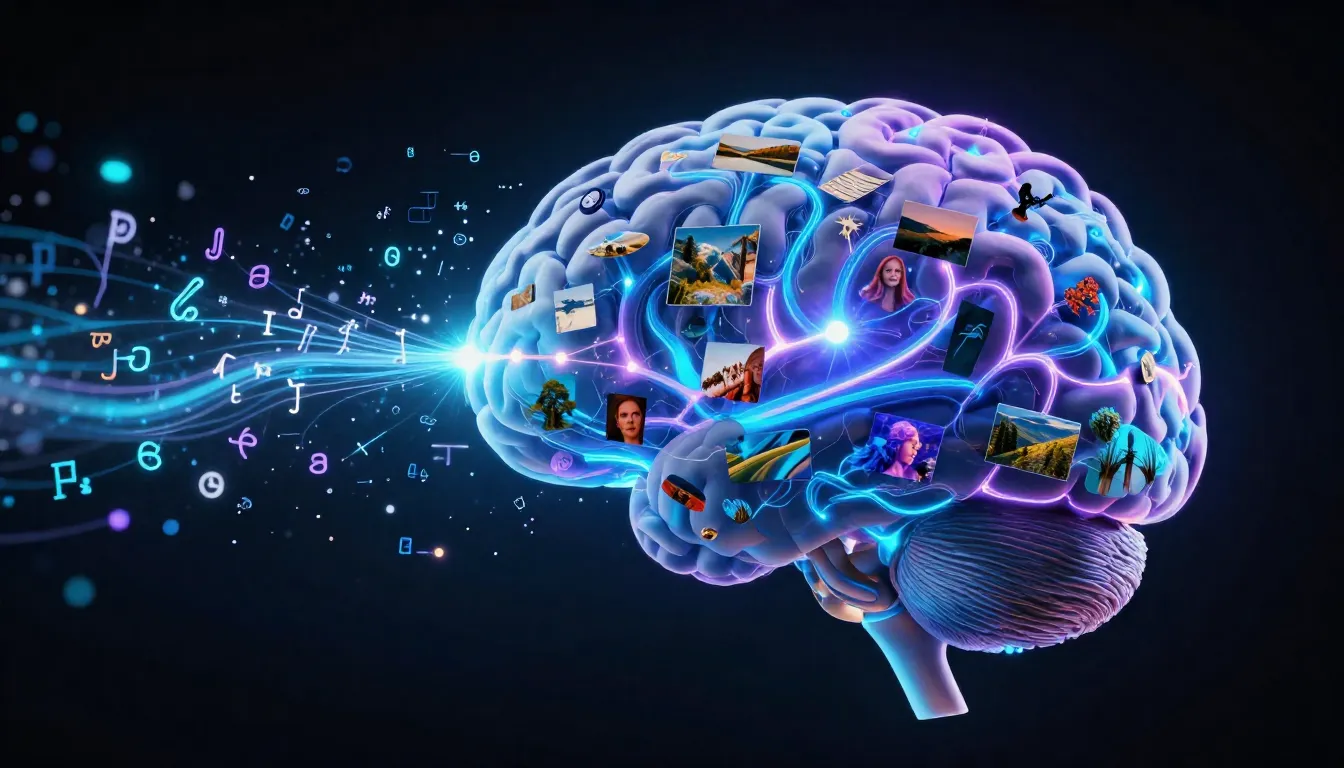
Text-to-image AI transforms your written descriptions into detailed images — from photorealistic photographs to stylized digital art, all generated from a single text prompt.
What Is Text-to-Image AI?
Text-to-image AI is artificial intelligence that generates images from written text descriptions. You provide a prompt — "a golden retriever sitting on a misty mountaintop at sunrise, cinematic photography" — and the AI model produces a corresponding image with composition, lighting, color, and detail that match your description.
The technology is built on neural networks trained on billions of image-text pairs. These models learn the statistical relationships between language and visual content. When you write "dramatic sunset over a coastal city," the model draws on everything it has learned about sunsets, coastal geography, urban architecture, atmospheric lighting, and color theory to synthesize an original image that matches your words.
The Core Technologies
Three main architectural families power modern text-to-image generation:
Diffusion Models (Stable Diffusion XL, Flux, DALL-E 3) — The dominant paradigm. These models learn to reverse a noise-adding process: start from random noise and progressively denoise it into a coherent image, guided by your text prompt at each step.
Transformer-based Models (Imagen 3, Parti) — These treat image generation as a sequence prediction problem, tokenizing images into discrete visual tokens and generating them sequentially conditioned on your text. Google's Imagen 3 is the most prominent example.
Hybrid Architectures (Midjourney V7, Ideogram 3) — Many cutting-edge systems combine diffusion and transformer approaches, using transformer blocks within diffusion models for better text understanding and compositional reasoning. This is the direction most research is heading.
Why 2026 Is the Tipping Point
Several factors converged to make 2026 the year text-to-image became production-ready:
- Quality ceiling lifted: Outputs are frequently indistinguishable from professional photography. Skin texture, fabric detail, lighting accuracy, and composition have all crossed the threshold.
- Speed accelerated: Generation dropped from minutes to seconds. Flux Schnell produces images in under 2 seconds. High-quality models finish in 10-30 seconds.
- Accessibility expanded: Browser-based tools like DALL-E 3 (via ChatGPT), Midjourney's web app, and Seedance let anyone generate images from plain language.
- Text rendering improved: Ideogram 3 and Flux Dev produce readable text within images, making outputs viable for marketing materials and social media.
- Resolution increased: Native 2K and 4K output is standard, up from 512x512 two years ago.
Practical Use Cases
Text-to-image AI is not a toy. It is a production tool used across industries:
- Content creation: Blog headers, social media posts, newsletter illustrations, YouTube thumbnails
- Product visualization: Concept renders before physical prototypes exist, product mockups in different settings
- Concept art: Pre-production visuals for film, games, and advertising campaigns
- Marketing: Ad creatives, landing page hero images, email campaign visuals
- Education: Custom illustrations for textbooks, training materials, and presentations
- Video production first frames: Generate a still image, then animate it into video with image-to-video AI — this workflow is increasingly replacing pure text-to-video for controlled output
That last use case is worth highlighting. When you generate an image first and then use it as the starting frame for AI video generation, you get far more control over the final video than text-to-video alone provides. We will cover this workflow in detail below.
How Text-to-Image AI Works (In Plain Language)
You do not need a machine learning degree to use text-to-image AI effectively. But understanding the basic process helps you write better prompts, troubleshoot bad outputs, and choose the right tool. Here is the three-stage process that happens when you click "Generate."
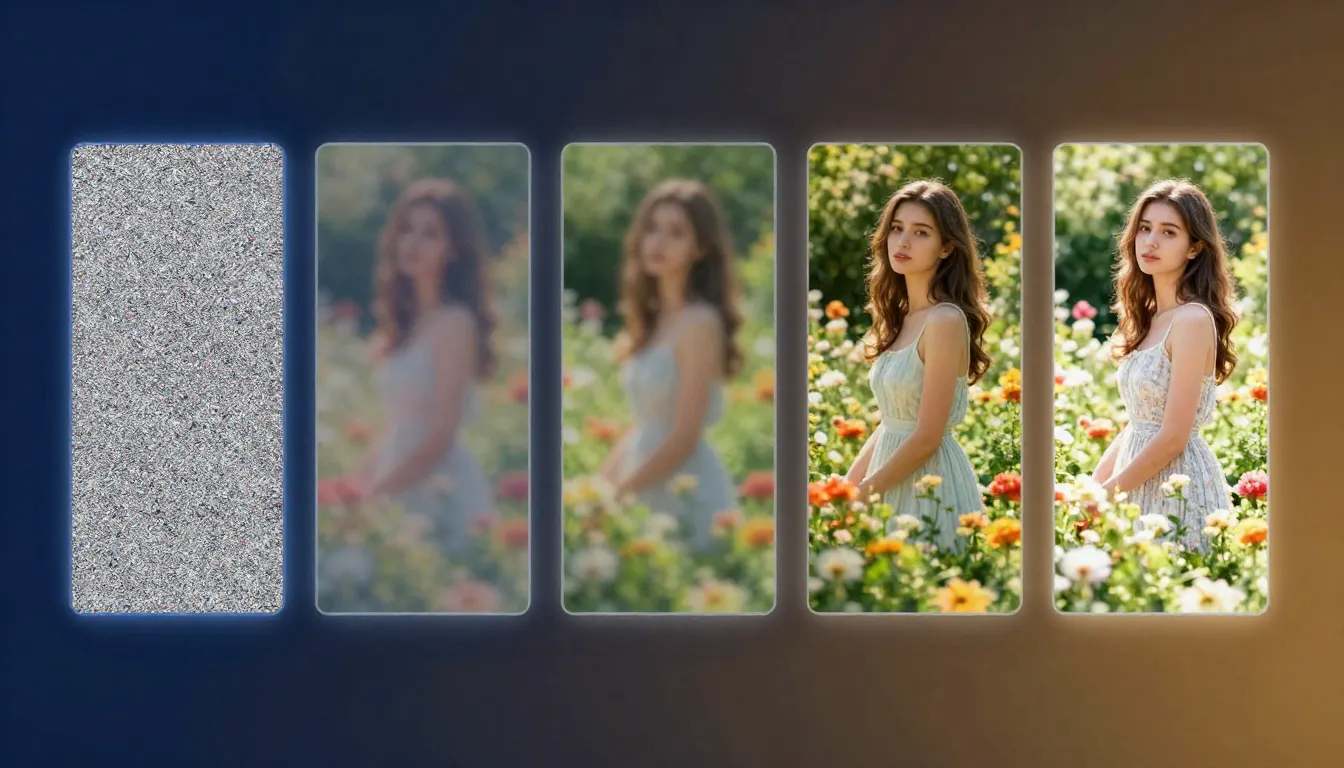
The three-stage pipeline: your text prompt is encoded into a mathematical representation, then guides a denoising process that transforms random noise into a coherent image, followed by optional upscaling and refinement.
Stage 1: Text Encoding
Your text prompt is processed by a language encoder — typically CLIP (Contrastive Language-Image Pre-training) or T5 (Text-to-Text Transfer Transformer). This encoder translates your words into a dense mathematical vector that captures the semantic meaning of your description.
The encoder needs to understand not just individual words but their relationships. "A cat sitting on a dog" and "a dog sitting on a cat" produce very different vectors. Specific, well-structured prompts produce clearer signals. Vague prompts produce ambiguous vectors, leading to unpredictable outputs. Modern systems like Flux and SDXL use dual text encoders (CLIP + T5) to capture both visual-semantic alignment and fine-grained text understanding.
Stage 2: The Diffusion Process (Noise to Image)
This is the core of image generation. The model starts with a grid of pure random noise — static, like an untuned television. Then, through a series of iterative steps (typically 20-50), it gradually removes noise while adding structure, guided by your text encoding.
Think of it like a sculptor revealing a statue from a block of marble. Early steps establish the broad composition — where the sky is, where the subject sits, the overall color temperature. Middle steps add structure — shapes, edges, spatial relationships. Late steps add fine detail — texture, lighting subtlety, facial features. At every step, the text encoding acts as a guide, conditioning each denoising step on your words. This is why prompt quality matters so directly — it literally shapes every step of the generation process.
Stage 3: Upscaling and Refinement
Many models work in a compressed "latent space" — they generate a lower-resolution latent representation and then decode it to full resolution. This is computationally efficient and often produces better results because the model focuses on structure and semantics rather than individual pixels. After decoding, some pipelines apply additional refinement: super-resolution upscaling, face correction, or style-specific post-processing.
Why Prompt Quality Matters So Much
Every stage of this pipeline is influenced by your text prompt. A vague prompt produces an ambiguous text encoding, which provides weak guidance during denoising, which results in a generic image. A precise, detailed prompt produces a clear encoding, strong guidance, and an image that matches your vision. This is not a metaphor — it is literally how the math works.
For a complete framework on writing effective prompts, including the 7 dimensions of a professional image prompt, see our AI Image Prompt Generator Guide. Or skip the learning curve and let the Seedance Image Prompt Generator do it for you.
8 Best Text-to-Image AI Tools Compared
Choosing the right tool depends on your specific needs. We tested each platform across image quality, prompt adherence, ease of use, pricing, and unique capabilities. Here is a quick comparison, followed by honest mini-reviews.
| Tool | Best For | Max Resolution | Free Tier | Pricing (From) |
|---|---|---|---|---|
| Midjourney V7 | Aesthetics | 2048x2048 | None | $10/mo |
| DALL-E 3 | Accessibility | 1024x1792 | Limited (ChatGPT) | $20/mo (ChatGPT Plus) |
| Stable Diffusion 3.5 / Flux | Control & customization | Unlimited (local) | Fully free (local) | Free / $0 (cloud varies) |
| Seedance Text-to-Image | Video-image workflow | 2048x2048 | Free credits | Free to start |
| Adobe Firefly 3 | Commercial safety | 2048x2048 | 25 credits/mo | $4.99/mo |
| Google Imagen 3 | Photorealism | 1536x1536 | Free (AI Studio) | Free / Vertex pricing |
| Leonardo AI | Creative flexibility | 2048x2048 | 150 tokens/day | $12/mo |
| Ideogram 3 | Text in images | 2048x2048 | 10 images/day | $8/mo |
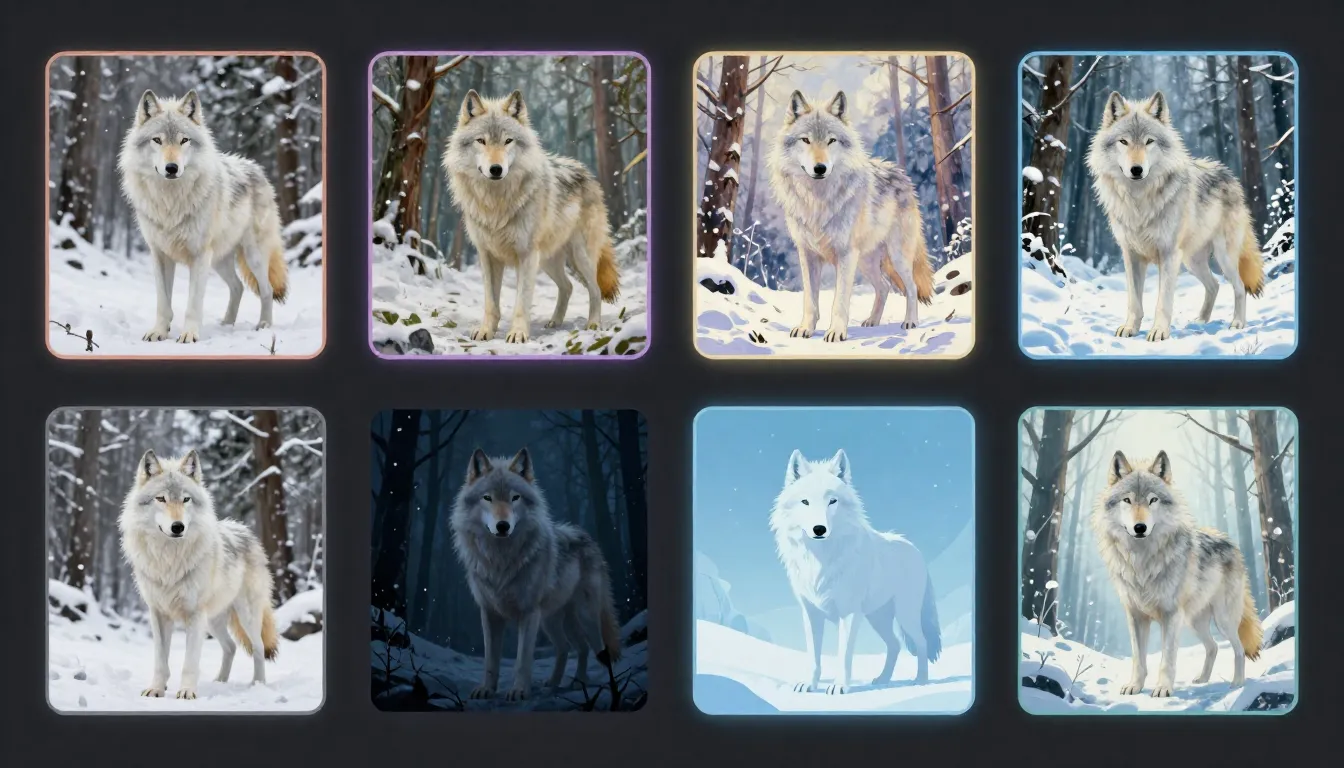
The same prompt across 8 tools — each platform brings its own interpretation, aesthetic sensibility, and technical strengths to the output.
For an in-depth comparison with scoring methodology and full reviews, see our Best AI Image Generators 2026 roundup.
1. Midjourney V7 — Best Aesthetics
Midjourney remains the benchmark for images that look beautiful without post-processing. The V7 update improved hand anatomy, text prompt adherence, and introduced a personalization system that learns your aesthetic preferences over time. The web app is polished and eliminates the old Discord dependency. Images have a distinctive richness — deep colors, cinematic lighting, painterly composition — that competitors struggle to replicate.
Pros: Unmatched default aesthetic quality, strong style consistency, excellent composition. Cons: No free tier at all, walled garden (no local deployment), content restrictions limit edgy creative work. $10/month gives roughly 200 images, which runs out fast during iteration cycles. Best for artists, designers, and marketers who prioritize visual impact over volume.
2. DALL-E 3 — Best Accessibility
DALL-E 3 is built into ChatGPT, which makes it the most accessible text-to-image tool in existence. You describe what you want in conversational language, and ChatGPT handles the prompt engineering. This conversational approach dramatically lowers the barrier to entry — you do not need to learn prompt syntax or keywords. The quality is solid across most categories, with particular strength in conceptual and illustrative styles.
Pros: Zero learning curve, conversational prompting, good at complex multi-element scenes, integrated with ChatGPT's reasoning. Cons: Resolution capped at 1024x1792, limited style control compared to Midjourney, output tends toward an illustrative rather than photorealistic look. Free tier through ChatGPT is limited. Best for non-designers, content writers, and anyone who wants good images without studying prompt engineering.
3. Stable Diffusion 3.5 / Flux — Best Control
The open-source ecosystem offers unmatched control. Stable Diffusion 3.5 and Flux (by Black Forest Labs) can run locally on your hardware, giving you complete control over every parameter: model weights, samplers, schedulers, LoRA fine-tuning, ControlNet for structural guidance, and inpainting. The Flux Dev model in particular produces output quality rivaling closed-source tools, with exceptional text rendering and prompt adherence.
Pros: Completely free (local), unlimited generation, full parameter control, massive LoRA ecosystem, ControlNet integration, no content restrictions, privacy (nothing leaves your machine). Cons: Requires a capable GPU (8GB+ VRAM minimum, 12GB+ recommended), steep learning curve with ComfyUI/A1111 interfaces, setup time. Cloud-hosted options (Replicate, fal.ai) are available but add cost. Best for technical users, developers, studios needing volume, and anyone who wants full control.
4. Seedance Text-to-Image — Best for Video-Image Workflow
Seedance's text-to-image is designed around a specific workflow that no other platform replicates as seamlessly: generate an image, then use it as the first frame for AI video generation. The Image Prompt Generator creates optimized prompts, the text-to-image tool generates the image, and the image-to-video pipeline animates it — all within the same platform.
Pros: Integrated prompt generator → image → video pipeline, no tool-switching, image output is optimized for video use, free credits on sign-up, clean browser-based interface. Cons: Younger platform with a smaller community than Midjourney or SD, fewer style customization options than ComfyUI workflows. The image generation is strong but not the single best at any one category — its advantage is the workflow, not any single output metric. Best for video creators, content teams, and anyone who plans to animate their generated images.
5. Adobe Firefly 3 — Best for Commercial Use
Firefly 3 is trained exclusively on Adobe Stock, openly licensed content, and public domain material. This makes it the safest option for commercial use from an intellectual property standpoint. Adobe provides IP indemnification for paid users. Integration with Photoshop, Illustrator, and Express means generated images slot directly into professional design workflows without export/import friction.
Pros: IP-safe training, commercial indemnification, deep Creative Cloud integration, strong structural edit tools (Generative Fill, Generative Expand), consistent professional quality. Cons: Output is often "safe" rather than inspired — Firefly tends toward clean, stock-photo aesthetics that lack the artistic flair of Midjourney or the realism of Imagen 3. The content policy is the most restrictive of any platform. Best for agencies, brands, and commercial teams where IP safety is non-negotiable.
6. Google Imagen 3 — Best Photorealism
Imagen 3 produces the most convincingly photorealistic output of any text-to-image tool we tested. Skin texture, fabric physics, environmental lighting, and material properties are rendered with a fidelity that frequently passes the "is this a photograph?" test. It is accessible for free through Google AI Studio, though with usage quotas.
Pros: Industry-leading photorealism, free access through AI Studio, strong at complex scenes with multiple subjects, excellent lighting simulation. Cons: Limited availability (primarily through Google's platforms), fewer creative/artistic styles than Midjourney, less control than Stable Diffusion, content filters can be aggressive. Best for product visualization, marketing mockups, and any use case where photorealism is the primary requirement.
7. Leonardo AI — Best for Creatives
Leonardo offers a versatile creative platform with multiple fine-tuned models, a strong community-trained model ecosystem, and tools that span image generation, editing, upscaling, and texture creation. The platform strikes a balance between accessibility (clean web UI) and control (model selection, negative prompts, guidance scale adjustment).
Pros: Versatile model selection, strong community and shared fine-tunes, built-in editing suite, competitive free tier (150 tokens/day), real-time generation canvas. Cons: Quality varies significantly between models, the sheer number of options can overwhelm beginners, consistency across generations can be hit-or-miss. Best for digital artists, game designers, and creative professionals who need flexibility across multiple styles.
8. Ideogram 3 — Best for Text in Images
Ideogram solved the text-rendering problem better than anyone else. If your image needs readable text — a sign, a label, a poster, a brand name — Ideogram 3 produces accurate, legible text rendering at a level that still trips up Midjourney and DALL-E. The overall image quality is also strong, with a good eye for composition and color.
Pros: Industry-leading text rendering accuracy, strong compositional quality, competitive pricing, generous free tier (10 images/day). Cons: Photorealism does not quite match Imagen 3, artistic range is narrower than Midjourney, smaller community and ecosystem. Best for social media graphics, marketing materials, posters, logos, and any image that needs to contain readable text.
How to Generate Images from Text (Step-by-Step)
Here is the practical workflow to go from an idea in your head to a finished image — and optionally, a finished video.
Step 1: Write or Generate Your Prompt
You have two approaches:
Write it manually using the 7-dimension framework: Subject, Environment, Lighting, Color, Composition, Style & Medium, and Quality Modifiers. A prompt addressing all seven dimensions consistently outperforms one that only describes the subject. For the complete framework, see our AI Image Prompt Generator Guide.
Generate it with AI. Use the Seedance Image Prompt Generator to describe your idea in plain language and get a professional prompt back. Type "a cozy coffee shop on a rainy day," select a style, and the generator produces a detailed prompt ready for any AI image tool.
Either way, here is what a strong prompt looks like versus a weak one:
Weak: "A coffee shop"
Strong: "Interior of a cozy independent coffee shop during a rainstorm, warm amber lighting from exposed Edison bulbs, rain streaking down floor-to-ceiling windows, barista crafting latte art at the counter, steam rising from cups, rustic reclaimed wood surfaces, shallow depth of field focusing on a ceramic latte cup in the foreground, cinematic photography, warm color palette with deep browns and golden highlights, 4K, ultra-detailed"
The strong prompt tells the AI exactly what to render. The weak prompt leaves every visual decision to the model's random interpretation.
For 50 ready-made prompts you can copy directly, see our AI Image Prompts Examples collection.
Step 2: Choose Your Tool and Settings
Select your platform based on the comparison above, then configure:
- Aspect ratio: 1:1 for Instagram and profile images, 16:9 for blog headers and YouTube thumbnails, 9:16 for Stories and TikTok covers, 4:3 for general photography, 3:2 for cinematic stills
- Resolution: Go as high as the tool allows. Higher resolution means more detail and more flexibility for cropping or using the image at different sizes
- Style preset (where available): Many tools offer style modes — photography, illustration, anime, 3D render, oil painting. These apply a consistent aesthetic on top of your prompt
- Model selection (where available): In Stable Diffusion and Leonardo, different models produce very different results. Photorealistic models, anime models, and artistic models each have their strengths
- Negative prompts (where supported): Tell the AI what you do not want — "blurry, deformed hands, extra fingers, low quality, watermark"
If you plan to use the image as a first frame for video generation, choose a 16:9 aspect ratio and ensure the composition has potential for motion — a subject in mid-action, atmospheric elements (smoke, rain, waves), or a composition with depth.
Step 3: Generate and Iterate
Click generate and evaluate the output. First generations are rarely perfect. Check: Does the subject match? Is the composition balanced? Does the lighting work? Any artifacts (deformed hands, extra fingers, blurry areas)? Does the mood match?
How to iterate: Change one element at a time rather than rewriting the entire prompt. If the composition is good but the lighting is wrong, adjust only the lighting language. Try different seeds for different compositions from the same prompt. Add negative prompts to suppress specific problems you noticed. Typically, 2-4 iterations produce a strong result.
Step 4: Use Your Image
Your generated image has multiple destination paths:
Standalone use: Download and use for social media posts, blog illustrations, marketing materials, presentations, or print. Most paid plans grant full commercial rights — check your tool's specific terms.
As a first frame for AI video generation: This is the workflow that makes text-to-image uniquely powerful in a video production context. Take your generated image and feed it into an image-to-video AI tool. The video model uses your image as the starting frame and generates motion, camera movement, and temporal evolution from it. This gives you far more visual control than text-to-video alone, because you have already defined exactly what the scene looks like.
On Seedance, this is a seamless pipeline: generate the image → convert to video. No downloading and uploading between separate tools.
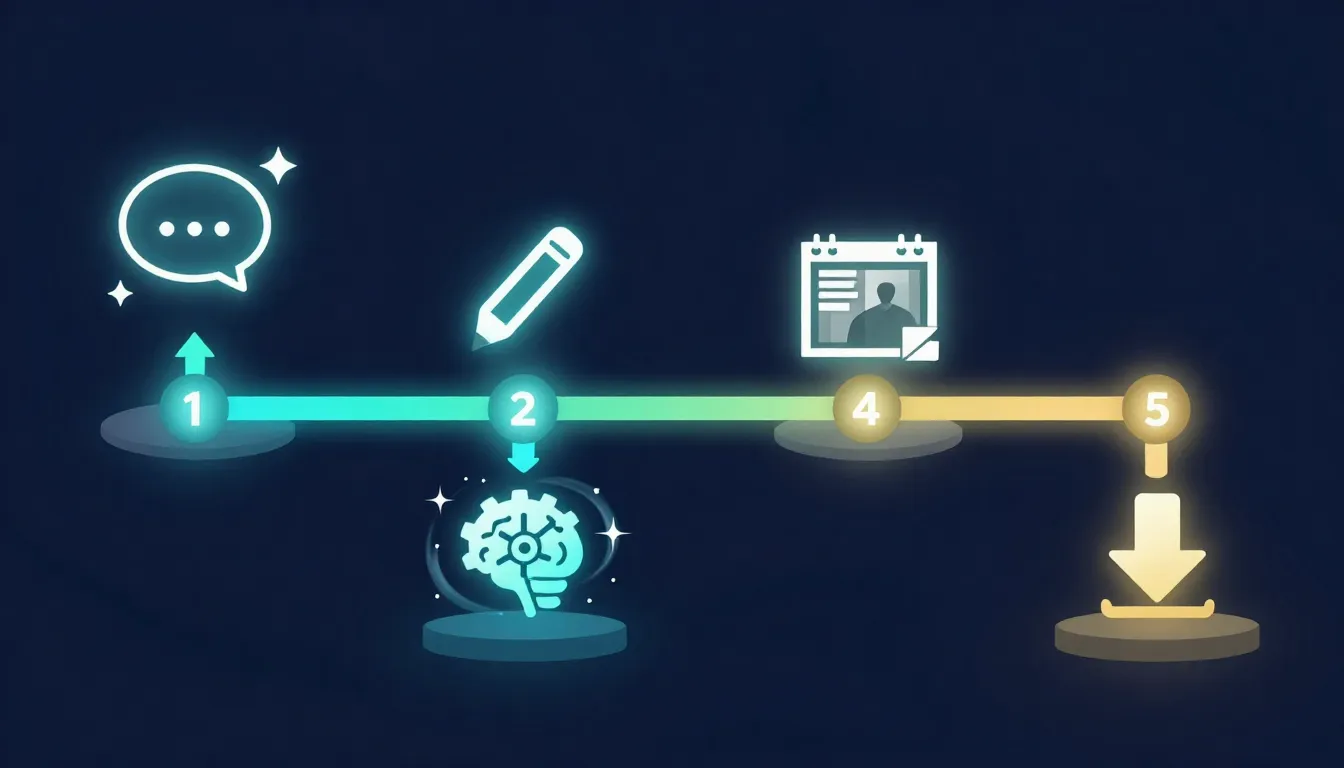
The complete workflow: write your prompt (or generate one), configure your settings, iterate until satisfied, then use the image standalone or convert it into video.
Text-to-Image for Video Production: The First Frame Advantage
This is the section most text-to-image guides skip entirely, and it is arguably the most important workflow development in AI-assisted video production in 2026.
Why the First Frame Matters
In image-to-video AI generation, the first frame is the visual anchor. The video model uses it to establish:
- Subject identity: What the person/object/character looks like throughout the video
- Scene composition: The spatial arrangement of elements, background, foreground
- Color palette and mood: The lighting, color grading, and atmospheric tone of the entire clip
- Style consistency: Whether the output looks cinematic, animated, photorealistic, or stylized
- Physics context: What materials are present (glass, fabric, water) and how they should behave
When you let text-to-video generate everything from scratch, the AI decides all of these visual elements based on your text alone. When you generate the first frame yourself using text-to-image, you control all of these elements before a single frame of video is produced. The video model animates your image rather than its own interpretation — dramatically more predictable and closer to your creative intent.
How to Design Images Specifically for Video Use
Not every generated image works well as a video first frame. Here are the principles that produce the best results:
Choose dynamic compositions: Images that imply motion convert to video more naturally. A person mid-stride, waves cresting, smoke rising, leaves falling — these give the video model clear signals about what should move and how.
Include depth: Flat, head-on compositions produce less interesting camera movement. Images with foreground, midground, and background elements allow the video model to create parallax and depth-based motion.
Use 16:9 aspect ratio: This is the standard video aspect ratio (or 9:16 for vertical video). Generating your image at the video aspect ratio from the start avoids cropping and reframing.
Avoid extreme close-ups of faces: While they work for portrait photography, tight face close-ups in video can produce uncanny motion artifacts. Medium shots and full-body compositions animate more reliably.
Include atmospheric elements: Smoke, mist, rain, wind-blown hair, rippling water — these elements animate beautifully and make the resulting video feel alive. They also give the model clear visual cues about environmental conditions.
Keep the composition slightly loose: Leave a bit more space than you would for a standalone image. Video benefits from room to breathe, and slight camera movements look better when there is space to pan into.
Seedance's Pipeline: Text to Image to Video
Seedance is designed specifically around this pipeline:
- Start with the Image Prompt Generator: Describe your idea in plain language, select a style. The generator produces a detailed prompt optimized for both image quality and video-readiness.
- Generate the image with Text-to-Image: Use the prompt to generate your first frame. Iterate until you have an image that captures your vision.
- Animate with Image-to-Video: Feed the image directly into the video generator. Add a motion description. The platform produces a video clip that starts from your image and adds natural, controlled motion.
This pipeline gives you a level of control over AI video that pure text-to-video cannot match. You define the visual identity of your video before it is generated, then the motion AI handles the temporal dimension.
For a deeper exploration of first and last frame techniques in AI video, see our AI Video First & Last Frame Guide. For the broader image-to-video workflow, see our Image-to-Video AI Guide.
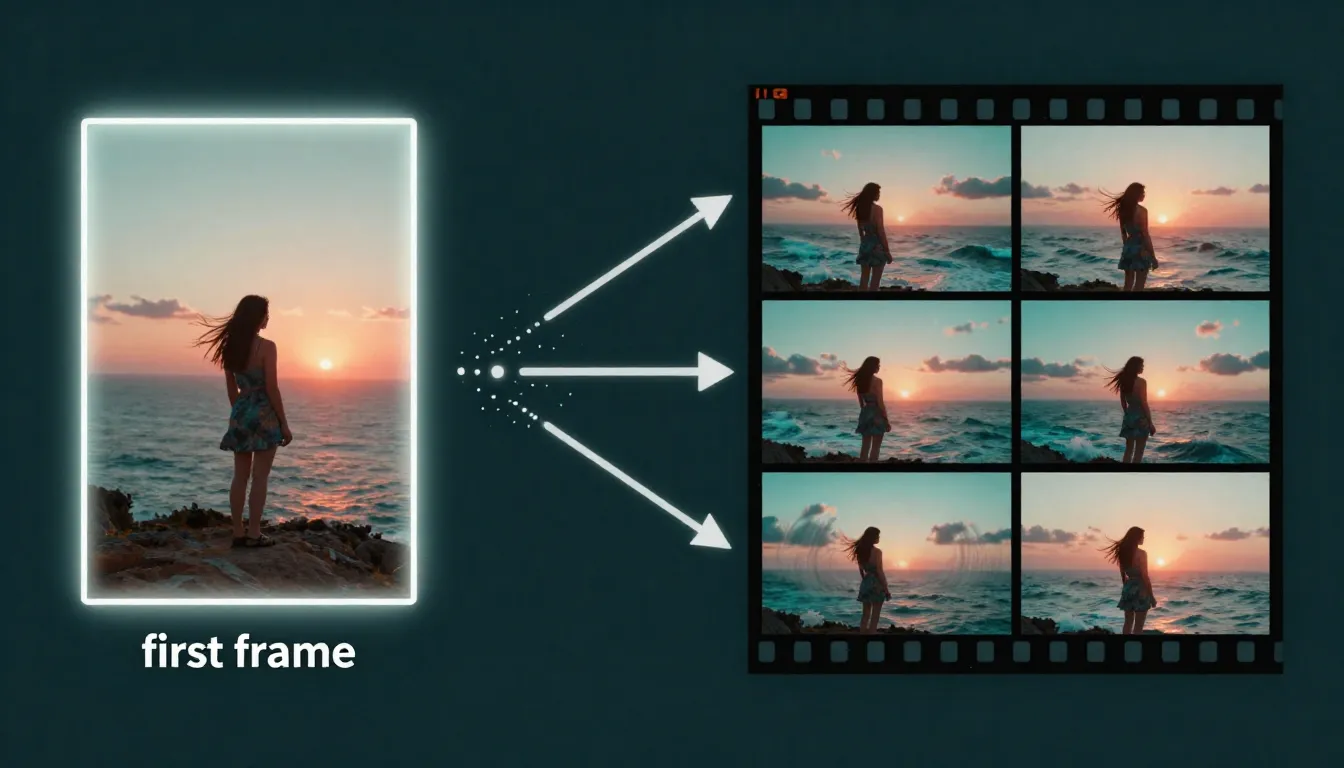
The first frame advantage: generate your image with text-to-image AI, then animate it with image-to-video AI. You control the visuals; the AI adds the motion.
10 Text-to-Image Prompt Examples
These prompts are ready to copy and paste into any major text-to-image AI tool. Each one covers the 7 dimensions of effective prompts and includes style tags and tool recommendations. For 50 more prompts across 10 categories, see our AI Image Prompts Examples collection.
1. Cinematic Portrait
A woman in her late 20s with deep brown eyes and slightly wind-swept dark hair, wearing a charcoal wool coat with an upturned collar, standing on a rain-soaked cobblestone street in Prague at dusk. Warm amber light spilling from a cafe window behind her, soft rain catching the light as it falls. Shallow depth of field, shot at f/1.8 on an 85mm lens, cinematic color grading with desaturated teal shadows and warm amber highlights. Ultra-detailed skin texture, 4K resolution, photorealistic.Style: Cinematic photography | Best tool: Midjourney V7, Google Imagen 3
2. Product Photography
A matte black wireless earbud case sitting open on a smooth white marble surface, one earbud lifted slightly as if being picked up by an invisible hand. Clean studio lighting with a single large softbox from the upper left, creating a gentle gradient across the marble. Subtle reflections on the earbud's glossy driver surface. Minimalist composition with generous negative space, product photography style, commercial quality, sharp focus throughout, 8K resolution.Style: Commercial product photography | Best tool: Google Imagen 3, Adobe Firefly 3
3. Fantasy Landscape
A massive floating island suspended above a sea of glowing clouds at golden hour, waterfalls cascading from its edges into the cloud layer below. Ancient stone ruins covered in bioluminescent moss dot the island's surface. A lone figure in a flowing cloak stands at the edge looking outward. Dramatic volumetric god rays piercing through gaps in the floating landmass, rich jewel tones of emerald green, deep gold, and violet. Epic fantasy digital painting, concept art quality, ultra-detailed, 4K.Style: Fantasy concept art | Best tool: Midjourney V7, Leonardo AI
4. Anime Character
A determined young woman with electric blue bob-cut hair and golden mechanical eyes, wearing a black tactical vest over a white compression shirt, one arm replaced with a sleek chrome cybernetic prosthetic with visible micro-hydraulics. Standing on a rain-slicked neon-lit Tokyo rooftop at night, city lights reflecting in puddles at her feet. Dynamic three-quarter pose, wind catching her hair. Detailed anime illustration style, clean linework, vibrant neon color palette, high contrast lighting, 4K resolution.Style: Anime / character design | Best tool: Stable Diffusion / Flux (with anime LoRA), Leonardo AI
5. Architecture Visualization
A modern minimalist beach house with floor-to-ceiling glass walls, a cantilevered infinity pool extending toward the ocean, and a flat concrete roof with integrated solar panels. Situated on a grassy coastal cliff with native wildflowers. Late afternoon golden hour lighting casting long warm shadows across the concrete deck. Two Adirondack chairs facing the ocean. Architectural photography style, shot with a tilt-shift lens, clean lines, warm Mediterranean color palette, 8K resolution, photorealistic.Style: Architectural photography | Best tool: Midjourney V7, Google Imagen 3
6. Food Photography
A steaming bowl of hand-pulled ramen in a deep black ceramic bowl, rich amber tonkotsu broth, perfectly soft-boiled egg with a molten golden yolk cut in half, curled chashu pork slices, bright green scallion rings, a sheet of nori resting against the bowl's rim. Shot from 45 degrees above on a dark reclaimed wood table with chopsticks resting on a ceramic chopstick holder. Moody overhead lighting from a single source, steam rendered with backlight, food photography style, ultra-detailed textures, 4K.Style: Food photography | Best tool: Midjourney V7, Google Imagen 3
7. Abstract Art
The concept of human memory dissolving into fragments — a human silhouette composed of thousands of tiny golden and silver particles dispersing into a void. Some particles coalesce into recognizable shapes (a childhood home, a face, a tree) before scattering again. Deep midnight blue background with warm gold and cool silver particle streams creating flowing organic patterns. Abstract digital art, generative art aesthetic, high contrast, dynamic composition, ethereal atmosphere, 8K resolution.Style: Abstract digital art | Best tool: Midjourney V7, Leonardo AI
8. Vintage / Retro
A 1960s American diner at twilight, chrome and neon exterior with a glowing pink "ROSIE'S" sign, a turquoise 1957 Chevrolet Bel Air parked in front. The interior visible through large windows shows red vinyl booths and a jukebox. Warm tungsten interior lighting contrasting with cool blue twilight sky, wet asphalt reflecting the neon glow. Shot on vintage Kodachrome film, period-accurate color rendering with saturated reds and blues, slight film grain, nostalgic Americana photography, 4K.Style: Vintage photography | Best tool: Midjourney V7, Ideogram 3 (for accurate sign text)
9. Video First Frame — Person Walking
A young man in a tan linen blazer and white t-shirt mid-stride on a sun-drenched Mediterranean cobblestone alley, bougainvillea cascading from whitewashed walls on both sides, golden afternoon light filtering through overhead. His left foot is forward in a natural walking pose, expression relaxed and looking slightly off-camera. Medium shot from slightly ahead at eye level, shallow depth of field, cinematic photography, warm golden tones with deep purple flower accents. 16:9 aspect ratio, 4K resolution. Designed as first frame for video generation.Style: Cinematic photography (video-optimized) | Best tool: Seedance Text-to-Image, Midjourney V7 Video note: The mid-stride pose and 16:9 framing are specifically chosen for smooth image-to-video conversion. After generating, feed directly into Seedance Image-to-Video.
10. Video First Frame — Product Reveal
A sleek matte black smartphone standing upright on a floating glass surface, surrounded by gently swirling particles of warm golden light against a deep charcoal gradient background. Subtle reflections on the glass surface, single dramatic side light creating a crisp edge highlight along the phone's profile. Minimal, premium product reveal composition with ample space for the product to be revealed through camera motion. Commercial photography, ultra-clean, luxury tech aesthetic. 16:9 aspect ratio, 4K resolution.Style: Commercial product photography (video-optimized) | Best tool: Seedance Text-to-Image, Google Imagen 3 Video note: The swirling particles and floating composition create natural motion cues for video generation. The ample negative space allows for dramatic camera push-in or orbit motion.
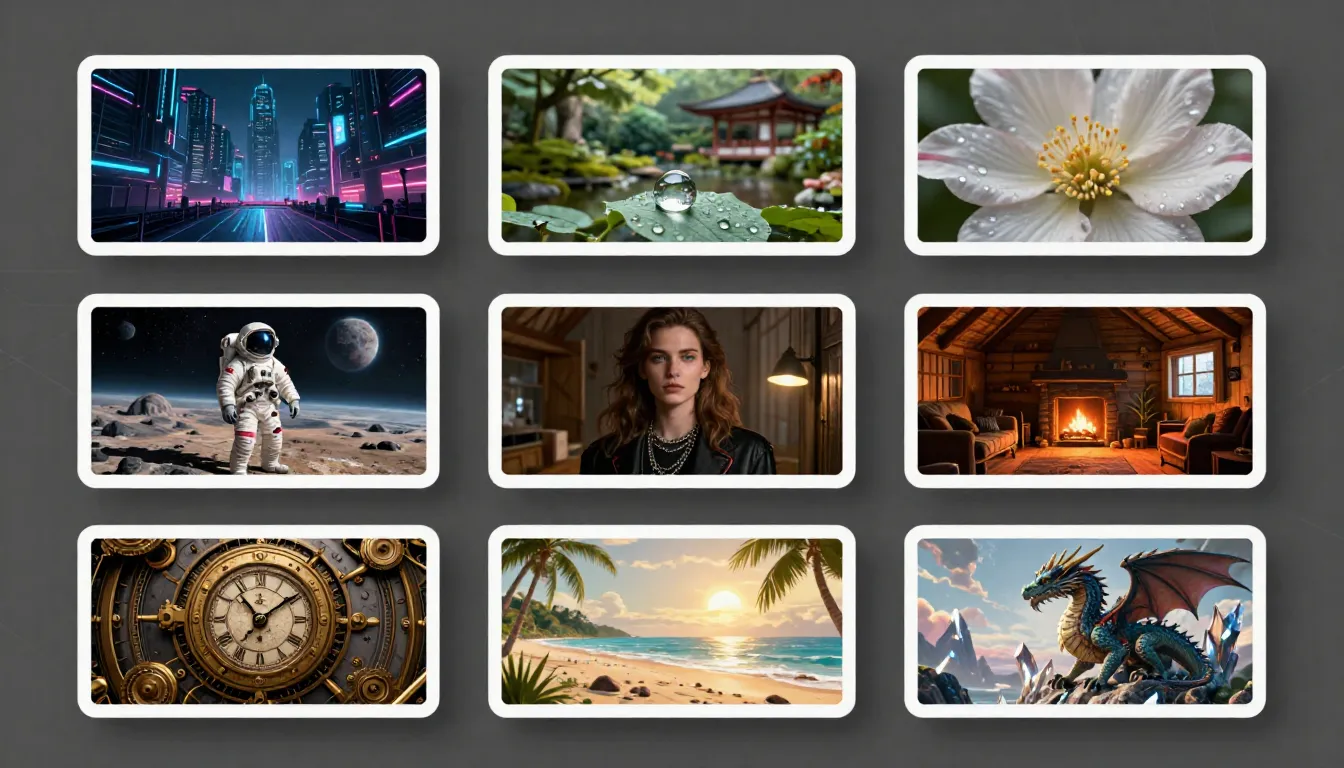
Ten prompts, ten styles — from cinematic portraits to video-optimized first frames. Every prompt addresses all 7 dimensions for consistent, professional results.
Common Mistakes (And How to Fix Them)
After generating thousands of images across multiple platforms, these are the five most common mistakes — and the specific fixes for each.
1. Too Vague
The mistake: "A pretty sunset" or "a cool portrait." These give the AI almost no useful guidance. The text encoder produces a weak signal, and the model fills in every detail from statistical defaults.
The fix: Replace every vague adjective with a specific description. "A pretty sunset" becomes "a sunset over the Amalfi Coast with warm peach and magenta clouds reflected in calm Mediterranean waters, golden hour, shot from a clifftop olive grove." Specificity is the single most impactful improvement you can make.
2. Too Many Subjects
The mistake: "A knight fighting a dragon while a princess watches from a castle tower and birds fly overhead and three moons in the sky." Current models struggle with complex multi-subject compositions — the more elements you request, the less attention each one gets.
The fix: Focus on one primary subject and one supporting element. Keep the background simple. If you need a complex scene, generate elements separately and composite them, or use inpainting to add elements one at a time.
3. Conflicting Style Instructions
The mistake: "A photorealistic oil painting in anime style with watercolor textures." The model cannot serve three conflicting style masters simultaneously.
The fix: Choose one primary style and commit to it. You can blend two closely related styles (e.g., "cinematic photography with slight painterly quality") but avoid mixing fundamentally different approaches.
4. Ignoring Aspect Ratio
The mistake: Generating a square image when you need a 16:9 blog header, then cropping and losing critical composition elements.
The fix: Set the aspect ratio before generating. 16:9 for web and video, 9:16 for mobile/Stories, 1:1 for Instagram posts, 3:2 for photography prints. If you plan to use the image as a video first frame, always match your video format.
5. Not Iterating
The mistake: Generating one image, deciding it "does not work," and giving up.
The fix: Treat the first generation as a draft. Review it, identify what is wrong, adjust the prompt, and regenerate. Change one element at a time. Most professional-quality results come from the second or third generation, not the first. Iteration is not failure — it is the process.
Free Text-to-Image AI Options
You do not need to pay to start generating images. Several strong options offer free tiers, though each comes with tradeoffs.
| Tool | Free Allowance | Limitations | Quality Assessment |
|---|---|---|---|
| Stable Diffusion / Flux (local) | Unlimited | Requires capable GPU (8GB+ VRAM), setup effort | Excellent — Flux Dev rivals paid tools |
| Google Imagen 3 | Free via AI Studio | Usage quotas, Google account required | Excellent photorealism |
| Ideogram 3 | 10 images/day | Lower priority queue, watermark on free tier | Strong, especially for text rendering |
| Leonardo AI | 150 tokens/day | Token limits, some models restricted | Good, varies by model |
| DALL-E 3 | Limited via free ChatGPT | Slow, low priority, limited generations | Solid general quality |
| Seedance | Free credits on sign-up | Credit-based, refreshed periodically | Strong, optimized for video pipeline |
| Adobe Firefly | 25 generative credits/mo | Watermark on free outputs | Professional, commercial-safe |
| Playground AI | 500 images/day | Quality not quite top-tier | Decent for volume |
The honest take: If you have a capable GPU, running Flux Dev locally gives you the best free experience — unlimited, high-quality images with no restrictions. If you do not have a GPU, Google Imagen 3 through AI Studio offers the best quality at zero dollars. Seedance's free credits are ideal if your goal is the image-to-video pipeline. For all free options, the main tradeoffs are volume limits, quality (some free tiers use lower-tier models), and convenience. If you generate images regularly for professional work, a paid plan at $10-20/month typically pays for itself in time savings within the first week.
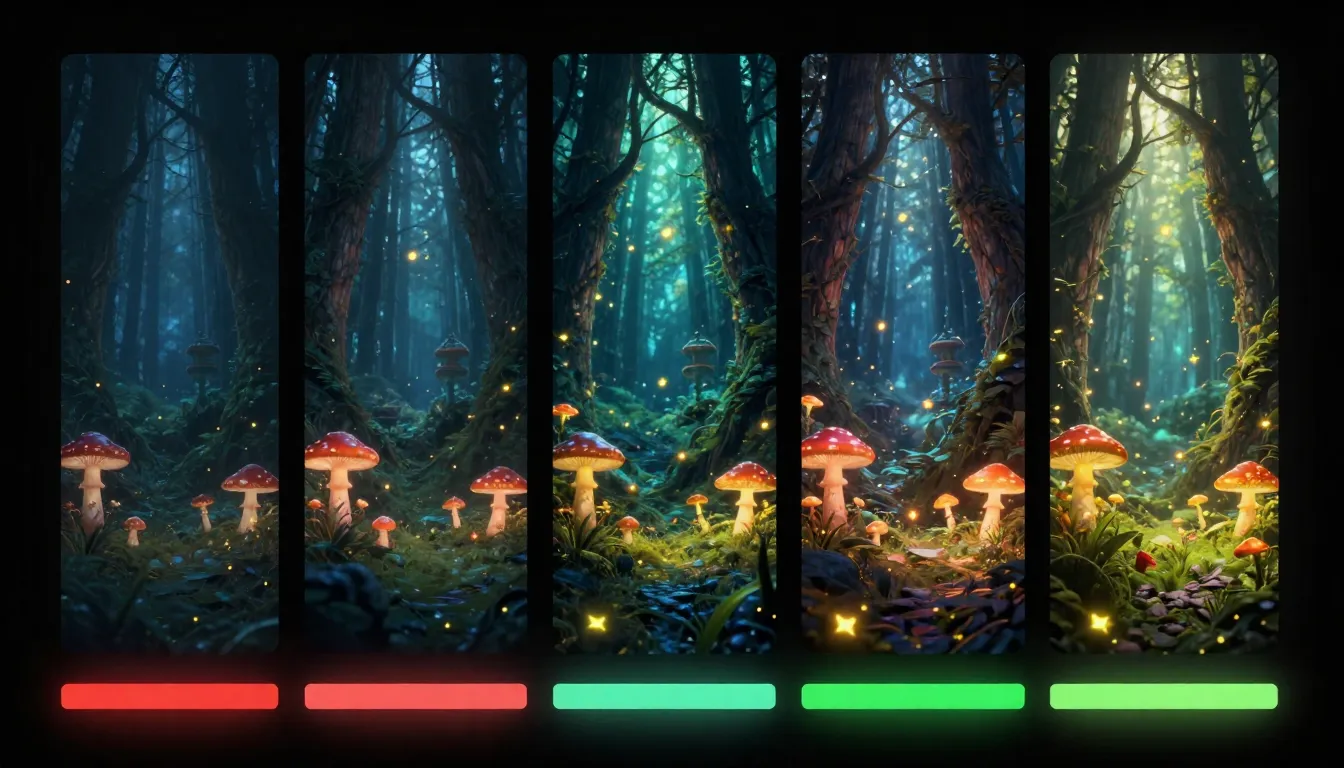
Free does not mean low quality — several tools offer genuinely strong free tiers, though each comes with volume or feature limitations.
FAQ
What is text-to-image AI?
Text-to-image AI is artificial intelligence that generates images from written text descriptions. You provide a prompt describing what you want to see, and the AI produces a corresponding image. The technology uses neural networks trained on billions of image-text pairs. Modern models use diffusion processes, transformers, or hybrid architectures to generate high-fidelity images in seconds.
Which is the best text-to-image AI tool?
It depends on your use case. Midjourney V7 for aesthetics, Imagen 3 for photorealism, Stable Diffusion / Flux for control (free locally), Seedance for image-to-video workflow, DALL-E 3 for ease of use, Ideogram 3 for text rendering, Adobe Firefly 3 for commercial safety. For a detailed comparison, see our Best AI Image Generators 2026 review.
Is text-to-image AI free?
Yes, several strong options are free. Stable Diffusion and Flux are completely free to run locally if you have a capable GPU. Google Imagen 3 is free through AI Studio. Ideogram 3 offers 10 free images per day. Leonardo AI provides 150 free tokens daily. Seedance offers free credits on sign-up. The quality of free options is genuinely good — Flux Dev and Imagen 3 rival paid tools in output quality. The main tradeoffs are volume limits and setup effort.
How do I write good prompts for AI image generation?
Follow the 7-dimension framework: describe your Subject (who/what), Environment (where), Lighting (light source and quality), Color (palette and mood), Composition (camera angle and framing), Style & Medium (artistic approach), and Quality Modifiers (resolution and detail level). Be specific — replace vague words like "pretty" or "nice" with concrete descriptions. Or use an AI prompt generator like Seedance's Image Prompt Generator to convert a simple idea into a professional prompt automatically. For the complete framework, see our AI Image Prompt Generator Guide.
Can AI-generated images be used commercially?
It depends on the platform and your plan. Most paid plans grant commercial usage rights. Adobe Firefly provides explicit IP indemnification. Midjourney, DALL-E, and Leonardo paid plans include commercial rights. Stable Diffusion / Flux outputs are fully owned by you. Free tiers often have limitations (watermarks, non-commercial clauses). Always check your platform's terms of service.
What resolution do text-to-image tools produce?
Top tools generate images at 1024x1024 to 2048x2048 natively. Midjourney V7, Seedance, Leonardo, and Ideogram support up to 2048x2048. DALL-E 3 maxes out at 1024x1792. Google Imagen 3 outputs up to 1536x1536. Stable Diffusion and Flux support any resolution your GPU can handle. Most platforms also offer AI upscaling to 4K or 8K after generation.
Can I use text-to-image AI for video production?
Yes, and this is one of the most powerful applications. Generate a still image using text-to-image AI, then use it as the first frame for image-to-video AI generation. The video model animates your image with motion, camera movement, and temporal effects. This gives you far more control than text-to-video alone, because you define exactly what the scene looks like before any video is generated. Seedance integrates this pipeline natively: generate the image, then convert to video within the same platform.
How is Seedance different from other text-to-image tools?
Seedance's differentiator is the integrated pipeline from prompt generation to image to video. Generated images flow directly into video generation — no downloading, no uploading to a separate tool. The platform includes an AI prompt generator, text-to-image generation, and image-to-video conversion in a single workflow. Free credits are available on sign-up with no credit card required.
Start Generating Images from Text
Text-to-image AI in 2026 is not experimental — it is a mature production tool that produces professional-quality output across every visual style. Whether you need a blog illustration, a product mockup, a piece of concept art, or a first frame for AI video, the technology delivers.
The most important advice: start generating. Read about prompt frameworks, compare tools, study examples — but the fastest way to improve is to write a prompt, see the result, adjust, and try again. Every iteration teaches you something about how the model interprets language.
If your goal is standalone images, pick the tool that matches your use case from the comparison above and start experimenting.
If your goal is video production, the text-to-image-to-video pipeline is the highest-control workflow available in 2026. Generate the perfect still frame, then animate it.
Generate perfect prompts first →
