
TL;DR
| Feature | Seedance 2.0 | Runway Gen-4 |
|---|---|---|
| Resolution | Native 2K (2048x1080) | 1080p max |
| Input | Image + Video + Audio + Text (12 refs) | Text + Image + Video |
| Audio | Built-in SFX, music, 8-language lip sync | No native audio |
| Price | Free credits, then $9.90/mo | Free (limited), then $15/mo |
| Best for | Multi-modal creative work with audio | Professional editing workflows |
Pick Seedance if you need quad-modal input, built-in audio, higher resolution, or the best value per dollar. Pick Runway if you rely on professional video editing tools, want Act One character acting, or need a comprehensive creative suite beyond generation. Use both if your workflow demands both polished short-form content and professional post-production capabilities.
Read on for the full head-to-head comparison, pricing breakdown, and honest assessment of each platform's strengths and weaknesses.
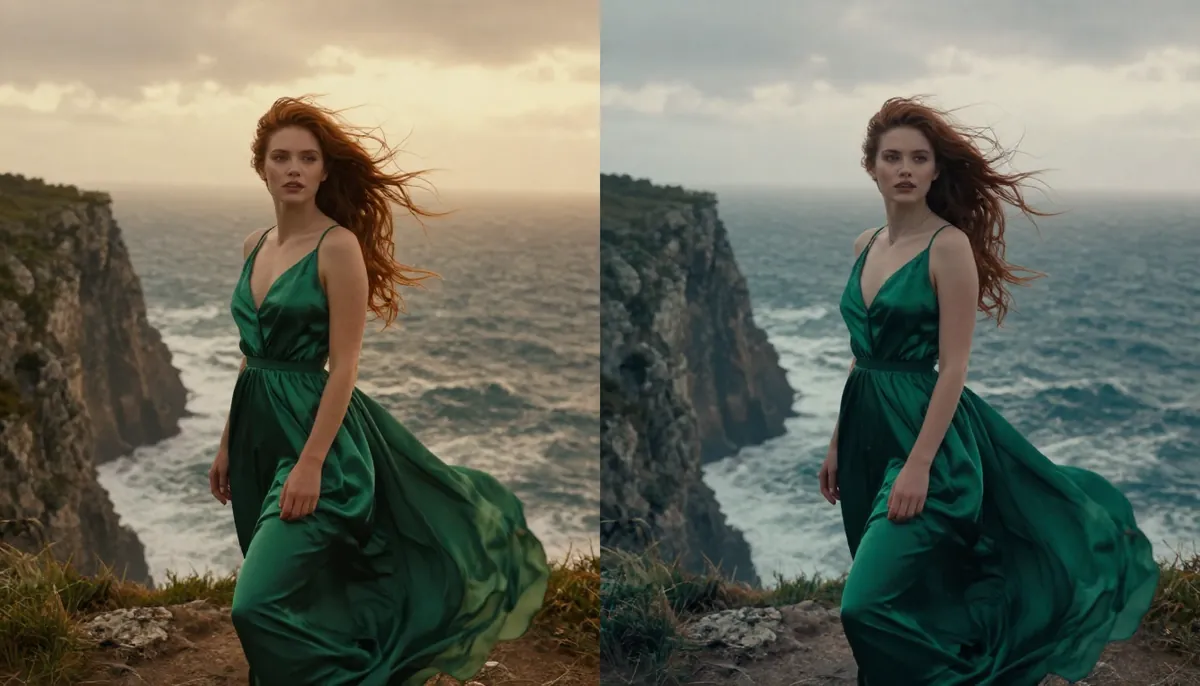
Seedance 2.0 vs Runway Gen-4 — a multi-modal generation powerhouse versus a professional creative suite, competing for creators in 2026.
Quick Comparison Table
Before diving into the detailed analysis, here is a comprehensive feature-by-feature comparison of Seedance 2.0 and Runway Gen-4. This table covers every major dimension that matters when choosing between these two AI video generators in 2026.
| Feature | Seedance 2.0 | Runway Gen-4 |
|---|---|---|
| Developer | ByteDance (Seed Team) | Runway AI (founded 2018, NYC) |
| Max Resolution | 2K (2048x1080) | 1080p (1920x1080) |
| Max Duration | 15 seconds | ~10 seconds |
| Input Modalities | Image, Video, Audio, Text (up to 12 files) | Text, Image, Video |
| Audio Generation | SFX + Music + 8-language lip sync | No native audio |
| Character Consistency | Strong (multi-image reference, up to 9 images) | Moderate (Act One character acting) |
| Camera Control | Reference video-based | Text description + presets |
| Aspect Ratios | 16:9, 9:16, 1:1, 4:3, 3:4, custom | 16:9, 9:16, custom |
| Editing Suite | Focused on generation | Comprehensive creative tools |
| Free Tier | Yes (free credits, no card required) | Yes (limited, watermarked) |
| Starter Price | $9.90/month | $15/month (Basic) |
| Pro Price | $19.90/month | $95/month (Pro) |
| Generation Speed | ~60-120 seconds | ~30-90 seconds |
| Global Availability | Worldwide | Worldwide |
| Watermark | None on paid plans | Watermark on free tier only |
| Community Size | Growing | Large, established since 2018 |
Now let us break each of these dimensions down in detail to help you decide which platform fits your creative workflow.
About Seedance 2.0
Seedance 2.0 is a multi-modal AI video generation platform built by ByteDance's Seed research team. It represents the third major release in the Seedance model family, following the 1.0 Lite and 1.0 Pro versions from 2025.
The defining feature of Seedance is its quad-modal input system. You can feed the model images, videos, audio clips, and text prompts simultaneously. Upload up to 9 reference images, 3 reference videos, and an audio track alongside your text description. The AI synthesizes all of these inputs into a single coherent video output.
Seedance generates at native 2K resolution (2048x1080), includes built-in audio generation with sound effects, background music, and lip sync in 8 languages, and delivers strong character consistency through its multi-image reference system.
For a complete overview of the platform's features, architecture, and history, read our comprehensive guide to Seedance.
About Runway Gen-4
Runway is an AI creative tools company founded in 2018 and headquartered in New York City. It is one of the longest-running players in the AI video generation space and has built a reputation as the go-to platform for professional creators who want AI-powered tools integrated into serious production workflows.
Runway's journey through video models has been notably iterative. Gen-1 introduced video-to-video style transfer. Gen-2 brought text-to-video generation to a mainstream audience. Gen-3 Alpha raised the quality bar significantly. And now Gen-4 represents the latest evolution — delivering improved visual fidelity, better motion coherence, and new features designed for professional content creation.
What distinguishes Runway from pure generation platforms is its comprehensive creative suite. Beyond video generation, Runway offers a full set of tools: background removal, inpainting, image expansion, frame interpolation, video editing capabilities, and more. It is not just a generator. It is an editing environment with generation built in.
Runway also introduced Act One, a character performance feature that captures facial expressions and translates them into AI-generated characters. This gives creators a level of acting control that most competitors do not offer. Combined with Gen-4 Turbo for faster generation and Gen-4 Image for still image creation, Runway has built a broad ecosystem rather than a single-purpose tool.
Pricing starts at $15/month for the Basic plan, $30/month for Standard, $95/month for Pro, and $145/month for Unlimited. A limited free tier exists but includes watermarks and minimal credits. Runway's positioning is clearly aimed at professional and semi-professional creators willing to invest in a premium creative platform.
Head-to-Head Comparison
This is the core of the seedance vs runway debate. We compare both platforms across seven critical dimensions. We are transparent about where each platform wins. Both are serious tools built by talented engineering teams with different design philosophies.
Video Quality and Resolution
Resolution is one of the most straightforward differences in the seedance 2.0 vs runway gen-4 matchup.
Seedance 2.0 generates video at a native resolution of 2K (2048x1080) in landscape mode. This is not upscaled 1080p. The model renders natively at 2K, delivering finer detail in textures, sharper edges on text and objects, and more headroom for cropping or zooming in post-production. ByteDance has confirmed that 4K support is in development, which will widen this gap further.
Runway Gen-4 generates video at 1080p (1920x1080) maximum. The output is clean and visually polished — Runway has always prioritized aesthetic quality — but it cannot match the raw pixel-level detail that Seedance delivers at 2K. On smartphones, the difference is subtle. On desktop monitors, large-screen presentations, or when cropping footage for close-ups, the extra resolution becomes clearly visible.
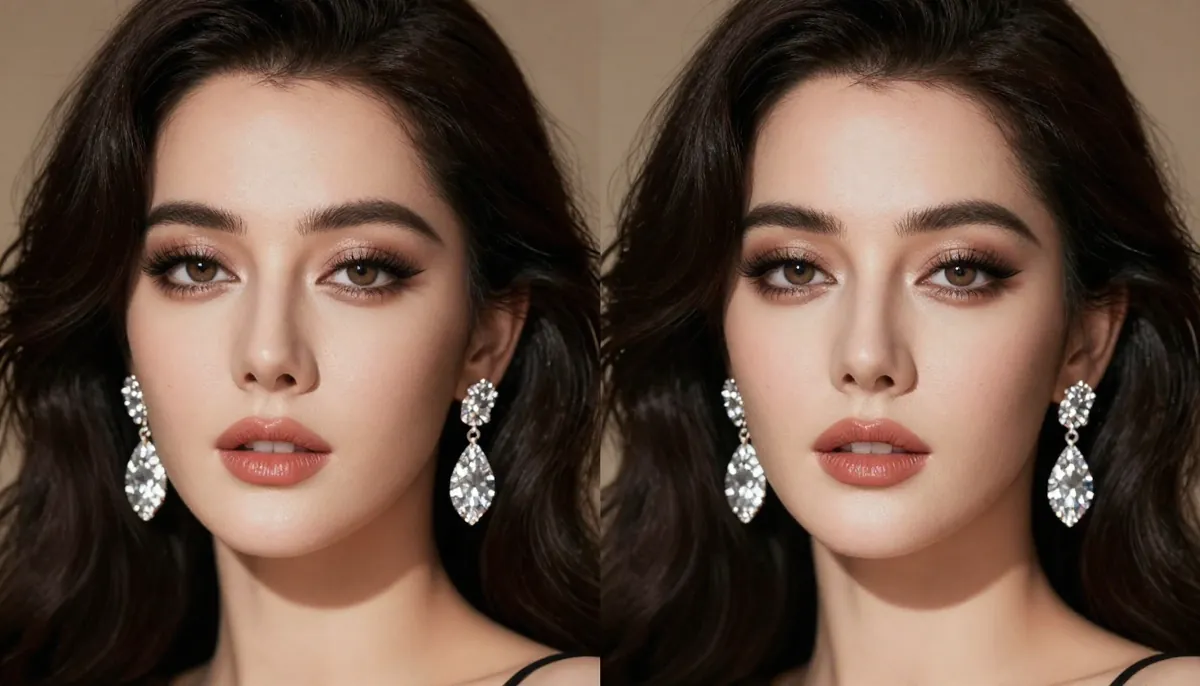
Resolution detail comparison — cropped sections from the same scene type generated by Seedance (2K, left) and Runway Gen-4 (1080p, right). The extra resolution delivers sharper textures and finer edge detail.
Beyond raw pixel count, the two platforms produce different visual aesthetics. Seedance tends toward a rich, cinematic look with dramatic lighting, volumetric fog, and lens flare effects that echo professional cinematography. Runway produces a polished, clean visual style that leans toward commercial production quality. Runway's output has a refined, controlled feel that reflects its roots in the professional creative community.
Both aesthetics are valid. Seedance skews cinematic. Runway skews commercial. Your preference depends on whether your content needs dramatic flair or clean production polish.
Winner: Seedance 2.0 on resolution and detail. Runway Gen-4 is visually polished but the 2K vs 1080p gap is measurable and meaningful for professional use cases that demand the highest fidelity.
Input Modalities: Quad-Modal vs Tri-Modal
Input flexibility is one of the most important functional differences in the seedance vs runway comparison, and it is where Seedance's design philosophy diverges most sharply from Runway's.
Seedance 2.0 accepts four input modalities simultaneously:
- Images (up to 9) — Portraits, product photos, concept art, style references. The AI preserves the identity, color palette, and visual style of your reference images in the generated video.
- Videos (up to 3, total 15 seconds max) — Reference clips for camera movement, choreography, or motion style. Seedance extracts movement patterns and applies them to new content.
- Audio (MP3, up to 15 seconds) — Soundtracks or sound effects. The generated video syncs to the audio's rhythm, beat, and mood.
- Text — Natural language descriptions guiding scene composition, style, and action.
You can combine up to 12 reference files across these modalities in a single generation. Upload 5 product photos, 2 reference videos showing camera angles you like, an audio track, and a text prompt — all at once. The model synthesizes everything into a unified output.
Runway Gen-4 accepts three input modalities:
- Text — Natural language descriptions. Runway's text understanding is solid and handles detailed creative direction well.
- Image — Reference images for image-to-video generation. Runway can take a still and animate it into motion.
- Video — Video-to-video transformation. Runway can re-style or modify existing video footage.
Runway does not accept audio input for generation. You cannot supply a soundtrack and have the AI sync visuals to it. Runway also does not support the same volume of simultaneous references — you cannot upload 9 images at once to build a comprehensive character model.
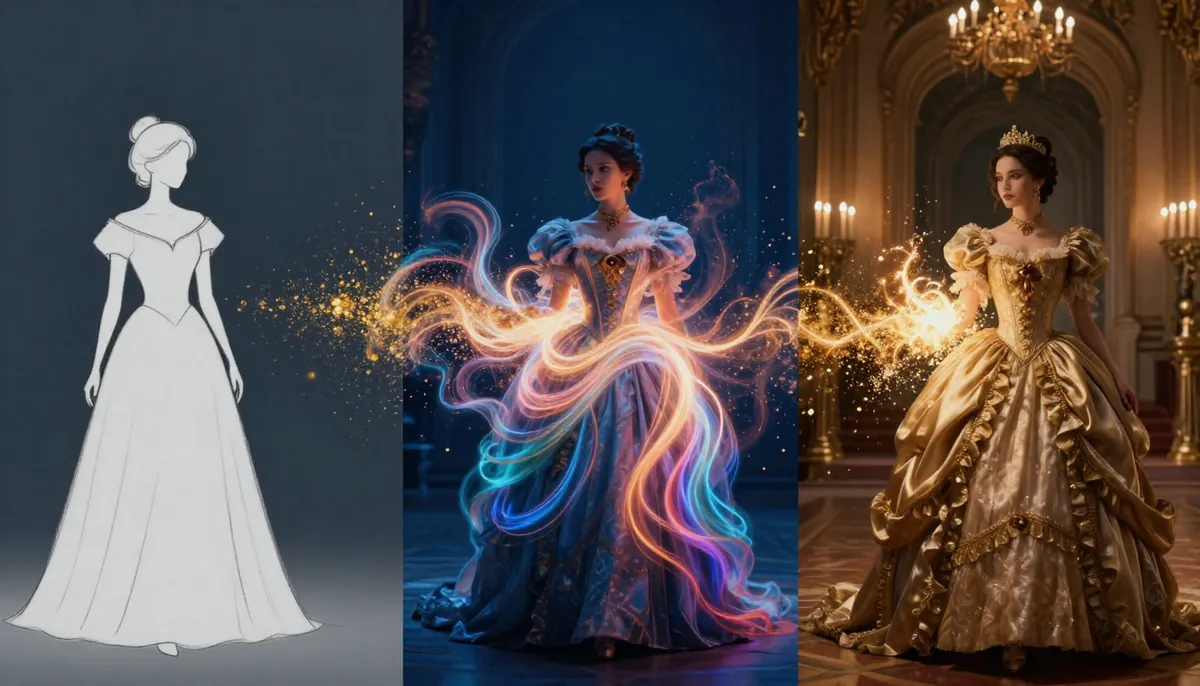
Seedance 2.0's quad-modal input system — combine reference images, videos, audio tracks, and text prompts in a single generation. Runway accepts text, image, and video but not audio, and does not support the same volume of simultaneous references.
Practical impact by use case:
- E-commerce product ads: You have 6 product photos from different angles plus a brand jingle. With Seedance, upload all 6 photos and the audio, and get a complete product video with sound. With Runway, upload one image and add audio manually afterward.
- Music-driven content: You have a 15-second audio clip and want matching visuals. With Seedance, the video syncs to the music automatically. With Runway, generate a silent video and manually sync the audio externally.
- Character campaigns: You need the same spokesperson in 10 videos. With Seedance, upload 5-9 reference images for each generation. With Runway, provide single references and rely on Act One for expression control.
- Motion reference: You found a camera movement you love in an existing video. Both platforms can work with video input, but Seedance's dedicated camera-from-reference system is purpose-built for this workflow.
When tri-modal input is sufficient:
Runway's text + image + video support covers many common workflows. If you primarily work from single reference images, use text prompts for creative direction, or transform existing video footage, Runway's input system is capable and well-implemented. The gap matters most when you need audio-driven generation or high-volume multi-image reference.
Winner: Seedance 2.0 for input flexibility. Quad-modal versus tri-modal is a meaningful capability difference, especially the audio input and the ability to upload up to 12 reference files simultaneously. Runway's tri-modal support is solid but does not match Seedance's breadth.
Motion Control and Editing: Runway's Professional Ecosystem
This is the category where Runway's years of investment in professional creative tools pay off most clearly. Runway is not just a video generator — it is a creative platform, and that distinction matters.
Runway's editing and control ecosystem includes:
- Act One — A character performance feature that lets you drive AI character expressions and movements through real acting input. Record your own facial performance, and Act One translates it onto an AI-generated character. This gives creators a level of acting direction and emotional control that is genuinely unique in the AI video space. Want your character to look surprised, then slowly smile, then glance to the left? Act it out, and Act One reproduces it.
- Gen-4 Turbo — A faster generation mode that trades some quality for significantly reduced wait times. Useful for rapid iteration and prototyping when you need to test concepts quickly before committing to full-quality renders.
- Video editing tools — Background removal, inpainting (replace or remove objects from video frames), frame interpolation (smooth out or slow down footage), image expansion, and style transfer. These tools work on both AI-generated and traditionally shot footage.
- Multi-Modal mode — Combine generation capabilities across Gen-4's video and image models within a unified project environment.
Seedance 2.0's generation control includes:
- Reference video-based camera control — Upload a clip with the camera movement you want, and the AI replicates that movement pattern. This produces precise, reproducible camera work.
- Multi-image character reference — Upload up to 9 images of a character for identity preservation across generations.
- Audio-sync generation — Videos match the rhythm and mood of supplied audio tracks.
- Text-based creative direction — Standard prompt-based control over scene composition, style, and action.
Seedance is focused on generation. It does not include the post-production editing suite that Runway provides. If you need to remove a background, inpaint an object, or interpolate frames, you will need separate tools alongside Seedance. Runway handles all of these within one platform.
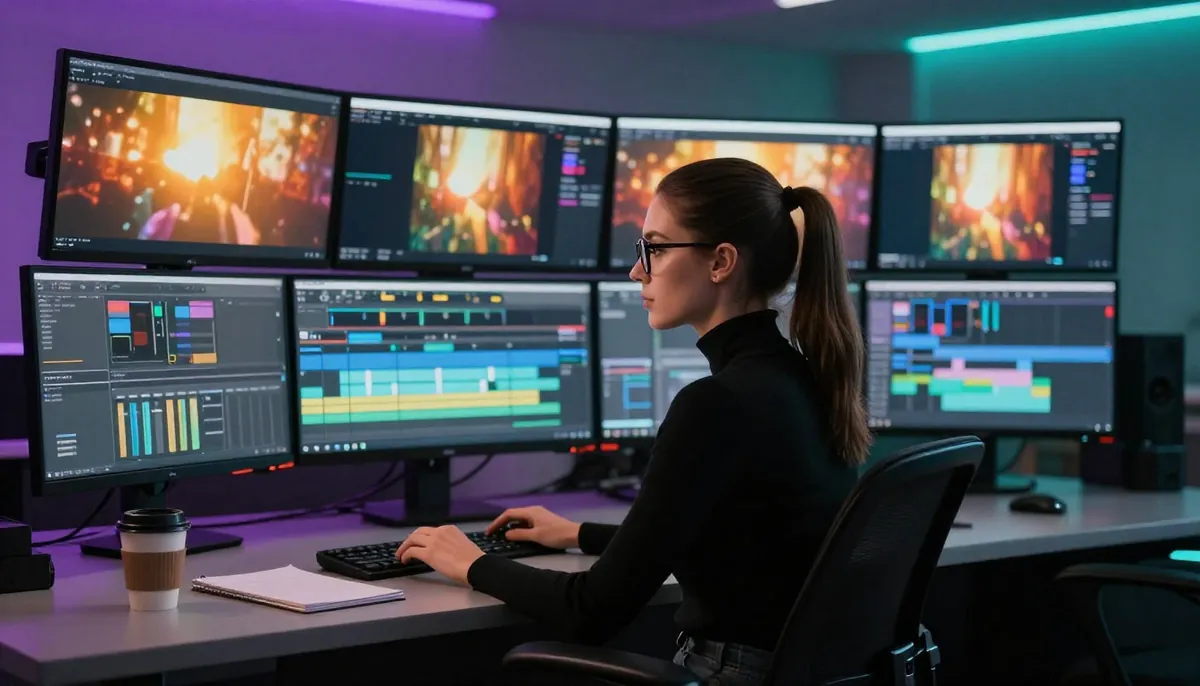
Runway's creative suite extends well beyond generation — Act One character acting, inpainting, background removal, and frame interpolation give professional creators a complete post-production environment.
When Runway's editing suite matters:
If you are a professional editor, motion designer, or video production team, having generation and editing tools in one platform eliminates the friction of exporting, importing, and managing files across multiple applications. Runway's integrated approach means you can generate a clip, remove a background, inpaint a detail, and adjust timing — all without leaving the platform.
When Seedance's focused approach works better:
If your primary need is generating high-quality video from multi-modal inputs with audio, and you already have an editing workflow in place (Premiere Pro, DaVinci Resolve, After Effects, CapCut), then Seedance's superior generation capabilities matter more than built-in editing tools. You generate in Seedance, then edit in your preferred environment.
Winner: Runway Gen-4 for post-production tools and professional editing workflows. Act One is a genuinely innovative feature with no direct equivalent in Seedance. However, for pure generation quality and multi-modal flexibility, Seedance holds the advantage. This category depends heavily on whether you need an all-in-one platform or the best generation engine.
Audio Generation: Seedance's Decisive Advantage
Audio is where the seedance vs runway comparison becomes one-sided. This is one of the largest capability gaps between the two platforms.
Seedance 2.0 includes a complete built-in audio generation system with three components:
- Sound effects (SFX): Context-appropriate sounds — footsteps on different surfaces, rain, wind, ambient noise, impacts, machinery, nature sounds — generated automatically to match the visual content. You do not need to source, license, or sync sound effects manually.
- Background music: AI-generated musical scores matching the mood, tempo, and style of your video. Select from various genres and emotional tones to complement the visual narrative.
- Lip sync in 8 languages: Speaking characters get synchronized mouth movements in English, Chinese, Japanese, Korean, Spanish, French, German, and Portuguese. The lip movements match the audio track naturally and convincingly.
This means every Seedance video can be publish-ready with synchronized audio in a single generation step. No external audio tools. No manual syncing. No additional editing software. No licensing fees for stock music or sound effects.
Runway Gen-4 has no native audio generation. Every video Runway produces is silent. To create a finished video with sound, you must:
- Export the video from Runway.
- Open it in a separate audio/video editing tool (Premiere Pro, DaVinci Resolve, CapCut, or similar).
- Source or create appropriate sound effects and music (potentially involving licensing costs).
- Manually sync the audio to the visual content, adjusting timing frame by frame.
- Export the final combined video.
This workflow adds significant time and complexity to every project. For professional editors who already have established audio pipelines, this may be an accepted part of the process. For individual creators, social media marketers, small teams, and anyone who wants to publish quickly, the extra steps can double or triple the time from generation to publication.
Real-world time impact:
Consider producing 10 short video ads per week for social media. With Seedance, each video is generated complete with audio. Total active production time: roughly 15-25 minutes for the batch (including prompt writing and reviewing outputs). With Runway, you generate 10 silent videos, then spend 15-30 minutes per video adding audio in post-production. That is an additional 2.5-5 hours of audio editing per week.
Over a month, the difference accumulates to 10-20 hours of extra production time. For a solo creator or small marketing team, this is a meaningful productivity cost.
When silent video is acceptable:
Not every workflow requires built-in audio. If you are producing B-roll footage for larger projects, creating visual content for platforms where videos autoplay on mute (like LinkedIn feeds), or building a library of clips that will receive custom audio treatment in a professional post-production pipeline, Runway's lack of audio generation is less of a disadvantage.
Winner: Seedance 2.0 decisively. Built-in audio generation versus no audio generation is not a subtle difference. For most creators who publish videos with sound — and that includes the vast majority of social media, marketing, and entertainment content — this single feature represents a substantial workflow advantage. For a guide on getting the most from Seedance's audio capabilities, see our complete usage guide.
Character Consistency
Maintaining the same character identity across multiple videos and scenes is critical for brand campaigns, serialized content, and storytelling. Seedance and Runway approach this challenge with different methods, each with distinct advantages.
Seedance 2.0 achieves character consistency through its multi-image reference system. Upload up to 9 images of the same person or character. Include different angles (front, profile, three-quarter), different expressions (smiling, serious, surprised), and different lighting conditions. The AI builds a comprehensive internal representation of that character's identity.
In subsequent generations using those same reference images, the face, body type, hair style, skin tone, and clothing style remain consistent. This works across dramatically different scene compositions — the same character in an office, on a beach, in a futuristic cityscape — while maintaining recognizable identity. With 5-9 well-chosen reference images, Seedance maintains character identity remarkably well across dozens of separate video generations.
Runway Gen-4 approaches character consistency differently, and its most innovative tool here is Act One. Act One lets you capture a real performance — your own facial expressions, head movements, and emotional shifts — and apply them to AI-generated characters. This does not directly solve the problem of maintaining the same character face across separate generations, but it gives you extraordinary control over how a character acts within a scene.
For cross-video identity consistency, Runway relies on image reference input and text descriptions. You can provide a reference image to guide the character's appearance. However, Runway does not support the same volume of multi-angle reference images that Seedance does, which can lead to greater visual drift across separate generation sessions.

Character consistency approaches — Seedance (top) uses up to 9 reference images for robust identity preservation across scenes. Runway (bottom) offers Act One for expressive character acting within individual scenes.
When each approach shines:
- Seedance's multi-reference system excels for brand campaigns, recurring characters, virtual spokespersons, and any workflow where the same face must appear identically across many separate videos over weeks or months. The more reference images you provide, the more robust the consistency.
- Runway's Act One excels for scenes where emotional performance and acting nuance matter. If you need a character to deliver a specific emotional arc — hesitation turning to confidence, surprise shifting to delight — Act One gives you director-level control over the performance that no amount of reference images can replicate.
These are genuinely different strengths. Seedance wins on identity persistence. Runway wins on performance expression. The ideal workflow might combine both: Seedance for establishing and maintaining a character's look, and Runway's Act One for scenes requiring specific emotional performances.
Winner: Seedance 2.0 for cross-video identity consistency. Runway Gen-4 for within-scene acting control via Act One. Overall, Seedance has the edge for most production workflows where consistent character identity is the primary concern, but Runway's Act One is a genuinely innovative feature that fills a different creative need.
Pricing and Value
Pricing is where the seedance vs runway comparison reveals significant differences in cost structure and target audience. Runway positions itself as a premium professional platform. Seedance targets a broader audience with more accessible pricing.
Seedance Pricing
| Plan | Monthly Price | Credits | Key Features |
|---|---|---|---|
| Free | $0 | Signup bonus (no card required) | Full quality, all models, all features |
| Starter | $9.90/month | Moderate allocation | Priority queue, all features |
| Pro | $19.90/month | Large allocation | Maximum credits, priority generation |
Every Seedance plan generates the same quality output. Free users get the same 2K resolution, the same models, and the same audio generation as Pro users. The only difference is credit volume. No watermarks on any paid tier.
For a detailed breakdown of how to maximize free credits, read our Seedance free guide.
Runway Pricing
| Plan | Monthly Price | Credits | Key Features |
|---|---|---|---|
| Free | $0 | Very limited | Watermarked output, minimal credits |
| Basic | $15/month | 625 credits | Gen-4 access, no watermark |
| Standard | $30/month | 2,250 credits | More credits, higher limits |
| Pro | $95/month | 9,375 credits | Priority generation, maximum credits |
| Unlimited | $145/month | Unlimited generation | Unlimited credits, all features |
Runway's free tier is very limited — you get a handful of credits with watermarked output, primarily useful for testing the platform before committing. The real entry point is the Basic plan at $15/month. For serious production work, most creators need the Standard ($30/month) or Pro ($95/month) tier, as the Basic allocation is consumed quickly with regular use.
Cost-Per-Video Analysis
| Scenario | Seedance Starter ($9.90/mo) | Runway Basic ($15/mo) | Runway Pro ($95/mo) |
|---|---|---|---|
| Monthly cost | $9.90 | $15.00 | $95.00 |
| Estimated videos/month | ~30-50 | ~15-25 | ~75-100 |
| Cost per video | ~$0.20-0.33 | ~$0.60-1.00 | ~$0.95-1.27 |
| Includes audio | Yes | No | No |
| Max resolution | 2K | 1080p | 1080p |

Pricing comparison — Seedance delivers significantly more videos per dollar at every tier, with audio included. Runway's professional features command a premium price.
At the entry level, Seedance Starter ($9.90/month) delivers roughly 2-3x more videos per dollar than Runway Basic ($15/month). And each Seedance video includes synchronized audio, which would cost additional time (and potentially licensing fees) to add to Runway's silent output.
The gap widens dramatically at higher tiers. Seedance Pro at $19.90/month costs less than a quarter of Runway Pro at $95/month. For creators who need high-volume video generation, the cost difference over a year is substantial: $238.80 for Seedance Pro versus $1,140 for Runway Pro.
When Runway's pricing makes sense:
Runway's higher pricing is justified if you actively use its full creative suite — Act One, inpainting, background removal, frame interpolation, and the integrated editing environment. If these tools replace other software subscriptions or significant manual editing time, the premium can be worthwhile. For professional studios and production teams, the all-in-one value proposition may offset the higher per-video cost.
When Seedance's pricing wins:
For creators, marketers, and teams whose primary need is generating high-quality videos with audio at volume, Seedance's pricing delivers dramatically better value. If you already have an editing workflow and need the best generation engine at the most accessible price, Seedance is the clear choice.
For full pricing details, visit our pricing page.
Winner: Seedance 2.0 on pricing and value by a wide margin. Seedance offers a genuine free tier, lower entry pricing, more videos per dollar, and includes audio generation in the cost. Runway's pricing is justified for professionals who use its full editing suite, but for pure video generation value, Seedance is significantly more cost-effective.
Ease of Use and Workflow
How a platform feels to use day-to-day matters as much as raw features. Seedance and Runway take different approaches to user experience, reflecting their different target audiences.
Seedance 2.0 is designed for streamlined generation. The workflow is straightforward: upload your reference files (images, videos, audio), write your text prompt, configure settings (resolution, aspect ratio, audio options), and generate. The interface is focused on getting you from concept to finished video as quickly as possible. There are fewer tools to learn, fewer menus to navigate, and fewer decisions to make before you can start generating.
This simplicity is an advantage for creators who know what they want to make and want to make it quickly. Social media managers producing daily content, marketers building ad campaigns, and individual creators exploring ideas all benefit from the low learning curve.
Runway is designed for comprehensive creative control. The platform's workspace includes multiple tools, project management features, and an environment that feels closer to professional editing software than to a simple generation interface. You can organize assets into projects, iterate on generations, apply post-production effects, and manage multiple outputs within a unified dashboard.
This depth is an advantage for creators who want to do more than generate. If you need to refine, edit, composite, and polish AI-generated content within a single environment, Runway's workspace supports that entire pipeline. The trade-off is a steeper learning curve and more complexity to navigate.
Learning curve comparison:
- Seedance: Most users can produce their first video within 5 minutes of signing up. The interface is intuitive, and the multi-modal input system — while powerful — does not require technical knowledge to use. Drag, drop, type, generate.
- Runway: New users should expect 30-60 minutes to familiarize themselves with the full platform. Generation itself is straightforward, but understanding the editing tools, Act One setup, and project management features takes time. The investment pays off if you use the full suite, but it is more to absorb upfront.
Winner: Seedance 2.0 for simplicity and speed-to-first-video. Runway Gen-4 for creators who want a comprehensive creative environment with multiple tools in one workspace. This category is subjective and depends on whether you value streamlined simplicity or comprehensive depth.
When to Choose Seedance
Seedance 2.0 is the stronger choice when your workflow matches any of the following scenarios:
1. You have existing visual and audio assets you want to use. If you are an e-commerce brand with product photos, a content creator with a library of images, or a marketing team with brand materials and audio assets, Seedance's quad-modal input converts those assets directly into video. Uploading 5-9 reference images with an audio track produces far more precise results than describing everything in text.
2. You need video with audio, ready to publish. If you post to TikTok, Instagram Reels, YouTube Shorts, or any platform where sound matters, Seedance generates complete videos with synchronized SFX, music, and lip sync. No external audio editing. No manual syncing. One generation, one output, ready to go. For high-volume content production, this saves hours per week.
3. Your budget matters. Seedance offers free credits with no credit card requirement, a Starter plan at $9.90/month, and a Pro plan at $19.90/month. At every tier, you get more videos per dollar than Runway, with audio included. For solo creators, small teams, and anyone watching costs, Seedance delivers substantially more value.
4. You need the highest resolution available. For professional content, desktop viewing, large-screen presentations, or any use case where visual detail matters, Seedance's native 2K output provides a tangible quality advantage over Runway's 1080p. With 4K support on the roadmap, this gap will only grow.
5. You need consistent characters across many videos. If you produce serialized content — brand campaigns, recurring characters, virtual ambassadors, storytelling series — Seedance's 9-image reference system maintains character identity across dozens of separate video generations with remarkable consistency.
Start creating with Seedance for free →
When to Choose Runway
We believe in honest comparisons. Runway Gen-4 is a serious platform backed by years of development, a talented team, and a dedicated professional community. Here are five scenarios where Runway is the better choice:
1. You need a comprehensive editing suite alongside generation. If your workflow involves more than just generating video — if you need inpainting, background removal, frame interpolation, style transfer, and video editing — Runway's all-in-one creative platform eliminates the need to juggle multiple tools. For professional editors and motion designers, having everything in one workspace is a genuine productivity gain.
2. You want Act One character acting control. Runway's Act One feature is genuinely innovative. If your content requires specific emotional performances — a character delivering a nuanced monologue, reacting to events with precise timing, or transitioning between complex emotions — Act One gives you director-level control over character performance that no other platform currently offers. For narrative-driven content, this is a unique and powerful capability.
3. You value an established ecosystem and community. Runway has been operating since 2018. It has a large, active community of professional creators, extensive tutorials, established workflow guides, and a proven track record. If you value stability, community resources, and knowing that a platform has been tested at scale by thousands of professionals over multiple years, Runway's maturity is reassuring.
4. You work in professional video production or post-production. If your day job involves video editing, motion graphics, or visual effects, Runway's tool set complements professional workflows naturally. The platform speaks the language of editors and VFX artists. Its tools integrate conceptually with how professional post-production pipelines work. For studio environments and production companies, Runway feels like a natural addition to the tool stack.
5. You need the fastest possible iteration speed. Runway's Gen-4 Turbo mode produces results in 30 seconds or less. When you are brainstorming, iterating on concepts, or testing dozens of prompt variations quickly, this speed advantage lets you explore more ideas in less time. Seedance's 60-120 second generation time is competitive, but for pure iteration velocity, Runway Turbo is faster.
Use Both Together
Seedance and Runway have complementary strengths. Using both platforms together can produce results that neither achieves alone. Here are three practical workflows:
Workflow 1: Seedance for Generation, Runway for Post-Production
Use Seedance to generate high-quality 2K video with synchronized audio — leveraging its multi-modal input for precise creative control. Then bring the generated clips into Runway for post-production refinement: inpainting unwanted details, removing backgrounds for compositing, interpolating frames for slow-motion effects, or applying style adjustments. This gives you the best generation engine combined with the best editing suite.
Workflow 2: Runway Act One for Performance, Seedance for Polished Delivery
Use Runway's Act One to create character performance clips with precise emotional control. Then use Seedance to generate the final polished versions with 2K resolution and synchronized audio, using the Act One outputs as visual references. This combines Runway's acting control with Seedance's superior resolution and audio capabilities.
Workflow 3: Runway Turbo for Rapid Prototyping, Seedance for Final Production
Use Runway Gen-4 Turbo for fast concept exploration. Generate 15-20 rough drafts in minutes to find the direction that works. Once you have a concept you love, recreate the final version in Seedance with full multi-modal input, 2K resolution, and complete audio. Runway handles the rapid ideation phase. Seedance handles the high-quality delivery phase.
The tools are not mutually exclusive. Many professional creators maintain subscriptions to multiple AI video generators and choose the right tool for each specific task. If your creative needs span generation and post-production, having both Seedance and Runway in your toolkit provides maximum coverage.
Frequently Asked Questions
Is Seedance better than Runway?
It depends on your use case and priorities. Seedance 2.0 offers higher resolution (2K vs 1080p), quad-modal input (image, video, audio, text with up to 12 references), built-in audio generation, and significantly lower pricing. Runway Gen-4 offers a comprehensive editing suite, Act One character acting, a faster Turbo generation mode, and a mature professional ecosystem. For most creators focused on producing videos with audio at the best value, Seedance is the stronger choice. For professional editors who need an all-in-one creative platform, Runway holds distinct advantages.
Is Seedance cheaper than Runway?
Yes, significantly. Seedance offers free credits with no credit card required. The Starter plan is $9.90/month and the Pro plan is $19.90/month. Runway's entry point is a limited free tier with watermarks, then $15/month for Basic, $30/month for Standard, $95/month for Pro, and $145/month for Unlimited. On a cost-per-video basis, Seedance delivers approximately 2-3x more videos per dollar than Runway, with audio included in every generation.
Does Runway have audio generation?
No. Runway Gen-4 does not include native audio generation. All generated videos are silent. To add sound effects, music, or dialogue, you must use external audio editing software. Seedance 2.0 includes built-in sound effects, background music generation, and lip sync in 8 languages as part of the standard generation pipeline, producing publish-ready videos with synchronized audio in a single step.
What is Runway Act One?
Act One is Runway's character performance feature. It allows you to record your own facial expressions and movements, then apply them to AI-generated characters. This gives creators director-level control over character acting and emotional performance within generated video scenes. Act One is a unique feature with no direct equivalent in Seedance or most other AI video generators.
Which generates longer videos, Seedance or Runway?
Seedance generates longer videos. Seedance 2.0 supports up to 15 seconds per generation. Runway Gen-4 supports approximately 10 seconds per generation. Neither platform leads the industry in maximum duration — some competitors offer longer single-generation output — but Seedance provides more per-clip generation time than Runway.
Can I use Seedance and Runway together?
Yes, and many creators do. A practical workflow is to use Seedance for high-quality generation with multi-modal input and audio, then use Runway for post-production tasks like inpainting, background removal, and frame interpolation. Alternatively, use Runway for rapid prototyping with Gen-4 Turbo, then recreate the best concepts in Seedance at 2K resolution with synchronized audio for the final deliverable.
Which platform has a better free tier?
Seedance has the more useful free tier. Seedance provides free signup credits with no credit card required, generating full 2K quality video with all features including audio. Runway's free tier provides very limited credits with watermarked output, serving primarily as a trial experience rather than a usable production tool. For testing both platforms without financial commitment, Seedance's free tier lets you create more and at higher quality.
Which is better for professional video production?
It depends on your role in the production pipeline. If you primarily need to generate high-quality source material with audio — Seedance produces better raw output at a lower cost. If you need an integrated platform for generation plus post-production editing (inpainting, compositing, frame interpolation, style transfer) — Runway's comprehensive suite is better suited for professional workflows that go beyond generation. For studios with established editing pipelines (Premiere Pro, DaVinci Resolve, After Effects), Seedance as a generation tool plus your existing editing software may be more cost-effective than Runway's all-in-one approach.
Verdict
The seedance vs runway comparison ultimately comes down to two fundamentally different visions of what an AI video platform should be.
Runway Gen-4 is a professional creative suite that happens to include excellent video generation. Its strength lies in the breadth of its toolset — Act One character acting, inpainting, background removal, frame interpolation, style transfer — all unified in a single workspace. Runway has been building toward this vision since 2018, and the maturity shows. For professional editors, motion designers, and studios that want generation and post-production under one roof, Runway delivers a cohesive experience that no competitor matches. It earns its reputation and its community.
Seedance 2.0 is the most capable video generation engine available. Its strength lies in the depth of its generation capabilities — quad-modal input with up to 12 simultaneous references, native 2K resolution, built-in audio with SFX, music, and 8-language lip sync, and robust character consistency through multi-image reference. For creators who need the highest quality output, the most flexible input system, and complete videos with sound at an accessible price, Seedance delivers more generation value per dollar than any competitor.
Our recommendation:
- If you are new to AI video generation: Start with Seedance. The free tier lets you create complete videos with audio at full quality without spending a dollar. Create your first video now →
- If you are a professional editor who needs integrated post-production tools: Consider Runway. Its creative suite is genuinely comprehensive and well-designed for professional workflows.
- If you need high-volume video production with audio at the best value: Choose Seedance. The pricing and audio generation combination is unmatched.
- If you want both the best generation engine and the best editing suite: Use both. Seedance for generation, Runway for post-production. The combination covers every creative need.
For comparisons with other platforms, read our Seedance vs Sora analysis, our Seedance vs Kling comparison, and our complete 2026 AI video generator ranking. For a comprehensive guide to writing effective generation prompts, see our Seedance prompt guide with examples.
Ready to see what Seedance 2.0 can do? Every new user gets free credits. No credit card required. No geographic restrictions. Generate your first 2K video with synchronized audio in under 2 minutes.
